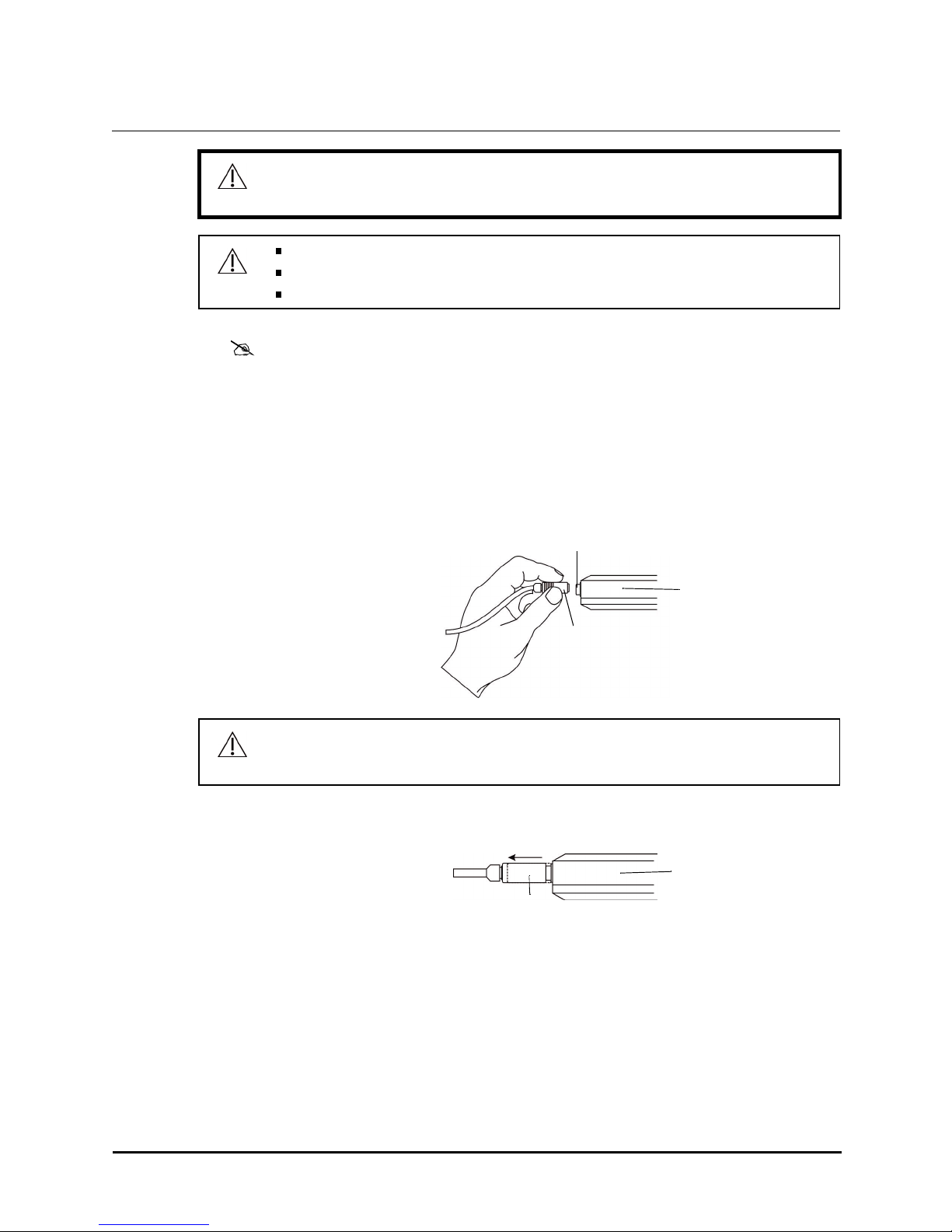
1Connect the sensor to the readout.
2Place the sensor, withwhite diffuser down, in the middle of the lighted side
the pad or mattress (see Figure 8). Any disposable covers should be on the
or mattress.
Measuring with the Type F-22 sensor
Type F-22 sensor
Phototherapy pad, lighted side
with pad cover in
plac
e
READ
displays.
Release
READ
.
The irradiance measurement locks on the display for 30 seconds
then automatically shuts off to preserve battery life.
Take two additional readings at different places on the pad, then average all
three readings. If apad is being used at the same time as an overhead
phototherapy light, measure and chart the irradiance of the pad and the light
separately withthe appropriate type of sensor.
The following messages mayshow on the display of the readout.
Messages
6OLYMPIC BILI- METER Instruction
Manua
l
Display
Message De
sc
r
i
ption
Low
Ba
t
Battery power is low; replace the battery
(see
page 7).
Over Range If 150 flashes on the display when
READ
is pressed,
the
irradiance is greater than 150 µW/cm²/nm and is out of range
of
the
B
i
li-Meter
.
Error If dashes flash on the display when
READ
is pressed, an error
condition is present:
The sensor may not be connected. Check the sensor
connection and verify the sensor version.
The wrong version of sensor may be connected to the
digital
readout unit. The color of the sensor and readout
calibration
labels must
match.
The sensor may have failed. Retry the read. If the
problem
continues, contact Natus Medical
(see
page 8
)
.
The digital readout may have failed. Retry the read. If
the
problemcontinues, contact Natus Medical
(see
page 8
)
.
Always make sure that the entire white diffuser of the sensor is over the lighted area of
the
CAUTION pad, otherwise inaccurate measurements may r
e
sult.