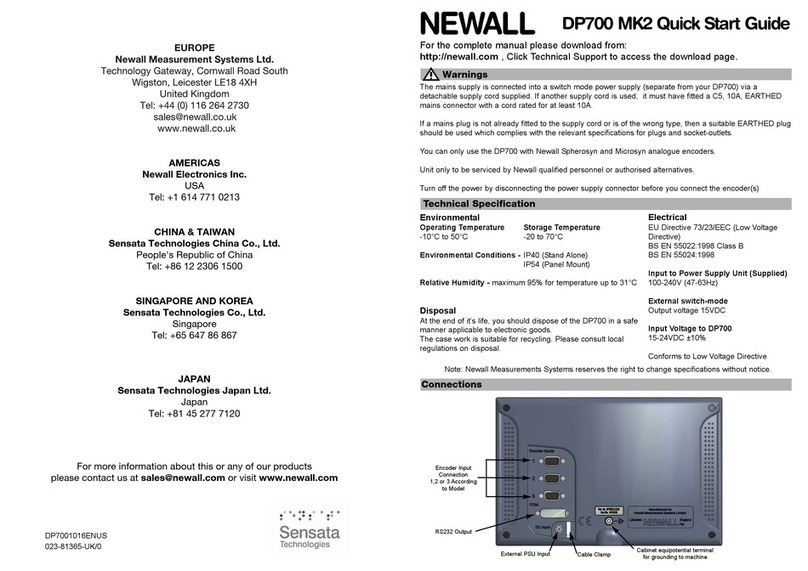
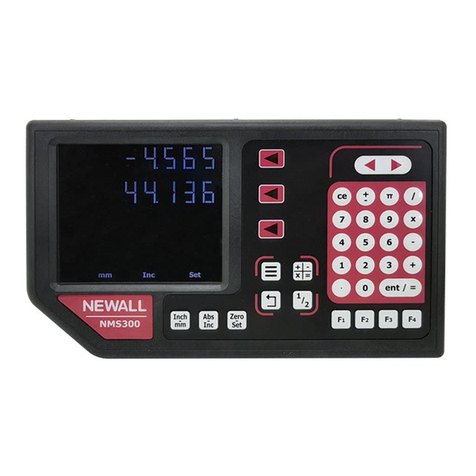
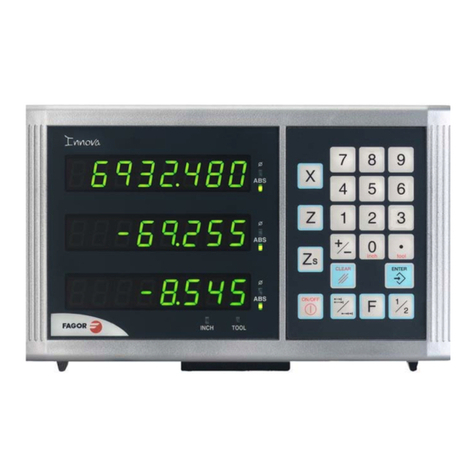
Newall DP500 User manual

DP500
Digital Readout
User Manual

2
Contents
Specification Page 3
Electrical Page 3
Physical Page 3
Environment Page 3
Accreditation Page 3
Disposal Page 3
Input and Resolution Page 3
Mounting ptions Page 4
Mill Mount Page 4
Lathe Mount Page 4
Connection Details Page 5
Important Information Page 5
Connections Page 5
Display and Keypad Page 6
Understanding the Display Page 6
Understanding the Keypad Page 6
Setting up the Unit Page 7
Navigating Complete Setup Page 7
Navigating Complete Setup (Continued) Page 8
Language Setup Page 9
Type Setup Page 9
Encoder Type Setup Page 9
Encoder Resolution Setup Page 9
Direction of Travel Setup Page 10
Radius / Diameter (Measure Setup) Page 10
Error Compensation Page 11
Linear Error Compensation Page 12
Linear Error Compensation Setup Page 13
Segmented Error Compensation Setup Page 14/15
Using Segmented Error Compensation Page 15
Plane Setup Page 15
Functions Setup Page 16
Beep Setup Page 16
Sleep Setup Page 16
Reset Setup Page 17
Standard Functions Page 18
Absolute / Incremental Page 18
Inch / mm Page 18
Zero and Preset an Axis Page 19
Undo Function Page 19
1/2 Function / Centre Find Page 20
Reference Page 20
Mill Functions Page 21
Pitch Circle Diameter (PCD) / Bolt ole Page 21
Lathe Functions Page 22
Tool Offsets Page 22/23
Multiple Tool Datums Page 24
Trouble Shooting Page 25

3
EU Directive 73/23/EEC (Low Voltage Directive)
BS EN 55022:1998 Class B
BS EN 55024:1998
Input to Power Supply Unit (Supplied)
100-240V (47-63 z)
External switch-mode - Output voltage 15VDC
Input Voltage to DP500 15-24VDC ±10%
Conforms to Low Voltage Directive
eight 170mm (6.69") Depth 48mm (1.89") Mounting Bolt: M10
Width 260mm (10.23") Weight 1.5kg (3.3lb)
Climatic Range Storage Temperature -20°C to 70°C
Working Temperature -10°C to 50°C
Working umidity 95% R. . at 31°C
IP-Ingress Protection IP40 Stand Alone
CE
At the end of its life, you should dispose of the DP500 system in a safe manner applicable to electrical
goods
Do not burn
The casework is suitable for recycling. Please consult local regulations on disposal of electrical equip-
ment
Only Spherosyn LT or Microsyn LT encoders can be used with the DP500 DRO
Resolutions
Spherosyn LT or Microsyn LT (10µm)
5µm (0.0002")
10µm (0.0005")
20µm (0.001")
50µm (0.002")
Newall Measurement Systems Limited reserves the right to make changes to this specification without
notice
Specification
Electrical
Physical
Environmental
Accreditation
Disposal
Input & Resolutions

Lathe Mount (Non Adjustable)
This chapter details the various mounting options for the DP500, both the standard version and the
panel mount version.
Mounting Options
Mill Mount (Non Adjustable)
4

This chapter details the cable connections for the DP500.
Connection Details
Important Details
Connections
You can only use the DP500 with Newall Spherosyn LT and Microsyn LT analogue encoders.
You need to ensure that:
You secure all the cables to prevent the connectors from dropping into hazardous
positions (for example the floor or coolant tray) when you unplug them.
You route all cables to prevent them from being caught on moving parts.
The DP500 is grounded to the machine, using the braided grounding lead provided,
before you turn on the machine supply.
The power has been disconnected, before you connect the encoder(s).
Do not connect this unit directly to the mains supply.
If an encoder connected to the DP500 travels over 2.2m an error code (2.1) will be displayed in the X
axis and the other axes will go blank. See the trouble shooting guide for further details on page 25.
Encoder input connection
2 or 3 according to model
Cabinet equipotential terminal
for grounding to machine
External PSU input
Cable clamp
5

This chapter explains how to interpret the display and use the keypad.
Display and Keypad
Understanding The Display
Understanding The Keypad
Axis Selection Key
Numeric Keys
Enter Key
Clear Numeric Entry
Centre Find
Undo Key
Digifind / Reference
Switches between Zero
and Axis Preset modes
Switches between Absolute
and Incremental modes
Information selection (scrolls through
options on Message display)
Function Menu Key
Function Navigation Keys
Switches between Inch and
mm display
Axis 1
Axis 2
Axis 3
Message
Display
Power LED
6
Sleep Key
T0 0 l 01
156.2 5 5
100.2 5 0
950.355

Setting Up The Unit
Navigating Complete Setup
How to enter setup
setup
Encoder nn26-lt
S26-lt
Until display shows uncs
Setup
Unit then
displays
setup
code?
setup
res 0.005
0.02
0.01
0.05
setup
dir ---i
setup
measure dia
rad
setup
err comp none
linear
select
segments
I---
Spherosyn LT
Microsyn LT (10µm)
setup
Language Eng us
Eng gb
rancais
pol
a r.
turkce
setup
type
lathe
nnill
generic
Note: Other languages may be available
italiano
dansk deutsch
portugue
setup
plane (----)
(----)
(----)
(----)
(----)
(----)
nly applicable
to 3 axes units
cesky
espanol
nederlan
russian
7

Setting Up The Unit
Navigating Complete Setup (continued)
setup
uncs on o
set unc
tools
set unc
PCD on o
setup
reset
reset
as generic
lathe
nnill
To exit setup
setup
beep o
setup
sleep 0user defined, use numeric keypad to
enter value (value is in whole minutes)
(Default is inactive)
8
on

Display Spherosyn™ LT Microsyn™ LT (10µm)
µm mm in
5 0.005 0.0002
10 0.01 0.0005
20 0.02 0.001
50 0.05 0.002
Setting Up The Unit
Encoder Type Setup
The encoder settings must match the actual encoder in use, or the DP500 will not measure
correctly.
Newall encoders that work with DP500:
Nnm26-LT
s26-LT
Spherosyn LT
Microsyn LT (10µm)
Press the axis select key next to the ‘X’, ‘Y’ or ‘Z’ axis to cycle through options
Encoder Resolution Setup
The resolution settings available for each axis depend on the inch/mm setting.
Press the axis select key next to the ‘X’, ‘Y’ or ‘Z’ axis to cycle through options
Language Setup
This setting enables the user to choose the language that is required to be displayed in the DP500 display.
Eng us
rancais
deutsch
italiano
dansk
turkce
portugue
russian
Eng gb (Default)
Press the axis select key next to the ‘X’ axis to cycle through options
English UK
English US
French
German
Italian
Russian
Danish
Czech
Spanish
Turkish
Portuguese
Type Setup
This setting enables the user to choose the machine type that the DP500 operates in.
lathe
nnill
Generic
There are 3 settings:
Press the axis select key next to the ‘X’ axis to cycle through options
Note: When set to lathe the x axis changes to diameter measurement
There are 14 language settings:
Note: When set to lathe or mill some functions are automatically turned off
Note: Other languages may be available
espanol
9
cesky
a r.
nederlan
pol
Afrikaans
ollandic
Polish

You use the direction setting to match the DP500 to the actual direction of travel of any axis.
There are two settings for each axis and
Example
If the current setting is and the travel is positive from right to left, changing
the setting to will reverse the direction to measure positive from left to right.
Setting Up The Unit
Radius / Diameter (measure Setup)
The radius/diameter function allows the operator to display actual (radius) or twice-actual (diameter)
measurements for each axis.
This function is generally used in turning applications, such as the cross travel on a lathe where you
want to display the diameter reading rather than the radius.
There are two settings for each axis:
dia
rad
Radius
Diameter
Press the axis select key next to the ‘X’, ‘Y’ or ‘Z’ axis to cycle through options
Press the axis select key next to the ‘X’, ‘Y’ or ‘Z’ axis to cycle through options
Direction of Travel Setup
---i i---
---i
i---
10
Other manuals for DP500
2
Table of contents
Other Newall Digital Readout manuals