MAC SETUP
1. Close all running applications
2. With nio disconnected from your computer, locate the nio Mac installer on the resources disc and double-click to run it
3. You may be asked to restart your computer to complete installation
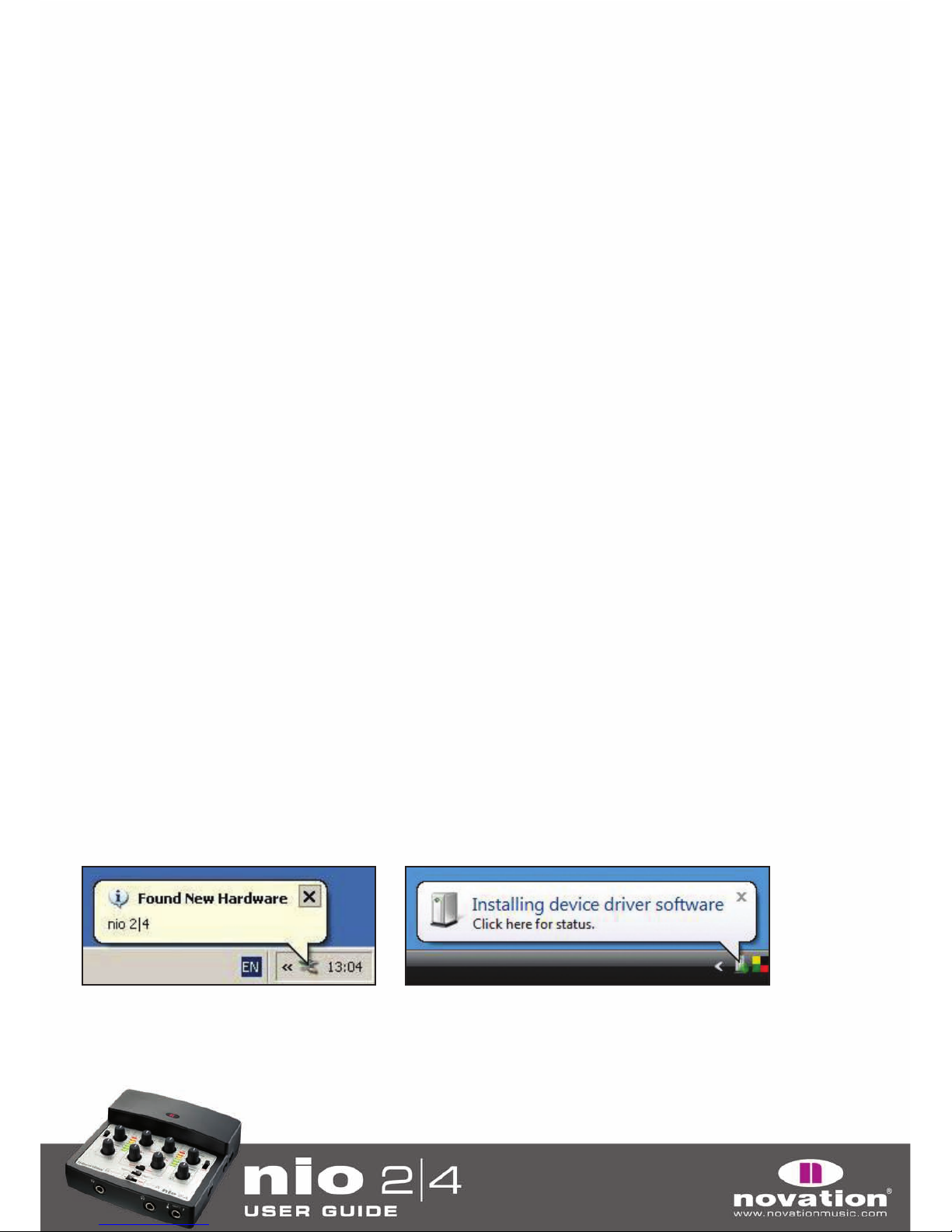
4. Once the installer has finished, or once your computer has restarted, connect nio to your computer
Nio can now be used as an Audio and MIDI device with your computer. To apply the nio FX to the audio inputs, launch the
nio FX Rack software from the Start menu (Windows) or your Applications folder (Mac).
FRONT PANEL CONTROLS
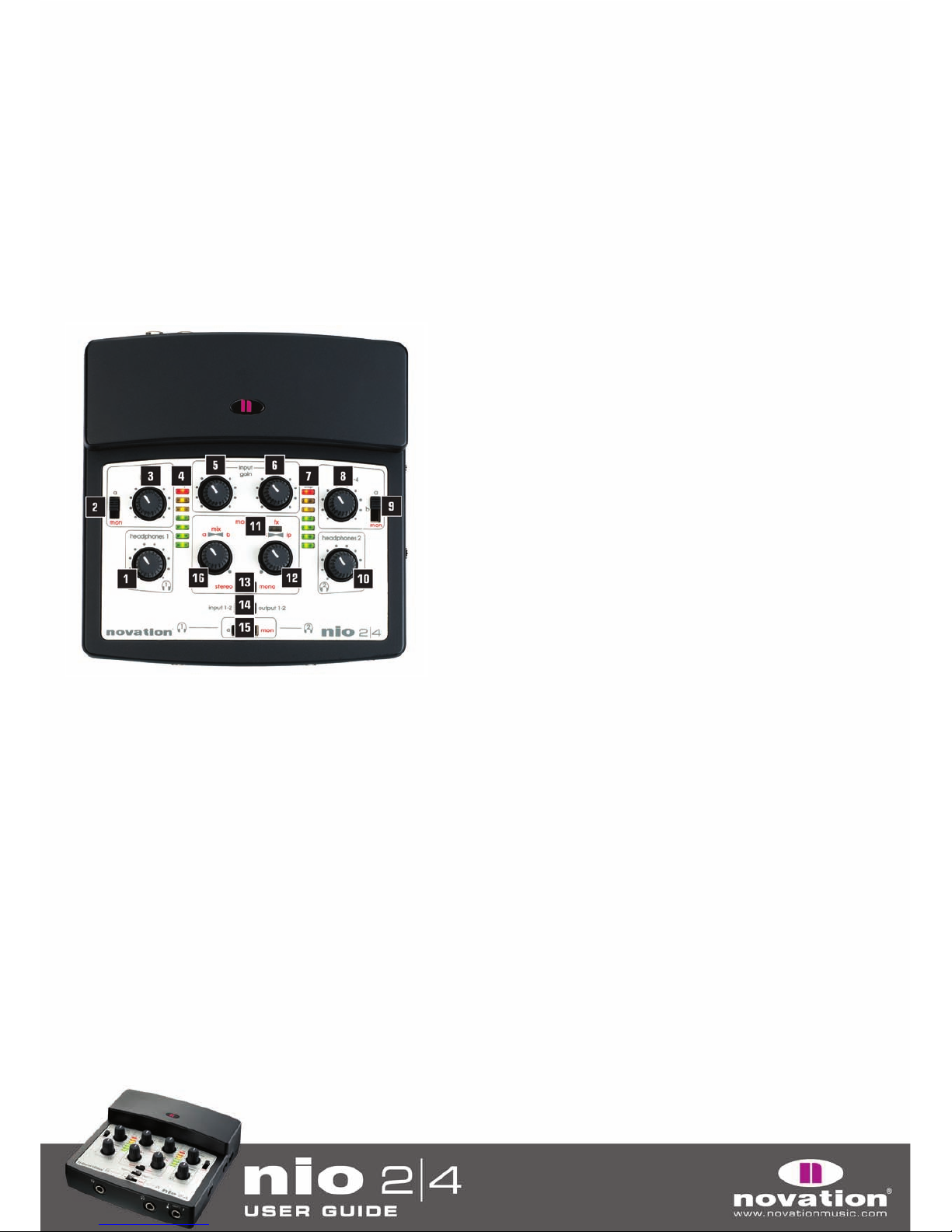
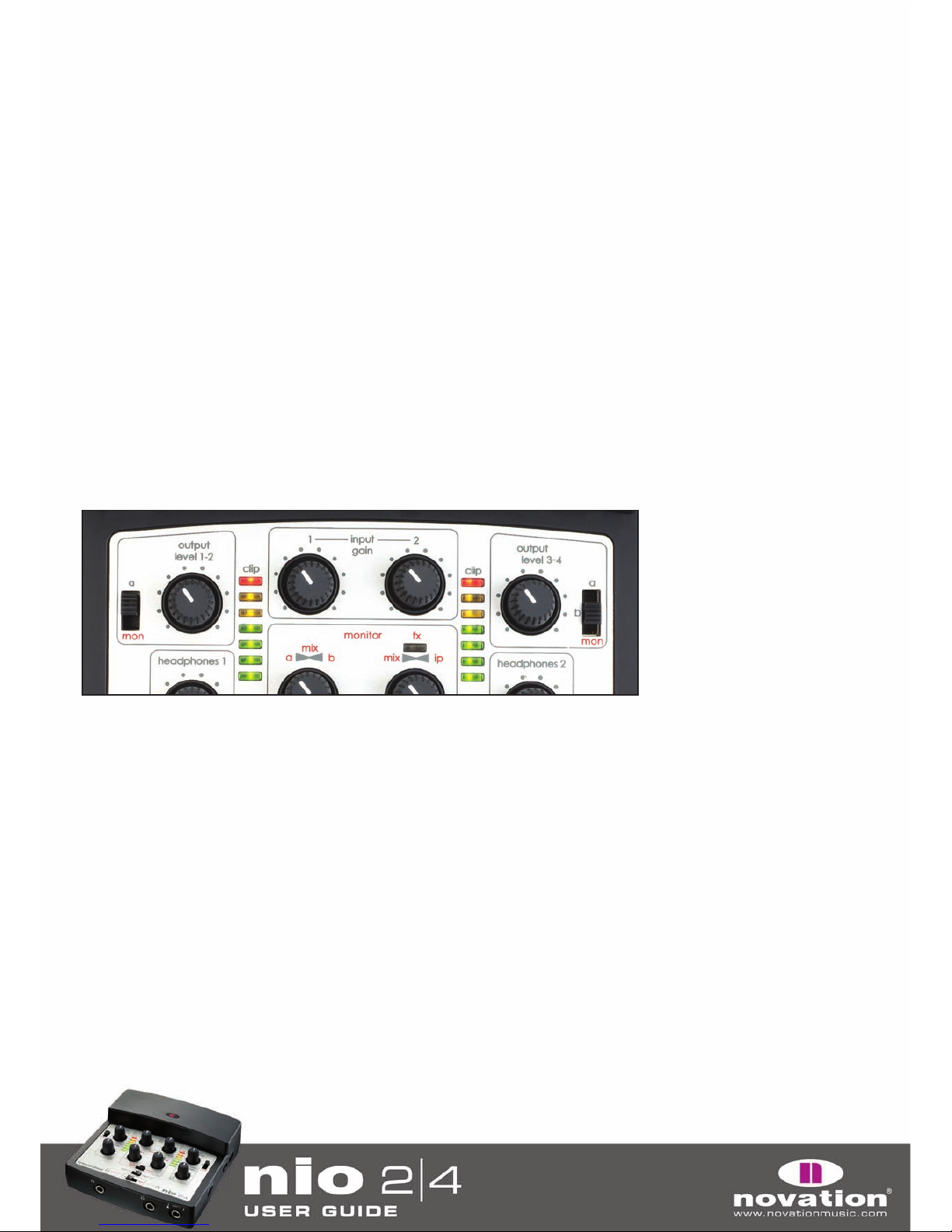
1. Sets the level of Headphones 1
2. Chooses the signal sent to Outputs 1 and 2. This can be ‘a’
(nio outputs 1/2 from the sequencer) or ‘mon’ (the monitor mix
created in the ‘monitor’ section below - 12 and 16)
3. Sets the level of Outputs 1 and 2 on the rear panel
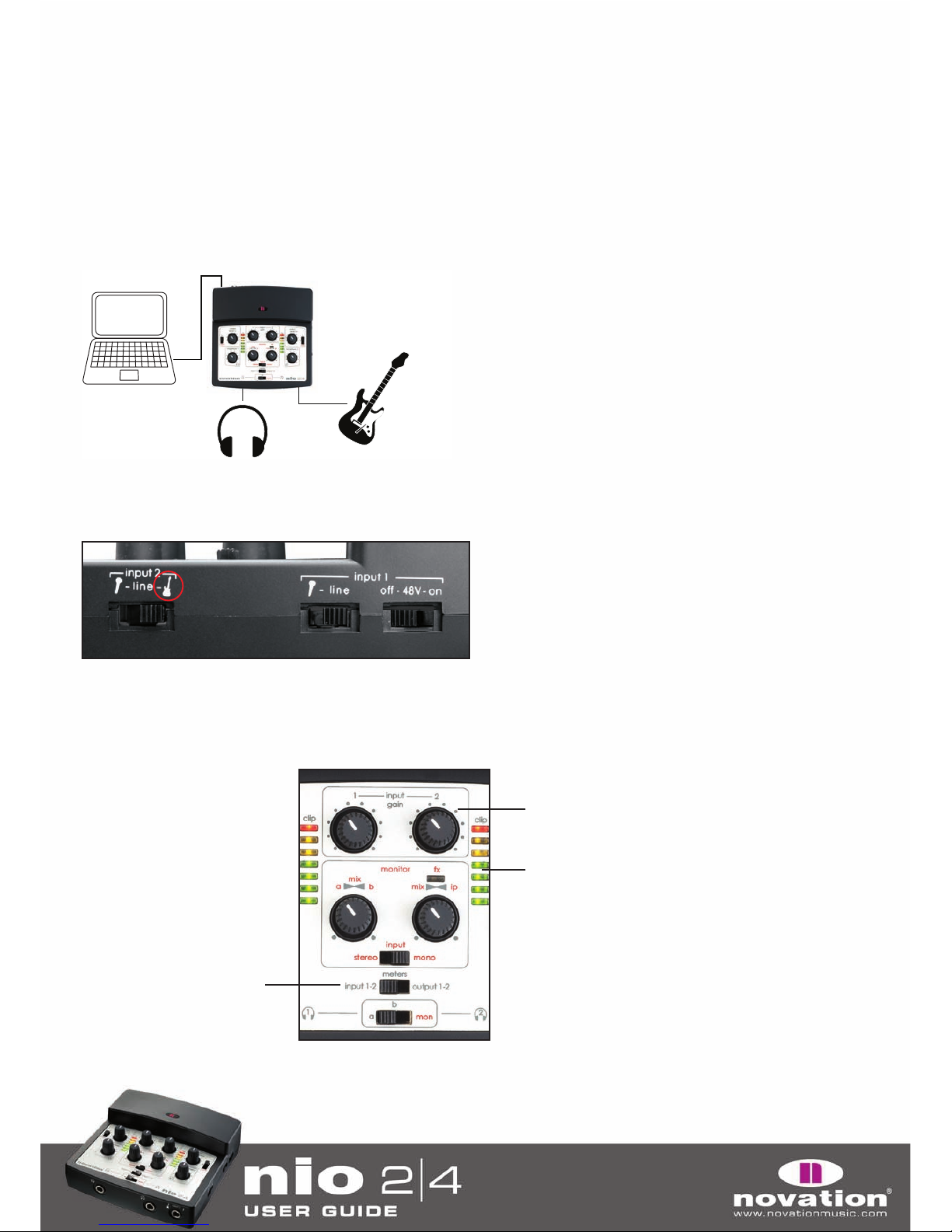
4. Shows the level of Input 1 or Output 1 (dependent on the position
of the ‘meters’ switch below - 14)
5. Sets the gain (level) of Input 1
6. Sets the gain (level) of Input 2
7. Shows the level of Input 2 or Output 2 (dependent on the position
of the ‘meters’ switch below - 14)
8. Sets the level of Outputs 3 and 4 on the rear panel
9. Chooses the signal sent to Outputs 3 and 4. This can be ‘a’ (nio
outputs 1/2 from the sequencer), ‘b’ (nio outputs 3/4 from the
sequencer) or ‘mon’ (the monitor mix created in the ‘monitor’
section below - 12 and 16)
10. Sets the level of Headphones 2
11. Indicates when nio’s Direct FX software is in use
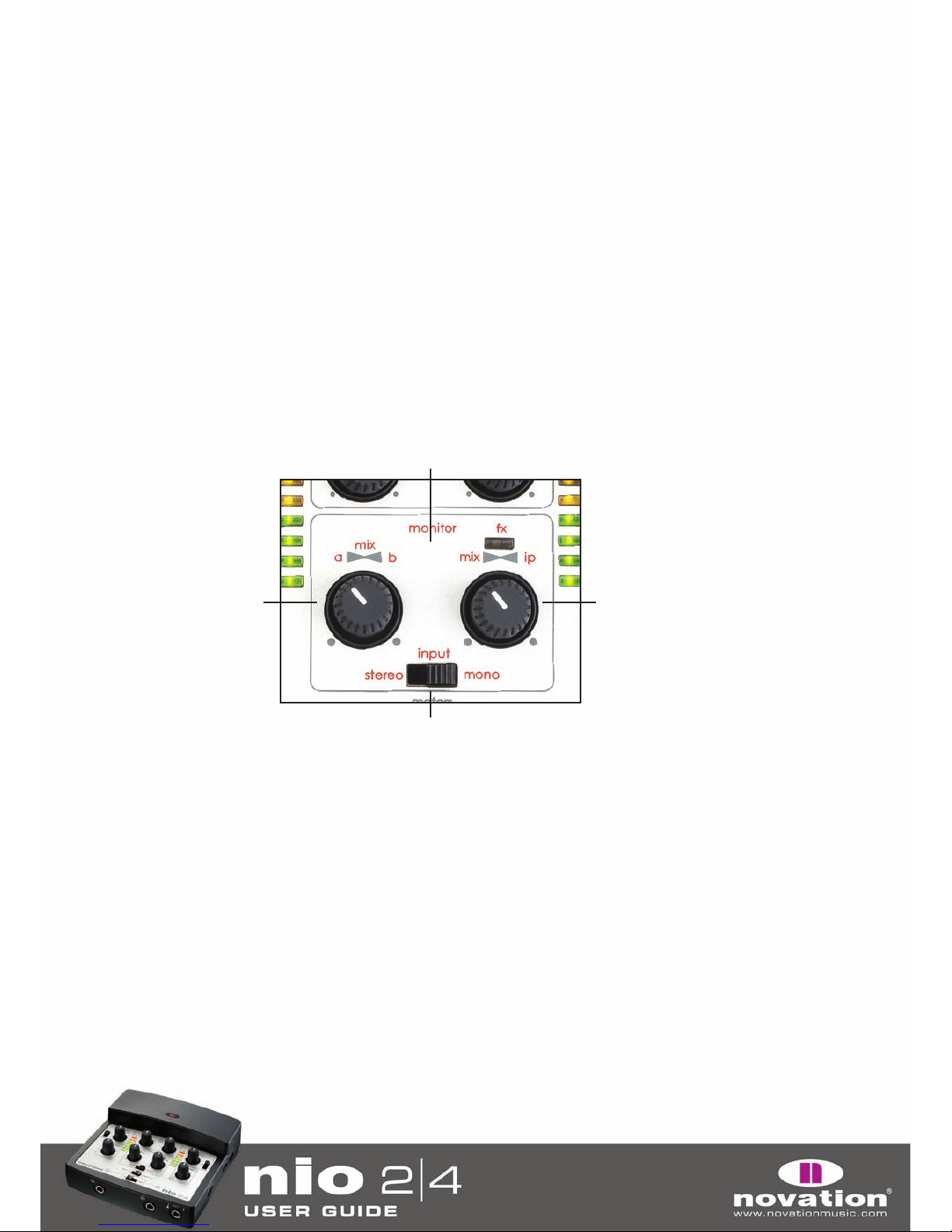
12. Creates the blend of inputs and ‘playback’ (recorded) tracks for the monitor mix. In the extreme clockwise position,
only inputs are heard, whilst in the fully anticlockwise position, only the mix created by the a-b mix dial to the left is heard
13. Pans the inputs left and right respectively (stereo) or both centrally (mono) in the monitoring section (“mon” mix)
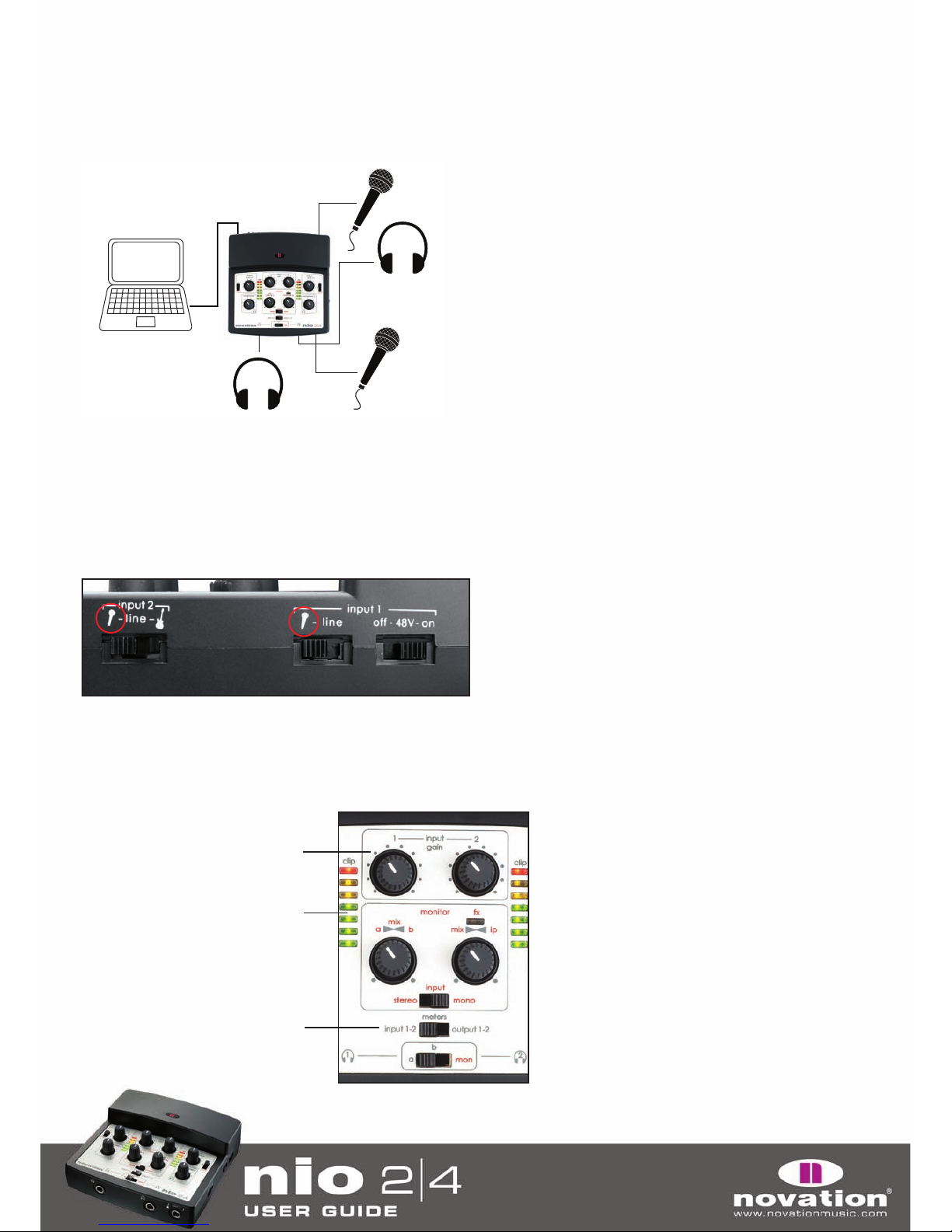
14. Selects the source shown by the LED meters above. Choices are Inputs 1/2 in the left position and Outputs 1/2 in
the right position
15. Selects the signal sent to the 2 pairs of headphones. Choices are ‘a’ (nio outputs 1/2 from the sequencer), ‘b’
(nio outputs 3/4 from the sequencer) or ‘mon’ (the monitor mix created in the ‘monitor’ section above - 12 and 16)
16. Creates a blend between ‘a’ (nio outputs 1/2 from the sequencer) and ‘b’ (nio outputs 3/4 from the sequencer).
This becomes the a-b ‘mix’ of playback tracks that can be blended with the inputs using the dial to the right to create
the monitor mix
3