manuals.online logo
Brands
  1. Home
  2. •
  3. Brands
  4. •
  5. Oki
  6. •
  7. All In One Printer
  8. •
  9. Oki OFFICE 86 User manual

Oki OFFICE 86 User manual

This manual suits for next models

1

Other Oki All In One Printer manuals

Oki ES3640eMFP User manual

Oki

Oki ES3640eMFP User manual

Oki ES9460 MFP User manual

Oki

Oki ES9460 MFP User manual

Oki MB451wMFP User manual

Oki

Oki MB451wMFP User manual

Oki B2520 User manual

Oki

Oki B2520 User manual

Oki OKIOFFICE84 Owner's manual

Oki

Oki OKIOFFICE84 Owner's manual

Oki OKIOFFICE 87 User manual

Oki

Oki OKIOFFICE 87 User manual

Oki C3530n MFP Installation instructions

Oki

Oki C3530n MFP Installation instructions

Oki 62433101 User manual

Oki

Oki 62433101 User manual

Oki ES9466 MFP User manual

Oki

Oki ES9466 MFP User manual

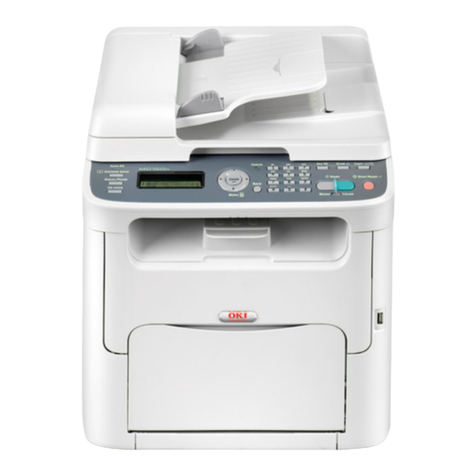
Oki C3520 User manual

Oki

Oki C3520 User manual

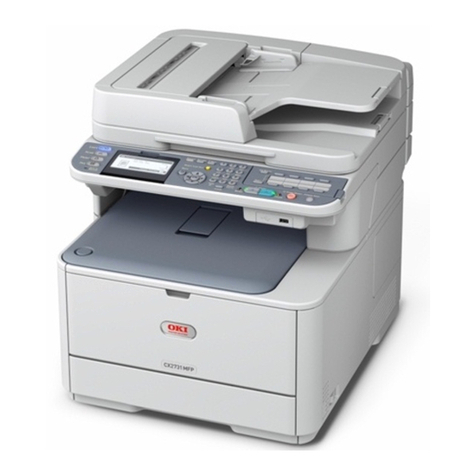
Oki CX2731MFP User manual

Oki

Oki CX2731MFP User manual

Oki OKIOFFICE 87 Parts list manual

Oki

Oki OKIOFFICE 87 Parts list manual

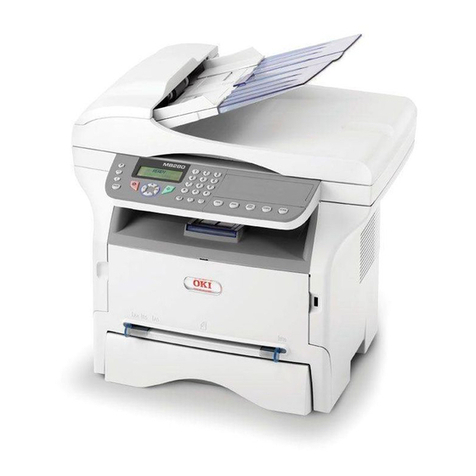
Oki MB280 User manual

Oki

Oki MB280 User manual

Oki C9600 Series User manual

Oki

Oki C9600 Series User manual

Oki MC760x series User manual

Oki

Oki MC760x series User manual

Oki C9850 MFP User manual

Oki

Oki C9850 MFP User manual

Oki LUCIDIOM EQ-9800 User manual

Oki

Oki LUCIDIOM EQ-9800 User manual

Oki B4545 MFP User manual

Oki

Oki B4545 MFP User manual

Oki MB472w User manual

Oki

Oki MB472w User manual

Oki MPS4200mb Quick manual

Oki

Oki MPS4200mb Quick manual

Oki ES3640eMFP User manual

Oki

Oki ES3640eMFP User manual

Oki CX 1145 MFP Instruction and safety manual

Oki

Oki CX 1145 MFP Instruction and safety manual

Oki C810 User manual

Oki

Oki C810 User manual

Oki C9850hdn Instruction manual

Oki

Oki C9850hdn Instruction manual

Popular All In One Printer manuals by other brands

Brother MFC-J220 Basic user's guide

Brother

Brother MFC-J220 Basic user's guide

Brother MFC-8510DN Basic user's guide

Brother

Brother MFC-8510DN Basic user's guide

Ricoh Aficio FX200 Service training

Ricoh

Ricoh Aficio FX200 Service training

Olivetti d-Copia 16W Operation manual

Olivetti

Olivetti d-Copia 16W Operation manual

Konica Minolta bizhub C3850FS user guide

Konica Minolta

Konica Minolta bizhub C3850FS user guide

Konica Minolta bizhub 758 manual

Konica Minolta

Konica Minolta bizhub 758 manual

Lexmark MX310 Series Service manual

Lexmark

Lexmark MX310 Series Service manual

Ricoh Aficio 3224C operating instructions

Ricoh

Ricoh Aficio 3224C operating instructions

Sagem MF 3625 user manual

Sagem

Sagem MF 3625 user manual

Epson Epson Stylus NX530 quick guide

Epson

Epson Epson Stylus NX530 quick guide

Brother MFC9800 - MFC 9800 B/W Laser owner's manual

Brother

Brother MFC9800 - MFC 9800 B/W Laser owner's manual

Konica Minolta 7033 instruction manual

Konica Minolta

Konica Minolta 7033 instruction manual

Ricoh Aficio MP 161F operating instructions

Ricoh

Ricoh Aficio MP 161F operating instructions

Epson WorkForce WF-2510 Basic guide

Epson

Epson WorkForce WF-2510 Basic guide

Epson Stylus Scan 2000 Product information guide

Epson

Epson Stylus Scan 2000 Product information guide

Epson PictureMate Snap PM 240 Start here

Epson

Epson PictureMate Snap PM 240 Start here

Brother MFC-J430w user guide

Brother

Brother MFC-J430w user guide

Konica Minolta BIZHUB 558 Quick reference guide

Konica Minolta

Konica Minolta BIZHUB 558 Quick reference guide

manuals.online logo
manuals.online logoBrands
  • About & Mission
  • Contact us
  • Privacy Policy
  • Terms and Conditions

Copyright 2025 Manuals.Online. All Rights Reserved.

lOKIOFFICE 86
OKIOFFICE 86
Dedicated performance
with multi-function flexibility
The OKIOFFICE 86 is a complete communications centre within
one compact desktop machine integrating vital office functions
without compromising on performance.
This simple to use and highly economical
timesaver will print, fax, scan and help you
manage your documents. That’s why it’s the
perfect machine for anyone wishing to deliver
professional standards in a home working or
small office environment.
PC Printing
This compact digital LED multi function device
produces Q600dpi printing at 8 pages per
minute delivering high quality professional results required by
today’s office environment. The 100 sheet output tray and
manual feeder tray allow a vast range of material to be printed.
High-speed faxing
The OKIOFFICE 86 guarantees quick faxing. Thanks to its high
speed scanning, 33.6K modem and large memory it sends,
receives and prints faxes in seconds. Dual access operation
allows you to send or copy a document while simultaneously
receiving a fax.
Versatile copying capability
As well as a pin sharp Q600 dpi output and 50 page multi copy
capacity, the copying function on an OKIOFFICE 86 will
reduce/enlarge to 25 200%, has a 2 up and 4 up copying facility
and lets you condense reports to save paper.
Receive a fax, edit and send it as an e mail.
Thanks to the TWAIN compatible scanner with
integrated OCR, the OKIOFFICE 86
lets you scan incoming faxes from your PC,
convert them into digital files, edit them and
then send them on as e mails (or faxes). This is
a major time saver in a busy office.
INTEGRATING OFFICE PRINTING FUNCTIONS IN ONE DEVICE
PC Printing
Document
management
Advanced
fax features
Copy and scan
via a PC
colour printers fax/mfp’s mono printers dot matrix
WHY OKI?
Oki has been in business for over 120 years. We
specialise in print-based business communication with a
commitment to bringing fast and high quality equipment
to the workplace. hat’s why our products reflect a special
understanding of day-to-day business requirements.
It’s why we have a dealer network providing excellent local
support and service. It’s also why buying from Oki isn’t just
a sensible choice, it’s a safe decision.
THINK OKI. THINK CL RITY.
Whether your business is a start-up or a multinational, we
have the products to suit your needs from mono and colour
printers to multi-function fax machines. Because we have
such a diverse product range, we have colour-coded our
product segments to help you save time. When it’s time to
add another fax to your range or to checkoutthe latest
advances in technology on our website, simply use the fol-
lowing colour guide.
Digital LED 8ppm printing
Manual paper feeding
33k6 bps modem
Easy to use input and output trays
pc i/f connections
Easy to use speed dials
OKIOFFICE 86
OKIOFFICE 86
Order number
Fax features Modem speed 33k6 bps
Speed dials 100 speed and 10 One touch keys
roup dial 10 groups
Memory reception Yes
Data compression MH, MR, MMR
Delayed transmission Yes : 5 transmissions up to 3 days
Memory 4MB giving up to 320 sheets
MCF with image Yes
Confidential mailbox 8 mailboxes selectable between polling and confidential
LCD display 2 lines x 20 characters with 5 display languages
Scan speed 6 seconds
Paper handling Paper size A4, Letter and Legal
Print speed 8ppm
Input tray 20 sheet ADF, A4 A5 Letter Legal , 60 - 105 gsm
Output tray 100 sheets, A4 Letter Legal, 60 -90 gsm
Manual feeder Single sheet supporting A4, Letter, Legal transparency
PC Connection Print speed 8ppm
PC Printing Yes
Print resolution Q600 dpi and 64 greyscales
OS Compatibilty WIN 95/98/2000/NT4/XP
Connectivity IEEE 1284 Bi-directional parallel
Utilities Printer driver, twain scanner and document management using Unimessage Pro
Twain scanner & OCR Yes
Document management Yes
Cover sheets Yes
import phonelists Yes
ISDN Option Connectivity Basic rate ETS 300012
Approval standard ETSI TBR3-1995
Transmission speed 64k bps
Error correction LAPB
NetworkservicesCLIP (Calling Line Identification), SUB (Sub Addressing), MSN (Multiple Subscriber Number)
Operating conditions Temperature/humidity 10C - 32C / 20% - 80%
Storage-10C- 50C/ 10% - 90%
Power requirements Power supply 230VAC +15% -14% , 50/60Hz +/- 2Hz
Power consumption TX 18W , RX 102W , Copy 143W , Standby 6.5W, Power save 0.35W
Dimensions (HxWxD) 190 x 316 x 383mm
Weight 8kg
WarrantyStandardPan European 1 year
Supplies life Toner 1,875 pages at 4% coverage
Drum10,000 pages (continuous print)
Oki recommends the use of Oki consumables. Counterfeit products may damage your printer's performance and invalidate your warranty.

Specifications subject to change without notice. All trademarks acknowledged.
Oki Europe Ltd,
Central House, Balfour Road,
Hounslow, Middlesex, TW3 1HY,
nited Kingdom
tel: +44(0) 20 8219 2190
fax: +44(0) 20 8219 2199
www.okieurope.com
© 2002 Oki Europe Ltd.
®
As an ENER Y STAR Partner, Oki Europe Ltd
has determined that this product meets the
ENER Y STAR guidelines for energy efficiency.