3
IPLEX GAir
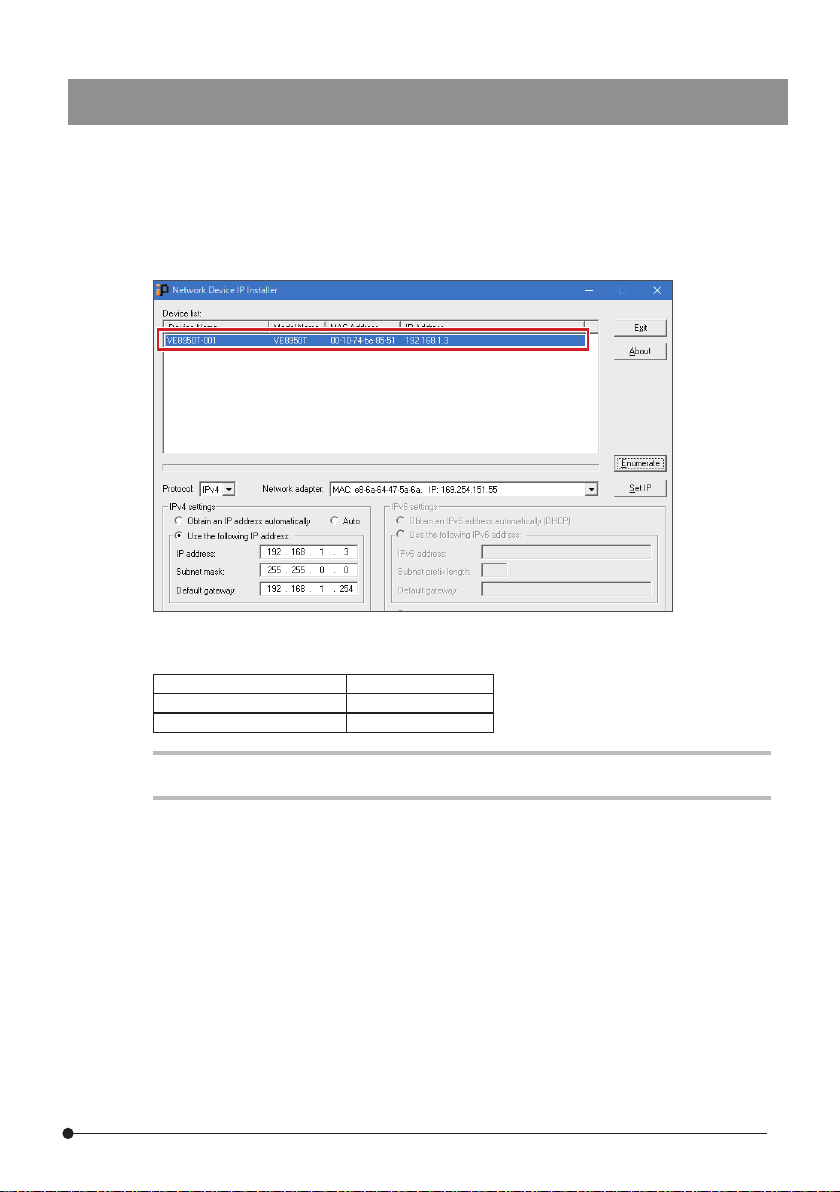
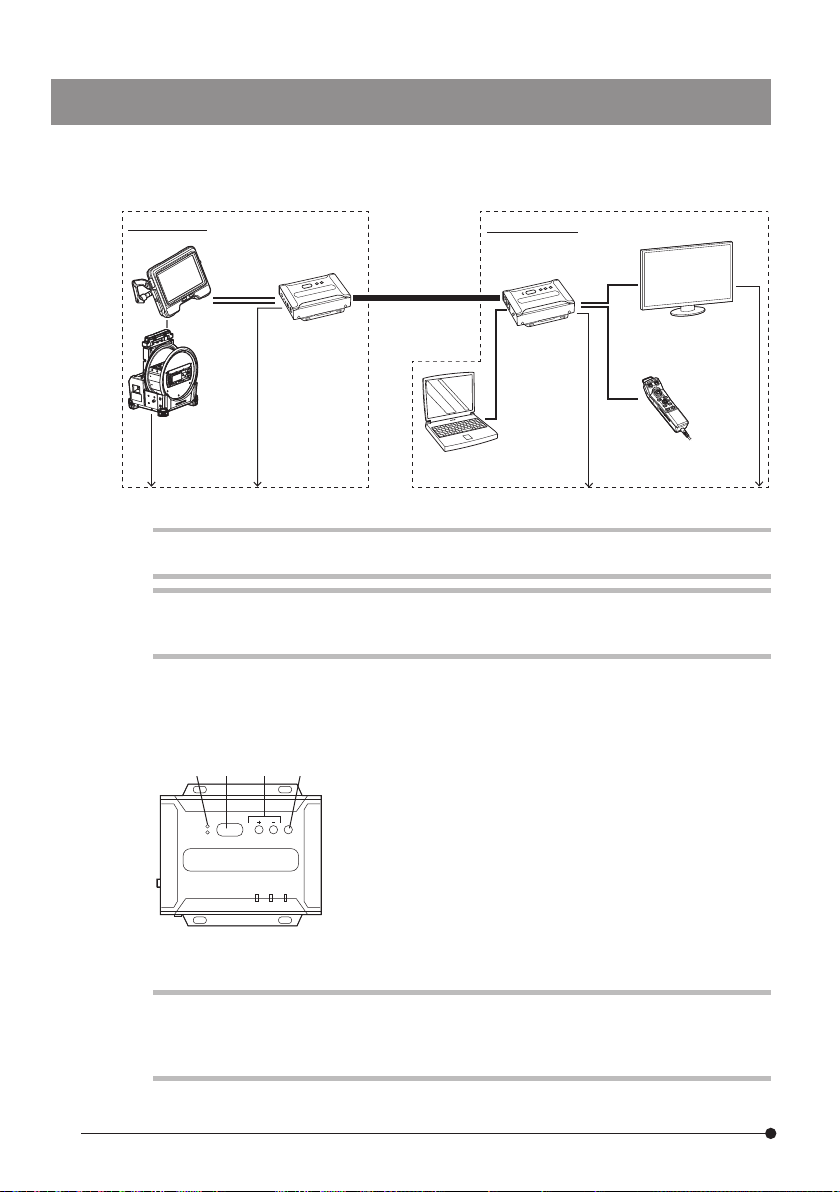
1. Start the setting PC and set TCP/IP as follows.
IP assignment Manual
IP address setting (v4) 192.168.1.200
Subnet mask 255.255.0.0
Default gateway 192.168.1.254
TIP:
The procedures to set ICP/IP are described below.
1. Right-click [Start] to display the menu, select [Run], input "ncpa.cpl", and then click
the [OK] button.
2. Right-click on [Ethernet] to display the menu, and select [Properties].
3. Select [Internet Protocol Version 4 (TCP/IPv4)], and click the [Properties] button.
4. Click the [Use the following IP address] radio button, and input the values shown
above in [IP address], [Subnet mask] and [Default gateway] respectively.
1-2 Setting the network environment
1-2-2 Setting the wired LAN port
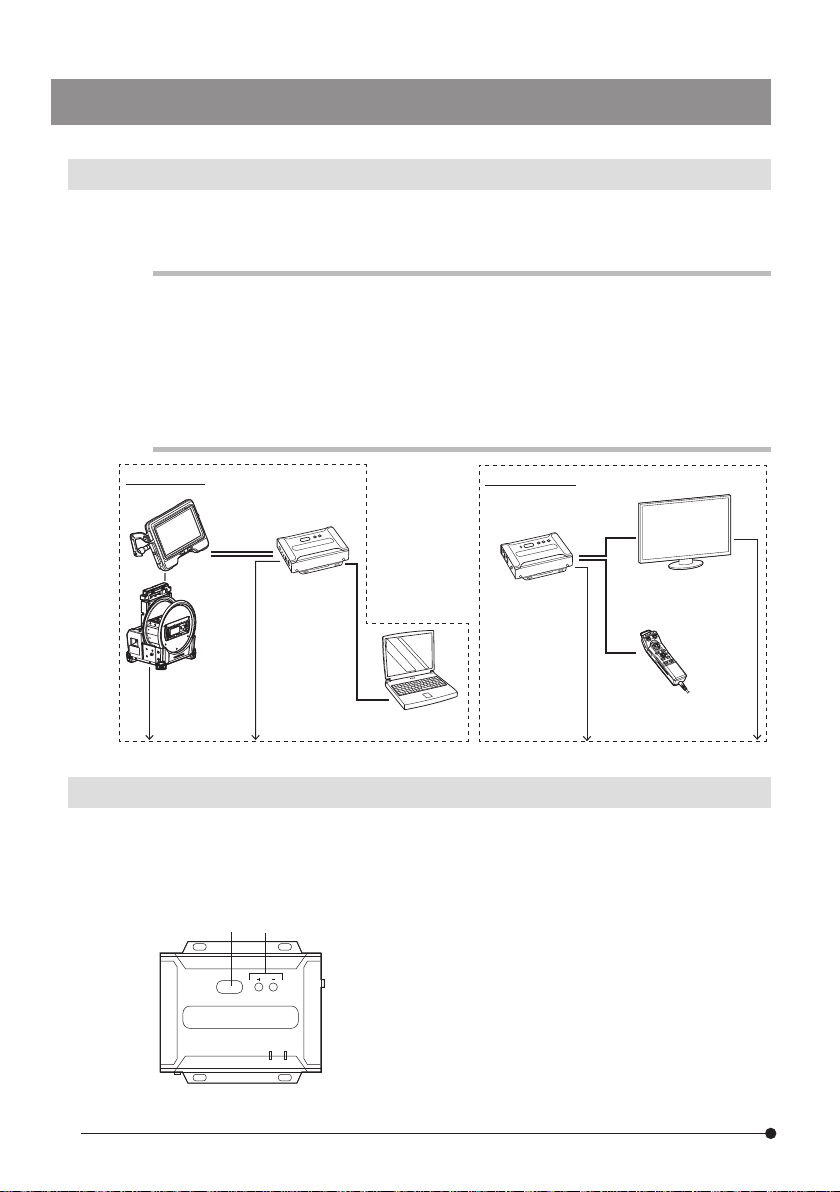
1. Install IPInstaller.
IP Installer must be installed on the setting PC in advance in order to acquire and set
the IP address of the repeater.
Also, the Web browser is required for setting the IP address.
TIP:
For the procedure to install IP Installer and the corresponding Web browser as well as
its version, refer to the instruction manual for the repeater.
2. Write down Login ID (user level) and Password of the repeater.
To access to the repeater, you need Login ID (user level) and Password described in
the instruction manual of the repeater. At this time, as the wireless LAN of the setting
PC must be disconnected, you cannot view the instruction manual of the repeater
via network. Prior to accessing to the repeater, write down Login ID (user level) and
Password.
1-2-1 Preparing IPInstaller
The network environment described in this section must be configured for the first time only.
It is not necessary to configure it for the second time and after.