manuals.online logo
Brands
  1. Home
  2. •
  3. Brands
  4. •
  5. OLYS
  6. •
  7. Controllers
  8. •
  9. OLYS SNC Series User manual

OLYS SNC Series User manual

This manual suits for next models

4

Other OLYS Controllers manuals

OLYS MPPT5012A-DUO User manual

OLYS

OLYS MPPT5012A-DUO User manual

OLYS MPPT5012A-DUO-BT User manual

OLYS

OLYS MPPT5012A-DUO-BT User manual

OLYS MPPT5010 User manual

OLYS

OLYS MPPT5010 User manual

OLYS MPPT10050 User manual

OLYS

OLYS MPPT10050 User manual

OLYS MPPT15060 User manual

OLYS

OLYS MPPT15060 User manual

OLYS SNC50 User manual

OLYS

OLYS SNC50 User manual

OLYS STC-LED-V2.0 Series User manual

OLYS

OLYS STC-LED-V2.0 Series User manual

Popular Controllers manuals by other brands

Sunricher SR-ZV9003T3-RGBW-US Installation

Sunricher

Sunricher SR-ZV9003T3-RGBW-US Installation

Ksenia intro Installation and configuration manual

Ksenia

Ksenia intro Installation and configuration manual

Inovance CAN200 Series manual

Inovance

Inovance CAN200 Series manual

Gauzy LC6 FLEX Controller Installation and operation guide

Gauzy

Gauzy LC6 FLEX Controller Installation and operation guide

Viking SLP-1 Technical practice

Viking

Viking SLP-1 Technical practice

CKD KBX-30E-U Series instruction manual

CKD

CKD KBX-30E-U Series instruction manual

Sharp Energy Sun Flux User manual & installation guide

Sharp Energy

Sharp Energy Sun Flux User manual & installation guide

Yamaha RCX40 user manual

Yamaha

Yamaha RCX40 user manual

AB Quality PowerFlex 400 Frames D-H Service bulletin

AB Quality

AB Quality PowerFlex 400 Frames D-H Service bulletin

Yamaha MJC8 owner's manual

Yamaha

Yamaha MJC8 owner's manual

AL-KO ATC operating instructions

AL-KO

AL-KO ATC operating instructions

Savant SmartControl 2 Deployment guide

Savant

Savant SmartControl 2 Deployment guide

GameSir T3S user manual

GameSir

GameSir T3S user manual

Kostal inveor operating manual

Kostal

Kostal inveor operating manual

Emerson Yarway 20-55 Operating and safety instructions

Emerson

Emerson Yarway 20-55 Operating and safety instructions

CoCo ACM-LV24 Quick installation guide

CoCo

CoCo ACM-LV24 Quick installation guide

Brooks SLA5810/20 Installation and operation manual

Brooks

Brooks SLA5810/20 Installation and operation manual

SIGMA TEK SR 011 Technical manual

SIGMA TEK

SIGMA TEK SR 011 Technical manual

manuals.online logo
manuals.online logoBrands
  • About & Mission
  • Contact us
  • Privacy Policy
  • Terms and Conditions

Copyright 2025 Manuals.Online. All Rights Reserved.

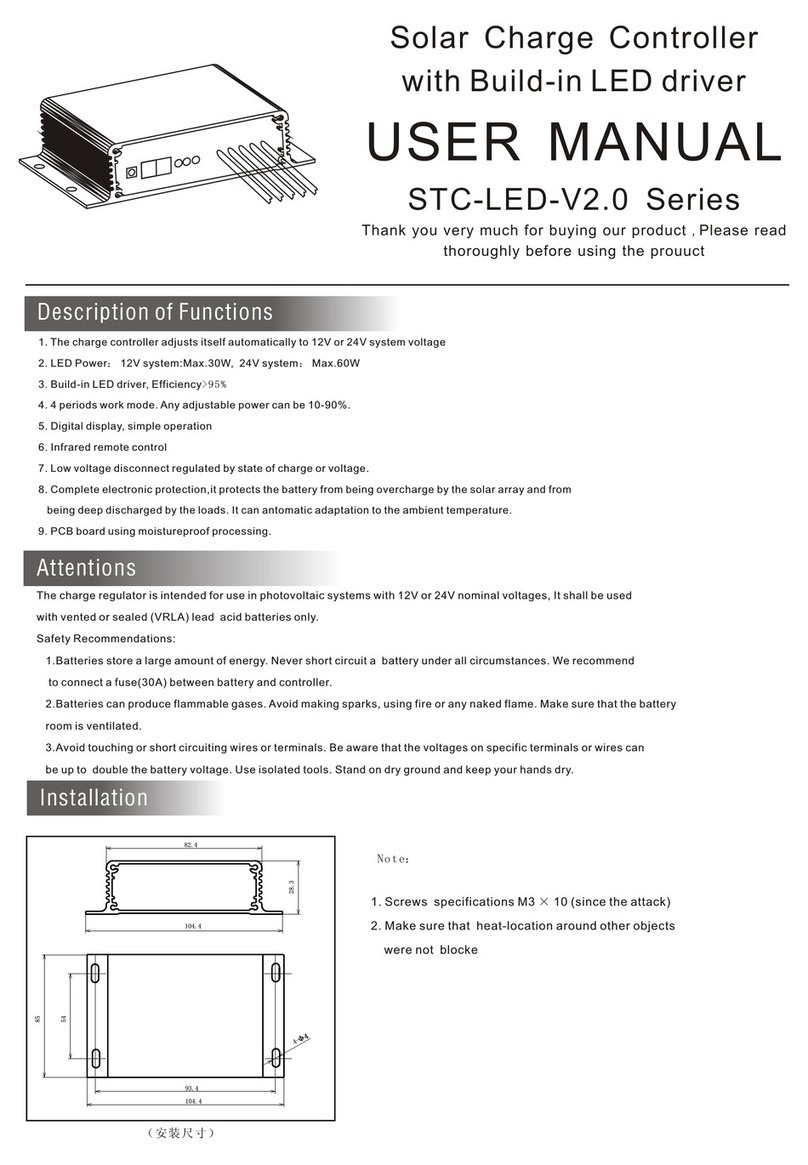
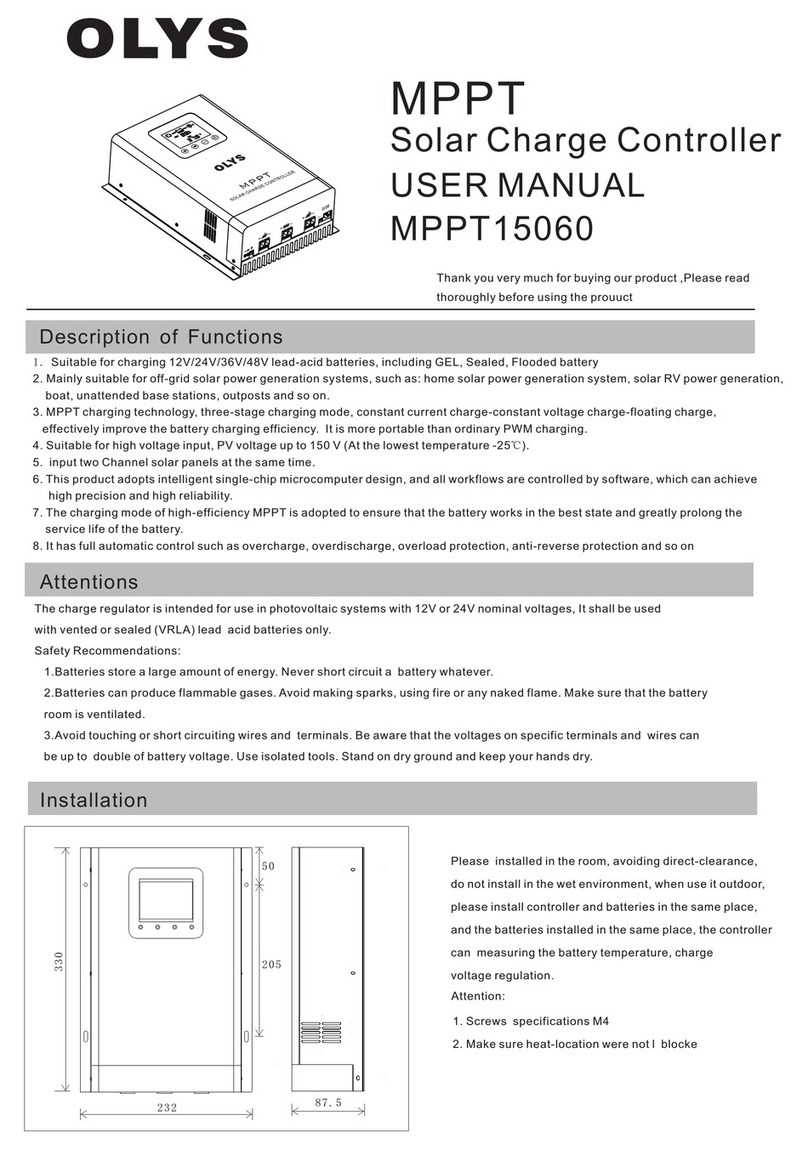
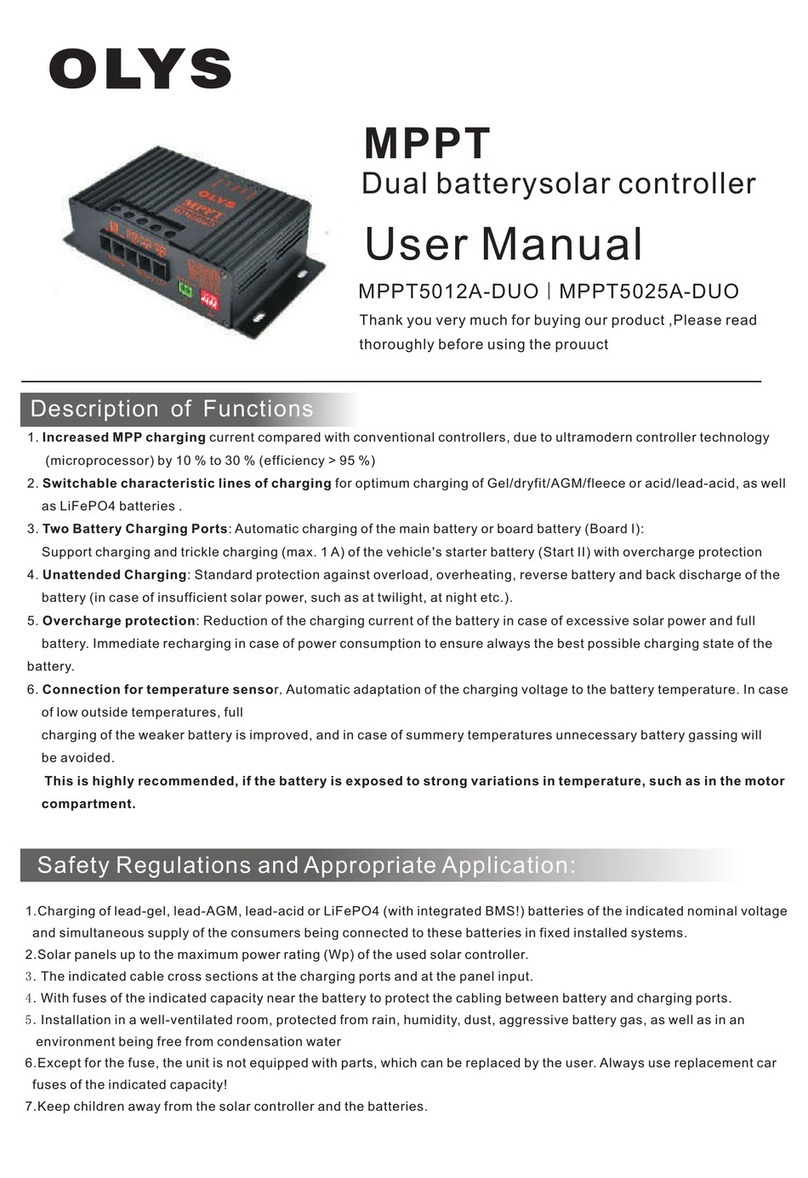
Description of Functions
1.
2. Suitable for lead-acid battery, lithium ion battery ,LiFePO4
3. LCD display various parameters of charge and discharge.
4. Boost charge voltage and battery low voltage protection point can be adjustable
5. The three-stage PWM charging mode
6. Load output can be manually controlled。
7. With high-precision temperature compensation function.
8. With electronic protection
The charge controller automatically recognize 12V or 24V system.
(unit: inch/mm)
4.6/116.8
3.4/86.6
6/152.4
5.6/142.4
2.4/61
SOLAR CHARGE CONTROLLER
User Manual
SNC Series
Thank you very much for buying our product ,Please read
thoroughly before using the prouuct
Attentions
The charge regulator is intended for use in photovoltaic systems with 12V or 24V nominal voltages, It shall be used
with vented or sealed (VRLA) lead acid batteries only.
Safety Recommendations:
1.Batteries store a large amount of energy. Never short circuit a battery whatever.
2.Batteries can produce flammable gases. Avoid making sparks, using fire or any naked flame. Make sure that the battery
room is ventilated.
3.Avoid touching or short circuiting wires and terminals. Be aware that the voltages on specific terminals and wires can
be up to double of battery voltage. Use isolated tools. Stand on dry ground and keep your hands dry.
Installation
Please installed in the room, avoiding direct-clearance,
do not install in the wet environment, when use it outdoor,
please install controller and batteries in the same place,
and the batteries installed in the same place, the controller
can measuring the battery temperature, charge
voltage regulation.
Attention:
1. Screws specifications M3 × 10
2. Make sure heat-location were not l blocke
Version: 2.0(20191101)

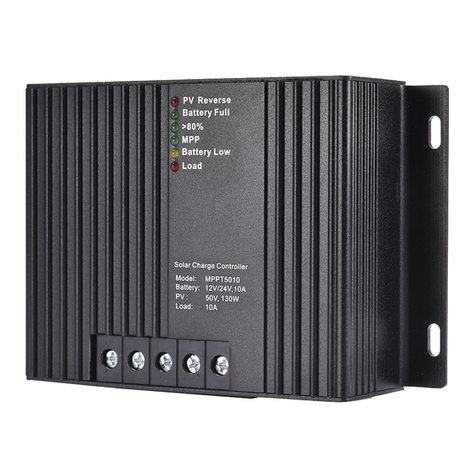
Part Names
Battery
Operating
Fu s e
Radiator
Terminal Blocks
Button
LCD
shell
Temperature sensor
Charge indicator
load indicator
SET
charge indicator (green LED)
ON: charging
OFF: no charging
ON: Stop output
OFF: Output normal
SE T
Parameter Browse
SE T
SE T
Ambient
temperature
SE T
Charging current
Charge capacity
Load current Load voltage
start
Key Description
SET
Previous
Function key, cycle display main menu
Load ON/OFF
Co nnecting
1. Connect sequence 1. battery --2. solar array --3.loads
2. Wier size: 10A: Min2.5mm
15A/20A: Min4mm
30A/40A: Min4mm
3. Grounding the solar system: Be aware that the positive terminals
of the SNC controller are connected internally and therefore have
the same electrical potential. if any grounding is required ,always
do this on the positive wires.
2
2
2
charge indicator (Red LED)
PV votage
Battery votage
Load state
Back
Battery type
Code Battery type
(AGM,GEL,lead-acid)
Lithium ion battery
LiFePO4
SE T
Battery type
Setting
start
SET
1. First set the battery type, and then set the charging parameters,
the factory default is lead-acid battery.
SE T
SE T
Charging capacity cleared
SE T
(twinkle)
temperature units
SE T
Technical specifications
MODEL SNC10 SNC20 SNC30 SNC40
Max.solar panel current 10A 20A 30A 40A
Max. load current 10A 20A 30A 40A
Use voltage 12V/24V,automatic recognition
battery type Lead-acid lithium ion battery LiFePO4
Overvoltage protection 15.5V 13.5V 15.5V
Boost voltage(Modifiable) 14.6V(Default) 12.6V 14.4V
Over voltage off charge 15.3V 13.5V 15.3V
Float voltage 13.8V 12.6V 14.4V
LVD 10.5V
Load reconnect voltage 12.5V 11V 12.5V
Charge control mode PWM
℃
(Modifiable) (Default) 9V 10.5V
Work temperature range: -35 --+55℃
Temperature compensation -5mv/℃/2V
2. When you are make setting operation, the related number will twinkle.
After you finish the setting, the twinkle will stop and the related number
will save.
hold 5 seconds
boost voltage
( )twinkle
load low-voltage
protection point
(twinkle)
charging capacity
(twinkle)
Reduce
( reduce 0.01V)
the voltage value
increase the voltage value
( increase 0.01V)
Reduce
( reduce 0.01V)
the voltage value
increase the voltage value
( increase 0.01V)
Fahrenheit and Celsius cycle show
SE T
Short press
Short press
Short press
Short press
Battery type
(twinkle)
above parameters are in 12V system ,please double the values in 24V system