98
OPERATIONS OPERATIONS
remote control will display "1hour ", the setting temperature "88" will display the
corresponding temperature of last setting sleep curve and blink (The first
entering will display according to the initial curve setting value of original
factory);
(2) Adjust "+" and "-" button, could change the corresponding setting
temperature, after adjusted, press "Trubo "button for confirmation;
(3) At this time, 1hour will be automatically increased at the timer postion on
the remote control, (that are "2hours " or "3hours " or "8hours "), the place of
setting temperature "88" will display the corresponding temperature of last
setting sleep curve and blink;
(4) Repeat the above step (2) ~ (3) operation, until 8hours temperature setting
finished, sleep,curve setting finished, at this time, the remote control will
resume the original timer display; temperature display will resume to original
setting temperature.
ŸSleep3- the sleep curve setting under Sleep mode by DIY could be inquired:
The user could accord to sleep curve setting method to inquire the presetting
sleep curve, enter into user individuation sleep setting status, but do not change
the temperature, press "Turbo" button directly for confirmation. Note: In the above
presetting or enquiry procedure, if continuously within10s, there is no button
pressed, the sleep curve setting status will be automatically quit and resume to
display the original displaying. In the presetting or enquiry procedure, press
"ON/OFF" button, "Mode" button, "Timer"button or "Sleep" button, the sleep curve
setting or enquiry status will quit similarly.
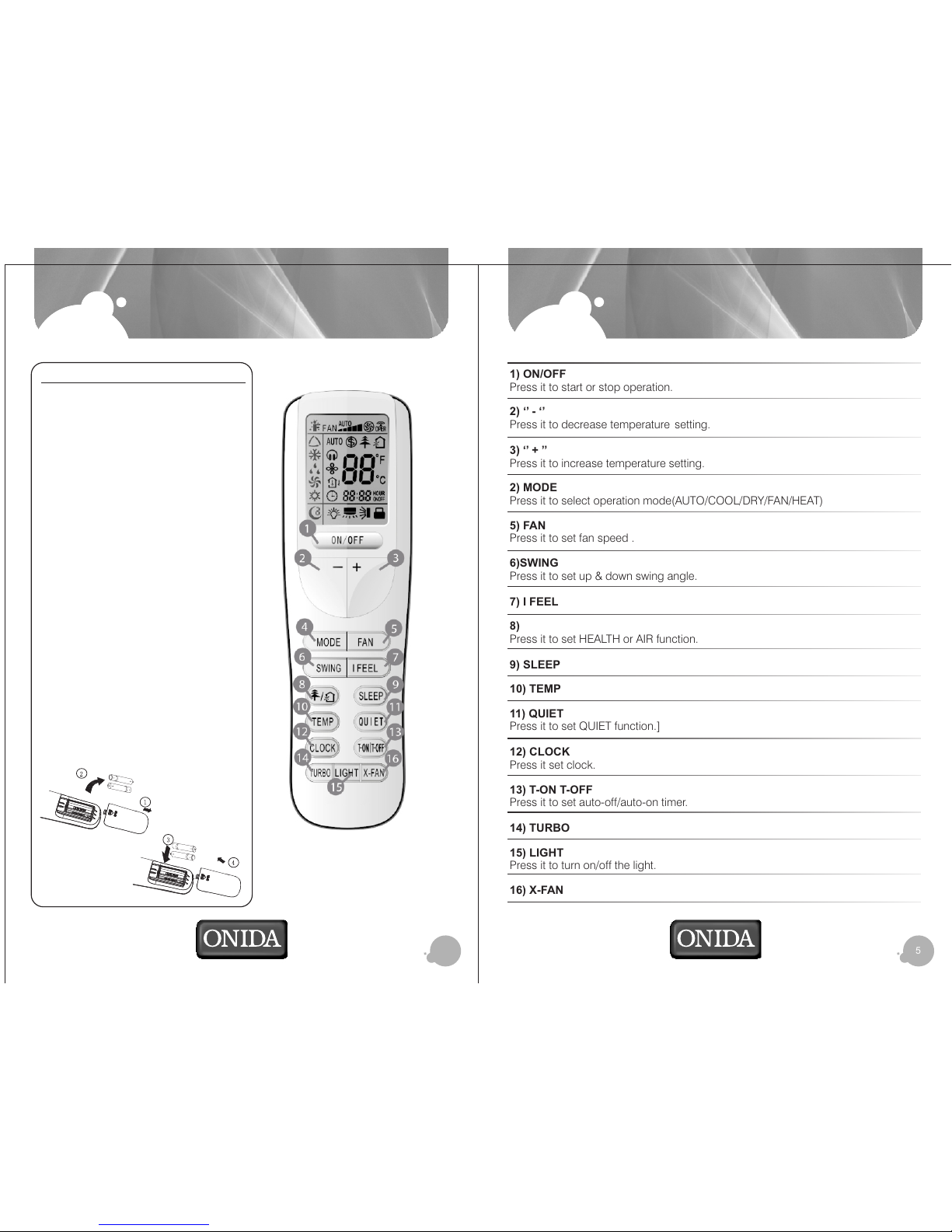
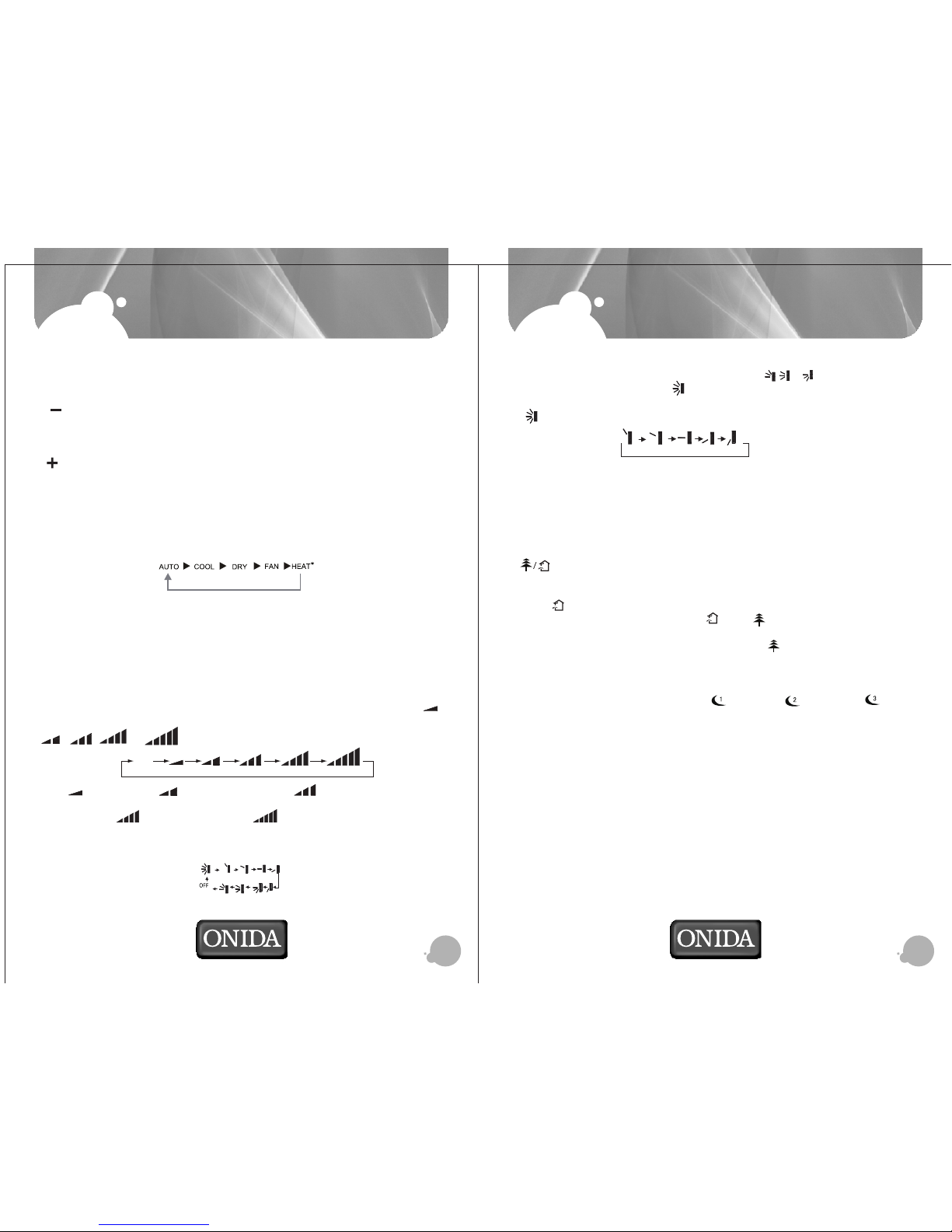
10) TEMP
ŸPress this button, could select displaying the indoor setting temperature or
indoor ambient temperature. When the indoor unit firstly power on it will display
the setting temperature, if the temperature's displaying status is changed from
other status to" ",displays the ambient temperature, 3s later or within 3s, it
receives other remote control signal that will return to display the setting
temperature. if the users haven't set up the temperature displaying status, that
will display the setting temperature.
11) QUIET
ŸPress this button, the Quiet status is under the Auto Quiet mode
(display " "signal ) and Quiet mode (display " " singal) and Quiet OFF (there
is no signal of " " displayed),after powered on, the Quiet OFF is defaulted.
12) CLOCK
ŸPress CLOCK button, blinking . Within 5 seconds, pressing +or - button
adjusts the present time. Holding down either button above 2 seconds increases
or decreases the time by 1 minute every 0.5 second and then by 10 minutes
every 0.5 second. During blinking after setting, press CLOCK button again to
confirm the setting, and then will be constantly displayed.
13) T-ON T-OFF
ŸPress T-ON button to initiate the auto-ON timer. To cancel the auto-timer
program, simply press this button again. After press of this button, disappears
and "ON "blinks .00:00 is displayed for ON time setting. Within 5 seconds, press
+ or - button to adjust the time value. Every press of either button changes the
time setting by 1 minute. Holding down either button rapidly changes the time
setting by 1 minute and then 10 minutes. Within 5 Seconds after setting, press
TIMER ON button to confirm. Press T-OFF button to initiate the auto-off timer. To
cancel the auto-timer program, simply press the button again.TIMER OFF setting
is the same as TIMER ON.
14) TURBO
ŸPress this button to activate / deactivate the Turbo function which enables th unit
to reach the preset temperature in the shortest time. In COOL mode, the unit will
blow strong cooling air at super high fan speed. In HEAT mode, the unit will blow
strong heating air at super high fan speed.
15) LIGHT
ŸPress LIGHT button to turn on the display's light and press this button again to
turn off the display's light. If the light is turned on , is displayed. If the light is
turned off, disappears.
16) X-FAN
ŸPressing X-FAN button in COOL or DRY mode, the icon is displayed and the
indoor fan will continue operation for 2 minutes in order to dry the indoor unit
even though you have turned off the unit.
After energization, X-FAN OFF is defaulted. X-FAN is not available in AUTO, FAN
or HEAT mode.
Auto