
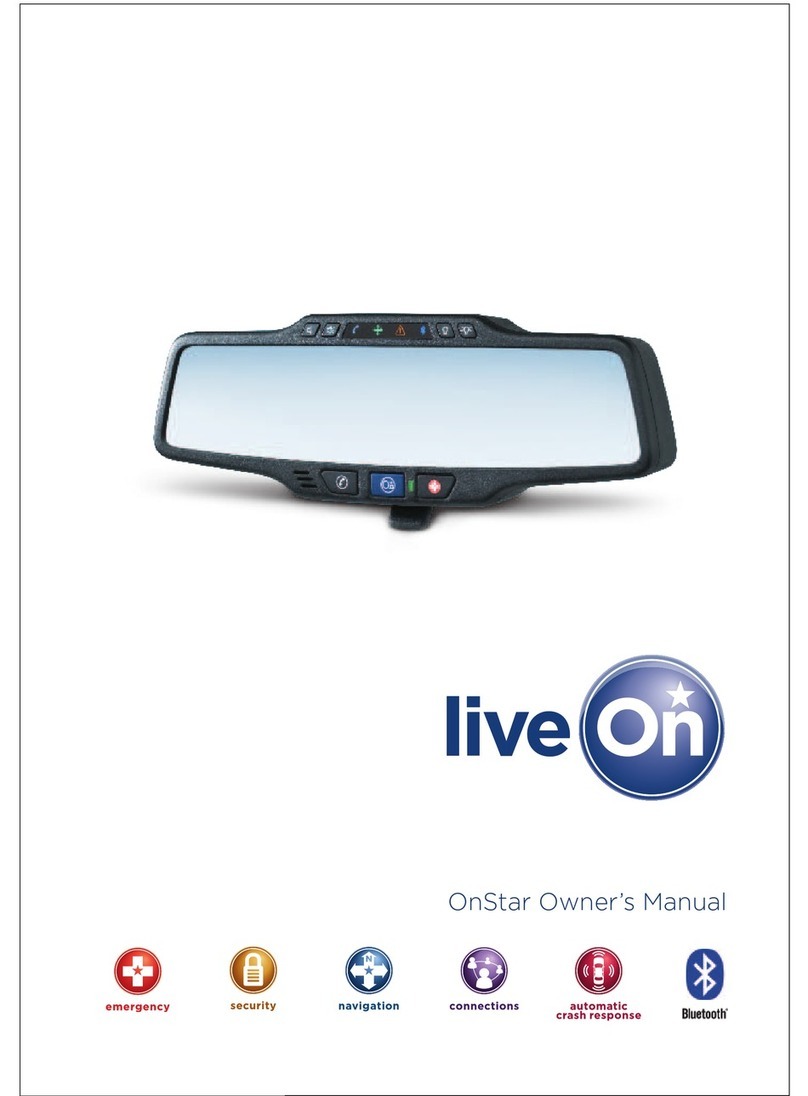
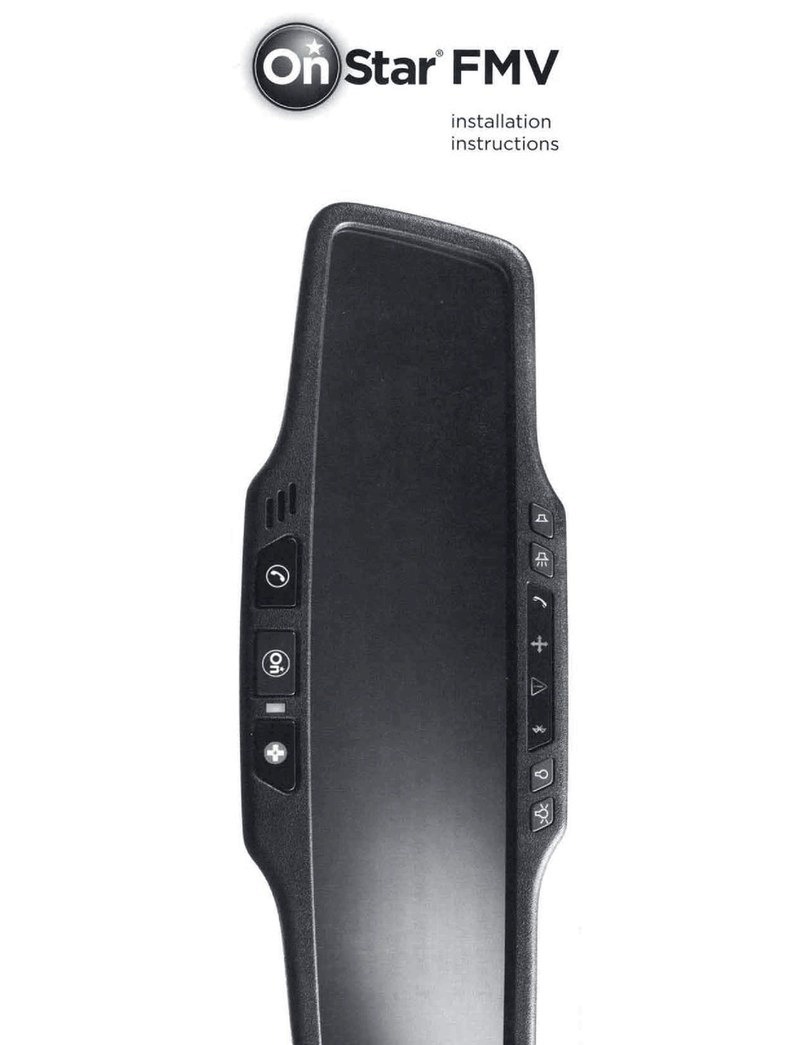
OnStar FMV User manual

OnStar
Owner’s
Guide
with
GETTING STARTED
OnStar
Automatic Crash
Response
Emergency
Services
Security
Services
Turn-by-Turn
Navigation
Hands-Free
Calling
Vehicle
Diagnostics
Part # 25945308
July 2011
911g
Printed in Mexico
Use the following steps to get the most from the OnStar service:
Welcome to OnStar!
Welcome to OnStar and congratulations on the purchase of your
new vehicle! This vehicle is equipped with a comprehensive
in-vehicle safety, security, diagnostics and communications system.
This Owner’s Guide will assist you in becoming familiar with all
the functions and services of the OnStar system. For additional
information, push the button to talk to an Advisor or visit us at
onstar.ca.
Safe. Secure. Simple.
• Push the button for a welcome
call with one of our specially trained
Advisors. OnStar Advisors are
available to help you 24 hours a day, 7
days a week. Never hesitate to push the
button to talk to an Advisor.
• Provide your in-case-of-emergency
(ICE) information, so we can
quickly contact someone if you, or
emergency responders, request it.
• Enroll in the OnStar Vehicle
Diagnostics monthly e-mail program
to help ensure your vehicle’s
key systems are running at peak
performance.
• Place the stickers from the OnStar
glove box kit onto your vehicle’s
windows. If you lock your keys in your
vehicle, the OnStar number will be
right there in front of you, so you will
not have to search for it.
OnStar
Getting Started............................................................................................................. 2
OnStar Buttons ............................................................................................................ 3
Automatic Crash Response................................................................................................. 4
Emergency Services
Crisis Assist.................................................................................................................. 5
Being a Good Samaritan............................................................................................... 5
AMBER Alert................................................................................................................ 5
Security Services
Stolen Vehicle Assistance............................................................................................. 6
Remote Ignition Block.................................................................................................. 6
Stolen Vehicle Slowdown.............................................................................................. 6
Roadside Assistance .................................................................................................... 6
Remote Door Unlock.................................................................................................... 7
Remote Horn and Lights .............................................................................................. 7
OnStar Subscriber Window Stickers.............................................................................. 7
Turn-by-Turn Navigation
Getting Your Route ....................................................................................................... 8
OnStar Destination Download ....................................................................................... 9
Turn-by-Turn Navigation Voice Commands............................................................. 10-11
Radio Displays (if equipped).................................................................................. 12-13
Hands-Free Calling
How to Make and Store Calls...................................................................................... 14
How to Get Your Vehicle’s Number ............................................................................. 15
Hands-Free Calling Voice Commands ......................................................................16
Advisor Record Feature.............................................................................................. 16
How to Recall Recorded Information .......................................................................... 16
Voice Recognition Tips ............................................................................................... 17
How to Check Your Remaining Minutes...................................................................... 17
Accessing Voice Mail............................................................................................. 18-19
Vehicle Diagnostics
OnStar Vehicle Diagnostics E-mail .............................................................................. 20
On-Demand Diagnostics............................................................................................. 21
Additional Information.............................................................................................. 22-24
Table of Contents
2
Getting Started
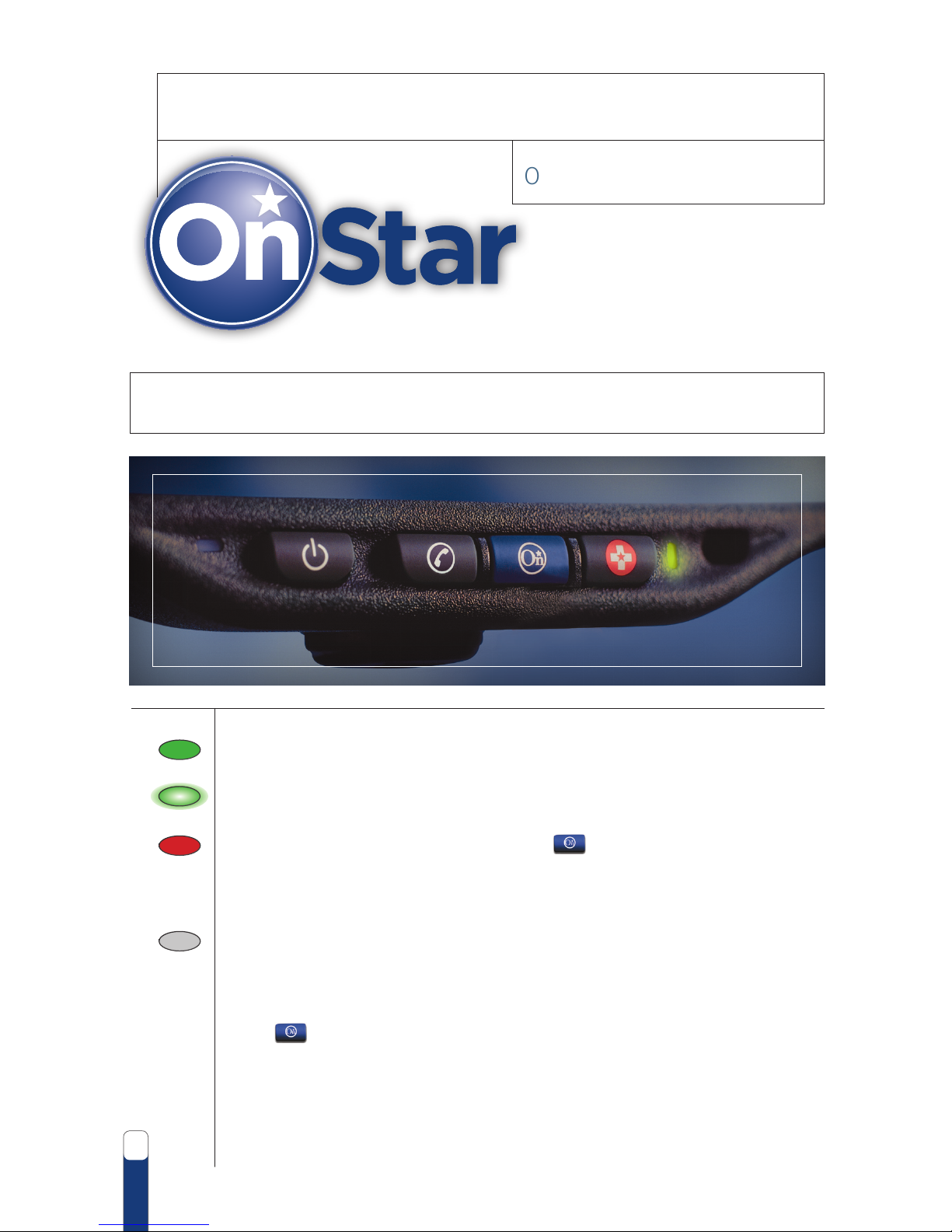
OnStar System Status Light
• Solid Green - the OnStar1system is ready.
• Flashing Green - when you are on a call.
• Red - indicates a problem. Push the button and ask an OnStar
Advisor to run a diagnostic check. If you cannot connect to OnStar,
please visit a dealer for service.
• No Light - indicates you have not yet set up your subscription
or your first payment, after any period of prepayment or no
charge that came with your car, may be due and unpaid. You
can set up your subscription or make a payment by pressing
the button. Keep your OnStar subscription active to make
sure you have the protection of Automatic Crash Response
and access to all of your services.
The OnStar system status light is next to the OnStar buttons.
The status light indicates that the OnStar system is working.

3
Hands-Free Calling Button
OnStar makes staying in touch on the road easy with hands-free,
voice-activated calling that’s built right into the vehicle. Push the button to:
• Make a call, end a call and answer an incoming call.
• Give OnStar Hands-Free Calling voice commands.
• Give OnStar Turn-by-Turn Navigation voice commands.
OnStar Blue Button
Push the button to be connected to a specially trained OnStar Advisor
who can verify all of the account information and answer any questions you may
have about the system.
• Update in-case-of-emergency contact information.
• Get driving directions.
• Receive On-Demand Diagnostics; check the vehicle’s key operating systems.
• Receive Roadside Assistance.
Red Emergency Button
In an emergency, push the button to get a priority connection to a
specially trained OnStar Emergency Advisor available 24/7.
• Get help if you have an emergency.
• Be a Good Samaritan or respond to an AMBER Alert.
• Get Crisis Assist help and evacuation routes.
1OnStar services require vehicle electrical system (including battery), wireless service and GPS
satellite signals to be available and operating for features to function properly. OnStar acts as a link to
existing emergency service providers. Subscription Service Agreement required. Call 1.888.4.ONSTAR
(1.888.466.7827) or visit onstar.ca for OnStar Terms and Conditions, Privacy Statement and details
and system limitations.
OnStar Buttons
Getting Started

4
1OnStar acts as a link to existing emergency service providers. Visit onstar.ca for vehicle availability, details and
system limitations.
With Automatic Crash Response, you have the
peace of mind knowing that you can get the
help you need, even if you can’t ask for it.
• In the event of a crash, air bag sensors can
automatically alert an OnStar Emergency
Advisor who is immediately connected into
your vehicle to see if you need help.
• Even if you can’t respond, the Advisor can request that emergency help be sent to
your vehicle’s exact GPS location.
• On most newer models, built-in crash sensors can also automatically alert OnStar
even if your air bags don’t deploy.
• The Advisor can relay critical crash details, such as type of crash, rollover status,
whether air bags have deployed, and severity of injury, to emergency responders, so
they are better prepared to treat you at the scene.
For more information on Automatic Crash Response, visit onstar.ca.
Note: It’s a good idea to provide OnStar with your in-case-of-emergency (ICE) information
such as license plate number, insurance information and an emergency contact person.
In the event the vehicle is stolen, or there is a crash, this information will be readily
available to help with the situation. Push the button or go online and update this
information by accessing your account at onstar.ca.
Note: If the button was pushed by mistake, please stay on the line and tell
the Advisor that there is not an emergency situation.
Our built-in system can automatically connect to help in
a crash even if you can’t ask for it.
Automatic Crash Response1
5
In an emergency situation, push the button and the call will get priority
connection to a specially trained OnStar Emergency Advisor who can:
• Call the correct 911 center based on the exact GPS vehicle location to get help fast.
• Provide critical information about the vehicle and the nature of the situation to
emergency personnel for more efficient help, which may make the difference in
helping to save a life.
• If necessary, get access to specialized resources such as the Poison Control Center.
• Stay on the line until help arrives on the scene.
Crisis Assist
Crisis Assist is a service designed to provide a central
point of contact, assistance and information during
severe weather, natural disasters or other crisis events.
In a crisis, simply push the button to talk to a
specially trained Crisis Assist Advisor who can:
• Direct emergency personnel to the exact location.
• Provide you with evacuation routes.
• Connect you with relatives to let them know you’re safe.
• Provide centralized assistance if you need food, water, medical help or a hospital.
Being a Good Samaritan
OnStar allows you to help others without having to leave your vehicle or interrupt
your trip. If you witness some type of problem on the road, push the button
to report it. OnStar will relay the information to the proper authorities or send
emergency help to that location.
AMBER Alert
Many provinces have AMBER Alert systems that notify the public about missing
or abducted children. If you want to report information related to an AMBER
Alert, push the button. An OnStar Emergency Advisor can connect you to
the proper authorities so you can help with the situation.
Note: With Crisis Assist, you will get access to all OnStar services at no additional
cost, regardless of the subscription plan.
Get a priority connection to a live Advisor 24/7.
Emergency Services

6
1 Ability to locate stolen vehicle varies with conditions.
2 Remote Ignition Block is available on select 2009 and newer GM vehicles. Visit onstar.ca for details.
Success varies with conditions.
3Stolen Vehicle Slowdown® is available on select 2009 and newer GM vehicles. Visit onstar.ca for details.
Success varies with conditions.
4 Roadside service provided by Professional Dispatch Group (PDG).
5 Remote Door Unlock success varies with conditions. Services vary by model and model year.
for availability.
They’re the things you hope will never happen.
But we’re here to help if they do.
Security Services
Stolen Vehicle Assistance1
Featuring Remote Ignition Block and Stolen
Vehicle Slowdown®capabilities
OnStar doesn’t just help protect you, it helps protect the
vehicle too. If the vehicle is stolen, call OnStar immediately
at 1.888.4.ONSTAR (1.888.466.7827). A specially trained
Advisor can conference you in with law enforcement,
so that you can le a stolen vehicle report. The Advisor
can use GPS technology to pinpoint the exact location of
the stolen vehicle and provide it to the authorities. After
the vehicle has been located, OnStar can further assist
authorities on select 2009 model year and newer vehicles
with these industry-leading stolen vehicle capabilities:
Remote Ignition Block2
OnStar sends a remote signal to prevent the stolen vehicle from being started.
Stolen Vehicle Slowdown®3
OnStar sends a remote signal to gradually slow down the stolen vehicle to an idle speed
after law enforcement on the scene has confirmed that conditions are safe.
These new capabilities contribute to a fast and safe recovery, minimize damage to the
vehicle and protect the public from dangerous high-speed pursuits of stolen vehicles.
Roadside Assistance4
If Roadside Assistance is needed, OnStar can help.
Just push the button to talk to an Advisor who can help direct a service provider to
the exact location using GPS technology. Unlimited Roadside Assistance is included with
the OnStar subscription.
• Flat tire?
• Out of gas?
• Dead battery?
• Need a tow?

7
Remote Door Unlock5
If the keys are locked inside the vehicle, simply call OnStar at 1.888.4.ONSTAR
(1.888.466.7827). After proper account verication, the Advisor can send a remote
signal to the vehicle and unlock the doors within minutes.
Remote Horn and Lights
With Remote Horn and Lights, the Advisor can send a remote signal to the
vehicle to sound the horn and/ or ash the lights. Call OnStar at 1.888.4.ONSTAR
(1.888.466.7827) to request this service.
Note: Not all vehicles can operate the horn and lights separately.
OnStar Subscriber Window Stickers
There are two small OnStar stickers in the OnStar Subscriber Information kit. Place
them on the side windows, to warn potential thieves that your vehicle is protected by
OnStar. If the keys are locked in the vehicle, the OnStar phone number will be right
there for easy reference.
1 Ability to locate stolen vehicle varies with conditions.
2 Remote Ignition Block is available on select 2009 and newer GM vehicles. Visit onstar.ca for details.
Success varies with conditions.
3Stolen Vehicle Slowdown® is available on select 2009 and newer GM vehicles. Visit onstar.ca for details.
Success varies with conditions.
4 Roadside service provided by Professional Dispatch Group (PDG).
5 Remote Door Unlock success varies with conditions. Services vary by model and model year.
for availability.
1.888.4.ONSTAR
(1.888.466.7827)
1.888.4.ONSTAR
(1.888.466.7827)
PROTECTED BY
8
Turn-by-Turn Navigation1
• OnStar Turn-by-Turn Navigation
aids in arriving at a destination
quickly and simply.
• Directions & Connections service
plan has navigation included.
• Safe & Sound service plan can be
easily upgraded for a small monthly fee.
• Vehicles without Turn-by-Turn Navigation
will be given verbal directions by an
OnStar Advisor that can be recorded
— see page 16 for instructions.
Getting Your Route
• Push the button to connect to an OnStar Advisor.
• Tell the Advisor the address or the name of the desired destination, or ask the Advisor to
locate the destination of a business, like the nearest ATM or closest gas station.
• Tell the Advisor if the desired route should avoid traveling on highways or toll roads.
Three initial messages will be given, similar to:
•
“Directions are now being sent to your vehicle.”
•
“Your destination is 5 kilometres away.”
•
“Start out by going North on Main Street.”
• Follow directions provided by the OnStar system.
1 Requires ABS and Directions & Connections plan. Not available in certain areas. Visit onstar.ca
for coverage map. Services vary by model and model year.
OnStar Turn-by-Turn Navigation is built into your vehicle
and is there to help for all the times you’re not exactly
sure where you’re going.
Other manuals for FMV
1
Table of contents
Other OnStar Automobile Accessories manuals

Popular Automobile Accessories manuals by other brands













ULTIMATE SPEED
ULTIMATE SPEED 279746 Assembly and Safety Advice

SSV Works
SSV Works DF-F65 manual

ULTIMATE SPEED
ULTIMATE SPEED CARBON Assembly and Safety Advice

Witter
Witter F174 Fitting instructions

WeatherTech
WeatherTech No-Drill installation instructions

TAUBENREUTHER
TAUBENREUTHER 1-336050 Installation instruction