
Optima Scale OP-925 User manual
optimascale.com
OP-925 CRANE SCALE
USER’S MANUAL
(OP-925A, OP-925B Series)

TABLE OF CONTENTS
Safety Precautions 1
Preparations and Set Up 1
Features 2
Specications 3
Power Supply 4
Displays 5
Display and Key Descriptions 6
Operating Instructions 7-98
Calibration 9-10
Scale Parameter Settings 11
Troubleshooting 12
Contact Us 12

1
SAFETY PRECAUTIONS
For safe operation of the weighing scale, please follow these
instructions:
●Calibration inspection and maintenance of the scale are prohibited by
non-professional staff
●Please ensure that the scale hangs securely
●The scale is a piece of static sensitive equipment; Please cut off power during
electrical connections
●Touching the internal components by hand is prohibited
●DO NOT exceed the rated load limit of the unit
●DO NOT hang on the unit
●DO NOT use this product if any of the components are cracked
●DO NOT use for purposes other then weight taking
●To avoid damaging the battery do not keep charger plugged in once the battery is
fully charged
●Make sure the weight is not over the Max capacity as it could damage the load cell
inside
● Material that has a static electric charge could inuence the weighing. Discharge
the static electricity of the samples, if possible. Another solution to the problem is
to wipe the scale with an anti-static agent
Please take anti-static prevention measures
Any accumulated charge on the body of the human operator should be discharged rst
before opening the protective container with ESDS devices inside. The discharge can
be accomplished by:
●Putting a hand on a grounded surface or, ideally, by wearing a grounded Anti-static
Wrist Strap and an Anti-static Mat
PREPARATION & SET UP
●Plug into a wall outlet to avoid interference with other wirings
●Turn on the scale while there is no load
●Calibration may be required before weighing when the scale is initially installed or
moved from a location

2
FEATURES
●LED or LCD display option
●Multiple weighing units: kg/lb
●Gross/Tare/Hold/Zero
●Economical, light weight and hand held general purpose crane scale
●Features and easy to red backlit LCD or ultra bright LED display
●Powered using a rechargeable batter pack (up to 80 hours) and AC adapter
●The standard remote controller allows user to change units, clear measurements,
zero and tare out weight
●Remote controller can capture peak weight at a distance of up to 100 feet (30m)
●Wireless remote control has Hold function
●Low battery reminder
●Automatic power off/power saving mode
Technical Parameters
●Accuracy class: Class III
●Tare Range: 100% max. capacity
●Initial Zero Range: ± 10% max. capacity
●Manual Zero Range: ± 2% max. capacity
●Zero Range: 45 F.S.
●Overload: 100 F.S.
●Display: 6 digit LED/LCD work height 1.5”
●Battery: 6V/10Ah, 6V/5Ah, or 6V/3.2Ah lead acid battery
●Charger: AC110V Input, DC9V/1500mA output
●Operation temperature: -10 °C ~ +40 °C
● Operation humidity: ≤90%RH
●Storage temperature: -40 °C ~ +70 °C (32-104°F)

3
SPECIFICATIONS
SCALE MEASUREMENTS
EXTERIOR DIMS.
6K, 10K, 20K
A B C D
18”; 26”; 29” 6.14” 9.83” 5.65”
E F G H
0.28” 11.2” 2.97” 3.5”;6.5”;8.5”
Up to 10K lbs Up to 20K+ lbs
HOOK DIMENSIONS
CAPACITY A B C D E F G H I J K
6,000 lbs 4.52” 5.91” 0.95” 3.58” 4.72” 4.54” 5.36” 1.45” 1.45” 6.06” •
10,000 lbs 5.40” 7” 1.25” 2.95” 1.92” 6.50” 6.40” 1.91” 1.65” 9.50” 6”
20,000 lbs 6” 8” 1.40” 3.21” 2.21” 7.25”
EXTERIOR DIMS. - 40,000 LBS
A B C D E F G H I J
5.5” 20” 6” 1.2” 2.9” 7.5” 17” 4.5” 1.95” 5”
K L M N O P Q R S •
1.6” 40” 9.25” 15.75” 13.25” 5” 2.25” 4” 3.4” •
A
B
C
E
D
F
J
K
G
H
I
L
M
N
O
P Q
R
S
40,000 lbs
60K-100K DIMENSIONS
CAPACITY A B C D E F L
60,000 lbs 9.29” 6.25” 5.11” 4.72” 8.34” 5.90” 39.05”
80,000 lbs 11.81” 8.46” 5.90” 5.11” 11.81” 8.42” 47.75”
100,000 lbs 11.81” 8.46” 5.90” 5.11” 11.81” 8.42” 47.75”
60K-100K lbs
6K, 10K, 20K

4
POWER SUPPLY
AC Adapter
The scale is powered by an adapter, plug the adapter directly into the “DC” pin
located at the back of the scale. We recommend to plug into a wall outlet to avoid
interference with other wirings. A 110-220V AC adapter should be provided with your
scale. Please use only the AC adapter provided to prevent damage to your scale.
Battery
OP-925 comes with a rechargeable battery, please charge the internal battery fully be-
fore rst time use for 10-12 hours to prevent low voltage resulted from left leakage of
battery. Once charged the battery should last for 45 hours. An AC adapter should be
provided with your scale. Please use only the AC adapter provided to prevent damage
to your scale. To keep the battery in best condition, fully discharge the battery every
month by leaving the scale on until the scale powers off, and then recharge fully. If the
battery is not going to be used for a long period of time it is recommended to remove it
to avoid leakage.
On OP-925A
● When the Battery is low the battery scale light ashes red
●During charging the red light will stay lit
ON OP-925B
●symbol will indicate battery’s charge
●symbol indicates that the battery needs to be charged
5
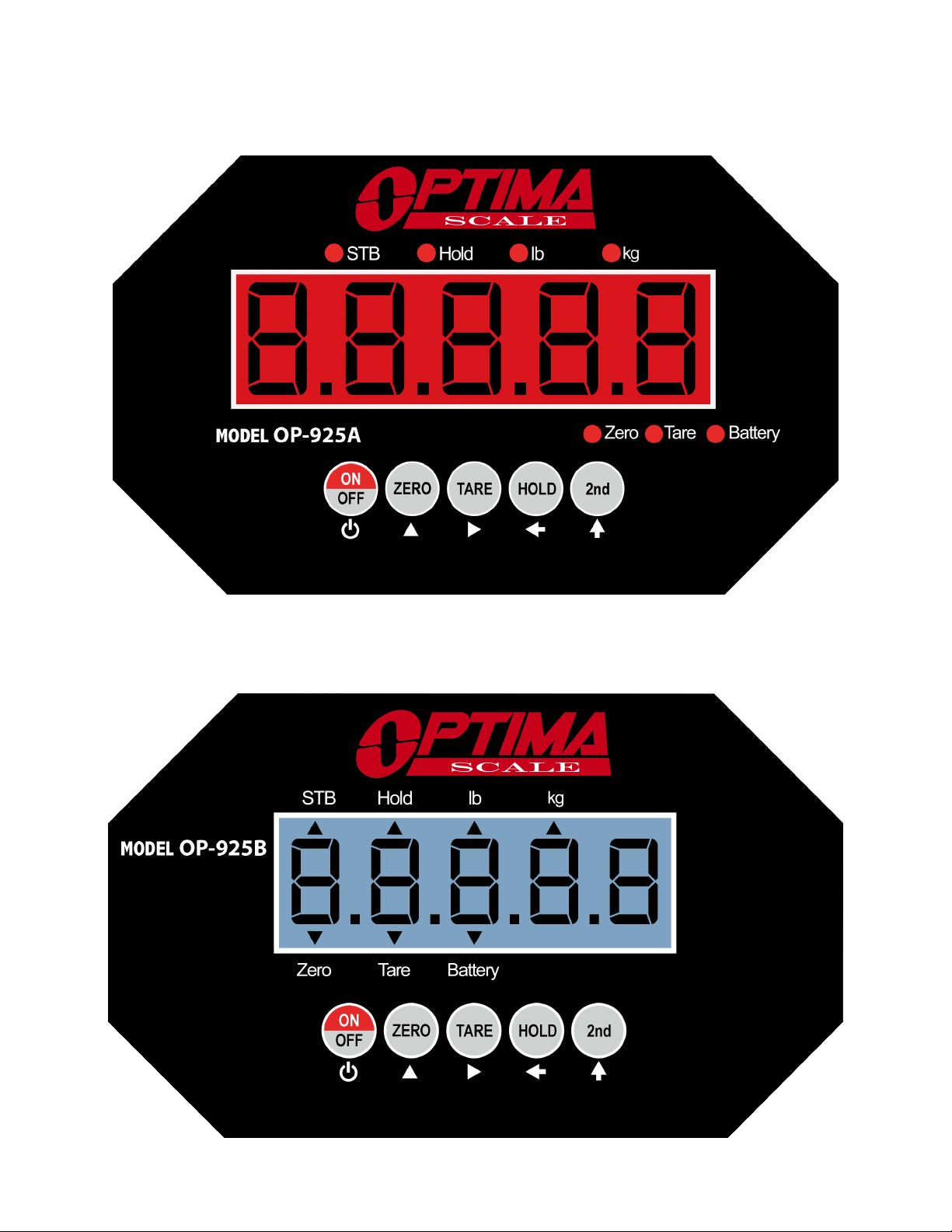
OP-925A (LED)
OP-925B (LCD)

6
DISPLAY AND KEY DESCRIPTION
ON/OFF Powers the Scale On or Off if held for 2 seconds
ZERO Zero’s the scale
TARE 1. Resets the scale to zero when there is something on the scale
2. Clears the tare to see the gross weight
HOLD Holds the weight
2ND Enters 2nd Mode
STB Shows that the weight is stable
hold Shows you are in Hold mode
lb The weight is shown in pounds
kg The weight is shown in kilograms
Zero Shows you have zeroed the scale
Tare Shows you are in Gross weighing mode
Battery Flashes red = low battery, Solid red = charging
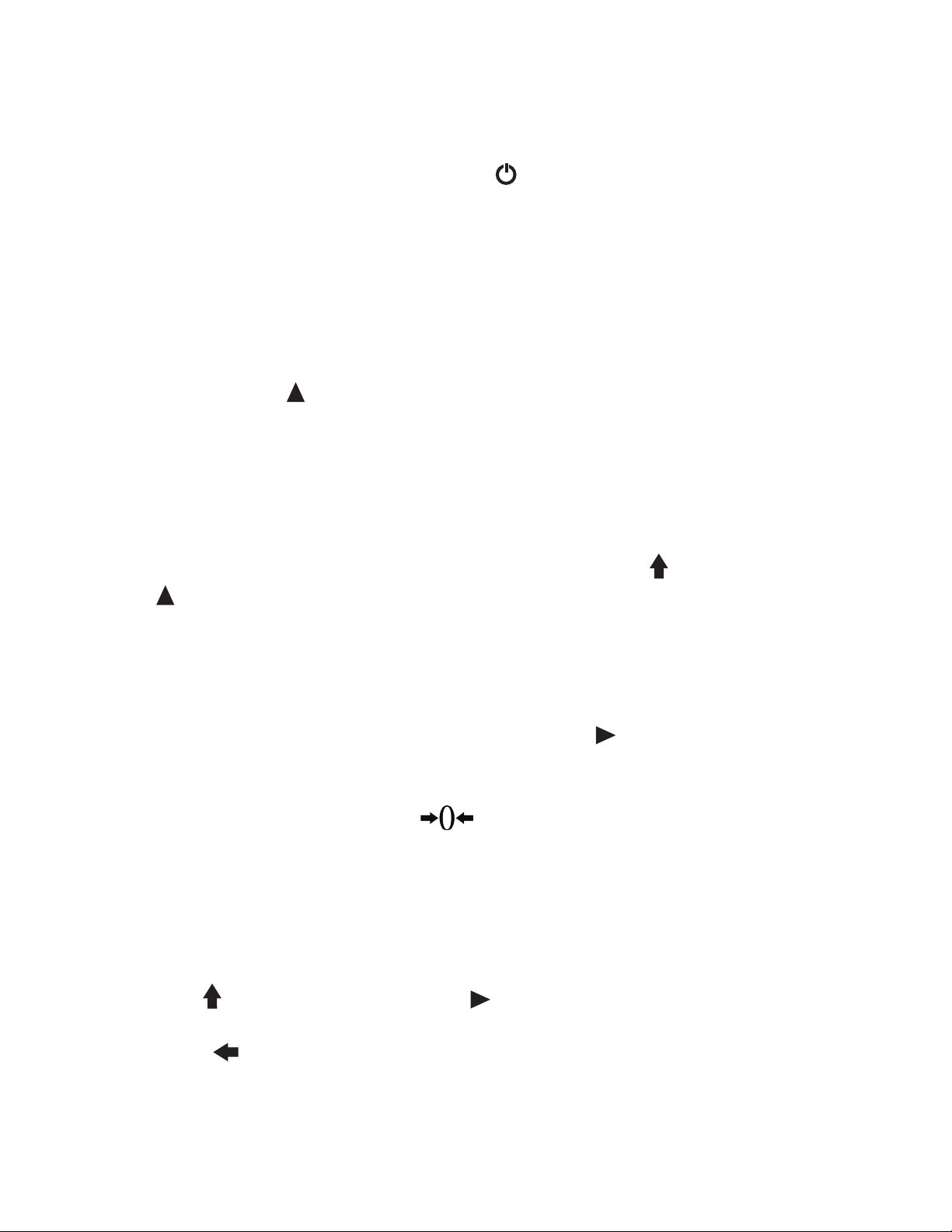
Power
Up Arrow Key
Right Arrow Key
Return/Enter
Enter 2nd Mode
REMOTE KEY DESCRIPTIONS
KEY Weighing Mode 2nd Mode Data Input Parameter
Settings
Turns off scale Exit Exit
Zero Unit change Add 1 Page up
DEL Clear last accumulation Clear all the
accumulations
Conrm
Hold Parameter
Setting
Enter to
next step
Tare Preset tare
weight
Cursor ashing
to the right
ACC Accumulate Reduce 1 Page down
F1 Check the accumulation Check battery
F2 Serial interface send
the data once
Set the serial
interface
F3 Check the last weight Check the
internal code
F4 Store the weight
F5 Reserved
7
OPERATING INSTRUCTIONS
Power On/Off
●Turn on the power by pressing the power button for 2 seconds. Once on, the
scale will ash the voltage and then begin to auto-check and count down from 0-9
sequentially before entering the weighing mode
Note: Anything on the scale before powering on will automatically be tared out.
Zeroing
●The zero function is used only when the scale is empty and is not at gross zero due
to material build up (such as a chain or rope)
●Pressing the ZERO key will reset your scale to 0
●Depending on what your manual zero range parameter is set to, you can zero out
any number within your set selection, after that you will receive an error and will
need to tare out the weight
Unit Selection
●To switch between measuring units (kg/lb) press the 2nd key followed by the
Zero key to switch between units
Tare Function
●The Tare function is used when you only wish to see the current change in weight,
not the entire amount of weight that is on the scale
●When the scale is in gross mode pressing the TARE key will Tare the current
weight on the scale and enter the net mode
●For example if you are using a chain add the chain to the scale, press tare and the
display will show the tare symbol and reset back to 0
●Add your product to the scale to weigh without the weight of the chain
●To exit Tare mode press the TARE key again to enter gross mode and you will see
the total weight of the container and the product
Note: If you remove the chain the scale will show the minus weight of the chain
To use a pre-set tare weight
●Press 2nd key, then press the TARE key; the display should now show [00000]
●Using the arrow keys, input the tare weight value
●Press Hold key to conrm and enter net weighing mode

8
Hold
Manual Hold: Grabs the current weight and holds it so it will not change/uctuate.
●While weighing, press the Hold key and the scale will hold the current weight on
the screen until HOLD is pressed again
Accumulation
●The accumulation function is used to add multiple weights and total them together
● In weighing mode load the rst weight, once stable press the ACC button on the
remote to enter the accumulation mode and accumulate the rst weight
●The display should show [ACC] if it shows [noACC] then the weight exceeded the
upper limit
● Remove your rst load and add your second load to the scale; press ACC
●Repeat previous step until all loads you want to accumulate have been added to the
scale
●Note: Incase of a mistake. Press DEL to clear the last accumulation data;
the display should show [deL]; if not it will display [nodeL]
●Press F1 to total your weights, the display should show [n###] (the number of
weights you are adding together) then it will display the total accumulated weight
for 3 seconds and return to weighing mode
●To clear the data, press the 2nd key and the display should show [2nd], then
press DEL to clear all the accumulation data, and the display should show
[CLEAr]
Weight Display
●Press F4, the display should show [StorE], and save the current weight value
●Press F3, the display should show [LASt0], use the arrow keys to choose a serial
number (most recent weights save as 0, the rst weight saves as 9)
●Press HOLD to display the corresponding weight for 2 seconds, then it will go
back to the weighing mode
This manual suits for next models
2
Table of contents
Other Optima Scale Scale manuals

Optima Scale
Optima Scale OPH-Z User manual
Optima Scale
Optima Scale OPD-E User manual
Optima Scale
Optima Scale OPF-N User manual
Optima Scale
Optima Scale OPK User manual

Optima Scale
Optima Scale OP-924A Series User manual
Optima Scale
Optima Scale OP-925A User manual
Optima Scale
Optima Scale OPF-P User manual
Optima Scale
Optima Scale OPH-T User manual
















