manuals.online logo
Brands
  1. Home
  2. •
  3. Brands
  4. •
  5. Oracle
  6. •
  7. Storage
  8. •
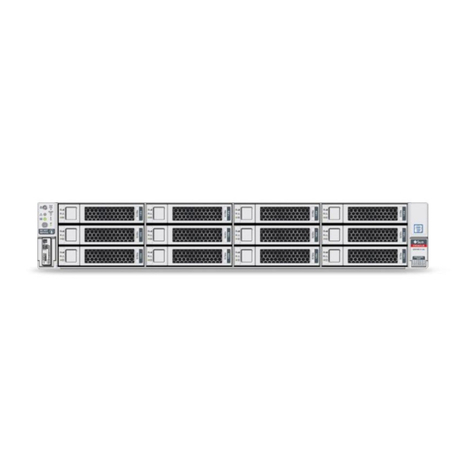
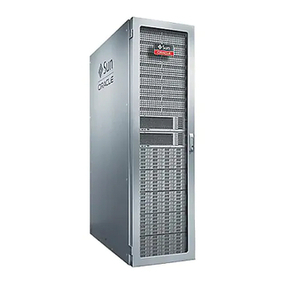
  9. Oracle ZFS ZS3 Series User manual

Oracle ZFS ZS3 Series User manual

This manual suits for next models

3

Other Oracle Storage manuals

Oracle MiniCluster S7-2 User manual

Oracle

Oracle MiniCluster S7-2 User manual

Oracle StorageTek T10000D User manual

Oracle

Oracle StorageTek T10000D User manual

Oracle Solaris Cluster 3.3 with StorageTek RAID... User manual

Oracle

Oracle Solaris Cluster 3.3 with StorageTek RAID... User manual

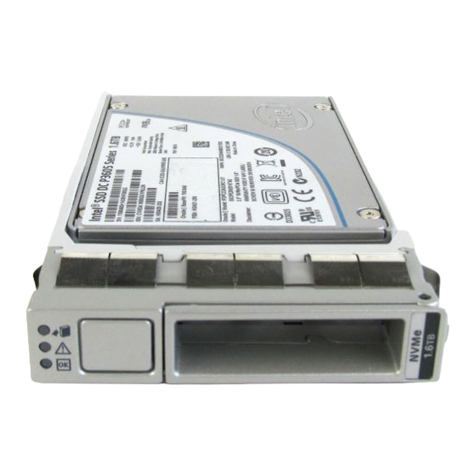
Oracle 3.2 TB NVMe User manual

Oracle

Oracle 3.2 TB NVMe User manual

Oracle Sun ZFS Storage 7320 Specification sheet

Oracle

Oracle Sun ZFS Storage 7320 Specification sheet

Oracle EAGLE User manual

Oracle

Oracle EAGLE User manual

Oracle Sun Blade 6000 Service manual

Oracle

Oracle Sun Blade 6000 Service manual

Oracle StorageTek T10000 Manual

Oracle

Oracle StorageTek T10000 Manual

Oracle ZS4-4 Installation and operating manual

Oracle

Oracle ZS4-4 Installation and operating manual

Oracle 21C User manual

Oracle

Oracle 21C User manual

Oracle ZS3-2 Installation and operating manual

Oracle

Oracle ZS3-2 Installation and operating manual

Oracle storagetek sl150 User manual

Oracle

Oracle storagetek sl150 User manual

Oracle ZFS Storage ZS5-4 User manual

Oracle

Oracle ZFS Storage ZS5-4 User manual

Oracle ZFS Storage Appliance User manual

Oracle

Oracle ZFS Storage Appliance User manual

Oracle E71887 User manual

Oracle

Oracle E71887 User manual

Oracle StorageTek SL3000 User manual

Oracle

Oracle StorageTek SL3000 User manual

Oracle StorageTek T10000 User manual

Oracle

Oracle StorageTek T10000 User manual

Oracle 7116970 User manual

Oracle

Oracle 7116970 User manual

Oracle StorageTek SL8500 Installation and operating manual

Oracle

Oracle StorageTek SL8500 Installation and operating manual

Oracle ZFS Storage ZS7-2 User manual

Oracle

Oracle ZFS Storage ZS7-2 User manual

Oracle Sun ZFS Storage 7420 Specification sheet

Oracle

Oracle Sun ZFS Storage 7420 Specification sheet

Oracle ZS4-4 User manual

Oracle

Oracle ZS4-4 User manual

Oracle ZFS User manual

Oracle

Oracle ZFS User manual

Oracle Storage 6180 Array User manual

Oracle

Oracle Storage 6180 Array User manual

Popular Storage manuals by other brands

IBM 40/80 GB HH DLTVS user guide

IBM

IBM 40/80 GB HH DLTVS user guide

Synology DiskStation DS716+II Quick installation guide

Synology

Synology DiskStation DS716+II Quick installation guide

Vantec NexStar-HX4 user manual

Vantec

Vantec NexStar-HX4 user manual

LaCie Christofle Galet datasheet

LaCie

LaCie Christofle Galet datasheet

LaCie Rugged Thunderbolt user manual

LaCie

LaCie Rugged Thunderbolt user manual

OCZ IBIS datasheet

OCZ

OCZ IBIS datasheet

Transcend JetFlash 110 Brochure & specs

Transcend

Transcend JetFlash 110 Brochure & specs

QNAP TS 32PXU Series user guide

QNAP

QNAP TS 32PXU Series user guide

LaCie RUGGED RAID user manual

LaCie

LaCie RUGGED RAID user manual

Freecom CLS DOCK Quick install guide

Freecom

Freecom CLS DOCK Quick install guide

PNY Attache P-FD64MBATT3 install guide

PNY

PNY Attache P-FD64MBATT3 install guide

OWC Mercury Elite Pro Dual mini Assembly manual

OWC

OWC Mercury Elite Pro Dual mini Assembly manual

OLT 6x6 Maximizer Assembly manual

OLT

OLT 6x6 Maximizer Assembly manual

Transcend JetFlash 160 Specifications

Transcend

Transcend JetFlash 160 Specifications

Thunderbolt 600 user manual

Thunderbolt

Thunderbolt 600 user manual

Intel RAID High Availability user guide

Intel

Intel RAID High Availability user guide

LaCie 12big Thunderbolt 3 Quick install guide

LaCie

LaCie 12big Thunderbolt 3 Quick install guide

Spectra Logic T-Series Spectra T50e quick start guide

Spectra Logic

Spectra Logic T-Series Spectra T50e quick start guide

manuals.online logo
manuals.online logoBrands
  • About & Mission
  • Contact us
  • Privacy Policy
  • Terms and Conditions

Copyright 2025 Manuals.Online. All Rights Reserved.

Oracle® ZFS Storage Appliance Customer
Service Manual
For ZS4-4, ZS3-x, 7x20 Controllers, and DE2-24, Sun Disk
Shelves, Release 2013.1.5.0
Part No: E69256-02
February 2016
Oracle ZFS Storage Appliance Customer Service Manual
Part No: E69256-02
Copyright © 2009, 2016, Oracle and/or its affiliates. All rights reserved.
This software and related documentation are provided under a license agreement containing restrictions on use and disclosure and are protected by intellectual property laws. Except
as expressly permitted in your license agreement or allowed by law, you may not use, copy, reproduce, translate, broadcast, modify, license, transmit, distribute, exhibit, perform,
publish, or display any part, in any form, or by any means. Reverse engineering, disassembly, or decompilation of this software, unless required by law for interoperability, is
prohibited.
The information contained herein is subject to change without notice and is not warranted to be error-free. If you find any errors, please report them to us in writing.
If this is software or related documentation that is delivered to the U.S. Government or anyone licensing it on behalf of the U.S. Government, then the following notice is applicable:
U.S. GOVERNMENT END USERS. Oracle programs, including any operating system, integrated software, any programs installed on the hardware, and/or documentation, delivered
to U.S. Government end users are "commercial computer software" pursuant to the applicable Federal Acquisition Regulation and agency-specific supplemental regulations. As
such, use, duplication, disclosure, modification, and adaptation of the programs, including any operating system, integrated software, any programs installed on the hardware, and/or
documentation, shall be subject to license terms and license restrictions applicable to the programs. No other rights are granted to the U.S. Government.
This software or hardware is developed for general use in a variety of information management applications. It is not developed or intended for use in any inherently dangerous
applications, including applications that may create a risk of personal injury. If you use this software or hardware in dangerous applications, then you shall be responsible to take all
appropriate fail-safe, backup, redundancy, and other measures to ensure its safe use. Oracle Corporation and its affiliates disclaim any liability for any damages caused by use of this
software or hardware in dangerous applications.
Oracle and Java are registered trademarks of Oracle and/or its affiliates. Other names may be trademarks of their respective owners.
Intel and Intel Xeon are trademarks or registered trademarks of Intel Corporation. All SPARC trademarks are used under license and are trademarks or registered trademarks of
SPARC International, Inc. AMD, Opteron, the AMD logo, and the AMD Opteron logo are trademarks or registered trademarks of Advanced Micro Devices. UNIX is a registered
trademark of The Open Group.
This software or hardware and documentation may provide access to or information about content, products, and services from third parties. Oracle Corporation and its affiliates are
not responsible for and expressly disclaim all warranties of any kind with respect to third-party content, products, and services unless otherwise set forth in an applicable agreement
between you and Oracle. Oracle Corporation and its affiliates will not be responsible for any loss, costs, or damages incurred due to your access to or use of third-party content,
products, or services, except as set forth in an applicable agreement between you and Oracle.
Documentation Accessibility
For information about Oracle's commitment to accessibility, visit the Oracle Accessibility Program website at http://www.oracle.com/pls/topic/lookup?ctx=acc&id=docacc.
Access to Oracle Support
Oracle customers that have purchased support have access to electronic support through My Oracle Support. For information, visit http://www.oracle.com/pls/topic/lookup?
ctx=acc&id=info or visit http://www.oracle.com/pls/topic/lookup?ctx=acc&id=trs if you are hearing impaired.
Référence: E69256-02
Copyright © 2009, 2016, Oracle et/ou ses affiliés. Tous droits réservés.
Ce logiciel et la documentation qui l’accompagne sont protégés par les lois sur la propriété intellectuelle. Ils sont concédés sous licence et soumis à des restrictions d’utilisation et
de divulgation. Sauf stipulation expresse de votre contrat de licence ou de la loi, vous ne pouvez pas copier, reproduire, traduire, diffuser, modifier, accorder de licence, transmettre,
distribuer, exposer, exécuter, publier ou afficher le logiciel, même partiellement, sous quelque forme et par quelque procédé que ce soit. Par ailleurs, il est interdit de procéder à toute
ingénierie inverse du logiciel, de le désassembler ou de le décompiler, excepté à des fins d’interopérabilité avec des logiciels tiers ou tel que prescrit par la loi.
Les informations fournies dans ce document sont susceptibles de modification sans préavis. Par ailleurs, Oracle Corporation ne garantit pas qu’elles soient exemptes d’erreurs et vous
invite, le cas échéant, à lui en faire part par écrit.
Si ce logiciel, ou la documentation qui l’accompagne, est livré sous licence au Gouvernement des Etats-Unis, ou à quiconque qui aurait souscrit la licence de ce logiciel pour le
compte du Gouvernement des Etats-Unis, la notice suivante s’applique:
U.S. GOVERNMENT END USERS. Oracle programs, including any operating system, integrated software, any programs installed on the hardware, and/or documentation, delivered
to U.S. Government end users are "commercial computer software" pursuant to the applicable Federal Acquisition Regulation and agency-specific supplemental regulations. As
such, use, duplication, disclosure, modification, and adaptation of the programs, including any operating system, integrated software, any programs installed on the hardware, and/or
documentation, shall be subject to license terms and license restrictions applicable to the programs. No other rights are granted to the U.S. Government.
Ce logiciel ou matériel a été développé pour un usage général dans le cadre d’applications de gestion des informations. Ce logiciel ou matériel n’est pas conçu ni n’est destiné
à être utilisé dans des applications à risque, notamment dans des applications pouvant causer des dommages corporels. Si vous utilisez ce logiciel ou matériel dans le cadre d’
applications dangereuses, il est de votre responsabilité de prendre toutes les mesures de secours, de sauvegarde, de redondance et autres mesures nécessaires à son utilisation dans des
conditions optimales de sécurité. Oracle Corporation et ses affiliés déclinent toute responsabilité quant aux dommages causés par l’utilisation de ce logiciel ou matériel pour ce type
d’applications.
Oracle et Java sont des marques déposées d’Oracle Corporation et/ou de ses affiliés. Tout autre nom mentionné peut correspondre à des marques appartenant à d’autres propriétaires
qu’Oracle.
Intel et Intel Xeon sont des marques ou des marques déposées d’Intel Corporation. Toutes les marques SPARC sont utilisées sous licence et sont des marques ou des marques
déposées de SPARC International, Inc. AMD, Opteron, le logo AMD et le logo AMD Opteron sont des marques ou des marques déposées d’Advanced Micro Devices. UNIX est une
marque déposée d’The Open Group.
Ce logiciel ou matériel et la documentation qui l’accompagne peuvent fournir des informations ou des liens donnant accès à des contenus, des produits et des services émanant de
tiers. Oracle Corporation et ses affiliés déclinent toute responsabilité ou garantie expresse quant aux contenus, produits ou services émanant de tiers, sauf mention contraire stipulée
dans un contrat entre vous et Oracle. En aucun cas, Oracle Corporation et ses affiliés ne sauraient être tenus pour responsables des pertes subies, des coûts occasionnés ou des
dommages causés par l’accès à des contenus, produits ou services tiers, ou à leur utilisation, sauf mention contraire stipulée dans un contrat entre vous et Oracle.
Accessibilité de la documentation
Pour plus d’informations sur l’engagement d’Oracle pour l’accessibilité à la documentation, visitez le site Web Oracle Accessibility Program, à l’adresse http://www.oracle.com/
pls/topic/lookup?ctx=acc&id=docacc.
Accès aux services de support Oracle
Les clients Oracle qui ont souscrit un contrat de support ont accès au support électronique via My Oracle Support. Pour plus d’informations, visitez le site http://www.oracle.com/
pls/topic/lookup?ctx=acc&id=info ou le site http://www.oracle.com/pls/topic/lookup?ctx=acc&id=trs si vous êtes malentendant.

Contents
Servicing the Oracle ZFS Storage Appliance .....................................................  9

Servicing the Hardware ..................................................................................... 11
Getting Started with Servicing the Hardware ......................................................  11
Introduction to the BUI ..........................................................................  11
Introduction to the CLI ..........................................................................  12
BUI Hardware View ..............................................................................  12
CLI Hardware View ............................................................................... 18
Configuring the Management Port ............................................................  23
Using Oracle ILOM to Diagnose Hardware Faults .......................................  23
Understanding Hardware Status ...............................................................  26
Working with Problems ..........................................................................  28
Using Logs ........................................................................................... 30
Using Workflows ................................................................................... 39
Prerequisites for Servicing Hardware ................................................................  39
Safety Information ................................................................................. 40
Required Tools and Information ............................................................... 40
Controller and Disk Shelf Prerequisite Tasks ..............................................  41
Servicing the ZS4-4 Controller ........................................................................  44
ZS4-4 Controller Hardware Overview .......................................................  44
Replacing the ZS4-4 Hardware ................................................................  58
Servicing the ZS3-4 Controller ........................................................................  76
ZS3-4 Controller Hardware Overview .......................................................  76
Replacing the ZS3-4 Hardware ................................................................  91
Servicing the ZS3-2 Controller ....................................................................... 112
ZS3-2 Controller Hardware Overview .....................................................  112
Replacing the ZS3-2 Hardware ..............................................................  130
Servicing the 7x20 Controller ........................................................................  156
5
Contents
7420 Controller Hardware Overview .......................................................  156
7320 Controller Hardware Overview .......................................................  171
7120 Controller Hardware Overview .......................................................  182
Replacing the 7x20 Hardware ................................................................  194
Servicing the Disk Shelves ............................................................................  234
Disk Shelf Hardware Overview ..............................................................  234
Replacing the Disk Shelf Hardware ........................................................  249
Maintaining the System ...................................................................................  267
Viewing System Disks Status ......................................................................... 268
Working with Support Bundles ......................................................................  268
Support Bundle Options ........................................................................ 269
▼ How to Generate and Upload a Support Bundle (BUI) ...........................  269
▼ How to Generate and Upload a Support Bundle (CLI) ...........................  270
▼ How to View Support Bundle Details (CLI) ........................................  270
▼ How to Retry a Failed Upload (CLI) .................................................. 271
▼ How to Cancel a Pending Operation (CLI) ..........................................  271
▼ How to Delete a Support Bundle (CLI) ............................................... 272
Performing the Initial Setup ........................................................................... 272
Performing a Factory Reset ...........................................................................  272
Backing Up the Configuration .......................................................................  273
Configuration Backup Contents ..............................................................  274
Configuration Restore Impact ................................................................  275
Security Considerations for Configuration Backups ....................................  276
▼ How to Create a Configuration Backup (BUI) ......................................  277
▼ How to Create a Configuration Backup (CLI) ......................................  277
▼ How to Restore from a Saved Configuration (BUI) ...............................  277
▼ How to Restore from a Saved Configuration (CLI) ...............................  278
▼ How to Delete a Saved Configuration (BUI) ........................................  278
▼ How to Delete a Saved Configuration (CLI) ........................................  278
▼ How to Export a Saved Configuration (BUI) .......................................  279
▼ How to Export a Saved Configuration (CLI) ........................................  279
▼ How to Import a Saved Configuration (BUI) .......................................  279
▼ How to Import a Saved Configuration (CLI) ........................................  280
▼ How to List Configurations (CLI) ...................................................... 280
Working with Software Notifications and Updates .............................................  280
▼ How to Set Up Software Notification (BUI) ........................................  281
6 Oracle ZFS Storage Appliance Customer Service Manual • February 2016
Contents
▼ How to Set Up Software Notification (CLI) ......................................... 281
▼ How to Check for Software Updates (BUI) .........................................  282
▼ How to Check for Software Updates (CLI) ..........................................  282
Updating Software on a Single Controller ........................................................  283
▼ How to Update Software on a Single Controller (BUI) ........................... 283
▼ How to Update Software on a Single Controller (CLI) ...........................  285
Updating Software on Clustered Controllers .....................................................  287
Preconditions ......................................................................................  287
▼ How to Prepare to Update Clustered Controllers (BUI) ..........................  288
▼ How to Prepare to Update Clustered Controllers (CLI) ..........................  289
▼ How to Update Controller A (BUI) .................................................... 290
▼ How to Update Controller A (CLI) ....................................................  291
▼ How to Update Controller B (BUI) ....................................................  293
▼ How to Update Controller B (CLI) ....................................................  293
Working with Health Checks .........................................................................  294
▼ How to Check System Health (BUI) ..................................................  295
▼ How to Check System Health (CLI) ................................................... 297
Troubleshooting Update Health Check Failures .........................................  297
Resolving Health Check Alerts ..............................................................  298
Applying Deferred Updates ...........................................................................  299
▼ How to Apply Deferred Updates (BUI) ..............................................  301
▼ How to Apply Deferred Updates (CLI) ............................................... 301
Understanding Deferred Updates ............................................................  302
Working with Firmware Upgrades ..................................................................  307
Rolling Back System Software ....................................................................... 309
Fail-safe Rollback ................................................................................  310
▼ How to Roll Back the System Software (BUI) .....................................  310
▼ How to Roll Back the System Software (CLI) ...................................... 311
Removing an Update Package ........................................................................ 311
▼ How to Remove an Update Package (BUI) ..........................................  311
▼ How to Remove an Update Package (CLI) ..........................................  311
7
8 Oracle ZFS Storage Appliance Customer Service Manual • February 2016
Servicing the Oracle ZFS Storage Appliance
This document encompasses the following sections that describe maintenance procedures for
the Oracle ZFS Storage Appliance.
■“Servicing the Hardware” on page 11
■“Maintaining the System” on page 267
Servicing the Oracle ZFS Storage Appliance 9
10 Oracle ZFS Storage Appliance Customer Service Manual • February 2016