Owon SLC628 User manual

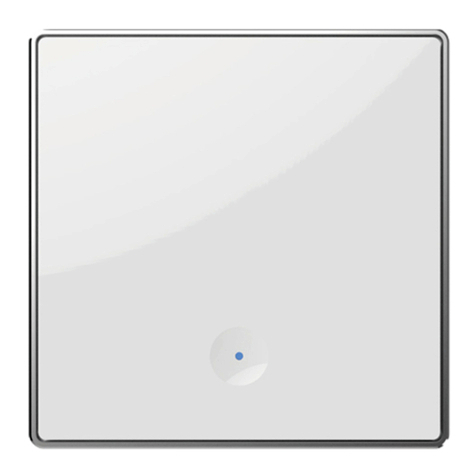
SLC628 In-wall Touch Switch
Quick Start Guide

2
WARNING: Failure to follow these safety notices could result in re,
electric shock, other injuries, or damage to the In-wall Touch Switch
and other property. Read all the safety notices below before using
the In-wall Touch Switch.
• Avoid high humidity or extreme temperatures.
• Avoid long exposure to direct sunlight or strong ultraviolet light.
• Do not drop or expose the unit to intense vibration.
• Do not disassemble or try to repair the unit yourself.
• Do not expose the unit or its accessories to ammable liquids, gases
or other explosives.
Safety Handling

3
Technical Specications
Wireless Connectivity
ZigBee • 2.4GHz IEEE 802.15.4
ZigBee Prole • ZigBee 3.0
RF Characteristics
• Operating frequency: 2.4GHz
• Range outdoor/indoor: 100m /
30m (Open area)
• Internal PCB Antenna
Physical Specications
Button • Touch Screen
Operating Voltage • 100~240 Vac 50/60 Hz
Power consumption • < 1 W
Max. Load Current
Each gang:
• < 700W Resistive
• < 200W Inductive
Operating environment • Temperature: -20℃~+55℃
• Humidity: ≤ 90% non-condensing
Dimensions
CN standard:
• 89.2 x 89.2mm
• In-wall size: 67.5x 61.1 x 26.2mm
EU standard:
• 89.2 x 89.2mm
• In-wall size: 62.8x 62.8 x 26.5 mm

4
Weight • 114 g
Mounting Type • In- wall mounting
• EU standard or CN standard
Certicate • EU: ROSH
• CN: CE, ROSH

5
Welcome
1
The In-wall Touch Switch allows you to remotely control your lighting
or even apply schedules for automatic switching.
This guide will provide you with an overview of the product and help
you get through the initial setup and installation.
• ZigBee 3.0 compliant
• Works with any standard ZigBee Hub
• Remote on/o control using your smartphone
• Set schedules to automatically power on and o as needed
• 1/2/3 gang is available for selection
Features:

6
N L
L
1
L
2
L
3
L
4
In In
Out
Wiring Diagram
Installation
2
Please refer to the installation diagram below to install the in-wall
switch.
Important safety information!
• The In-wall Switch must be installed and serviced only by qualied
electrical personnel.
• Do not touch the terminals of the device during the testing.
• Turn o all power supplying this equipment before installing.
• Make sure that the power supply is off before connecting or
disconnecting it to the auxiliary device.
• Always use a properly rated voltage sensing device to conrm power
is o.
• Replace all devices, doors and covers before turning on power to
this equipment.
Failure to follow these instructions will result in death or serious
injury.

7
Get to know your device
3
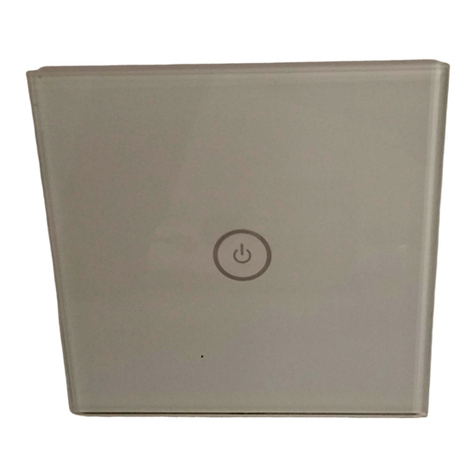
ON/OFF switch and
LED indicator
LED indicator
The LED status gives the following information:
LED status What it means
LED ashing Device has not joined a ZigBee network/Identify
Red LED Device is OFF (Not joined a network)
No LED light Device is OFF (Joined a network)
Blue LED solid Device is ON (Joined a network)
Press one of the on/o button(s) 3 times and hold at the third time for
6 seconds until the LED indicator start ashing to restore the Switch.
Reset:

8
Congure Network
4
4.1 To get started, you will need:
• A Zigbee Gateway.
• A mobile phone with a mobile APP installed.
4.2 Adding to the gateway's network
1. Set your gateway to permit joining (see your gateway's manual).
2. Power on the in-wall switch and the LED indicator will start ashing
(reset the switch if not), indicating it is ready to join the gateway's
network for 2 minutes.
3. The In-wall Touch Switch will join the gateway automatically and
the LED indicator will turn solid bule if the switch is on, and lights o if
the switch is o.
4.Now you are able to control the In-wall Touch Switch using the
mobile app.
Note: If the adding is failed, simply reset the In-wall Touch Switch and
retry.
Table of contents
Other Owon Switch manuals