manuals.online logo
Brands
  1. Home
  2. •
  3. Brands
  4. •
  5. Pentax
  6. •
  7. Batteries Charger
  8. •
  9. Pentax D-BG4 User manual

Pentax D-BG4 User manual

Other Pentax Batteries Charger manuals

Pentax PV-A1000A User manual

Pentax

Pentax PV-A1000A User manual

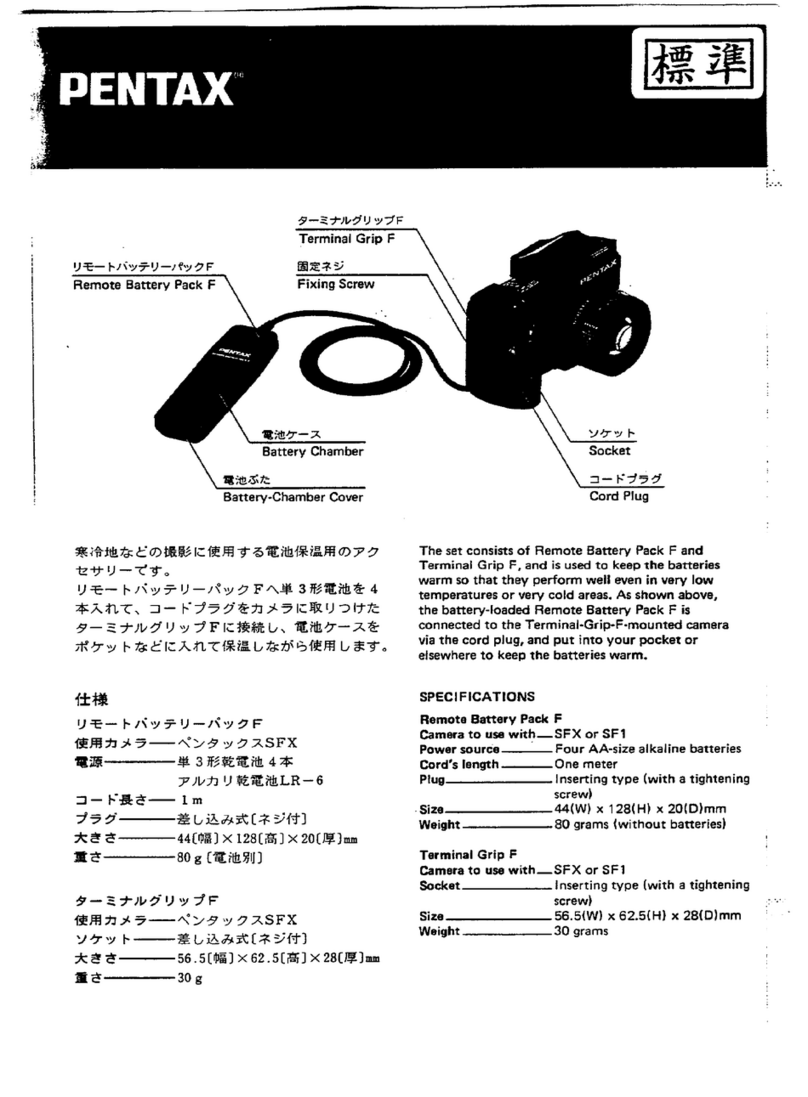
Pentax Remote Battery Pack User manual

Pentax

Pentax Remote Battery Pack User manual

Pentax Remote Battery Pack F User manual

Pentax

Pentax Remote Battery Pack F User manual

Popular Batteries Charger manuals by other brands

EVBox BusinessLine manual

EVBox

EVBox BusinessLine manual

Goobay 71808 user manual

Goobay

Goobay 71808 user manual

Kogan KACRDQIS4XA user manual

Kogan

Kogan KACRDQIS4XA user manual

Sealey WCB3 quick start guide

Sealey

Sealey WCB3 quick start guide

Vanner SP00143/181 owner's manual

Vanner

Vanner SP00143/181 owner's manual

KeyOuest KO037515 quick start guide

KeyOuest

KeyOuest KO037515 quick start guide

Enplus Silk Series user manual

Enplus

Enplus Silk Series user manual

Intermec SF51 user guide

Intermec

Intermec SF51 user guide

Colorovo PowerBox 6800 user guide

Colorovo

Colorovo PowerBox 6800 user guide

Smartech WBC-250 Operator's manual

Smartech

Smartech WBC-250 Operator's manual

PIXO C-USB instruction manual

PIXO

PIXO C-USB instruction manual

Gunson G4104 quick start guide

Gunson

Gunson G4104 quick start guide

Dometic NDS SCE320 Short Operating Manual

Dometic

Dometic NDS SCE320 Short Operating Manual

ABB HT572708 Operation manual

ABB

ABB HT572708 Operation manual

EVOline Square80 manual

EVOline

EVOline Square80 manual

Redarc SBC24025 Operating instructions and owner's manual

Redarc

Redarc SBC24025 Operating instructions and owner's manual

Absaar HV04 manual

Absaar

Absaar HV04 manual

DazeTechnology Cover Dazebox Home installation manual

DazeTechnology

DazeTechnology Cover Dazebox Home installation manual

manuals.online logo
manuals.online logoBrands
  • About & Mission
  • Contact us
  • Privacy Policy
  • Terms and Conditions

Copyright 2025 Manuals.Online. All Rights Reserved.

Operating Manual
Bedienungsanleitung
Mode
d'emploi
Manual
de
instrucciones
Manuale di lstruzioni
HandIeiding
\
8
Thankyou forpurchasing the Battery Grip D-BG4. This product is an accessory to be used exclusively
with the PENTAX
/C-51/C-7
Digital Camera.
• Use the rechargeable lithium-ion battery D-LI90 (provided with the
K-5
I
IC-7
.Also sold separately.)
or
AA
lithium/Ni-MH/alkaline batteries with the D-BG4 battery grip.
• Buttons, body joints, and retractable parts are dust-proof and water-resistant.
• The camera can be used with the Battery Grip D-BG4 attached
if
batteries are inserted
in
either the camera
or
the grip.
• The camera operation time can be extended
by
inserting batteries in both the camera and the battery grip. You
can select settings from [Auto Select] (factory default setting), [Body First] or [Grip First] in [Select Battery] in the
['
Set-up
3]
menu.
• The camera case cannot be used when the battery grip is attached.
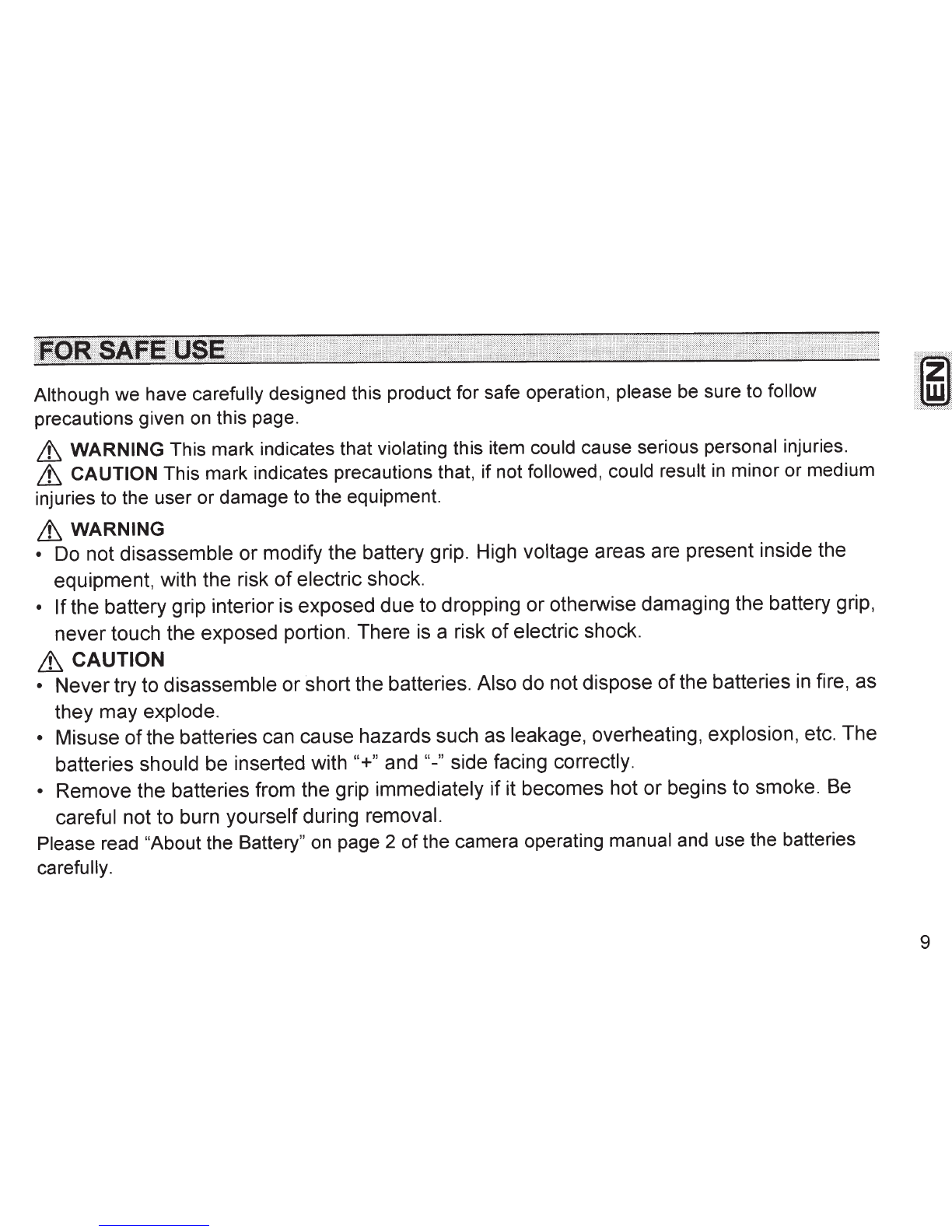
Although
we
have carefully designed this product for safe operation, please be sure to follow
precautions given on this page.
~
WARNING This
mark
indicates that violating this item could cause serious personal injuries.
~
CAUTION This mark indicates precautions that, if not followed, could result
in
minor
or
medium
injuries to the user
or
damage to the equipment.
~WARNING
•
Do
not disassemble or modify the battery grip. High voltage areas are present inside the
equipment, with the risk
of
electric shock.
• Ifthe battery grip interior
is
exposed due to dropping or otherwise damaging the battery grip,
never touch the exposed portion. There
is
a risk
of
electric shock.
~CAUTION
• Nevertry to disassemble or short the batteries. Also do not dispose
of
the batteries
in
fire, as
they may explode.
• Misuse
of
the batteries can cause hazards such as leakage, overheating, explosion, etc. The
batteries should be inserted with "+" and
"-"
side facing correctly.
• Remove the batteries from the grip immediately if it becomes hot or begins to smoke.
Be
careful not to burn yourself during removal.
Please read "About the Battery" on page 2
of
the camera operating manual and use the batteries
carefully.
9
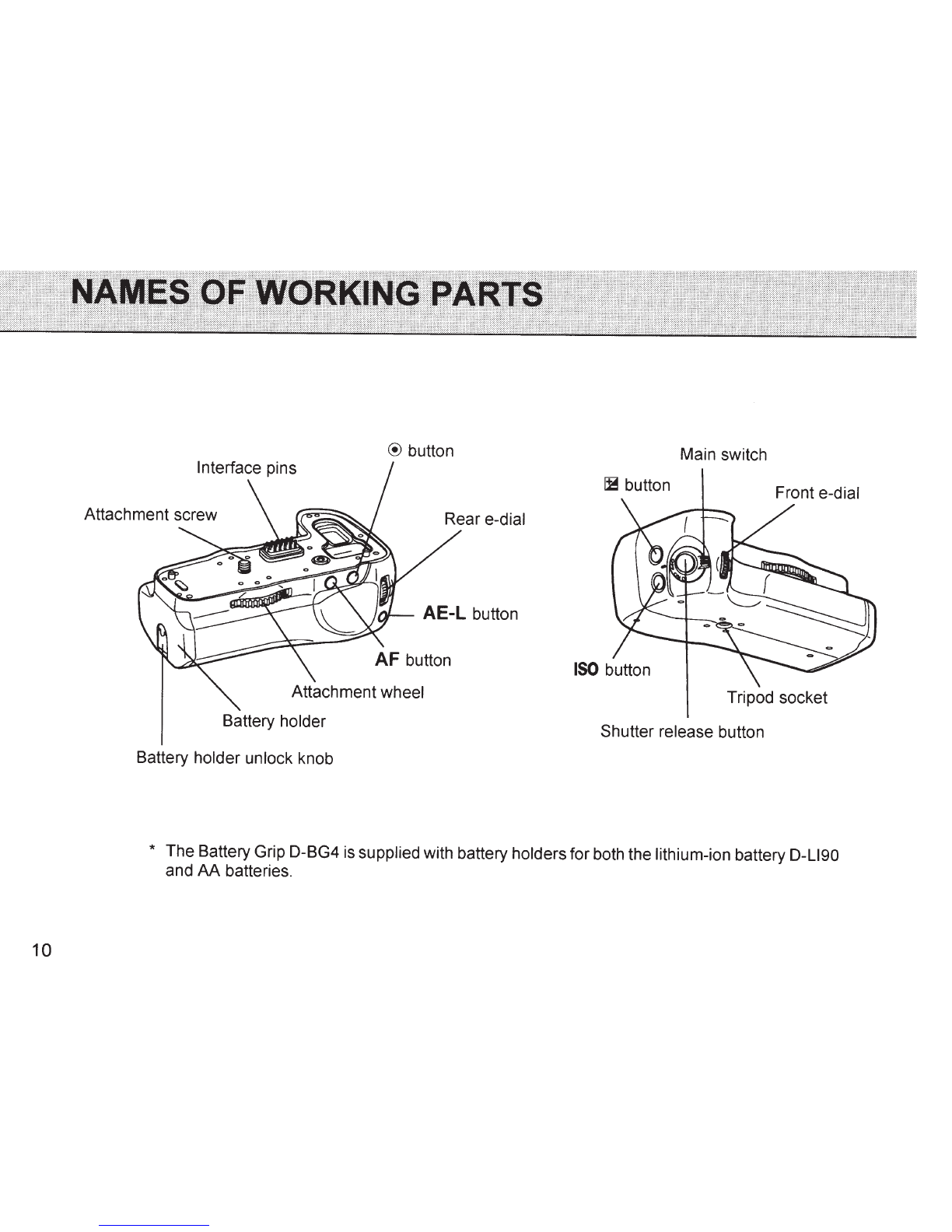
10
@
button
Battery holder
Battery holder unlock knob
Main switch
IB
button Front e-dial
Tripod socket
Shutter release button
* The Battery Grip D-BG4
is
supplied with battery holdersfor both the lithium-ion battery D-LI90
and AA batteries.
Use the rechargeable
lithium-ion
battery D-L190 (provided with the
/C-
5 I
/C-7.
Also sold
separately.)
or
six
AA
batteries
of
the same type (lithium/Ni-MH/alkaline).
1 Pull out the battery holder.
CD
Lift the battery holder unlock knob.
®Turn
the knob towards OPEN to unlock. @Pull out the
battery holder.
2 Insert the lithium-ion battery or
AA
batteries.
Position the lithium-ion battery so that the
_.
mark points down, and insert the battery in the
orientation shown on the battery holder. For
AA
batteries, insert the batteries
in
the orientation
shown on the battery holder, taking care not to reverse the
polarity(+,-).
3 Stow the battery holder.
Stow the battery holder by performing Step 1
in
reverse order.
fhJ
Memo
• A spare
SO Memory Card
can
be
stored
in
the end section ofthe lithium-ion battery holder.
11
1Open the battery grip connection cover on the camera, and remove the interface
pins cap on the battery grip.
2 Attach the battery grip to the camera by fitting the interface pins and attachment
screw
of
the battery grip to the battery grip connection terminal and tripod socket
of
the camera as shown above.
3 Secure the battery grip by turning the attachment wheel firmly
in
the direction
of
the arrow as shown above.
Lt
CAUTION
• Make sure the camera and the battery grip are turned off before attaching.
• Leave the cap on when not using the battery grip. Do not touch the interface pins with the cap off. You can
store the interface pins cap
in
the cavity
of
the battery grip (see illustration
in
step 2).
• You can store the battery grip connection cover
of
the camera
in
the cavity
of
the battery grip afterremoving
from the camera
in
step 1 (see illustration in step 2). When storing the cover, push it down straight with
12 your both thumbs.
Use the shutter release button
on
the
battery grip when taking pictures with
the camera in the vertical position.
.
«:n
Memo
Make sure to turn
on
the battery grip
before attempting to operate any
of
the
buttons or dials
on
the battery grip.
However, the camera can still be
operated
by
its own control even ifthe
battery grip is turned off.
• It
is
recommended to turn offthe battery grip when using the camera
in
a position other than the vertical
position as the switch may accidentally be pressed.
13
14
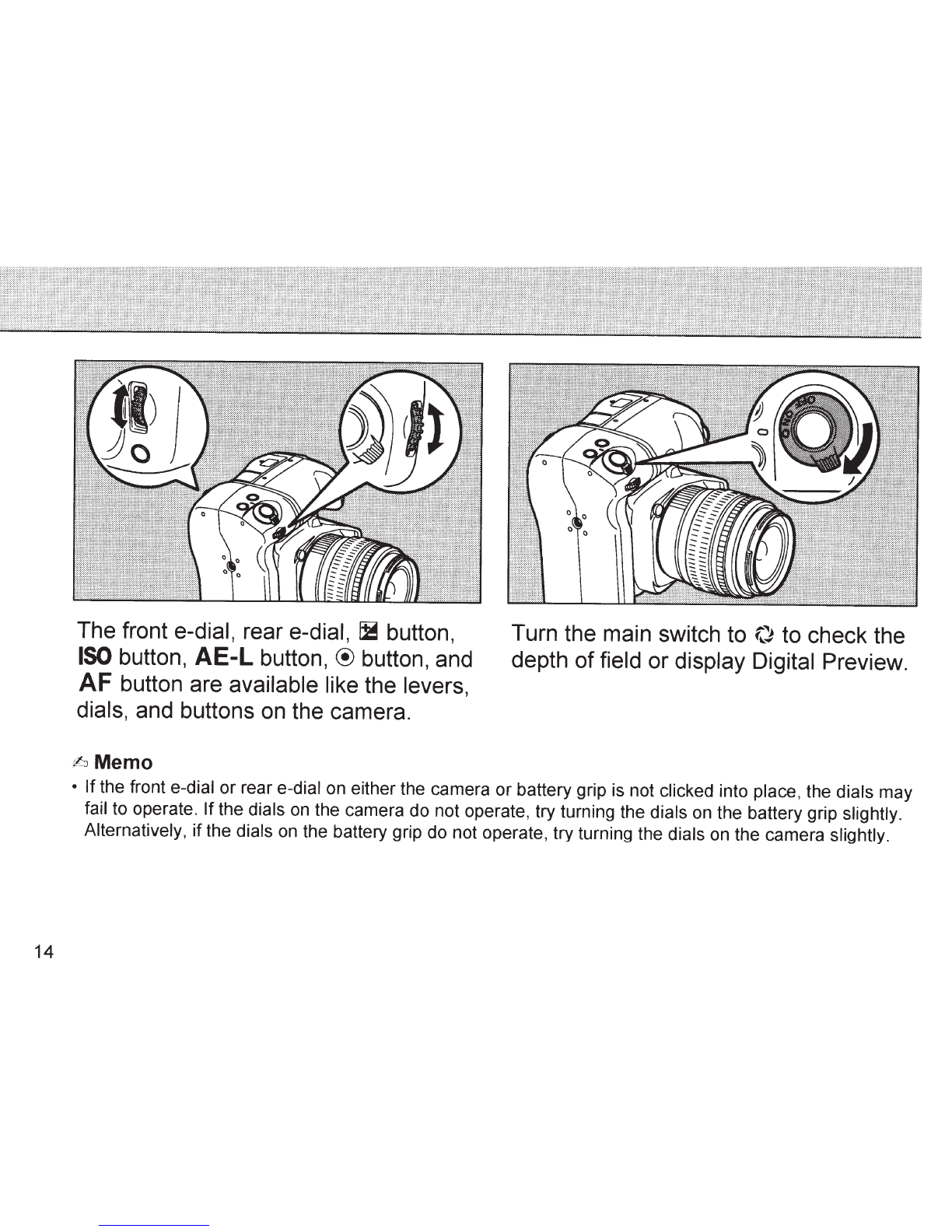
The front e-dial, rear e-dial,
~
button,
ISO
button, AE-L button,
®
button, and
AF
button are available like the levers,
dials, and buttons on the camera.
¢:J
Memo
Turn the main switch to
(}
to check the
depth
of
field or display Digital Preview.
• If the front e-dial or rear e-dial on either the camera or battery grip is not clicked into place, the dials may
fail to operate. Ifthe dials
on
the camera do not operate, try turning the dials
on
the battery grip slightly.
Alternatively,
if
the dials
on
the battery grip do not operate, try turning the dials
on
the camera slightly.
Camera:
/C-51/C-7
Batteries:
Rechargeable lithium-ion battery D-LI90, six AA lithium/Ni-MH/alkaline
batteries
Dimensions (W x H x
D):
Approximately 132.5 x 42 x 75 mm (excluding protrusions)
Weight:
Approx. 260 g (with lithium-ion battery holder excluding a lithium-ion battery)
Approx. 245 g (with AA battery holder excluding six AA batteries)
Specifications and external dimensions are subject to change without notice.
• For the number
of
recordable images and playback time, visit the PENTAX website.
15
16
For customers
in
the USA
STATEMENT OF FCC COMPLIANCE
This device complies with Part 15
of
the FCC Rules.
Operation is subject to the following two conditions:
(1) This device may not cause harmful interference,
and (2) this device must accept any interference
received, including interference that may cause
undesired operation.
Changes
or
modifications not approved by the party
responsible for compliance could void the user's
authority to operate the equipment.
This equipment has been tested and found to comply
with the limits for a Class B digital device, pursuant to
part 15
of
the FCC Rules.
These limits are designed to provide reasonable
protection against harmful interference
in
a residential
installation. This equipment generates, uses and can
radiate radio frequency energyand,
if
not installed and
used
in
accordance with the instructions, may cause
harmful interference to radio communications.
However, there is no guarantee that interference will
not occur in a particular installation. If this equipment
does cause harmful interference to radio
or
television
reception, which can be determined
by
turning the
equipment offand on, the user is encouraged to try to
correctthe interference by one
or
more
of
thefollowing
measures:
Reorient
or
relocate the receiving antenna.
Increase the separation between the equipment and
receiver.
Connect the equipment into an outlet on a circuit
different from that to which the receiver is connected.
Consult the dealer
or
an experienced radio/TV
technician for help.
For customers
in
Canada
This Class Bdigital apparatuscomplieswith Canadian
ICES-003.
Pour les utilisateurs au Canada
Cet appareil numerique de
Ia
classe
Best
conforme a
Ia
norme NMB-003 du Canada.