Problem Troubleshooting
Solution
Sunbed not tanning
1. Clean sunbed, see Thorough Periodic Cleaning.
2. Ensure supply voltage is between 208 and 230V AC.
3. Replace lamps if lamp hours are greater than 800hrs.
4. Replace acrylic.
Lamps fail to light and timer display is blank
1. Make sure the unit is connected to a power source.
2. Check source of AC power. Reset circuit breaker or replace
fuse.
Timer display changes to indicate a tanning time after the timer but-
ton is pressed but lamps do not come on
1. Bypass plug is not installed, see Electrical Connections.
2. A non-Perfect Sun™ bypass has been used.
3. If remote is being used, other than T-Max® Manager, the
external timer may not be activated.
4. Remote wiring is incorrect, see the instructions provided
with the remote interface kit.
Timer display continues to show a 0 after the timer button is pressed
1. T-Max® Manager remote system has not yet been set.
2. Sunbed address is not set correctly, see Remote
Connections.
One or more lamps fail to light
1. Check that lamp is installed correctly.
2. Switch unlit lamp with a lamp that lights, if new lamp lights
and old lamp still does not, replace old lamp.
The face tanners will not come on
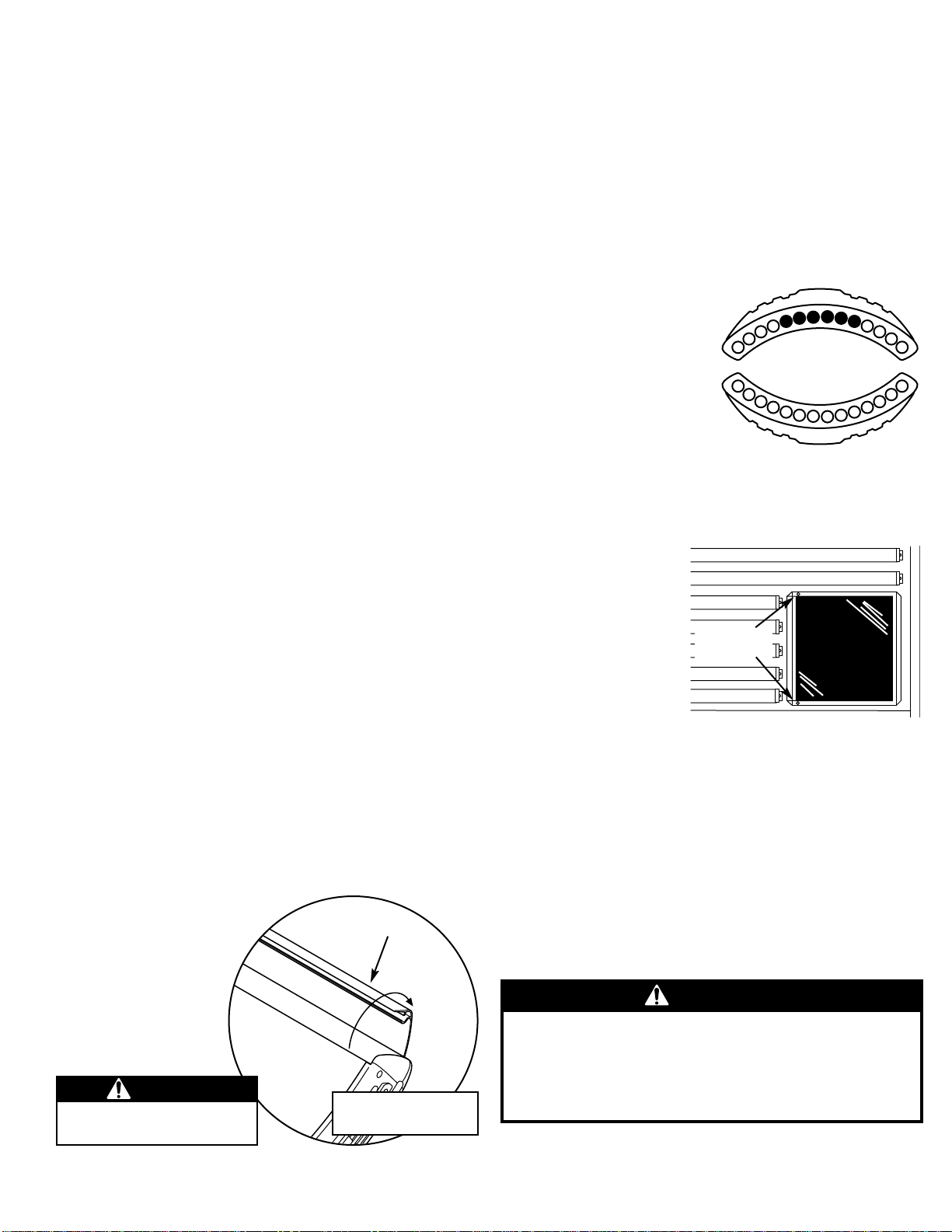
1. Face tanners will not relight until cooled (approx. 1 minute).
2. Replace face tanner lamp, see Removing/Replacing Face
Tanner Lamp.
Hour Counter
This sunbed incorporates an ingenious hour counter function into the
timing circuitry. It allows the operator of the unit to monitor the hours
of use of the lamps, making it easy to determine when to change them.
You may also decide to use this function to monitor other time based
maintenance tasks.
To determine how many hours the unit has been in service (since the
last reset of the hour counter memory), first make sure the timer dis-
play shows “0”. Then simply hold the stop button for three seconds.
The display will show two pairs of numbers which indicate the num-
ber of hours of service, then return to “0”. (example: Display shows 08
then 54. This equals 854 hours.) NOTE: If the unit is connected to a T-
Max® remote device, it may briefly lose communication with the
remote. This is normal.
To erase the indicated hours disconnect power from the sunbed. Press
and hold the green timer button as you reconnect power. Release the
button after a few seconds.
Problem Troubleshooting
Solution
The canopy will not stay up
NOTE: Gas springs are manufactured to hold the canopy in its
fully open position as well as allow it to rest fully closed. If
left open for an extended period of time some creep down
may occur. This is considered normal. Keep the unit closed
when not in use. If the canopy will not stay fully open when
raised...
1. Raise and lower the canopy a few times to lubricate gas
spring internal seals.
2. Replace gas springs.
My bed won’t work with the T-Max® Manager remote system
1. The sunbed must first be set to a unique address, see
Remote Connections.
2. The bypass plug may be installed in the series in an inap-
propriate location. Remove bypass plugs when using T-
Max® products.
When auto-addressing the first bed does not register an address
When using the auto address feature of the T-Max®
Manager you must wait 10 seconds from the time you start
the auto address function before addressing the first bed.
I forgot what address I set my sunbed to
By pressing the stop button and then the timer button, and
holding both for 3 seconds, the timer display will show the
sunbed’s address number. Press the stop button to exit
address mode.
My bed is connected to the T-Max® Manager remote system and
when the delay time has expired the timer display starts counting
down but the bed lights do not come on
The auto start feature of the remote system is disabled, see
the instructions provided with your remote system.
My bed, connected to a T-Max® Manager, did not display “dL” but
does indicate:
“0”
1. Remote device has not been set.
2. The sunbed has not been connected to the remote system,
see Remote Connections.
a tanning time and the lamps have come on
1. Delay time of T-Max® Manager has not been set.
2. Delay time has expired and session has begun.
a tanning time but the lamps have not come on
Auto start function of T-Max® Manager has been turned off.
Press the timer button to turn on lamps.
26748-01A - Page 7