LINKSTREAM
USER GUIDE
Page 5
The LINKSTREAM consists of a stand alone case of metal
construction with an internal power supply. Up to two
expansion cards can be fitted to provide additional user
channels, up to a maximum of 24.
The unit is supplied as standard with the following
features:
2 x Serial (WAN) ports
8 x Asynchronous user channels
3 x Ethernet LAN ports 10Base5, 10Base2 and 10BaseT.
Optional upgrade modules are available and are detailed
later in this section.
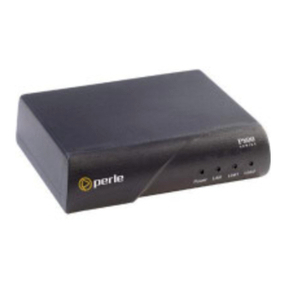
The front panel of the unit is shown below.
RUN
A green LED which flashes at a constant rate of approx.
once every second. This indicates that the power is
applied, all self checks are completed and the unit is
running normally.
LNK0
A green LED which flashes to show data transfer over
Link0. When data transfer ceases, the LED may be left in
the ON or OFF condition.
LNK1
A green LED which flashes to show data transfer over
Link1. When data transfer ceases, the LED may be left in
the ON or OFF condition.
For data transfer over the ISDN the appropriate link LED
will be permanently on.
ENET
A green LED which flashes to show data transfer over the
Ethernet interface. When data transfer ceases the LED
may be left in the ON or OFF condition.
ATTN
An amber LED which when illuminated indicates that a
fault is present or has occurred during system operation.
If lit, please contact your supplier for assistance. If unable
to do this, the fault may be due to a corruption in the
unit's configuration and it is advised that a cold start is
activated and the unit re-configured.
RUN
LNK0
ENET
ATTN
LNK1
RSET
RSRT
FRONT PANEL
LED DISPLAY
Figure 1
LINKSTREAM
front panel
LINKSTREAM
CONSTRUCTION
SECTION 1.0 GETTINGTO KNOWYOUR LINKSTREAM