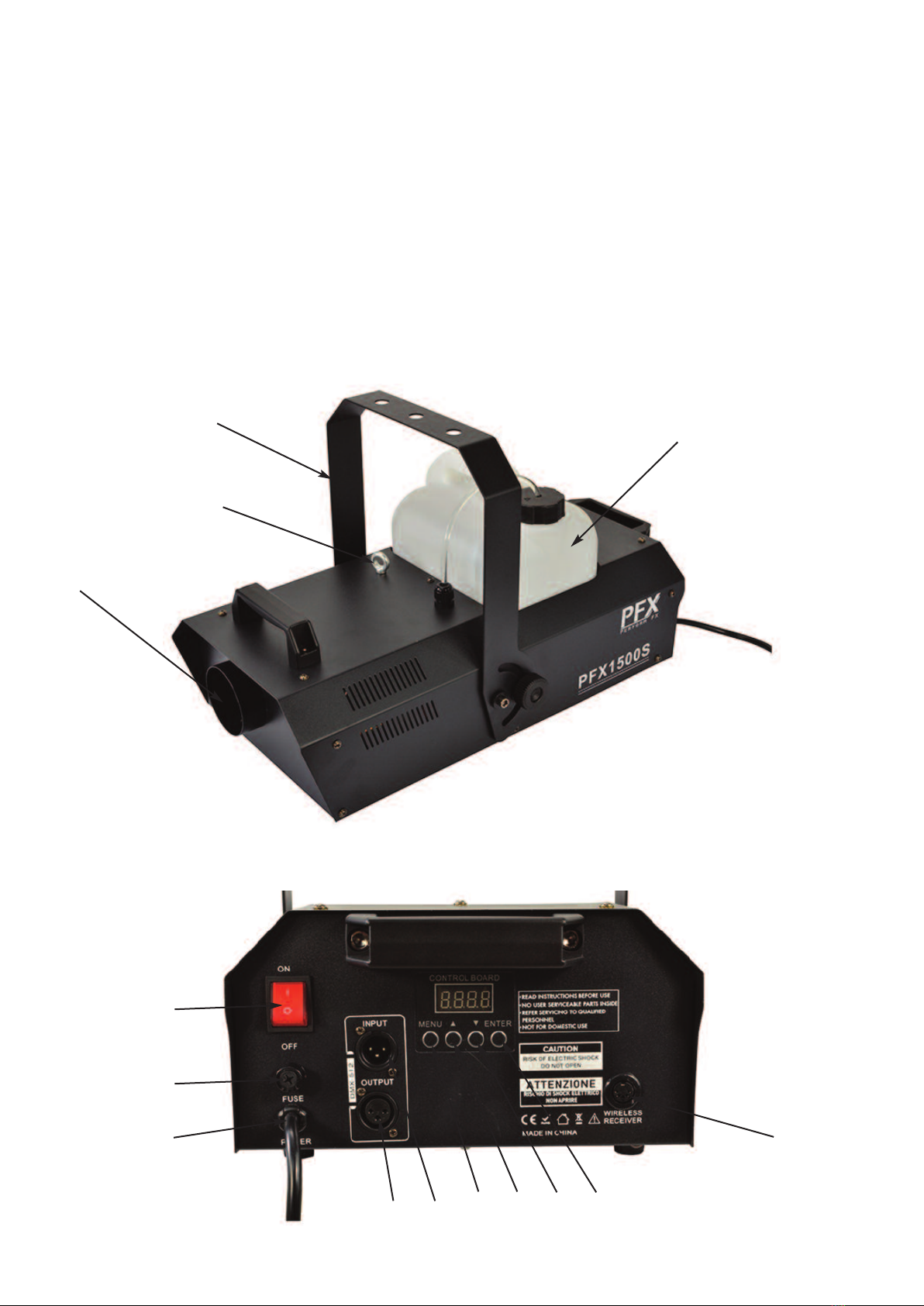
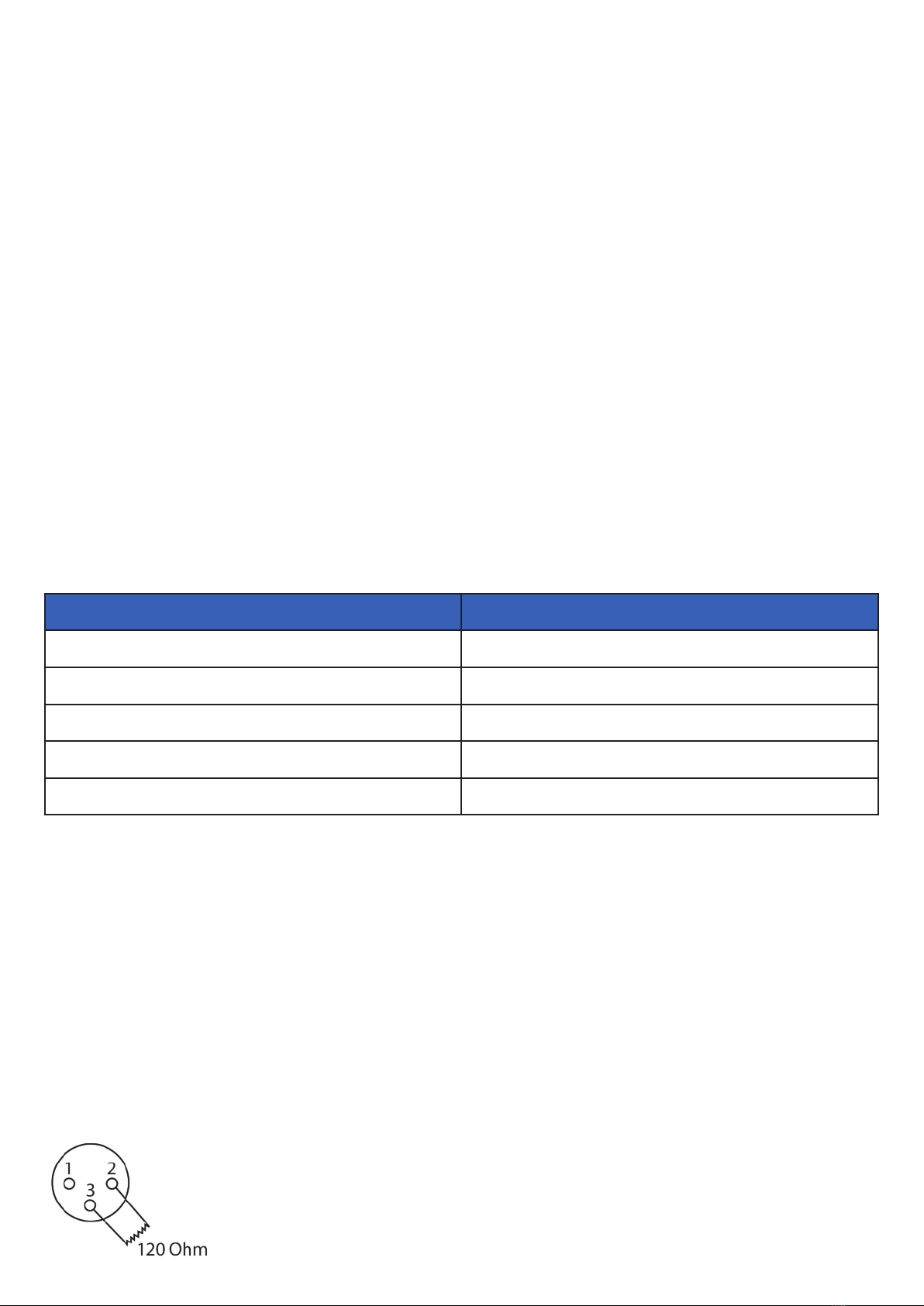
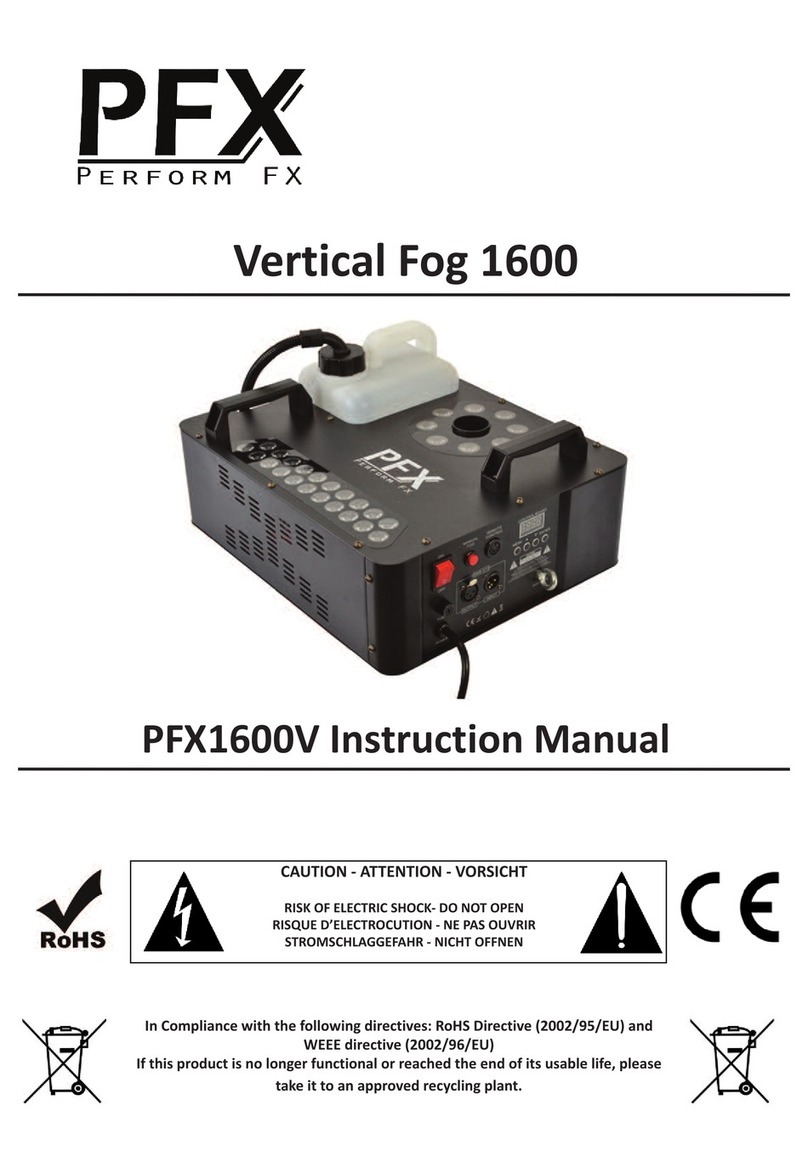
5. DMX Output: Male 3 p n used to connect to next DMX f xture n the cha n.
6. Power Switc : To turn the smoke mach ne on and off.
7. Fuse Holder: If th s blows once, replace f the correct s ze fuse, f t blows aga n, there may be a problem
w th the mach ne, seek profess onal help from an eng neer.
8. Mains Lead: Connect th s to a su table ma ns supply (230Vac).
9. Remote Control Socket: For connect on of the w reless rece ver.
10. Menu Button: used to browse the setup menu.
11. Up Button: To adjust sett ng n the menu.
12. Down Button: To adjust sett ng n the menu
13. Enter Button: To enter sub menus n the ma n menu.
14. Eye Bolt: Used to connect a safety w re.
Set Up Menu:
The setup menu s used to adjust the d fferent parameters of the smoke mach ne.
The MENU button s used to nav gate through the menu opt ons.
1. Addr: Press enter, use the up and down buttons to adjust the DMX address, then press enter to save
sett ngs.
2. rENo: Press enter to adjust the sett ngs.
Here you have 5 sett ngs: Gear, CH1, CH2, CH3, CH4, OFF, use the up and down buttons to choose one and
then press enter.
Gear: Allows you to use all 4 buttons, A=25% fog output, B=50% Fog output, C=75% output, D=100% fog
output,
CH1,CH2,CH3,CH4 by choos ng one of these you can choose what button act vates the fog mach ne at full
output, th s mode s useful when controll ng mult ple un ts from one controller. By select ng CH1 th s w ll
mean that the smoke mach ne works from button A, CH2 button from B and so on.
NoFU: Turns the low flu d funct on on and off. When the mach ne s low on flu d the d splay w ll flash. It s a
good deal to leave th s funct on ON (yes) as low flu d n the tank can damage the pump. Press enter and use
the up and down to select yes or no, then press enter aga n.
First Time Operation Panel Control:
• Before you start us ng th s un t, please check there s no transportat on damage, should there be any, please
do not use the dev ce and contact your dealer mmed ately.
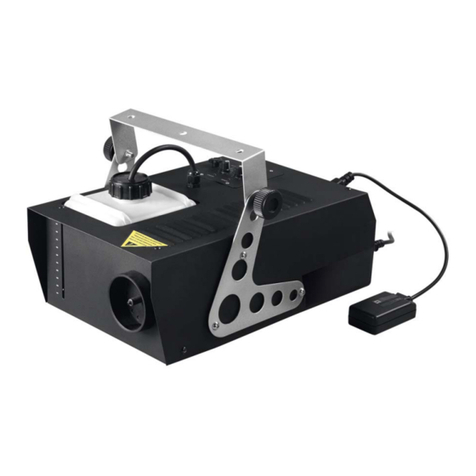
• The PFX1500S s des gned to be used w th water based fog l qu d. NEVER OIL BASED.
• Put the smoke mach ne on a flat stable surface or hang from a su table truss, make sure you use a safety
w re. Make sure no one can put any body part close to the heater output.
• Unscrew the L d on the flu d bottle, f ll up w th a su table fog l qu d, do not to overf ll. Screw the plast c cap
back on and ensure the tank never runs dry dur ng operat on.
• Connect the PFX1500S to a su table ma ns supply (230Vac).
• There s a s mple 4 button menu w th an LCD d splay on the back of the un t. The 4 buttons control menu,
up, down and enter. When you f rst turn on the fog mach ne you w ll need to wa t for around 3-5 m nutes for
the heater to warm up, then you w ll get access to the controls.
• Press the menu button to scroll through opt ons and use the up down buttons to make changes.
First Time Operation Wireless Controller:
• Before you start us ng th s un t, please check there s no transportat on damage, should there be any, please
do not use the dev ce and contact your dealer mmed ately.
• The PFX1500S s des gned to be used w th water based fog l qu d. NEVER OIL BASED.
• Put the fog mach ne on a flat stable surface or hang from a su table truss, make sure you use a safety w re.
• Make sure no one can put any body part close to the heater output
• Unscrew the L d on the flu d bottle, f ll up w th a su table fog l qu d, do not to overf ll. Screw the plast c cap
back on and ensure the tank never runs dry dur ng operat on.
• Plug n the w reless rece ver nto the socket on the back labelled remote control.
• Connect the PFX1500S to a su table ma ns supply (230Vac).