• Press ENTER on the des red sett ng e ther R,G,B or MACo
• Use the UP and DOWN buttons to set the des red sett ng
• Press ENTER
NoFU:
Turns the low flu d funct on on and off. When the mach ne s low on flu d the d splay w ll flash. It s a good
deal to leave th s funct on ON(yes) as low flu d n the tank can damage the pump. Press ENTER and use the
UP and DOWN to select yes or no, then press ENTER aga n.
AuHC:
W reless control opt ons for the stra ght row of LEDs. Here you have you can select what colour macro s
act vated by what button on the hand held remote control. These sett ngs control what colour the LEDS are
on the stra ght group of LEDs, when a part cular button s pressed on the 8 button hand remote.
b-01 to b-08 represent a button on the remote control.
AC00 to AC07 represent a colour along the stra ght l ne group of LEDs.
AC00=No LED Output
AC01=Red
AC02=Yellow
AC03=Green
AC04=L ght Blue
AC05=Blue
AC06=P nk
AC07=Wh te
• Press MENU button unt l AuHC s d splayed.
• Press the ENTER button to enter th s sub menu.
• Choose what button on the remote you w sh to set by us ng the up and down buttons. (B-01 to b-08)
• Pres the ENTER button.
• Select one of the stat c colours AC00 to AC07.
• Press ENTER.
• Repeat Steps 3 to 6 unt l you have set all 8 buttons.
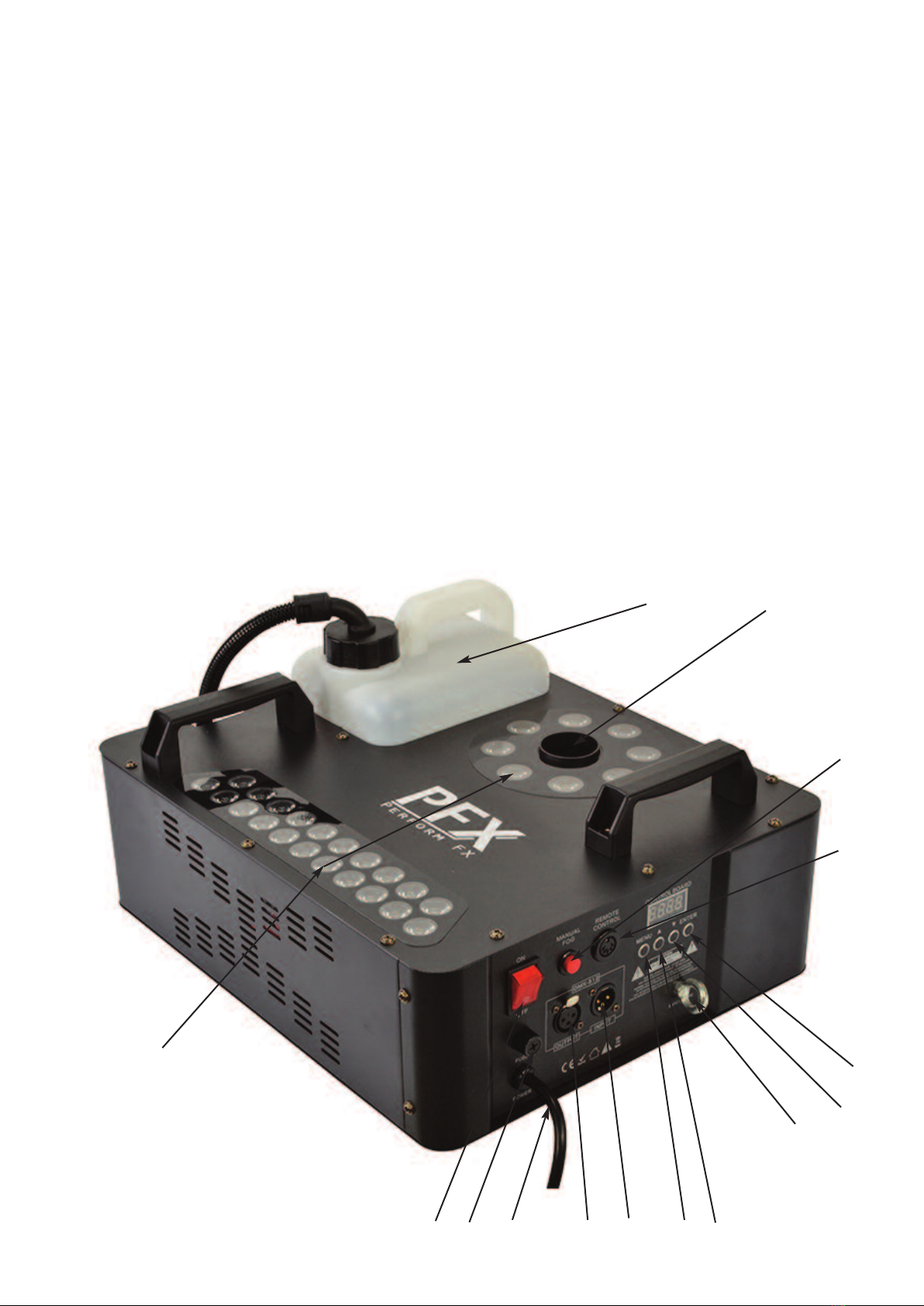
First Time Operation wit t e Manual Red Pus Button:
• Before you start us ng th s un t, please check there s no transportat on damage, should there be any, please
do not use the dev ce and contact your dealer mmed ately.
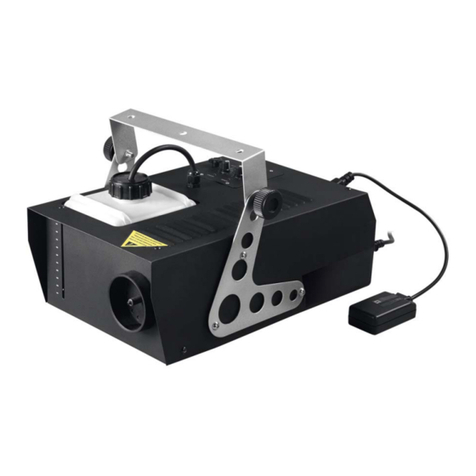
• The PFX1600V s des gned to be used w th water based smoke, fog or vapour l qu d.
• Put the smoke mach ne on a flat stable surface or truss mount follow ng the nstruct ons n th s manual
carefully. Make sure no one can put any body part close to the heater output.
• Unscrew the L d on the flu d bottle, f ll up w th a su table fog l qu d, do not to overf ll. Screw the plast c cap
back on and ensure the tank never runs dry dur ng operat on.
• Plug the ma ns plug nto a su table ma ns supply. Allow the un t to warm up for around 4 m nutes.
• Adjust the sett ngs n the menu d splay to produce the colours requ red. The c rcle row of LEDs can be
colour m xed to make what colour you want. Preset colours can only be selected for the stra ght l ne group of
LEDs. See SET UP MENU sect on above for how to change the colour sett ngs.
• Once the smoke mach ne s heated, push the red push button on the back of the smoke mach ne to output
smoke and the LED colours.
First Time Operation wit Wireless Remote:
• Before you start us ng th s un t, please check there s no transportat on damage, should there be any, please
do not use the dev ce and contact your dealer mmed ately.
• The PFX1600V s des gned to be used w th water based smoke, fog or vapour l qu d.
• Put the smoke mach ne on a flat stable surface or truss mount follow ng the nstruct ons n th s manual
carefully. Make sure no one can put any body part close to the heater output.
• Unscrew the L d on the flu d bottle, f ll up w th a su table fog l qu d, do not to overf ll. Screw the plast c cap
back on and ensure the tank never runs dry dur ng operat on.
• The w reless remote can be used up to 25 metres. Plug the rece ver nto the back of the smoke mach ne
labelled remote control.