manuals.online logo
Brands
  1. Home
  2. •
  3. Brands
  4. •
  5. Philips
  6. •
  7. Receiver
  8. •
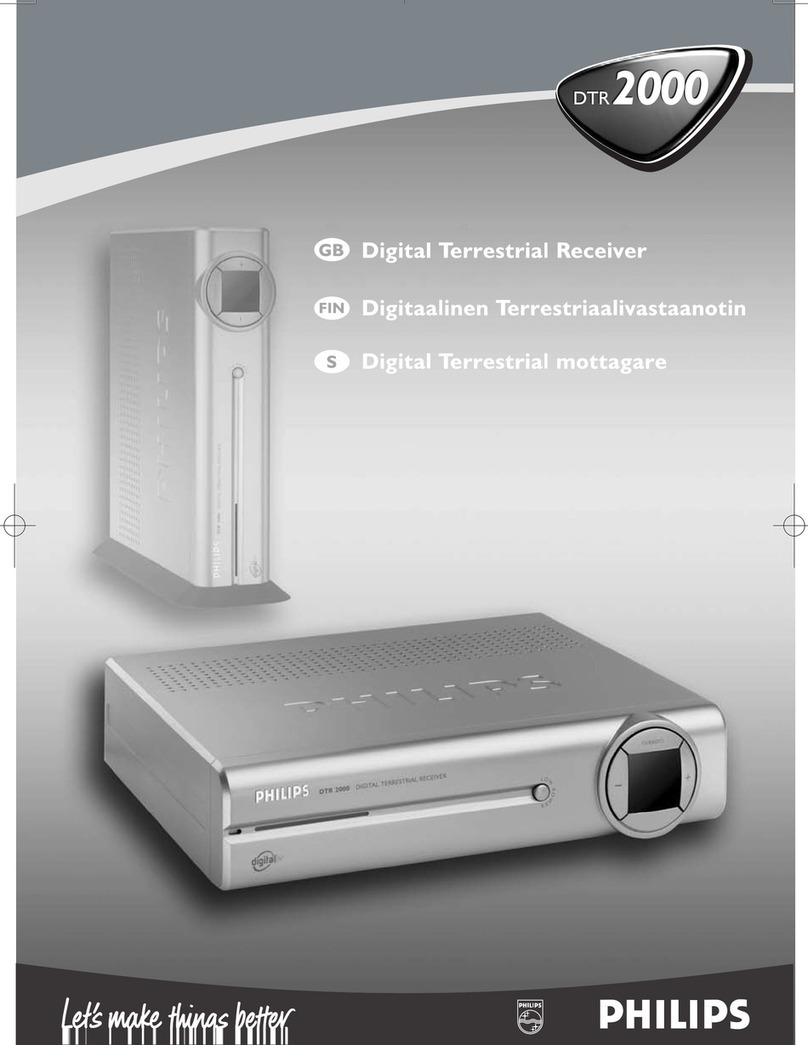
  9. Philips DTR 1000 User manual

Philips DTR 1000 User manual

Other manuals for DTR 1000

1

Other Philips Receiver manuals

Philips STU3300/22G User manual

Philips

Philips STU3300/22G User manual

Philips SLA5500NS/17B User manual

Philips

Philips SLA5500NS/17B User manual

Philips LX8300SA User manual

Philips

Philips LX8300SA User manual

Philips DTR 2000/53 User manual

Philips

Philips DTR 2000/53 User manual

Philips DTR 5520 User manual

Philips

Philips DTR 5520 User manual

Philips MX2600/55 User manual

Philips

Philips MX2600/55 User manual

Philips AW2000 User manual

Philips

Philips AW2000 User manual

Philips Streamium SL400i Owner's manual

Philips

Philips Streamium SL400i Owner's manual

Philips DTR200/00 User manual

Philips

Philips DTR200/00 User manual

Philips LX700/25S User manual

Philips

Philips LX700/25S User manual

Philips MX5500D/21S User manual

Philips

Philips MX5500D/21S User manual

Philips AE 3625 User manual

Philips

Philips AE 3625 User manual

Philips D2999 User manual

Philips

Philips D2999 User manual

Philips STU560A User manual

Philips

Philips STU560A User manual

Philips DSR 300/00 User manual

Philips

Philips DSR 300/00 User manual

Philips SL400I/37B User manual

Philips

Philips SL400I/37B User manual

Philips DSR3131H User manual

Philips

Philips DSR3131H User manual

Philips SLA5500NS User manual

Philips

Philips SLA5500NS User manual

Philips STU811 User manual

Philips

Philips STU811 User manual

Philips HTS3440/37 User manual

Philips

Philips HTS3440/37 User manual

Philips SLA5500NS Quick start guide

Philips

Philips SLA5500NS Quick start guide

Philips STU130A User manual

Philips

Philips STU130A User manual

Philips Digital Satellite Receiver DSR5005 User manual

Philips

Philips Digital Satellite Receiver DSR5005 User manual

Philips DTR 210 User manual

Philips

Philips DTR 210 User manual

Popular Receiver manuals by other brands

Televes ZAS HD SAT user manual

Televes

Televes ZAS HD SAT user manual

Realistic DX-75 Operating and service instructions

Realistic

Realistic DX-75 Operating and service instructions

Saris 4620 Assembly instructions

Saris

Saris 4620 Assembly instructions

Mini DTR 206C PVR user manual

Mini

Mini DTR 206C PVR user manual

RF Elements TwistPort manual

RF Elements

RF Elements TwistPort manual

Denon DN-200WS user guide

Denon

Denon DN-200WS user guide

Yamaha RX-V467 owner's manual

Yamaha

Yamaha RX-V467 owner's manual

Russound SaphIR 858 instruction manual

Russound

Russound SaphIR 858 instruction manual

Quasonix RDMS Firmware update procedure

Quasonix

Quasonix RDMS Firmware update procedure

Pioneer XV-HTD1 Service manual

Pioneer

Pioneer XV-HTD1 Service manual

ATZ HDMI-V2-44HE150 manual

ATZ

ATZ HDMI-V2-44HE150 manual

Sony XNV-770BT MyTomTom Specifications

Sony

Sony XNV-770BT MyTomTom Specifications

Grundig STR 7122 TWIN Service manual

Grundig

Grundig STR 7122 TWIN Service manual

Creative Blaster Modem user guide

Creative

Creative Blaster Modem user guide

Panduit ATLONA AT-OME-RX11 installation guide

Panduit

Panduit ATLONA AT-OME-RX11 installation guide

VOLTCRAFT UTPS-40 operating instructions

VOLTCRAFT

VOLTCRAFT UTPS-40 operating instructions

JVC KW-ADV794 instructions

JVC

JVC KW-ADV794 instructions

Litelink VT-1001 operating instructions

Litelink

Litelink VT-1001 operating instructions

manuals.online logo
manuals.online logoBrands
  • About & Mission
  • Contact us
  • Privacy Policy
  • Terms and Conditions

Copyright 2025 Manuals.Online. All Rights Reserved.

1 Safety instructions ______________3
2 Unpacking / Putting the receiver in
your existing set up ______________4
2.1 Unpacking ______________________4
2.2 Putting the receiver in your existing
set up _________________________4
3 Product description ______________5
3.1 Front view _____________________5
3.2 Rear view ______________________6
4 Preparing your remote contro ____7
4.1 nstalling the batteries ____________7
4.2 Using the remote control _________8
5 Connecting your Digita receiver __9
5.1 Connecting to a TV fitted with one
SCART socket __________________9
5.2 Connecting to a TV and a VCR both
fitted with one SCART socket _____10
5.3 Connecting to your HiFi / Audio
receiver equipment (Analogue /
Digital) _______________________11
5.4 Connection of a Video projector to
your receiver to watch Digital TV
programmes on a video projector __11
6 Quick start up / First insta ation /
Channe scan ___________________12
6.1 Quick start ____________________12
6.2 Scanning has failed / check installation /
check signal from aerial __________13
6.3 Scanning has failed again _________13
7 Day to day operation ____________14
7.1 Switch ON / Switch OFF your
receiver (low power, standby) _____14
7.2 Select TV / Radio mode __________14
7.3 Change channel ________________14
7.4 Zap banner / More programme info 15
7.5 Volume control - Vol+ / Vol- / Mute 15
7.6 Select a favourite list ___________16
7.7 Temporarily change the Subtitle
selection (circular toggle) _________16
7.8 Temporarily change the Audio
language selection (circular toggle) _16
7.9 Electronic channel guide _________16
7.10 Set timer / Set Reminder from
Guide or Zap list / Zap banner -
Delete a timer _________________17
7.11 Alarm Notification/ Recording -
Reminder - New services - Software
download _____________________18
7.11.1 Recording / TIMER ______________18
7.11.2 Recording Failure _______________18
CONTENTS 1
WELCOME TO DIGITAL TELEVISION
Congratulations on choosing the Philips' DTR 1000 digital terrestrial receiver. The DTR 1000 will
allow you:
- To enjoy access to more choice of digital terrestrial television and radio channels.
- To benefit from digital video and audio quality.
- To get easier access to television channels via your aerial.
CONTENTS
Eng ish

DTR 1000_GB.qxd 24/02/04 11:41 Page 1
All manuals and user guides at all-guides.com
all-guides.com
Eng ish

7.11.3 Reminder ______________________18
7.11.4 List o New channels _____________18
7.11.5 So tware download ______________18
7.12 Using the TV / STB button _______19
7.13 Watching locked channels ________19
7.14 How do reset my receiver if it
"Freezes"? _____________________19
8 Changing the settings on your
receiver _______________________20
8.1 Menu navigation /item selection /
change settings / store changes ____20
8.2 Change the installation settings ____21
8.2.1 Receiver settings ________________21
8.2.2 Channel installation ______________22
8.2.3 Check signal quality / Check your
aerial _________________________23
8.2.4 So tware update ________________24
8.2.5 TIMERS (schedule, delete, edit,
con lict) _____________________24
8.2.6 Edit a timer ____________________25
8.2.7 Remove a timer via the MENU _____25
8.2.8 Disable Recording (Manage con licts) _25
8.3 Favourite list editing _____________26
8.4 Parental control / pin Code - lock
Programme - Parental Timer ______28
8.4.1 Change PIN ___________________28
8.4.2 Parental control _________________28
8.4.3 Maturity level __________________28
8.4.4 Lock TV or Radio channel _________28
8.4.5 Edit a parental timer ____________29
8.4.6 Remove a parental timer _________29
8.5 Preferences / language - timer -
banner _______________________29
9 Menu tree _____________________30
10 Advanced settings ______________31
10.1 Restore virgin mode _____________31
10.2 Change remote control setting ____31
10.3 You forgot your P N code / Master
P N code _____________________31
10.4 More about Recording / Easy
Recording - VCR control _________32
10.4.1 Connection or Easy recording ______32
10.4.2 Digital receiver and VCR settings ____33
10.4.3 How to make a recording with the
VCR control eature? _____________33
10.4.4 Timer / Front panel indicator _______33
10.4.5 Cancel a running Timer ___________33
10.4.6 Errors during recording ___________33
11 Troub e shooting guide __________34
12 Technica specification ___________36
2CONTENTS
DTR 1000_GB.qxd 24/02/04 11:41 Page 2
All manuals and user guides at all-guides.com
Eng ish

SAFETY INSTRUCTIONS 3
All the safety and operating nstructions
should be read and understood before the
receiver is operated.
For best results, position your receiver away
from radiators or other heat sources. Leave
a space of at least 3 cm around the receiver
for ventilation making sure that the
ventilation holes are not obstructed.
This receiver is intended for use in a
domestic environment only and should
never be operated or stored in excessively
hot, humid or damp conditions.
Make sure no objects or fluids enter the
housing through the ventilation slots. Should
this happen, disconnect your receiver from
the mains and consult your retailer.
For cleaning, use a damp chamois leather.
Never use any abrasive cloth, sponge or
cleaner.
When connecting or disconnecting cables to
the receiver always ensure the receiver is
disconnected from the mains.
Please wait before connecting your receiver
- read on.
Do not disassemble the equipment. There
are no user serviceable parts.
Mains connection
Before connecting the receiver to the
mains, check that the mains supply voltage
corresponds to the voltage printed on the
rear of the receiver. f the mains voltage is
different, consult your dealer.
P ease wait before connecting your
receiver - read on.
1 Safety instructions
DTR 1000_GB.qxd 24/02/04 11:41 Page 3
All manuals and user guides at all-guides.com
Eng ish
4UNPACKING
2.1 Unpacking
Start by unpacking your receiver. You will
find the following cables and accessories:
- The digital terrestrial receiver
- The remote control and batteries (2 x
LR6 AA 1,5 V)
- One SCART lead
- One RF coaxial lead
- A mains cord
- A user manual
- A Guarantee card
- A stand for using the receiver in the
upright position
Note: As advised in chapter 5 make use of the
Scart lead provided. It has been selected to get
the best picture quality and performance out of
your digital receiver .
Plastic bags can be dangerous. To avoid
suffocation keep the bag away from babies
and children.
The Symbol on the packaging
means that material is recyclable.
f the receiver will not be used for a long
time, unplug the mains cord from the wall
socket.
2.2 Putting the receiver in your
existing set up
- Your receiver can be integrated in
different ways within your existing Audio-
Video set up. The receiver can be used in
the horizontal or vertical position. f you
decide to use your receiver in the upright
position, follow the instructions below.
Unpack the stand, place it on a horizontal
surface with click fit side on the right and
lug side on the left.
- Take the receiver as shown below (rear
panel on the left side / coaxial connectors
on the bottom side).
- nsert the stand lug in the slot located on
the front of the receiver, close to the
Philips badge.
- Rock the receiver to insert the stand lug
fully in the slot until it is locked by the
click fit.
- From now on, your receiver can be used
in the upright position.
Note: Removing the stand can be done by first
unlocking the click fit at the rear side of the
stand rocking and pulling back the receiver to
extract it from the stand lug.
2 Unpacking / Putting the receiver in your
existing set up
DTR 1000_GB.qxd 24/02/04 11:41 Page 4
All manuals and user guides at all-guides.com
Eng ish

3.1 Front view
1LOW POWER button: Switch receiver ON or into low power mode.
Reset the receiver, in case of hanging up, after a 5 second
keypress.
2TV/RAD O button: Toggle between TV and Radio mode.
3"-" button: Channel down.
4Three colours LED indicator: Display receiver status (see status indicator table).
5Red LED indicator: Display receiver status (see status indicator table)
Blink at remote control command reception.
6"+" button: Channel up.
(1) If you have put your receiver in "Standby" or "Low power" mode and red right hand LED is blinking 
this indicates that a free over-the-air upgrade of your receiver is taking place. Do not interrupt this
operation. Wait until the blinking LED stops and the left hand LED is either orange or red (signalling
either standby mode or low power mode). You can now continue with normal operation.
(2) To cancel a running timer press button sequence: TIMER + 0.
Status indicator table
Mode Receiver Low power Standby TV mode Radio Software Timer
LED off mains mode mode mode update (1) running (2)
4 Left hand LED Off Off Orange Green Blinking Off Green or
(3 colours) Green / Orange
Orange (in standby mode)
5
Right hand Off Red Off Off Off Blinking Red
LED (Red) red (blinking if
pressing a button)
PRODUCT DESCRIPTION 5
3 Product description
3456
12
DTR 1000_GB.qxd 24/02/04 11:41 Page 5
All manuals and user guides at all-guides.com
Eng ish

6PRODUCT DESCRIPTION
3.2 Rear view
1VCR (SELV): SCART (1) socket to connect your video recorder.
2Digital audio output (SELV): Coaxial Digital audio output to connect your H F /
Audio receiver system.
3Serial (SELV): RJ 9 socket for serial data transfer during servicing.
4AER AL N (SELV): nput to connect your UHF aerial.
5230 V ~ 50 Hz 10 W max (HV): Socket to connect the Mains cord.
6Label showing the type and serial number of the receiver.
7TV (SELV): SCART (1) socket to connect to your TV set or a video
projector (2).
8L/R Audio out (SELV): Left/Right audio-cinch outputs to connect your H F / Audio
receiver system.
9RF out (SELV): RF output to be connected to the aerial input of your Video
Recorder or TV set, refer to chapter 5 for recommended
connection diagrams.
(1) SCART is also called Euroconnector or Peritel.
(2) To connect a video projector to the TV SCART socket refer to chapter 5.4.
SELV : Safety Extra Low Voltage.
HV : Hazardous Voltage.
56 7 89
1234
DTR 1000_GB.qxd 24/02/04 11:41 Page 6
All manuals and user guides at all-guides.com
all-guides.com
Eng ish

PREPARING YOUR REMOTE CONTROL 7
4 Preparing your remote contro
4.1 Insta ing the batteries
- Remove the back cover.
- nsert two batteries (type R06G/AA - 1.5 V) supplied.
- Place them in the remote control battery compartment as shown in the diagram.
- Replace the cover.
- Your remote is now ready to control your digital terrestrial receiver.
The Philips batteries supplied with your receiver's remote do not contain heavy metals such as
Mercury or Lead Cadmium. Nevertheless, in many countries exhausted batteries may not be
disposed of with your household waste. Please ensure you dispose of empty batteries according
to local regulations.
DTR 1000_GB.qxd 24/02/04 11:41 Page 7
All manuals and user guides at all-guides.com
Eng ish

4.2 Using the remote contro
8PREPARING YOUR REMOTE CONTROL
FAV
- Short key press selects the
next favourite list
- Long key press displays all
available lists.
SUBTITLE ?
- Temporarily starts or stops
Audio Subtitling.
I-II
- Temporary update of audio
language.
TV / STB
Toggle between Digital TV and
Analogue transmission from
your TV.
Mute ?
Audio mute.
RED, GREEN, YELLOW,
BLUE:
Non active.
Standby **
Standby.
$$(b ue) resp. %%(white)
- Scrolls one Page Up or one
Page Down in guide or
favourites list.
0-9
Channel selection in digital
TV mode.
TV / RADIO
Toggle TV / Radio mode.
GUIDE
- Open Now & Next Guide.
INFO
- Open info banner.
- Show extended program
information.
- Close banner.
TIMER
- Set a timer (recording or
reminder) when in program
banner, Guide and Zap List.
The "TIMER, 0" sequence
keystroke deletes the current
running timer.
BACK
- Selects the previously
watched digital TV channel
- n menu mode
Either exit the menu
Or bring selection one level
back
Or bring selection back one
level and cancel the changes
you have made. The prompt
at the bottom of the menu
screen indicates which

function will be carried out.
P+ / P-
Selection of Next / Previous
channel.
MENU
- Open menu (in digital TV
mode).
- Close menu (in digital TV
mode).
Cursor 8/9The four
cursor keys are used to move
within the menus and lists.
OK key
- Select / call up programme
list / zap.
Vo ume ==+/ -
Volume Up / Down.
DTR 1000_GB.qxd 24/02/04 11:41 Page 8
All manuals and user guides at all-guides.com
There are several ways you can connect and incorporate your digital receiver into your existing
audio / video equipment set up.
Warning before starting to connect:
- Unplug all equipment (TV set as well as VCR and / or DVD if required) from the mains.
- Do not connect your digital receiver to mains supply now.
- Check your current wiring because you might keep existing connections of your current Audio /
Video set up.
- Choose the relevant connecting method for incorporating your digital receiver into your
existing Audio / Video set up. Please read chapters 5.1 and 5.2.
5.1 Connecting to a TV fitted with one SCART socket
ncorporate your receiver in your existing installation as shown below:
- Plug your aerial lead plug into the "AER AL N" socket of your digital receiver.
- Connect the "RF OUT" socket of your digital receiver to the "Aerial input" socket of your TV by
means of the RF coaxial lead supplied with your digital receiver.
- Connect the "TV" SCART socket of your digital receiver to the "EXT1" SCART socket of your
TV set by means of the SCART lead supplied with your digital receiver.
- Plug all your equipment, excluding your digital receiver, into the mains.
- Switch on your TV and select a channel.
RF lead (supplied)
SCART lead (supplied)
TV set
EXT1
Aerial previously
in the back of your
TV or Video
CONNECTING YOUR DIGITAL RECEIVER 9
5 Connecting your Digita receiver
Eng ish
DTR 1000_GB.qxd 24/02/04 11:41 Page 9
All manuals and user guides at all-guides.com
10 CONNECTING YOUR DIGITAL RECEIVER
Eng ish
- Plug your digital receiver into the mains. Your digital receiver will display the WELCOME
screen(the left-hand LED will be illuminated green).
- Go to chapter 6 to proceed with the channel scan of your digital receiver.
f the WELCOME screen is not displayed, press two times the TV/STB button to get the screen
displayed.
Note:
With this connection set up you can:
- Watch digital terrestrial TV by means of your Digital receiver.
- Continue watching analogue TV by means of your TV.
5.2 Connecting to a TV and a VCR both fitted with one SCART socket
ncorporate your receiver in your existing installation as shown below:
- Plug your aerial lead plug into the "AER AL N" socket of your digital receiver.
- Connect the "RF OUT" socket of your digital receiver to the "Aerial input" socket of your VCR
by means of the RF coaxial lead supplied with your digital receiver.
- Connect the "RF OUT" socket of your VCR to the "Aerial input" socket of your TV by means of
a RF coaxial lead.
- Connect the "TV" SCART socket of your digital receiver to the "EXT1" SCART socket of your
TV by means of the SCART lead supplied with your digital receiver.
- Connect the "VCR" SCART socket of your digital receiver to the "EXT1" SCART socket of your
VCR (so called OUT) by means of a SCART lead.
DTR 1000_GB.qxd 24/02/04 11:41 Page 10
All manuals and user guides at all-guides.com