manuals.online logo
Brands
  1. Home
  2. •
  3. Brands
  4. •
  5. Phoenix Contact
  6. •
  7. Measuring Instrument
  8. •
  9. Phoenix Contact Axioline F User manual

Phoenix Contact Axioline F User manual

Other manuals for Axioline F

4

Other Phoenix Contact Measuring Instrument manuals

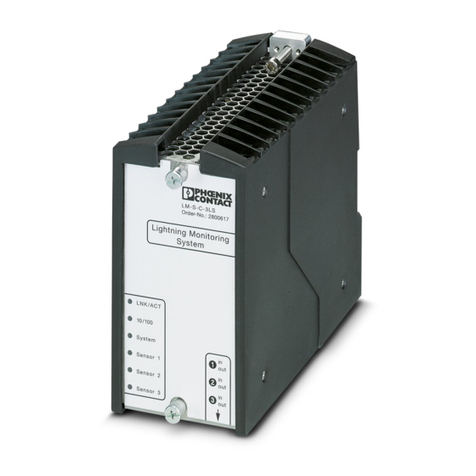
Phoenix Contact LM-S User manual

Phoenix Contact

Phoenix Contact LM-S User manual

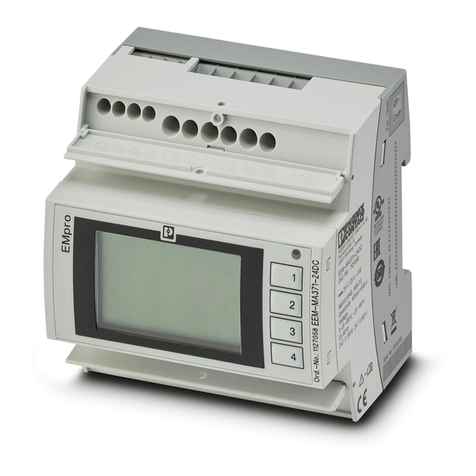
Phoenix Contact EMpro EEM-MA371 Quick start guide

Phoenix Contact

Phoenix Contact EMpro EEM-MA371 Quick start guide

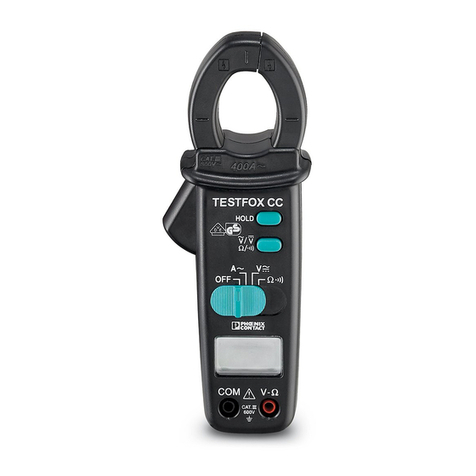
Phoenix Contact TESTFOX CC User manual

Phoenix Contact

Phoenix Contact TESTFOX CC User manual

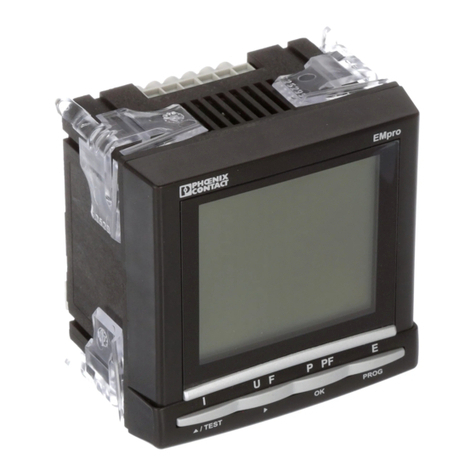
Phoenix Contact EMpro EEM-MA370 User manual

Phoenix Contact

Phoenix Contact EMpro EEM-MA370 User manual

Phoenix Contact EMpro EEM-MA400 Quick start guide

Phoenix Contact

Phoenix Contact EMpro EEM-MA400 Quick start guide

Phoenix Contact TC MOBILE I/O Series User manual

Phoenix Contact

Phoenix Contact TC MOBILE I/O Series User manual

Phoenix Contact EEM-MA200 User manual

Phoenix Contact

Phoenix Contact EEM-MA200 User manual

Phoenix Contact SCK-C-MODBUS User manual

Phoenix Contact

Phoenix Contact SCK-C-MODBUS User manual

Phoenix Contact TC MOBILE I/O X200 User manual

Phoenix Contact

Phoenix Contact TC MOBILE I/O X200 User manual

Popular Measuring Instrument manuals by other brands

Powerfix Profi 278296 Operation and safety notes

Powerfix Profi

Powerfix Profi 278296 Operation and safety notes

Test Equipment Depot GVT-427B user manual

Test Equipment Depot

Test Equipment Depot GVT-427B user manual

Fieldpiece ACH Operator's manual

Fieldpiece

Fieldpiece ACH Operator's manual

FLYSURFER VIRON3 user manual

FLYSURFER

FLYSURFER VIRON3 user manual

GMW TG uni 1 operating manual

GMW

GMW TG uni 1 operating manual

Downeaster Wind & Weather Medallion Series instruction manual

Downeaster

Downeaster Wind & Weather Medallion Series instruction manual

Hanna Instruments HI96725C instruction manual

Hanna Instruments

Hanna Instruments HI96725C instruction manual

Nokeval KMR260 quick guide

Nokeval

Nokeval KMR260 quick guide

HOKUYO AUTOMATIC UBG-05LN instruction manual

HOKUYO AUTOMATIC

HOKUYO AUTOMATIC UBG-05LN instruction manual

Fluke 96000 Series Operator's manual

Fluke

Fluke 96000 Series Operator's manual

Test Products International SP565 user manual

Test Products International

Test Products International SP565 user manual

General Sleep Zmachine Insight+ DT-200 Service manual

General Sleep

General Sleep Zmachine Insight+ DT-200 Service manual

Sensa Core Lacto Spark user manual

Sensa Core

Sensa Core Lacto Spark user manual

VOLTCRAFT UTS-1980 operating instructions

VOLTCRAFT

VOLTCRAFT UTS-1980 operating instructions

EBCHQ 94915 Operation manual

EBCHQ

EBCHQ 94915 Operation manual

Balluff BIP LD2-T017-01-EP-S4 Series user guide

Balluff

Balluff BIP LD2-T017-01-EP-S4 Series user guide

Pulsar IMP Lite Series instruction manual

Pulsar

Pulsar IMP Lite Series instruction manual

ETCR 6800 user manual

ETCR

ETCR 6800 user manual

manuals.online logo
manuals.online logoBrands
  • About & Mission
  • Contact us
  • Privacy Policy
  • Terms and Conditions

Copyright 2025 Manuals.Online. All Rights Reserved.

User manual
Axioline F,
Power Measurement Module
2020-12-02
PHOENIX CONTACT GmbH & Co. KG • Flachsmarktstraße 8 • 32825 Blomberg • Germany
phoenixcontact.com
108138_en_01
Axioline F, Power Measurement Module
Designation Order No.
AXL F PM EF 1F 2702671
User manual
This user manual is valid for:
UM EN AXL F PM EF 1F, revision 01
Table of contents
108138_en_01 PHOENIX CONTACT 3 / 42
Table of contents
1 For your safety ...........................................................................................................................5
1.1 Marking of warning notes....................................................................................... 5
1.2 Qualification of users ............................................................................................. 5
1.3 Safety notes .......................................................................................................... 5
1.4 Field of application of the product.......................................................................... 6
1.4.1 Intended use .......................................................................................... 6
1.4.2 Product changes .................................................................................... 6
1.4.3 Data sheet ............................................................................................. 6
1.5 Documentation ...................................................................................................... 7
2 Connection methods ..................................................................................................................8
2.1 Direct connection................................................................................................... 9
2.2 Connection with current transformers.................................................................. 10
2.3 Connection with current transformers and voltage transformers.......................... 11
2.4 Cable lengths of the current transformer.............................................................. 12
2.5 Parameterizing the module.................................................................................. 13
2.5.1 Direct connection ................................................................................. 13
2.5.2 Connection with current transformers .................................................. 13
2.5.3 Connection with voltage transformers .................................................. 14
3 Operating modes .....................................................................................................................15
3.1 RMS values operating mode ............................................................................... 15
3.2 Instantaneous values operating mode................................................................. 16
3.3 Measured values ................................................................................................. 17
3.4 Connection according to network type ................................................................ 18
3.4.1 Overview of parameterization of connection methods ......................... 18
3.4.2 4-conductor three-phase mains with uneven load
(star or delta configuration) .................................................................. 19
3.4.3 4-conductor three-phase mains, economy circuit, open-Y (star
configuration) ....................................................................................... 20
3.5 Calculating the reactive power and power factors ............................................... 22
3.5.1 Types of reactive power ....................................................................... 23
3.5.2 Calculation of power values per phase ................................................ 24
3.5.3 Sign of fundamental active and reactive power .................................... 25
4 Data transmission via process data .........................................................................................26
4.1 Parameterizing the contents of IN process data .................................................. 26
4.2 Input process data............................................................................................... 27

AXL F PM EF 1F
4 / 42 PHOENIX CONTACT 108138_en_01
5 Parameters, diagnostics and information .................................................................................29
5.1 Standard objects ................................................................................................. 30
5.1.1 Objects for identification (device rating plate) ...................................... 30
5.1.2 Miscellaneous standard objects ........................................................... 31
5.2 Application objects, overview .............................................................................. 33
5.2.1 Objects for parameterization ................................................................ 33
5.2.2 Object for display ................................................................................. 35
5.2.3 Objects for control ................................................................................ 39
For your safety
108138_en_01 PHOENIX CONTACT 5 / 42
1 For your safety
Read this user manual carefully and keep it for future reference.
1.1 Marking of warning notes
1.2 Qualification of users
The use of products described in this user manual is oriented exclusively to:
– Electrically skilled persons or persons instructed by them. The users must be familiar
with the relevant safety concepts of automation technology as well as applicable stan-
dards and other regulations.
– Qualified application programmers and software engineers. The users must be familiar
with the relevant safety concepts of automation technology as well as applicable stan-
dards and other regulations.
1.3 Safety notes
This symbol indicates hazards that could lead to personal injury.
There are three signal words indicating the severity of a potential injury.
DANGER
Indicates a hazard with a high risk level. If this hazardous situation is not avoided, it will
result in death or serious injury.
WARNING
Indicates a hazard with a medium risk level. If this hazardous situation is not avoided, it
could result in death or serious injury.
CAUTION
Indicates a hazard with a low risk level. If this hazardous situation is not avoided, it could
result in minor or moderate injury.
This symbol together with the NOTE signal word warns the reader of actions that might
cause property damage or a malfunction.
Here you will find additional information or detailed sources of information.
Observe the safety instructions in the packing slip and the data sheet for the product.
The documentation can be downloaded at phoenixcontact.net/products.
AXL F PM EF 1F
6 / 42 PHOENIX CONTACT 108138_en_01
1.4 Field of application of the product
1.4.1 Intended use
The module is designed for use within an Axioline F station.
The power measurement module is used for direct measurement of AC currents up to 5 A,
including neutral conductor current and phase conductor voltages up to 400 V AC (phase
to neutral conductor) or outer conductor voltages up to 690 V AC (phase to phase).
The module is used to perform analysis of AC networks. You can use it in distribution sys-
tems for measuring current, voltage, and power, as well as detecting distortion and harmon-
ics.
You can use the power measurement module in two operating modes.
In "R.m.s. Values" mode, the module acquires mains variables in three-phase mains. The
following are mains variables:
– Phase currents
– Neutral conductor current
– Phase and phase conductor voltages
– Real, reactive, and apparent power
– Power factors of phases
– Power flow directions
– Frequency
In "Instantaneous Values" mode, the module acquires the instantaneous (scanning) values
of a measuring signal. This measuring mode is used to analyze the waveform of the mea-
suring signal.
1.4.2 Product changes
Modifications to hardware and firmware of the device are not permitted.
Incorrect operation or modifications to the device can endanger your safety or damage the
device. Do not repair the device yourself. If the device is defective, please contact
Phoenix Contact.
1.4.3 Data sheet
Refer to the data sheet for technical information about the module, including terminal point
assignment as well as diagnostics and status indicators and their meanings.
It can be downloaded at phoenixcontact.net/products.
For your safety
108138_en_01 PHOENIX CONTACT 7 / 42
1.5 Documentation
Refer to the documents listed in Table 1-1 when using the power measurement module.
The documentation can be downloaded at phoenixcontact.net/products.
Table 1-1 Documentation
Documentation Type Order
No.
Pcs./Pk
t.
Documentation for the power measurement module
Packing slip, multilingual, Axioline F, power measurement module PACKB.AXL F PM EF 1F - -
Data sheet, English, Axioline F, power measurement module DB EN AXL F PM EF 1F - -
User manual, English, Axioline F, power measurement module UM EN AXL F PM EF 1F - -
Additional applicable documentation
User manual, English: Axioline F: System and installation UM EN AXL F SYS INST - -
User manual, English, Axioline F, diagnostic register, and error mes-
sages
UM EN AXL F SYS DIAG - -
AXL F PM EF 1F
8 / 42 PHOENIX CONTACT 108138_en_01
2 Connection methods
Whatever connection method is used, the currents and voltages can be connected directly
or via transformers/transducers. The following example shows the wiring for a four-wire
three-phase mains with measurement of the neutral conductor current.
Make sure that the potential of a connected neutral conductor is close to ground and does
not exceed 45 V AC to ground.
Connection methods
108138_en_01 PHOENIX CONTACT 9 / 42
2.1 Direct connection
The power measurement module has the advantage that currents can be connected di-
rectly, i.e., live. Direct connection is possible up to a nominal current of 5 A and a phase volt-
age of up to 400 V.
The measuring range is between 0 A and 6 A.
A current of above 5 A is considered over-range.
From firmware version 1.10, the module generates a warning when the current exceeds 5
A with the text “Overrange”.
Parameterization (see also Table 5-3 „Application objects: parameterization“):
Figure 2-1 Direct connection: Connection of a 3-phase load for power measurement in
a star configuration with neutral conductor current
Figure 2-2 Direct connection: Connection of a 3-phase load for power measurement in
a delta configuration
Index (hex) Object name Meaning Default value
0E23 PM_RatioVoltageTransducer Transmission ratio, voltage transformer 10 (1 : 1.0)
0E24 PM_RatioCurrentTransducer Transmission ratio, current transformer 10 (1 : 1.0)
When configuring the transmission ratios, note that the resolution value is 0.1.
With a configurable value of 1 ... 10000, the transmission ratio is 0.1 ... 1000.0.
Example:
If you set the value 10dec, the transmission ratio is 1 : 1.0.
U1
U2
U3
N
U1
U2
U3
I1k
I2k
I3k
INk
I1I
I2I
I3I
INI
L1
L2
L3
N
L1
L2
L3
N
L1
L2
L3
I1k
I2k
I3k
INk
I1I
I2I
I3I
INI
L1
L2
L3
N
AXL F PM EF 1F
10 / 42 PHOENIX CONTACT 108138_en_01
2.2 Connection with current transformers
Use current transformers when connecting nominal currents higher than 5 A.
Ground the transformers for safety and to reduce secondary sources of interference.
Set the transmission ratio (transformer ratio) for each phase for current and voltage trans-
formers.
Parameterization (see also Table 5-3 „Application objects: parameterization“):
Figure 2-3 Connection of a 4-conductor network with current transformers
Index (hex) Object name Meaning Values
Default values
are in bold for-
mat
0E23 PM_RatioVoltageTransducer Transmission ratio, voltage transformer 1 ... 10000; 10
0E24 PM_RatioCurrentTransducer Transmission ratio, current transformer 1 ... 10000; 10
When configuring the transmission ratios, note that the resolution value is 0.1.
With a configurable value of 1 ... 10000, the transmission ratio is 0.1 ... 1000.0.
Example:
If you set the value 1000dec, the transmission ratio is 1 : 100.0.
U1
U2
U3
N
U1
U2
U3
I1k
I2k
I3k
INk
I1I
I2I
I3I
INI
L1
L2
L3
N
6