Pico Macom MPCD User manual

MPCD
125-Channel Range 54-806 MHz
(CATV 2-125)
Single-slot design allows up to
12 or 16 units in Pico Macom’s
MPC12, MPS12, MPC12R and
MPC16 chassis
Fully compatible with most
other manufacturers “mini-
mod” chassis
Keyed AGC system provides
excellent picture stability
>60dB signal-to-noise ratio for
crisp, sharp picture
Separate video and audio
outputs provide maximum
flexibility
Easy setup and configuration
using front panel audio and
video deviation controls
Microprocessor control with
push-button channel selection
provides ease of installation,
configuration, and servicing
Digital display provides quick
channel identification
State-of-the-art digital phase-
locked loop (PLL) design guar-
antees precise frequency lock-
ing for solid drift-free operation
SAW filtered for precise adja-
cent channel rejection
Envelope detection ensures
exceptional differential gain and
phase
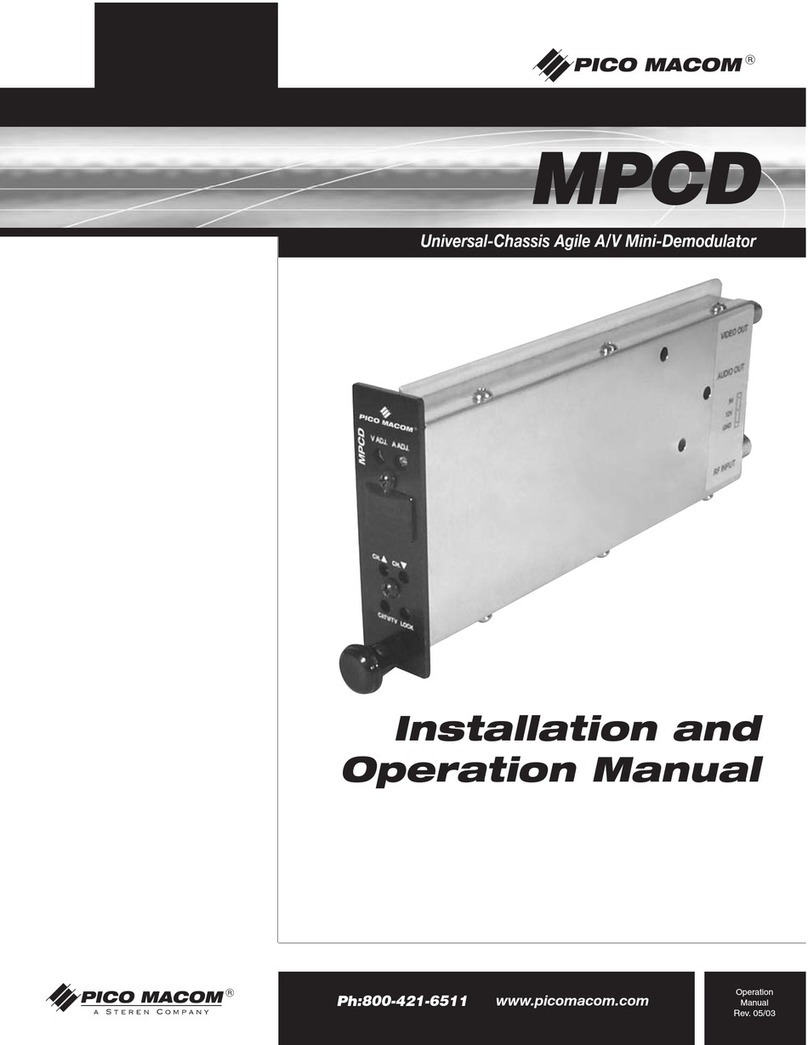
The Pico Macom MPCD is a frequency agile professional grade, microprocessor
controlled CATV mini demodulator. The unit accepts any NTSC television signal in
the 54-806MHz frequency-range converting it to baseband video and audio, while
maintaining over 60dB S/N ratio. Up to 12 or 16 units can be installed “mix-and-
match” in Pico’s MPC12, MPS12, MPC12R and MPC16 chassis with MPCM45
and MPCMA mini-modulators. Its unique design enables it to be installed in other
manufacturers’ mini-mod chassis.The unit’s phase-locked-loop frequency control,
envelope signal detection, and superior SAW filtering minimize adjacent channel
interference and assure accurate and spurious free performance. IRC or HRC
offsets can be activated via push-button switches on the front panel.The unit’s
PLL circuitry in conjunction with the non-volatile memory contained in the micro-
processor ensures easy and reliable channel selection and restoration.The
MPCD demodulator is shipped with all internal adjustments preset. Pico Macom
backs up this product with its industry leading 5-year limited warranty.
MPCD
Universal-Chassis Agile A/V Mini-Demodulator
Universal-Chassis Agile A/V Mini-Demodulator
www.picomacom.com
Headend & Electronics
355 Parkside Drive San Fernando, CA 91340
Ph: 818-493-4300 Toll Free: 800-421-6511 Fax: 818-493-4433
A-51
Rev. 12/02

MPCD
Channels: 125 Channel
(CATV 2-125)
Input Frequencies: 54 – 806 MHz
Input Impedance: 75 Ohms
Noise Figure: 5 dB-VHF Band, 7 dB-UHF Band
Input Return Loss: 14 dB-VHF Band, 8 dB-UHF Band
Video Output Impedance: 75 Ohms
Video Output Level: 1.0 V p-p
Video S/N: -60 dB minimum (weighted)
Differential Gain: <5% (10 to 90% APL)
Differential Phase: <5° (10 to 90% APL)
Chrominance Luminance delay: See note
Note: Meets FCC group delay predistortion correction for
color transmission.
Power Input: +12 Vdc, +5 Vdc
Operating Temperature: -10° C to +50° C
Dimensions: 2.07˝(W) x 8˝(D) x 3.45˝(H)
Weight: 0.7 lbs.
Connectors: Video Out - F type, Audio Out -
RCA, Power-center 3-pin
receptacle
Audio Output Impedance: 600 Ohms
Audio Output Level: 800 mV minimum
Deemphasis: 75 microseconds
Flatness: 1.5 dB max. 50 Hz to 15 kHz
RF Video
Audio General
Product Specifications
Universal-Chassis Agile A/V Mini-Demodulator
M
P
C
D
V ADJ. A ADJ.
CH. CH.
+100~
LOCK
CATV/TV
Ordering Information
MPCD
www.picomacom.com
A-52
Rev. 12/02 355 Parkside Drive San Fernando, CA 91340
Ph: 818-493-4300 Toll Free: 800-421-6511 Fax: 818-493-4433
Specifications Subject to Change © Copyright 2003 Pico Macom, Inc.
Other Pico Macom Accessories manuals