manuals.online logo
Brands
  1. Home
  2. •
  3. Brands
  4. •
  5. Pioneer
  6. •
  7. Media Converter
  8. •
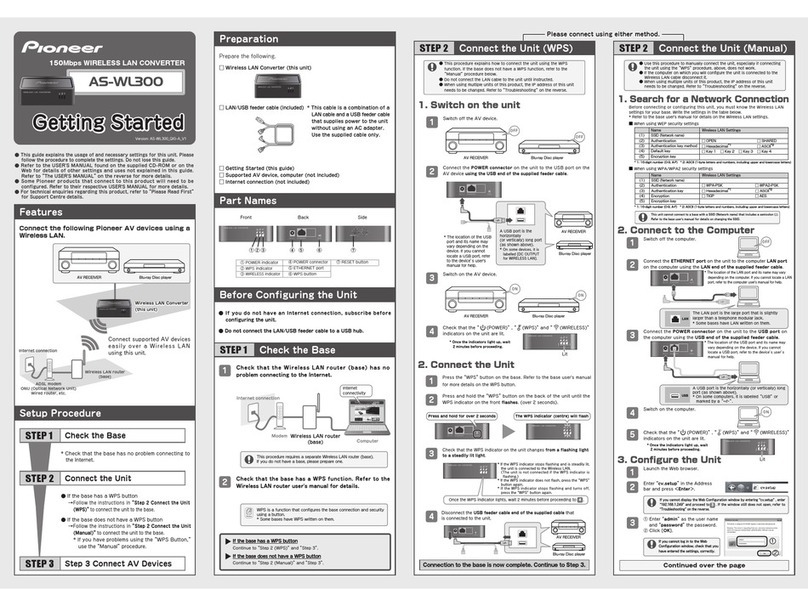
  9. Pioneer AS-WL300 User manual

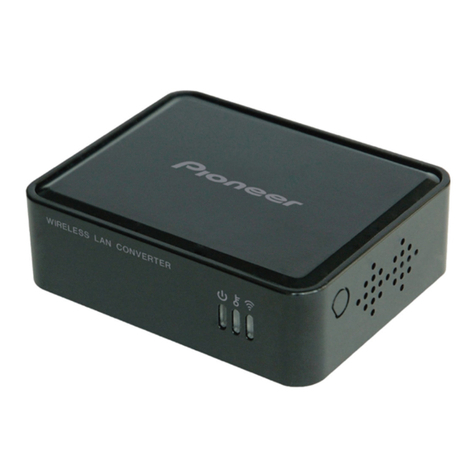
Pioneer AS-WL300 User manual

Other Pioneer Media Converter manuals

Pioneer PDA-4003 User manual

Pioneer

Pioneer PDA-4003 User manual

Pioneer VSX-1019AH User manual

Pioneer

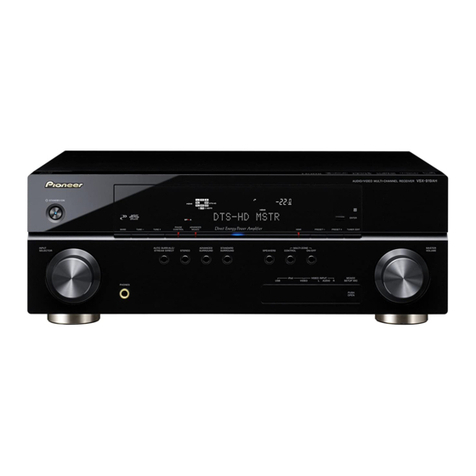
Pioneer VSX-1019AH User manual

Pioneer u-05-s User manual

Pioneer

Pioneer u-05-s User manual

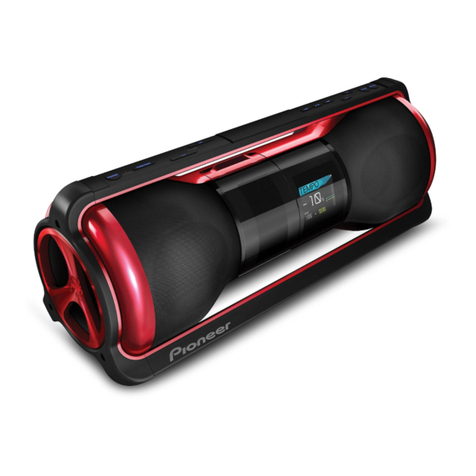
Pioneer Steez STZ-D10Z-R User manual

Pioneer

Pioneer Steez STZ-D10Z-R User manual

Pioneer AS-WL300 User manual

Pioneer

Pioneer AS-WL300 User manual

Pioneer u-05-s User manual

Pioneer

Pioneer u-05-s User manual

Pioneer AS-WL300 User manual

Pioneer

Pioneer AS-WL300 User manual

Pioneer RMD-V3104U User manual

Pioneer

Pioneer RMD-V3104U User manual

Pioneer AS-WL300 User manual

Pioneer

Pioneer AS-WL300 User manual

Pioneer U-05 User manual

Pioneer

Pioneer U-05 User manual

Pioneer BD-V1100 User manual

Pioneer

Pioneer BD-V1100 User manual

Pioneer AS-WL300 User manual

Pioneer

Pioneer AS-WL300 User manual

Pioneer BE-3110 User manual

Pioneer

Pioneer BE-3110 User manual

Pioneer PDA-V100HD User manual

Pioneer

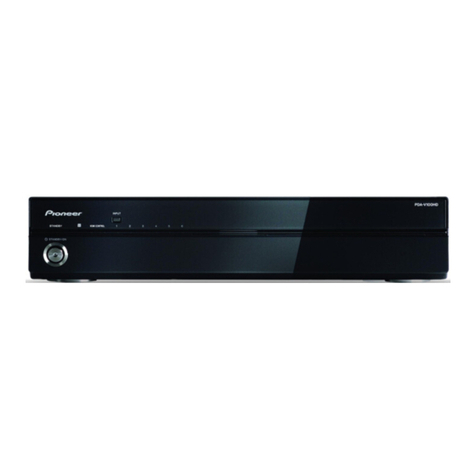
Pioneer PDA-V100HD User manual

Popular Media Converter manuals by other brands

TR-Electronic CMS582M-4096/4096 IOL DMS 14H7 KRF Assembly instructions

TR-Electronic

TR-Electronic CMS582M-4096/4096 IOL DMS 14H7 KRF Assembly instructions

Korenix JetCon 2301S user manual

Korenix

Korenix JetCon 2301S user manual

StarTech.com ET91000LCOAM manual

StarTech.com

StarTech.com ET91000LCOAM manual

Alesis AI-3 Reference manual

Alesis

Alesis AI-3 Reference manual

Caton Vpro 5100 user guide

Caton

Caton Vpro 5100 user guide

Cypress CSC-5500 Operation manual

Cypress

Cypress CSC-5500 Operation manual

H&B TX-100 Installation and instruction manual

H&B

H&B TX-100 Installation and instruction manual

Bolin Technology D Series user manual

Bolin Technology

Bolin Technology D Series user manual

IFM Electronic Efector 400 RN30 Series Device manual

IFM Electronic

IFM Electronic Efector 400 RN30 Series Device manual

GRASS VALLEY KUDOSPRO ULC2000 user manual

GRASS VALLEY

GRASS VALLEY KUDOSPRO ULC2000 user manual

Linear Technology DC1523A Demo Manual

Linear Technology

Linear Technology DC1523A Demo Manual

Lika ROTAPULS I28 Series quick start guide

Lika

Lika ROTAPULS I28 Series quick start guide

Weidmuller IE-MC-VL Series Hardware installation guide

Weidmuller

Weidmuller IE-MC-VL Series Hardware installation guide

Optical Systems Design OSD2139 Series Operator's manual

Optical Systems Design

Optical Systems Design OSD2139 Series Operator's manual

Tema Telecomunicazioni AD615/S product manual

Tema Telecomunicazioni

Tema Telecomunicazioni AD615/S product manual

KTI Networks KGC-352 Series installation guide

KTI Networks

KTI Networks KGC-352 Series installation guide

Gira 0588 Series operating instructions

Gira

Gira 0588 Series operating instructions

Lika SFA-5000-FD user guide

Lika

Lika SFA-5000-FD user guide

manuals.online logo
manuals.online logoBrands
  • About & Mission
  • Contact us
  • Privacy Policy
  • Terms and Conditions

Copyright 2025 Manuals.Online. All Rights Reserved.

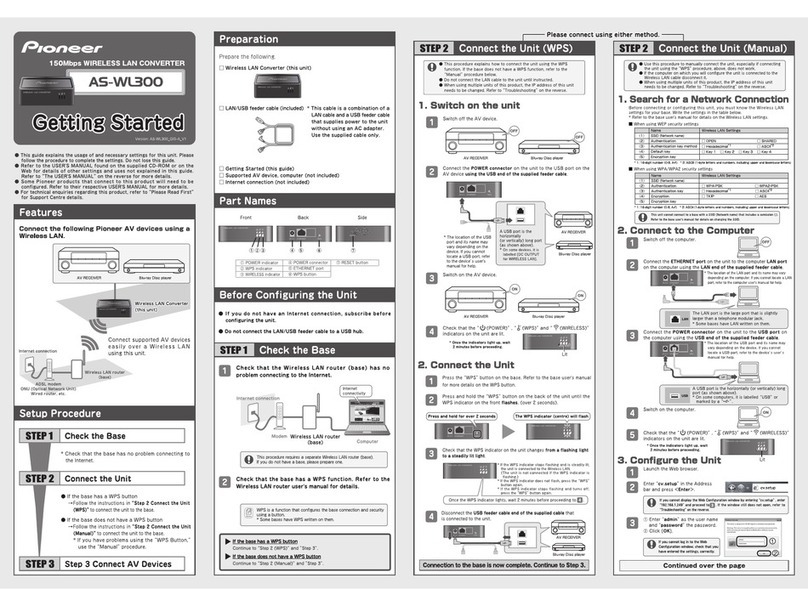
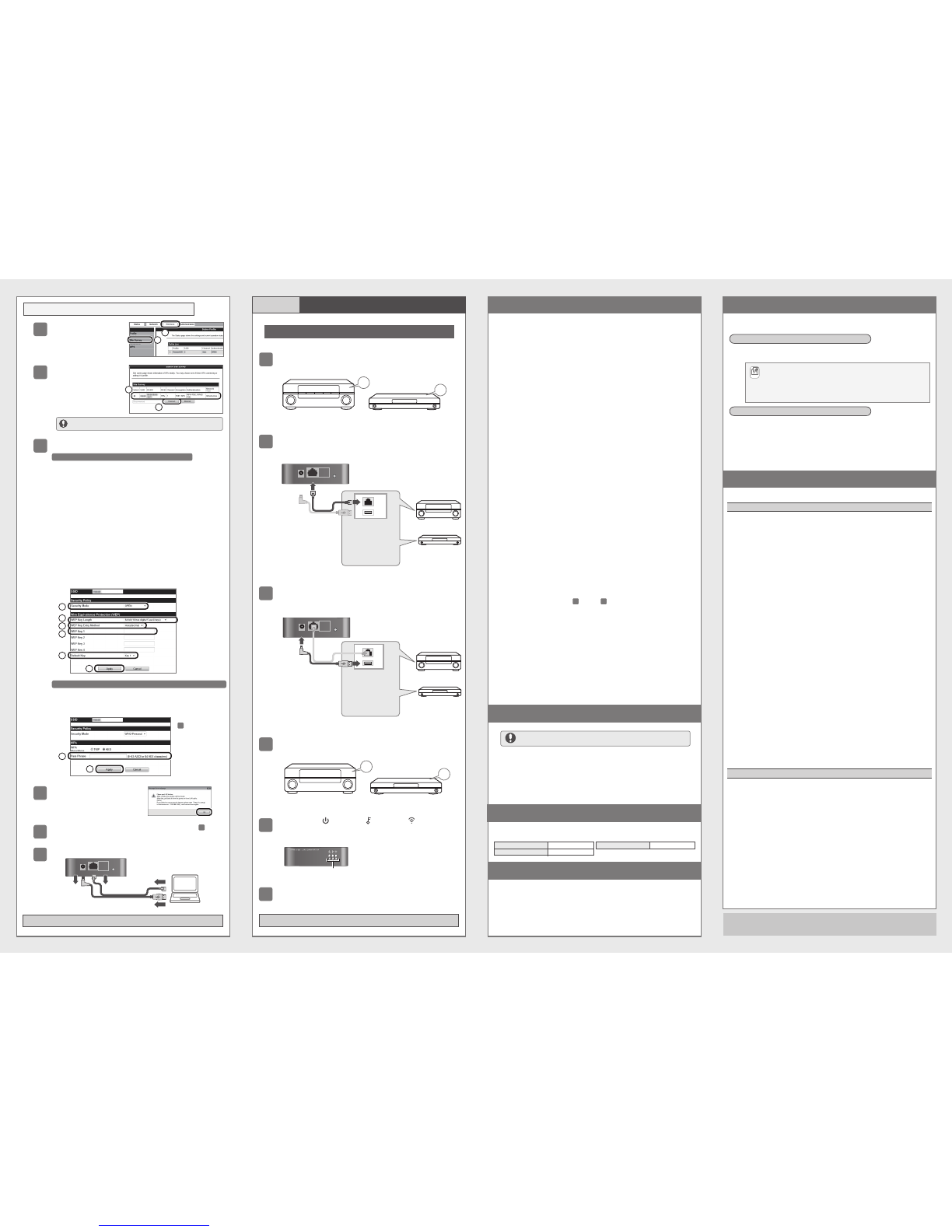
GettingStartedGettingStarted
Version:AS-WL300QIG-AV1
AS-WL300AS-WL300
150MbpsWIRELESSLANCONVERTER
GettingStarted
●
Thisguideexplainstheusageofandnecessarysettingsforthisunit.Please
followtheproceduretocompletethesettings.Donotlosethisguide.
●RefertotheUSER'SMANUALfoundonthesuppliedCD-ROMoronthe
Webfordetailsofothersettingsandusesnotexplainedinthisguide.
RefertoTheUSER'SMANUALonthereverseformoredetails.
●SomePioneerproductsthatconnecttothisproductwillneedtobe
configured.RefertotheirrespectiveUSER'SMANUALformoredetails.
●
Fortechnicalenquiriesregardingthisproduct,refertoPleaseReadFirst
forSupportCentredetails.
Features
SetupProcedure
Preparation
BeforeConfiguringtheUnit
PartNames
ConnectthefollowingPioneerAVdevicesusinga
WirelessLAN.
*Checkthatthebasehasnoproblemconnectingto
theInternet.
●IfthebasehasaWPSbutton
→
FollowtheinstructionsinStep2ConnecttheUnit
(WPS)toconnecttheunittothebase.
●IfthebasedoesnothaveaWPSbutton
→
FollowtheinstructionsinStep2ConnecttheUnit
(Manual)toconnecttheunittothebase.
*IfyouhaveproblemsusingtheWPSButton,
usetheManualprocedure.
ChecktheBase
STEP 1
ConnecttheUnit
STEP 2
Step3ConnectAVDevices
STEP 3
Preparethefollowing.
Front Back Side
●IfyoudonothaveanInternetconnection,subscribebefore
configuringtheunit.
●DonotconnecttheLAN/USBfeedercabletoaUSBhub.
ChecktheBase
STEP 1
CheckthatthebasehasaWPSfunction.Refertothe
WirelessLANrouteruser'smanualfordetails.
2
WPSisafunctionthatconfiguresthebaseconnectionandsecurity
usingabutton.
*SomebaseshaveWPSwrittenonthem.
Continuedoverthepage
ConnectthePOWERconnectorontheunittotheUSBportonthe
AVdeviceusingtheUSBendofthesuppliedfeedercable.
2
4Checkthatthe(POWER),(WPS)and(WIRELESS)
indicatorsontheunitarelit.
PresstheWPSbuttononthebase.Refertothebaseuser'smanual
formoredetailsontheWPSbutton.
1
PressandholdtheWPSbuttononthebackoftheunituntilthe
WPSindicatoronthefrontflashes.(over2seconds).
2
CheckthattheWPSindicatorontheunitchangesfromaflashinglight
toasteadilylitlight.
3
Connectiontothebaseisnowcomplete.ContinuetoStep3.
CheckthattheWirelessLANrouter(base)hasno
problemconnectingtotheInternet.
1
ThisprocedurerequiresaseparateWirelessLANrouter(base).
Ifyoudonothaveabase,pleaseprepareone.
①POWERindicator
②WPSindicator
③
WIRELESSindicator
④
POWERconnector
⑤ETHERNETport
⑥WPSbutton
⑦RESETbutton
□WirelessLANConverter(thisunit)
□LAN/USBfeedercable(included) *Thiscableisacombinationofa
  LANcableandaUSBfeedercable
  thatsuppliespowertotheunit
  withoutusinganACadapter.
  Usethesuppliedcableonly.
□GettingStarted(thisguide)
□SupportedAVdevice,computer(notincluded)
□Internetconnection(notincluded)
ContinuetoStep2(WPS)andStep3.
IfthebasehasaWPSbutton
ContinuetoStep2(Manual)andStep3.
IfthebasedoesnothaveaWPSbutton
OncetheWPSindicatorlights,wait2minutesbeforeproceedingto.
4
DisconnecttheUSBfeedercableendofthesuppliedcablethat
isconnectedtotheunit.
4
*IftheWPSindicatorstopsflashingandissteadilylit,
theunitisconnectedtotheWirelessLAN.
 (TheunitisnotconnectediftheWPSindicatoris
flashing.)
*IftheWPSindicatordoesnotflash,presstheWPS
buttonagain.
*IftheWPSindicatorstopsflashingandturnsoff,
presstheWPSbuttonagain.
■
WhenusingWEPsecuritysettings
ConnecttheETHERNETportontheunittothecomputerLANport
onthecomputerusingtheLANendofthesuppliedfeedercable.
2
2.ConnecttotheComputer
1.SearchforaNetworkConnection
Switchoffthecomputer.
1OFF
TheLANportisthelargeportthatisslightly
largerthanatelephonemodularjack.
*SomebaseshaveLANwrittenonthem.
LAN
*
ThelocationoftheLANportanditsnamemayvary
dependingonthecomputer.IfyoucannotlocateaLAN
port,refertothecomputeruser'smanualforhelp.
ConnectthePOWERconnectorontheunittotheUSBporton
thecomputerusingtheUSBendofthesuppliedfeedercable.
3
AUSBportisthehorizontally(orvertically)long
port(asshownabove).
*Onsomecomputers,itislabelledUSBor
markedbya.
USB
*ThelocationoftheUSBportanditsnamemay
varydependingonthedevice.Ifyoucannot
locateaUSBport,refertothedevicesusers
manualforhelp.
*1:16-digitnumber(0-9,A-F) *2:ASCII(1-bytelettersandnumbers,includingupperandlowercaseletters)
Name
SSID(Networkname)
Authentication
Authenticationkeymethod
Defaultkey
Encryptionkey
WirelessLANSettings
□OPEN □SHARED
□Hexadecimal*1 □ASCII*2
□Key1□Key2□Key3□Key4
(1)
(2)
(3)
(4)
(5)
Switchonthecomputer.
4ON
5Checkthatthe(POWER),(WPS)and(WIRELESS)
indicatorsontheunitarelit.
*Oncetheindicatorslightup,wait
2minutesbeforeproceeding.
LaunchtheWebbrowser.
1
3.ConfiguretheUnit
Entercv.setupintheAddress
barandpress<Enter>.
2
①Enteradminastheusername
andpasswordthepassword.
②Click[OK].
3
1
2
IfyoucannotlogintotheWeb
Configurationwindow,checkthat you
haveenteredthesettings,correctly.
*Oncetheindicatorslightup,wait
2minutesbeforeproceeding.
Pleaseconnectusingeithermethod.Pleaseconnectusingeithermethod.
ConnecttheUnit(WPS)
STEP 2
ConnecttheUnit(Manual)
STEP 2
Name
SSID(Networkname)
Authentication
Authenticationkey
Encryption
Encryptionkey
WirelessLANSettings
□WPA-PSK □WPA2-PSK
□Hexadecimal*1 □ASCII*2
□TKIP □AES
(1)
(2)
(3)
(4)
(5)
*1:16-digitnumber(0-9,A-F) *2:ASCII(1-bytelettersandnumbers,includingupperandlowercaseletters)
Internetconnection
Modem WirelessLANrouter
(base) Computer
Internet
connectivity
ETHERNETDC 5 V WPS
ETHERNETDC 5 V WPS
ETHERNETDC 5 V WPS
Lit
IfyoucannotdisplaytheWebConfigurationwindowbyenteringcv.setup,enter
192.168.1.249andproceedto.Ifthewindowstilldoesnotopen,referto
Troubleshootingonthereverse.
3
ThisunitcannotconnecttoabasewithaSSID(Networkname)thatincludesasemicolon(;).
Refertothebaseuser'smanualfordetailsonchangingtheSSID.
ETHERNETDC 5 V WPS
Pressandholdforover2seconds
●ThisprocedureexplainshowtoconnecttheunitusingtheWPS
function.IfthebasedoesnothaveaWPSfunction,refertothe
Manualprocedurebelow.
●DonotconnecttheLANcabletotheunituntilinstructed.
●Whenusingmultipleunitsofthisproduct,theIPaddressofthisunit
needstobechanged.RefertoTroubleshootingonthereverse.
●Usethisproceduretomanuallyconnecttheunit,especiallyifconnecting
theunitusingtheWPSprocedure,above,doesnotwork.
●Ifthecomputeronwhichyouwillconfiguretheunitisconnectedtothe
WirelessLANcabledisconnectit.
●Whenusingmultipleunitsofthisproduct,theIPaddressofthisunit
needstobechanged.RefertoTroubleshootingonthereverse.
Notes

TheWPSindicator(centre)willflash
Beforeconnectingorconfiguringthisunit,youmustknowtheWirelessLAN
settingsforyourbase.Writethesettingsinthetablebelow.
*Refertothebaseuser'smanualfordetailsontheWirelessLANsettings.
ConnectsupportedAVdevices
easilyoveraWirelessLAN
usingthisunit.
WirelessLANConverterWirelessLANConverter
(thisunit)(thisunit)
WirelessLANConverter
(thisunit)
ADSLmodem
ONU(OpticalNetworkUnit)
Wiredrouter,etc.
WirelessLANrouter
(base)
Internetconnection
SwitchofftheAVdevice.
1
1.Switchontheunit
2.ConnecttheUnit
SwitchontheAVdevice.
3
AVRECEIVER
■
WhenusingWPA/WPA2securitysettings
ETHERNETDC5 V WPS
Lit
②①③ ④⑤ ⑥ ⑦
AVRECEIVER
Blu-rayDiscplayer
AVRECEIVER
OFF
OFF
Blu-rayDiscplayer
AVRECEIVER
ON
ON
Blu-rayDiscplayer
Blu-rayDiscplayer
*ThelocationoftheUSB
portanditsnamemay
varydependingonthe
device.Ifyoucannot
locateaUSBport,refer
tothedevicesuser's
manualforhelp.
ETHERNETDC5 V WPS
AVRECEIVER
Blu-rayDiscplayer
AUSBportisthe
horizontally
(orvertically)longport
(asshownabove).
*Onsomedevices,itis
labelled[DCOUTPUT
forWIRELESSLAN].
AS-WL300<ARH7110>
●Microsoft®,Windows®7,Windows®VistaandWindows®XPtheregisteredtrademarksortrademarksofMicrosoft®Corporationinthe
U.S.andothercountries.
●Otherproductnames,technologynames,andcompanynamesmentionedinthismanualmaybetrademarksorregisteredtrademarksof
theirrespectiveownersandareherebyacknowledged.
●Note:PleasesuretoreadtheproductUSER'SMANUALthoroughlybeforeusingthisproducttoensuresafeandcorrectusage.
Connectiontothebaseiscomplete.ContinuetoStep3.
①ClickWireless.
②ClickSiteSurvey.
4
①
SelectthesameSSIDin
SiteSurveythatyou
wrotein1.Searchfor
aNetworkConnection

,
above.
 *
ClicktheSelectbutton.
②Click[Connect].
5
Checkthedetailsandclick[OK].
7
Configuretheunitusingthesettingsyouwrotein1.Searchfor
aNetworkConnection,above.
6
When(2)inthetableisOPENorSHARED
*ConfiguretheunitreferringtothelistyouwroteunderWhen
usingWEPsecuritysettings.
①When(2)inthetableisOpen
  →SelectOPENinSecurityMode.
  When(2)inthetableisSHARED
  →SelectSHAREDinSecurityMode.
②When(5)inthetableisa10-digitor5-digitencryptionkey
  →
Select64bit(10hexdigits/5asciikeys)inWEPKeyLength.
 When(5)inthetableisa26-digitor13-digitencryptionkey
  →
Select128bit(26hexdigits/13asciikeys)inWEPKeyLength.
③When(3)inthetableisHexadecimal
  →SelectHexadecimalinWEPKeyEntryMethod.
 When(3)inthetableisASCII
  →SelectASCIITextinWEPKeyEntryMethod.
④Entertheencryptionkeyin(5)inthetableinthefieldthat
correspondstotheWEPkeycheckedin(4)inthetable.
 *Forexample,If(4)inthetableisKey1,enterthesame
encryptionkeyin(5)inthetableintheWEPKey1field.
⑤Selectthesamedefaultkeyasin(4)inthetable.
⑥Click[Apply].
When(2)inthetableisWPA-PersonalorWPA2-Personal
*RefertoWhenusingWPA/WPA2securitysettingsonthefront
tocompletethesettings.
①Enterthesameencryptionkeyasin(5)inthetable.
②Click[Apply].
DisconnecttheLAN/USBfeedercableconnectedtotheunit.
9
STEP2 ConnecttheUnit(Manual)contd ConnectAVDevices
STEP 3
Configurationiscomplete.
Onceconfigurationiscomplete,connecttheunittotheAVdevice.
ConnecttheETHERNETportontheunittotheLANportontheAVdevice
usingtheLANendofthesuppliedfeedercable.
2
*ThelocationoftheLAN
portanditsnamemay
varydependingonthe
computer.Ifyoucannot
locateaLANport,refer
tothecomputeruser's
manualforhelp.
ConnectthePOWERconnectorontheunittotheUSBportontheAVdevice
usingtheUSBendofthesuppliedfeedercable.
3
*ThelocationoftheUSB
portanditsnamemay
varydependingonthe
device.Ifyoucannot
locateaUSBport,refer
tothedeviceuser's
manualforhelp.
5Checkthatthe(POWER),(WPS)and(WIRELESS)
indicatorsontheunitarelit.
*Oncetheindicatorslightup,wait
2minutesbeforeproceeding.
SwitchofftheAVdevice.
1
SwitchontheAVdevice.
4
LAN
USB
AVRECEIVER
OFF
OFF
AVRECEIVER
ON
ON
*
Thebaseselectedin
isdisplayedin
SecurityModeand
WPAAlgorithms.
6
ETHERNETDC 5 V WPS
ETHERNETDC 5 V WPS
TheLANportisthe
largeportthatis
slightlylargerthan
atelephonemodular
jack.
*Somebaseshave
LANwrittenonthem.
Lit
6
CheckthatthenetworkfunctionoftheconnectedAVdeviceisoperating
properly.Refertothedeviceuser'smanualformoredetails.
1
2
AVRECEIVER
Blu-rayDiscplayer
Blu-rayDiscplayer
Blu-rayDiscplayer
Thebrowserwillclose10secondsafteryouclicked[OK]in,above.
8
7
●IftheSSIDisnotdisplayed,click[Rescan].
1
2
1
2
3
4
5
6
1
2
Troubleshooting TheUSER'SMANUAL
RefertotheUSER'SMANUALonthesuppliedCD-ROMorontheInternetfor
advancedsettings.
TheUSER'SMANUALwillautomaticallylaunchwhenyouinsertthesupplied
CD-ROMinyourcomputerCDorDVDdrive.
Accessthefollowingwebsite.
<U.S.> http://www.pioneerelectronics.com
<Canada> http://www.pioneerelectronics.ca
<U.K.> http://www.pioneer.co.uk
<EU> http://www.pioneer.eu
<Asia> http://www.pioneer.com.sg
<Australia> http://www.pioneer.com.au
ViewingtheManualontheSuppliedCD-ROM
ViewingtheManualontheWeb
Thissectioncontainshelpfultipsandsolutionstoproblemsyoumayhavewhen
configuringtheunit.
ReadtheunitUSER'SMANUALforexplanationsontheadvancedsettings.RefertoThe
USER'SMANUAL,below,fordetailsonhowtoviewit.
Theunitwillnotturnon.
●CheckthattheUSBfeedercableisproperlyconnectedtotheunitandthe
AVdevice.
TheunitwillnotconnecttotheInternet.
●RefertoStep3ConnectAVDevicesandcheckthatthedeviceandthe
cablesareproperlyconnected.
●Switchtheunitoffandon.
●Iftheunitandthebase(WirelessLANrouter)aretoofarapartorhavean
obstaclebetweenthem,movethebaseclosertowherethereareno
obstructionsandtryagain.
●Theelectromagneticwavesfrommicrowaveovensmayinterferewith
WirelessTransmission.Connectawayfrommicrowaveovens.
●ChecktheAVdeviceIPaddresssettings(automaticandfixedsettings).
Ifitisafixedsetting,youwillneedtosettheIPaddresstomatchthe
WirelessLANrouternetworksettings.
Forexample,ifWirelessLANrouterIPaddressis192.168.1.1,settheAV
deviceIPaddressto192.168.1.XXX*,theSubnetMaskto255.255.255.0
andtheGatewayorDNSto192.168.1.1.
*SettheXXXin192.168.1.XXXtoavaluebetween2and248thatwill
notconflictwithotherdevices.
●Iftheabovesettingsdonotwork,resettheunit.RefertoResettheUnit
forinstructions.
WhenusingmultipleunitsofthisproductortheIPaddressofanotherdevice
is192.168.XXX.249*.
*TheXXXin192.168.XXX.249mayvarydependingontheenvironment.
●TheunitcannotconnectwiththebaseiftheunitIPaddressoverlaps.
ChangetheIPaddressusingthefollowingprocedure.
 1)Resettheunit.RefertoResettheUnitforinstructions.
2)RefertoStep2ConnecttheUnit(Manual)→2.Connecttothe
Computeronthefrontfordetailsonhowtoconnecttheunittoa
computer.
3)RefertoStep2ConnecttheUnit(Manual)→3.ConfiguretheUnit
onthefrontandfollowthroughtoconfiguretheunit.
4)ClickNetworkinthetopmenu.
5)ClickLANInterfaceSetupintheleftmenu.
6)SettheIPaddressto192.168.1.XXX

*intheLocalAreaNetwork
(LAN)Settingswindow.
*SettheXXXin192.168.1.XXXtoavaluebetween2and248that
willnotconflictwithotherdevices.
7)Click[Apply].
8)FollowtheprocedureineitherStep2ConnecttheUnit(WPS)orStep
2ConnecttheUnit(Manual)onthefronttoreconfiguretheunit.
Anerroroccurswhenenteringcv.setupor192.168.1.249intheAddress
barofthebrowser.
●Resettheunit.RefertoResettheUnitforinstructions.
13
ResettheUnit
FactorySettings
Resettingtheunitwilleraseallexistingsettings.Besuretonoteall
importantinformationbeforeresettingit.
1. Checkthattheunitisswitchedon.
2. PresstheRESETbuttonontheunitforover3seconds.
3. 
ReleasetheRESETbuttonwhenthePOWERindicatorturnsoffthenflashes.
4. Wait.Resetiscompletewhentheunitrestarts.
Oncetheunitisreset,followtheprocedureineitherStep2ConnecttheUnit(WPS)
orStep2ConnecttheUnit(Manual)onthefronttoconfiguretheunit.
Thefactorysettingsareasfollows.
Username(loginID)
Password
admin
password
IPaddress 192.168.1.249
GNUGENERALPUBLICLICENSEandGNULIBRARYGENERALPUBLICLICENSE
ThisproductincludesthefollowingsoftwarelicensedforuseunderthetermsofGNUGeneralPublicLicense
Version2orGNULibraryGeneralPublicLicenseVersion2.0.
-Linuxkernel-2.6.21Copyright©1991LinusTorvalds.LicensedunderGPLv2.
-BusyBox-1.12.1multi-callbinaryCopyright©1998-2008ErikAndersen,RobLandley,DenysVlasenkoand
others.LicensedunderGPLv2.
-HostAPdriverCopyright©2001-2002SSHCommunicationsSecurityCorpandJouniMalinen.Copyright©
2002-2007JouniMalinenandcontributors.LicensedunderGPLv2.
-Dnsmasq-2.40Copyright©SimonKelley.LicensedunderGPLv2.
-OpenWrt-1.1.2.2Copyright©2005WaldemarBrodkorb,FelixFietkau.LicensedunderGPLv2.
-ntpclientCopyright©1997,1999,2000,2003,2006,2007LarryDoolittle.LicensedunderGPLv2.
-WirelessToolsforLinux-29Copyright©1996-2008JeanTourrilhes.LicensedunderGPLv2.
-libuClibc-0.9.28Copyright©2000-2005ErikAndersen.LicensedunderLGPLv2.0.
NOWARRANTY
BECAUSETHEABOVEPROGRAMSARELICENSEDFREEOFCHARGE,THEREISNOWARRANTYFORTHE
PROGRAMS,TOTHEEXTENTPERMITTEDBYAPPLICABLELAW.
EXCEPTWHENOTHERWISESTATEDINWRITING,THECOPYRIGHTHOLDERSAND/OROTHERPARTIES
PROVIDETHEPROGRAMSASISWITHOUTWARRANTYOFANYKIND,EITHEREXPRESSEDORIMPLIED,
INCLUDING,BUTNOTLIMITEDTO,THEIMPLIEDWARRANTIESOFMERCHANTABILITYANDFITNESSFORA
PARTICULARPURPOSE.
THEENTIRERISKASTOTHEQUALITYANDPERFORMANCEOFTHEPROGRAMSISWITHYOU.
SHOULDTHEPROGRAMSPROVEDEFECTIVE,YOUASSUMETHECOSTOFALLNECESSARYSERVICING,
REPAIRORCORRECTION.
INNOEVENTUNLESSREQUIREDBYAPPLICABLELAWORAGREEDTOINWRITINGWILLANYCOPYRIGHT
HOLDER,ORANYOTHERPARTYWHOMAYMODIFYAND/ORREDISTRIBUTETHEPROGRAMSAS
PERMITTEDABOVE,BELIABLETOYOUFORDAMAGES,INCLUDINGANYGENERAL,SPECIAL,INCIDENTAL
ORCONSEQUENTIALDAMAGESARISINGOUTOFTHEUSEORINABILITYTOUSETHEPROGRAMS
(INCLUDINGBUTNOTLIMITEDTOLOSSOFDATAORDATABEINGRENDEREDINACCURATEORLOSSES
SUSTAINEDBYYOUORTHIRDPARTIESORAFAILUREOFTHEPROGRAMSTOOPERATEWITHANY
OTHERPROGRAMS),EVENIFSUCHHOLDEROROTHERPARTYHASBEENADVISEDOFTHEPOSSIBILITY
OFSUCHDAMAGES.
YoucangetcorrespondingopensourcecodefromthefollowingURL.
http://www.oss-pioneer.com/homeav/accessory
Weareunabletoansweranyquestionsaboutthesourcecodefortheopensourcesoftware.
PleaserefertofollowingURLforfurtherinformationofGNUGeneralPublicLicenseVersion2.
http://www.gnu.org/licenses/gpl-2.0.html
PleaserefertofollowingURLforfurtherinformationofGNULibraryGeneralPublicLicenseVersion2.0.
http://www.gnu.org/licenses/old-licenses/lgpl-2.0.html
BSD-STYLELICENSE
ThisproductincludesthefollowingsoftwarelicensedforuseunderthetermsofBSD-StyleLicense.
-libupnp-1.3.1Copyright©2000-2003IntelCorporation,Allrightsreserved.
Redistributionanduseinsourceandbinaryforms,withorwithoutmodification,arepermittedprovidedthatthe
followingconditionsaremet:
*Redistributionsofsourcecodemustretaintheabovecopyrightnotice,thislistofconditionsandthe
followingdisclaimer.
*Redistributionsinbinaryformmustreproducetheabovecopyrightnotice,thislistofconditionsandthe
followingdisclaimerinthedocumentationand/orothermaterialsprovidedwiththedistribution.
*NeithernameofIntelCorporationnorthenamesofitscontributorsmaybeusedtoendorseorpromote
productsderivedfromthissoftwarewithoutspecificpriorwrittenpermission.
THISSOFTWAREISPROVIDEDBYTHECOPYRIGHTHOLDERSANDCONTRIBUTORSASISANDANY
EXPRESSORIMPLIEDWARRANTIES,INCLUDING,BUTNOTLIMITEDTO,THEIMPLIEDWARRANTIESOF
MERCHANTABILITYANDFITNESSFORAPARTICULARPURPOSEAREDISCLAIMED.
INNOEVENTSHALLTHECOPYRIGHTHOLDERORCONTRIBUTORSBELIABLEFORANYDIRECT,
INDIRECT,INCIDENTAL,SPECIAL,EXEMPLARY,ORCONSEQUENTIALDAMAGES(INCLUDING,BUTNOT
LIMITEDTO,PROCUREMENTOFSUBSTITUTEGOODSORSERVICES;LOSSOFUSE,DATA,ORPROFITS;
ORBUSINESSINTERRUPTION)HOWEVERCAUSEDANDONANYTHEORYOFLIABILITY,WHETHERIN
CONTRACT,STRICTLIABILITY,ORTORT(INCLUDINGNEGLIGENCEOROTHERWISE)ARISINGINANYWAY
OUTOFTHEUSEOFTHISSOFTWARE,EVENIFADVISEDOFTHEPOSSIBILITYOFSUCHDAMAGE.
SoftwareLicenseNotice
Thelicensesfortheopensourcesoftwareusedonthisproductareshownbelow.
ETHERNETDC 5 V WPS
AUSBportisthe
horizontally(or
vertically)longport
(asshownabove).
*Onsomedevices,itis
labelledDCOUTPUT
forWIRELESSLAN.
AVRECEIVER
PackageContents
Checkthatthefollowingitemsaresuppliedinthepackage.
□AS-WL300(thisunit)    □LAN/USBfeedercable
□CD-ROM(USER'SMANUAL)    □GettingStarted(thisguide)
□PleaseReadFirst    
*Ifthecontentsofthepackagearedamagedormissing,pleasecontactusorthestore.
Blu-rayDiscplayer
●Clickrunrundll32.exeontheAutorunwindow.
●Click[Yes]ontheActivecontentcan...window.
●IftheUSER'SMANUALdoesnotopen,opentheCD-ROMfromComputeror
MyComputeranddoubleclickindex.html.
●IfusingaMac,doubleclickontheCD-ROMicononthedesktop,thendouble
clickindex.html.
Notes