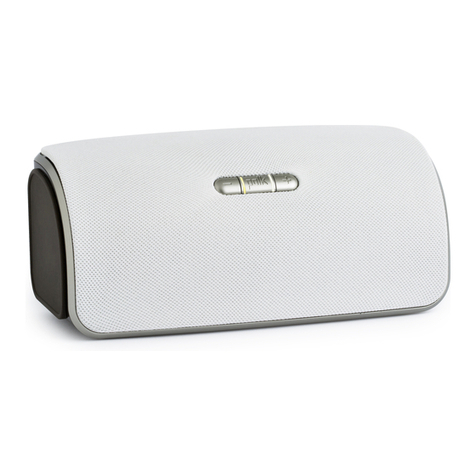
woodbourne setup options
The Woodbourne includes both AirPlay and
Bluetooth wireless technologies that allow you
to stream music from any compatible device.
Bluetooth setup
connecting
devices
To
pair and connect your music
player with the Woodbourne:
1.
Make sure your music player
apt~®
and Woodbourne are both powered on.
2.
Make sure your music player has Bluetooth
turned on. See your manual for instructions.
3.
Press the Bluetooth source button (*)from
the Woodbourne remote or press the
source (
0)
button on the Woodbourne
until the Bluetooth source
is
selected
(the Bluetooth symbol will pulse).
4.
Your Woodbourne will become listed
on
your
music player and will be available to pair &
connect. Select "polk woodbourne"
on
your
player to initiate the connection process.
note: Some Android devices require a separate
step after pairing has been completed.
4 woodbourne: wireless speaker system
5.
After a short delay
(5
seconds), the two
devices should now be connected. The
Bluetooth source symbol will be a solid blue;
indicating a connection has been made.
6.
Play your music from your device!
disconnecting
devices
If your Woodbourne
is
in
Bluetooth source and you
press and hold the source button (0 ) for 3 seconds,
then any Bluetooth device that's connected will be
disconnected automatically. The Bluetooth
LED
should flash 4 times within one second to indicate the
Bluetooth device was disconnected. The Woodbourne
will then become available for pairing and connecting.
AirPlay. Getting Started.
AirPlay technology allows you to stream music
from your
PC
(iTunes 10.2 or later) or iOS device
(iOS 4.3 or later) to your Woodbourne speaker
using your home or office network.
To
take
advantage of this feature you need to first get
your Woodbourne speaker connected to your
network. This can be done by directly connecting
your Woodbourne to your router with
an
Ethernet
cable or by utilizing the built-in wireless module
in
the Woodbourne
(see
instructions on p5).
Once your Woodbourne speaker
is
connected
to the network you will see the AirPlay icon
l+]
near your music player controls: AirPlay