· 544 ·
i
ELECTRO STImULATION PATCh
CONNECT DIAgRAm
Electro simulation
wire (connect with
output)
Electro stimulation
patch (put on
skin)
Electro stimulation
patch wire
INFRARED hEATINg CONNECT
DIAgRAm
Connect diagram 1 - Electric Outlet
2 - Fuse
3 - Power Switch
12
3
OPERATION INSTRUCTION
1. Check and connect the power wire.
2. Turn on the power, the machine begin to work.
3. Connect the output port to the slimming clothes
and electrode patch respectively. To make sure,
the display is shown as “0”
4. Two method to wear the slimming clothes and
electrode patches:
i.Put the electrode patches to the parts, with
which you are not satised, and put on the slim-
ming clothes for waist, arms and legs.
ii.Please wrap the preservative lm and then put
on the slimming clothes, in 30 minutes, take off
the preservative lm and put the electrode patch
on the parts.
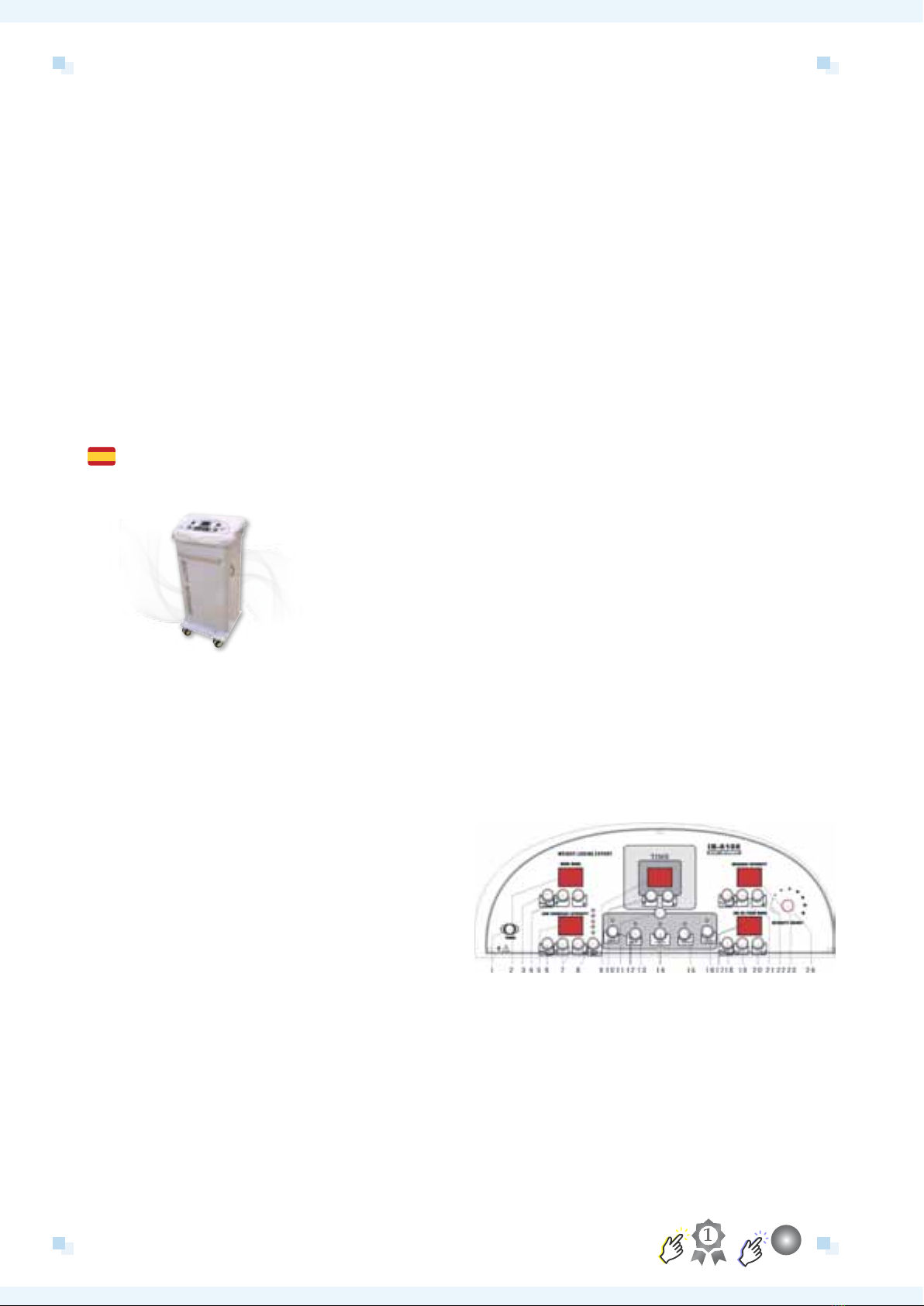
5. Press the POWER button on the control panel.
6. Adjust Time: According to the working time to
adjust the time on the machine of Button 10.
The minimum time is one minute and the maxi-
mum is 60 minutes. Usually, the suitable time is
30 to 60 minutes.
7. Far Infrared
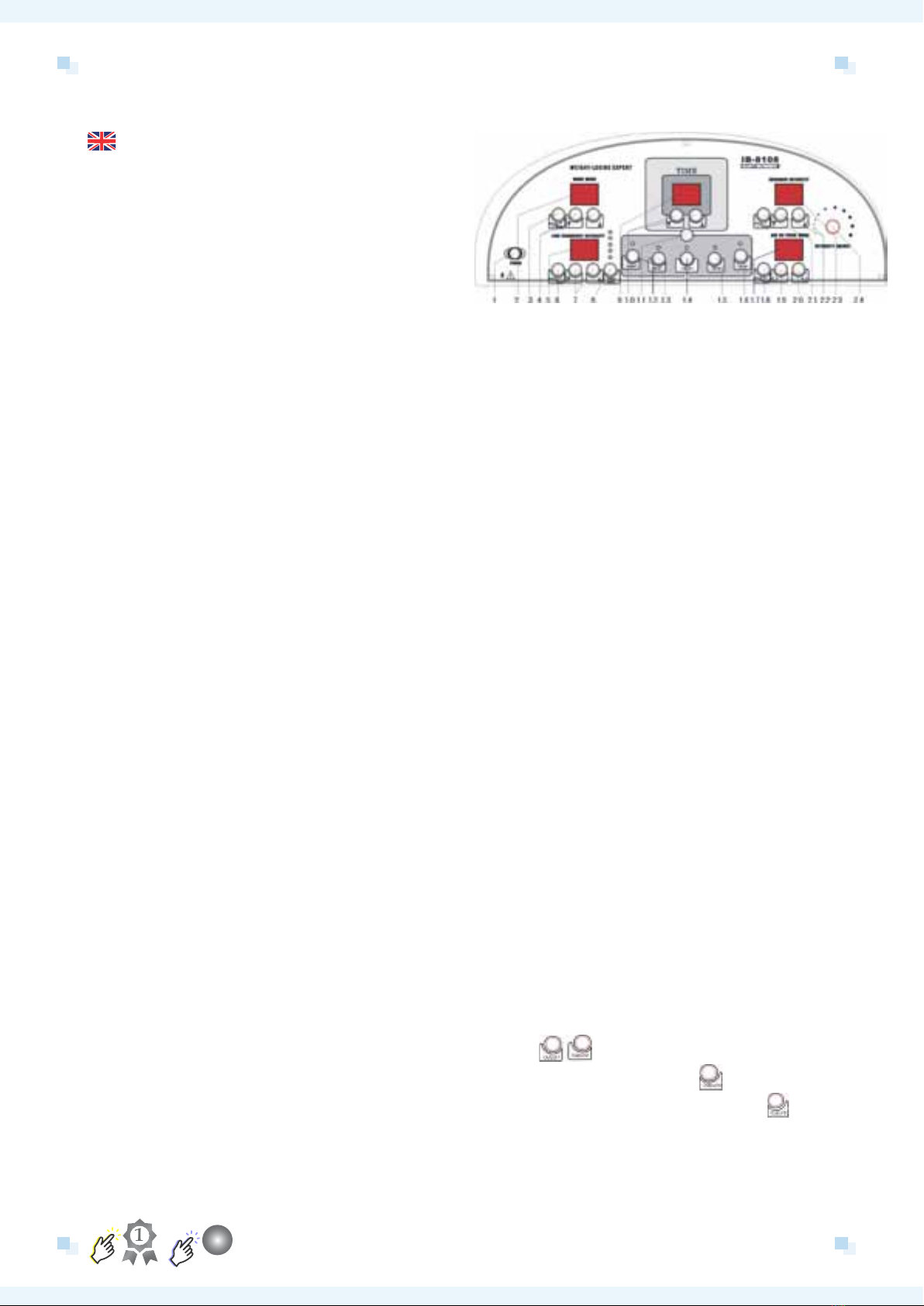
8. Far Infrared Adjust: Press Button 20 and 21 to
adjust the intensity of far infrared. There are
eight levels. According to the request of client to
press“?” and “@” and select a proper intensity.
Note: Because the skin nature is different for
everyone, please don’t choose high intensity. To
avoid burning, please wrap wet towel before put
on the slimming clothes. It’s shown as the ma-
chine is working while the little red spot sparkles
under the right of the Liquid Crystal Display.
9. Air-pressure De-toxin Mode Adjust: There are
three modes for air pressure:
• 1. Air pressure from limb parts to center;
• 2. Air pressure from center to limp parts;
• 3. Air pressure begins together. For each
mode, there are ve selections of treating
time,. Press Start/Pause, it works.
10. Electro Stimulation
(1) Select output: To select the output, please
press the Start/Pause of 12-16. This is the way
to select output one by one or together with
anyone you want. If 5 outputs are expected to
be operated at one time, please press Button 11.
(2) Low Frequency Adjust: Please press Button
7 to adjust the intensity of the low frequency.
There are 8 levels for it. Press button 8 to select
the output. It can be setting one output for one
time. Press Start/Pause button, it begins work.
Adjust the intensity; please press button “?” and
“@”.
(3) Wave Mode Select: Press Start/Pause,
the machine begins or pauses to work. Press
Manual/ Automatic to choose the suitable mode
according to clients’ request. In Automatic state,
the red light is twinkling. On the other hand, it is
Manual, which has ve modes to choose.
1> Program one: Low Frequency to effect on
fat cell and make the fat reduce from the fat cell
and then achieve the result of losing weight .Be
suitable for any body part.