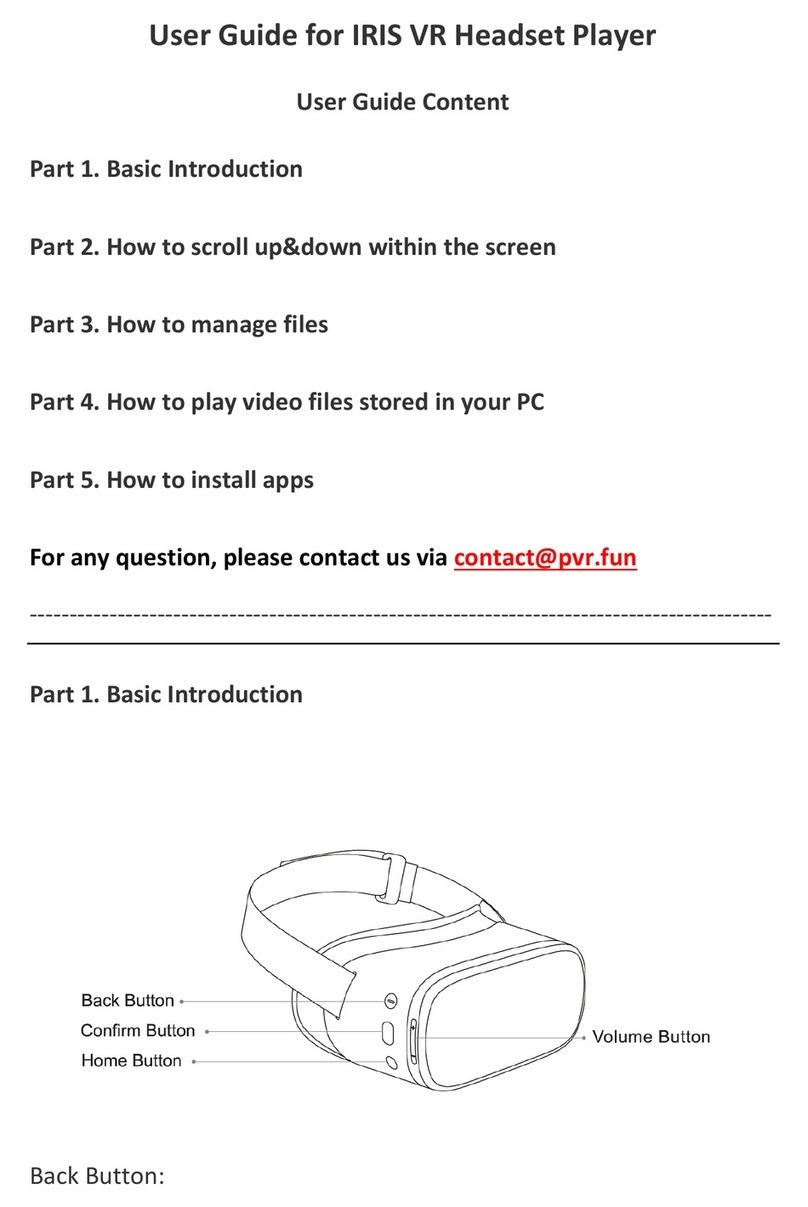
Click it to select, confirm or play;
Hold it while head tracking to drag/scroll the page up and down, left and right.
Home Button:
Click it to return to the home interface;
Hold it to change the orientation of the interface
Power Button:
Hold it to power on/off or reboot the device
Micro USB slot:
For charging cable or other Micro USB cable
MicroSD slot:
For external MicroSD card, Max. 256GB capacity supported, exFat formatted highly
suggested
3.5mm Audio Jack:
For earphone option, for better privacy.
Part 2. How to drag/scroll the screen
Hold the Confirm Button while do head tracking to drag/scroll the page up and down,
left and right.