SMART
MINI TV
3:02 PM
32OC
You Tube
Video Music Dropbox Youtube Play Store
© Copyright 2019. Evervue USA Inc., Information subject to change without prior notification.
INSTALLATION MANUALINSTALLATION MANUAL
Qaio Flex Standard with mount
STEP 1STEP 3 Turn on the the 12.1 inch panel by pressing the power
button on the smart TV remote
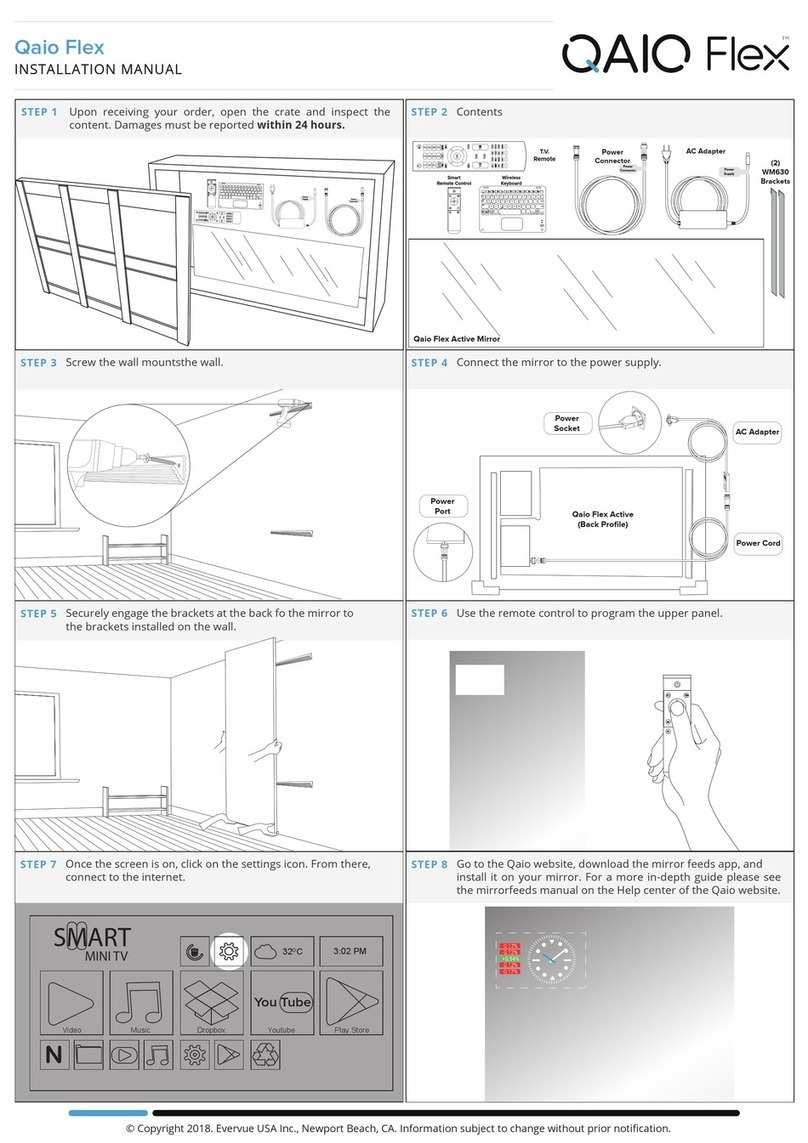
STEP 1STEP 5 Go to the Qaio website, download the mirror feeds app, and
install it on your mirror. For a more in-depth guide please see
the mirrorfeeds manual on the Help center of the Qaio
website.
STEP 1STEP 6 Navigate with the wireless keyboard or directly on the mirror
to download and manage apps.
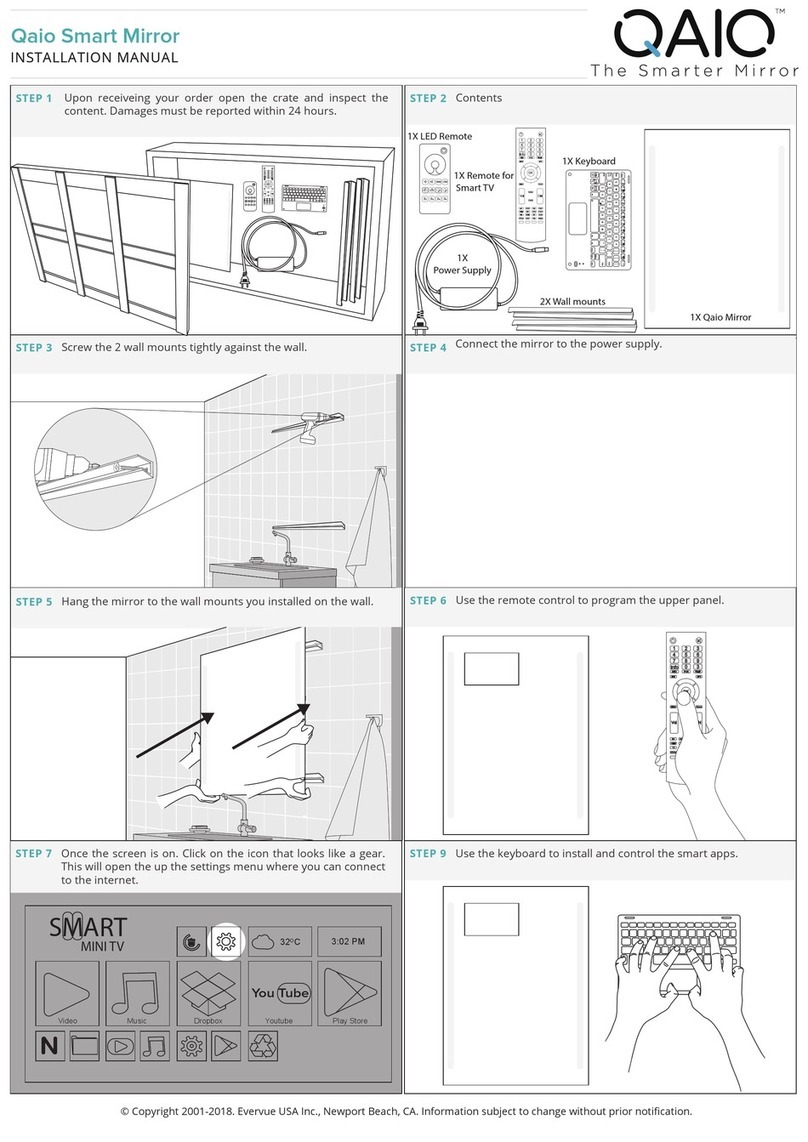
STEP 1STEP 4 Once the screen is on. Click on the icon that looks like a gear.
This will open the up the settings menu where you can
connect to the internet.
STEP 1STEP 7 Turn on the Smart TV by pressing the power button on the TV
remote.
STEP 1STEP 8 Go to settings and connect to the internet.
STEP 1STEP 9 Manage and control the mirror directly with its touch screen
feature.
OK
SMART
MINI TV
3:02 PM
32OC
You Tube
N
Video Music Dropbox Youtube Play Store
MIRROR FEEDS
Google
4:40
SMART
MINI TV
3:02 PM
32
O
C
You Tube
N
Video Music Dropbox Youtube Play Store