manuals.online logo
Brands
  1. Home
  2. •
  3. Brands
  4. •
  5. QOLSYS
  6. •
  7. Control Unit
  8. •
  9. QOLSYS IQ Water Valve User manual

QOLSYS IQ Water Valve User manual

This manual suits for next models

5

Popular Control Unit manuals by other brands

Seitz 14A80 user manual

Seitz

Seitz 14A80 user manual

Wilo RS485 Installation and operating instructions

Wilo

Wilo RS485 Installation and operating instructions

Becker CentralControl CC41 Commissioning Instruction

Becker

Becker CentralControl CC41 Commissioning Instruction

SICK CDB650 operating instructions

SICK

SICK CDB650 operating instructions

Panduit NetKey NKP5E88M Series installation instructions

Panduit

Panduit NetKey NKP5E88M Series installation instructions

MX Options Concentric Petite Fitting instructions

MX

MX Options Concentric Petite Fitting instructions

Clean Water Systems Fleck 2510 Installation & start?up guide

Clean Water Systems

Clean Water Systems Fleck 2510 Installation & start?up guide

Fairchild FSB44104A user guide

Fairchild

Fairchild FSB44104A user guide

LEGRAND Wattstopper LMIN-104 installation instructions

LEGRAND

LEGRAND Wattstopper LMIN-104 installation instructions

PMK ATT10BNCS instruction manual

PMK

PMK ATT10BNCS instruction manual

Tektronix TDS3FFT user manual

Tektronix

Tektronix TDS3FFT user manual

Woodward easYgen Technical manual

Woodward

Woodward easYgen Technical manual

Balluff BNI EIP-502-105-R015 user guide

Balluff

Balluff BNI EIP-502-105-R015 user guide

NXP Semiconductors TWR-LS1021A Getting started

NXP Semiconductors

NXP Semiconductors TWR-LS1021A Getting started

Advantech PCM-3117 Startup manual

Advantech

Advantech PCM-3117 Startup manual

Danfoss MCO 101 manual

Danfoss

Danfoss MCO 101 manual

Moons' Lin Engineering R701P user manual

Moons'

Moons' Lin Engineering R701P user manual

Aventics RV1 operating instructions

Aventics

Aventics RV1 operating instructions

manuals.online logo
manuals.online logoBrands
  • About & Mission
  • Contact us
  • Privacy Policy
  • Terms and Conditions

Copyright 2025 Manuals.Online. All Rights Reserved.

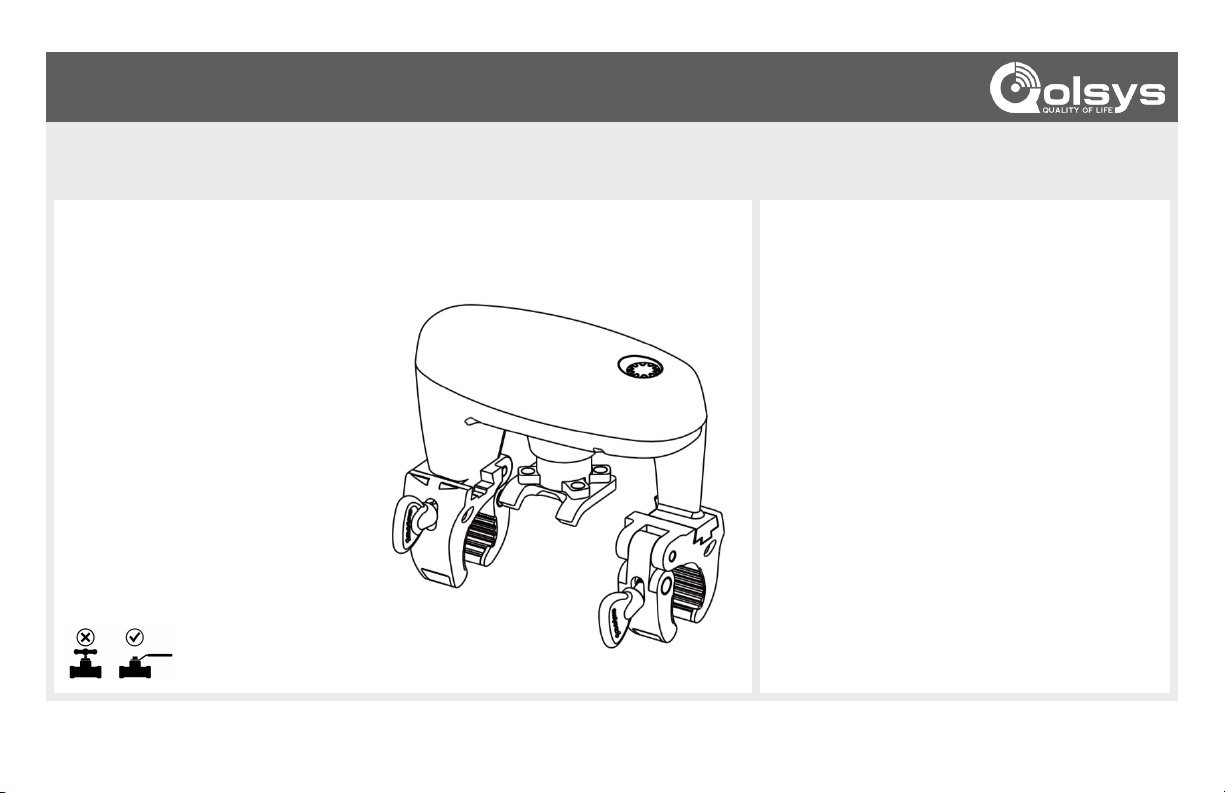
The IQ Water Valve is a retro fit servo that can operate 1/4 turn ball valves with pipes
from 1/2” to 1 1/4” and installs easily without the need for a plumber. It uses powerful
Z-Wave 700 for maximum range and reliability to the IQ Panel.
Features:
•Easy to install, no plumber needed
•Retrofit existing ball valves
•Works with IQ Panel
•Peace of mind from water leak
damage
•Indoor/Outdoor (avoid direct
sunlight)
•Z-Wave Plus 700 series
communication
•Adaptive torque output max 8n.m
IQ WATER VALVE QUICK INSTALL GUIDE
SKU: QZ2160-840 (US) / QZ2160-724 (EU)
Dimensions: 14.8 x 9.6 x 13.3mm
Weight: 603g
Waterproof & Dustproof: IP66
Usage: For Indoor & Outdoor Water Valve On/Off
Operating Temperature: 14 ~ 122°F (-10 ~ +50°C)
Relative Humidity: 8% ~ 80%
Operating Distance: Up to 130ft (indoors) and 450ft
(outdoors)
Frequency Type :
Z-Wave Plus 700 series
908.4 MHz (US)
868.42 MHz (EU)
Motor Torque: Adaptive output max 8n.m
Touch Sense Button: x1
LED Indicator: 3 color LED (Green, Yellow & Red)
Sound Indicator: Buzzer (Max 85dB)
Power Supply AC-DC:
AC (110V 60Hz / 220V 50Hz)
DC (12V/1A)
SPECIFICATIONS
FEATURES & OVERVIEW
This is a quick guide for experienced installers only. Refer to http://dealers.qolsys.com (login required)
*Does not work on Gate valves. Be sure to check
the valve type of your water main prior to install
TURN MAIN WATER
VALVE TO THE OFF
POSITION
STEP
3
PRESS DOWN
FIRMLY & TIGHTEN
THUMB SCREWS
STEP
1
Plug in the IQ Siren
at desired location
This is a quick guide for experienced installers only. Refer to http://dealers.qolsys.com (login required)
Make sure the thumb
screws are facing the
same side as the water
valve handle
Align the fork with the handle and press down firmly to
engage spring loaded gear. Then tighten thumb screws
STEP
4
PLUG-IN TO
AN OUTLET
STEP
2
POSITION THE IQ WATER
VALVE OVER THE TOP OF
THE HANDLE
Connect the 5.5mm circular power
jack from the DC adapter, turn
clockwise to secure water seal cover.
Then plug-in to an outlet
On lower profile valves,
if needed, insert the
spacer between the fork
and the water valve
handle.
This spacer ensures the
fork will engage the
spring loaded gear inside
the IQ Water Valve
PAIRING WITH
THE IQ PANEL
STEP
6
TEST
OPERATION
STEP
5
Customize name and
touch Add to complete
the pairing process
Place panel in
“Include" mode
Tap the touch sense
button 3 times quickly
x3
Select desired
encryption type
If using S2 Authenticated,
enter the first 5 digits of the
DSK or scan the QR Code
from the box
x1
Tap the touch sense button 1
time quickly to open the valve
The IQ Water Valve will auto
calibrate based on the amount
of force needed to open/close
the ball valve
Touch it again 1 time to close
the valve
Open & close the valve
from the Panel
(Settings/Other Z-Wave Devices)
to ensure proper
communication, range
and function
This is a quick guide for experienced installers only. Refer to http://dealers.qolsys.com (login required)
qolsys.com/qz2160840
Force Calibration:
- Force calibration is set automatically when first
actuated.
- To manually re-calibrate, Tap and hold the touch
sense button for 5 beeps, then quickly Tap it 5
times in a row. The water valve will open/close
1 to 2 cycles, followed by 2 beeps.
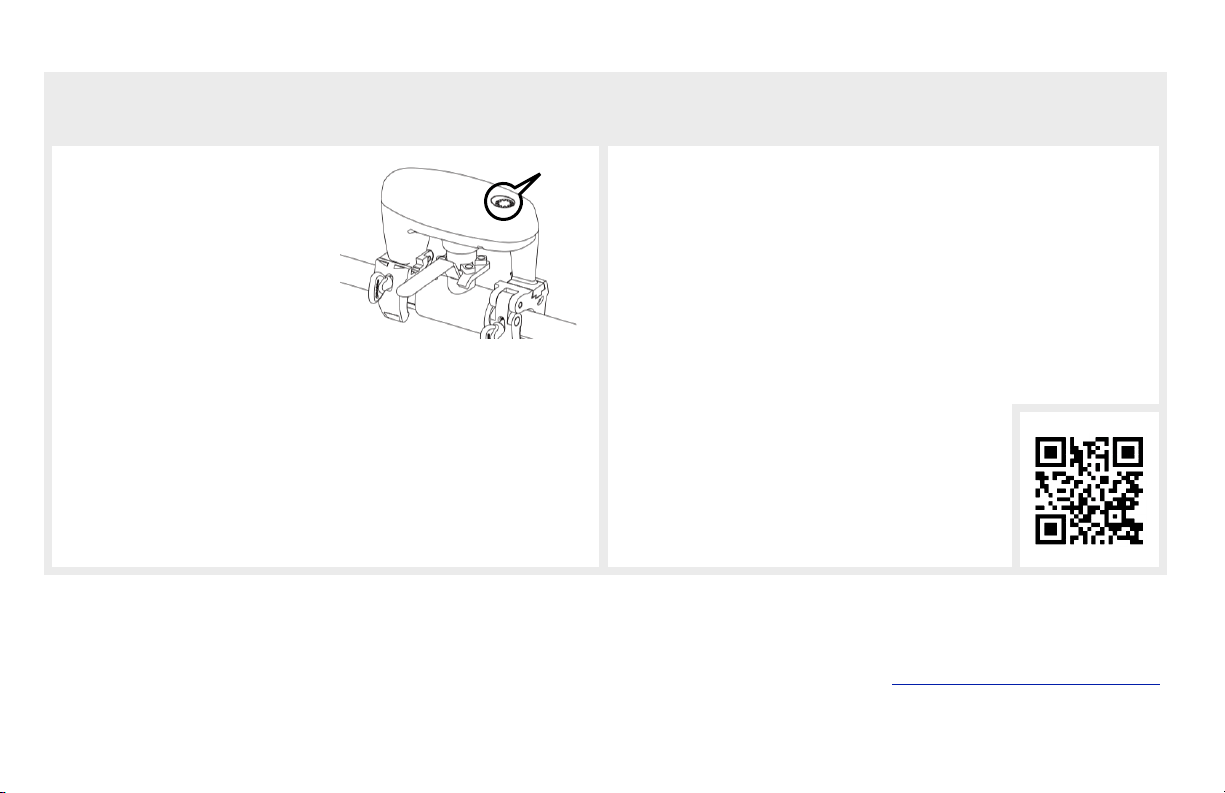
If you are installing the IQ Water Valve
outdoors, the touch sense button
should be disabled to prevent rain
drops from activating it.
Document#: IQWATERVALVE-QG-12-20
Revision#: 06/01/21
Issue Date: JUNE 2021
Qolsys Product #: QZ2160-840 & QZ2160-724
TechSupport@Qolsys.com
Qolsys Inc. proprietary.
Reproduction without permission is not permitted.
FCC ID: 2AUZX-BVSZWU
This device complies with part 15 of the FCC Rules. Operation is subject to the following two conditions: (1) This device may not cause harmful interference, and (2) this device must accept any interference received, including interference that may cause undesired
operation. Changes or modifications not expressly approved by the party responsible for compliance could void the user's authority to operate the equipment.
This device complies with Industry Canada licence-exempt RSS standard(s). Operation is subject to the following two conditions: (1) this device may not cause interference, and (2) this device must accept any interference, including interference
that may cause undesired operation of the device.
Cet appareil est conforme avec Industrie Canada exempts de licence standard RSS (s). Son fonctionnement est soumis aux deux conditions suivantes: (1) cet appareil ne doit pas provoquer d'interférences et (2) cet appareil doit accepter toute
interférence, y compris celles pouvant causer un mauvais fonctionnement de l'appareil.
CONTACT TECH SUPPORT
GOT QUESTIONS?
TROUBLESHOOTING
OUTDOOR INSTALLS
Touch
Sense
Button
To Disable the Button:
- Tap and hold the touch sense
button for 3 beeps, then quickly
Tap 3 times in a row.
- If successful, the Yellow LED will flash once, then the Red LED
with 1 beep. The LED will then slowly flash Yellow indicating the
touch sense button has been locked.
To Re-Enable the Button:
- Tap and hold the touch sense button for 3 beeps, then quickly Tap
3 times in a row.
- If successful, the Yellow LED will flash once, then the Red LED
with 3 beeps. The LED will then slowly flash Green (if enrolled)
indicating the touch sense button has been unlocked.
LED Status:
- Flashing Yellow: Not yet included into the Z-Wave network or the
touch sense button has been disabled.
- Flashing Green: Included into the Z-Wave network.
Factory Default:
- Option 1: Use the IQ Panel to “Clear” the IQ Water Valve. This will
remove it from the Z-Wave network and restore factory defaults.
- Option 2: Tap and hold the touch sense button for 10 beeps, then
quickly Tap it 5 times in a row. If successful the Yellow LED will
flash once, followed by the Green LED and a long beep.

Scan for more info