Battery Charger Cable Assembly Types Cont.
Preparing to Charge
Battery Charger Location
2. Ring Terminal cable assembly continued:
• Take care to keep both wires and cable assembly away from metal and the engine hood to
avoid pinching or crushing the cable assembly
• Plug the Ring Terminal cable assembly into the mating connector of the charger
• Connect the charger to a grounded AC electrical outlet. The LED “power” light will illumi-
nate. The battery charger is activated
• If the charging clamps are connected in reverse, the power light will illuminate but the
“charging” or “full” lights will not activate. This is indication of a reverse polarity connection.
Unplug the charger from the AC electrical outlet and check the connections
• When the charging is complete:
• Unplug the charger from the AC electrical outlet
• Disconnect the ring terminal cable assembly from the charger and take care to place the
protected cap over the open quick-connection of the ring terminal cable assembly
• Reference the vehicle’s owner’s manual to determine voltage of your battery and make sure that
the output voltage of the charger is the correct voltage for your battery
• Read, understand, and follow all instructions for the charger, battery, vehicle and any equipment
used near the battery and charger. Study all of the battery manufacturer’s specic precautions
while charging and recommended rates of charge
• Make sure the initial charge rate is not over battery manufacturer’s suggestion
• Clean battery terminals. Be careful to keep corrosion from coming in contact with eyes, nose or
mouth
• If it is necessary to remove battery from vehicle to charge, or to clean terminals, always remove
the grounded terminal from battery rst. Make sure all accessories in the vehicle are turned o to
prevent arcing
• If applicable, add distilled water in each cell until battery acid reaches level specied by battery
manufacturer. This helps purge excessive gas from cells. Do not overll. For a battery without cell
caps, carefully follow manufacturers recharging instructions
• Be sure area around battery is well ventilated while battery is being charged
• When attaching the battery clamps to the battery post, twist and rock back and forth several
times to ensure a good connection. This will keep the clamps from slipping o the terminals and
helps to reduce the risk of sparking
• Locate the battery charger as far away from the battery as the DC cables permit
Battery Charger Location Cont.
Operating Instructions: Charging Battery in Vehicle
• Do not place the charger directly above the battery being charged; gases from the
battery will corrode and damage the charger
• Do not place the charger on ammable materials such as, carpeting, upholstery, paper, card-
board, etc.
• Do not set a battery on top of the charger
• Never allow battery acid to drop on the charger when reading the specic gravity or lling the battery
• Do not operate the charger in a closed in area or restrict ventilation in any way
• Position the battery charger’s AC and DC cords in an area to reduce risk of damage by hood,
door, or moving engine part
• Stay clear of fan blades, belts, pulleys, and other parts that can cause injury
• Check polarity of battery posts. The Positive (POS, P, +) battery post usually has a larger diameter
than the Negative (NEG, N, -) post
• Determine which post of battery is grounded (connected) to the chassis
• If Negative post is grounded to chassis (as in most vehicles), connect Positive (RED) clamp from
battery charger to Positive ungrounded battery post. Connect the Negative (BLACK) clamp to the
vehicle chassis or engine block away from battery. Do not connect clamp to the carburetor, fuel
lines, or sheet-metal body parts. Connect to heavy gauge metal part of the frame or engine block
• Plug the charger into a grounded AC electrical outlet. The charger is now activated. The “Power”
light will illuminate.
• If the connection is reversed, the Fault light will illuminate. Unplug the battery charger from
the AC electrical outlet and correct the connections
• Set the charger to the desired mode by pressing the mode button until the mode light you
want illuminates. The “repair” light will activate as it checks or “qualies” the current state
of the battery. There may be an audible “click” sound as this stage is checking the battery
• The charger will either stay in “repair” status or the “charge” light will illuminate
• The “full” light will illuminate when the battery is at optimum levels and the battery is being
maintained
• When disconnecting the battery charger, disconnect the charger from the AC electrical outlet rst,
remove clamp from vehicle chassis, and then remove clamp from battery terminal
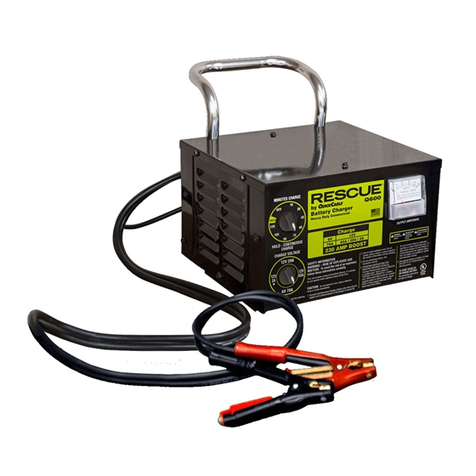
• Clean and store your Rescue®Battery Charger
WARNING
!
A spark near the battery may cause a battery explosion. To reduce the risk of a spark near
the battery read and follow these instructions
IMPORTANT: DO NOT CHARGE A BATTERY WHILE THE ENGINE IS OPERATING. DO NOT START
THE ENGINE WHILE THE BATTERY CHARGER IS CONNECTED.
7 8