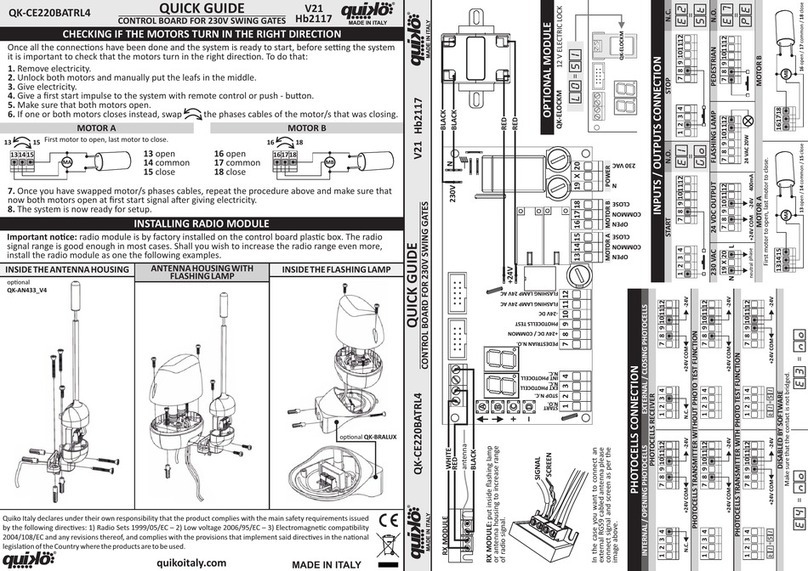
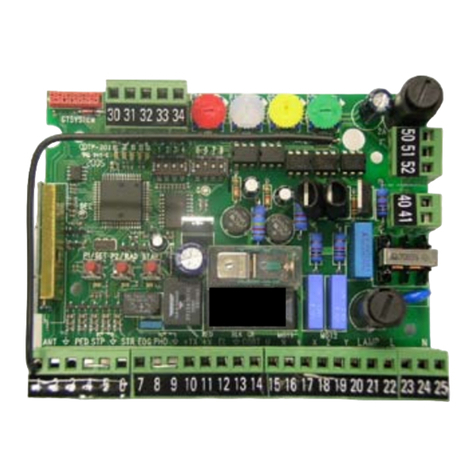
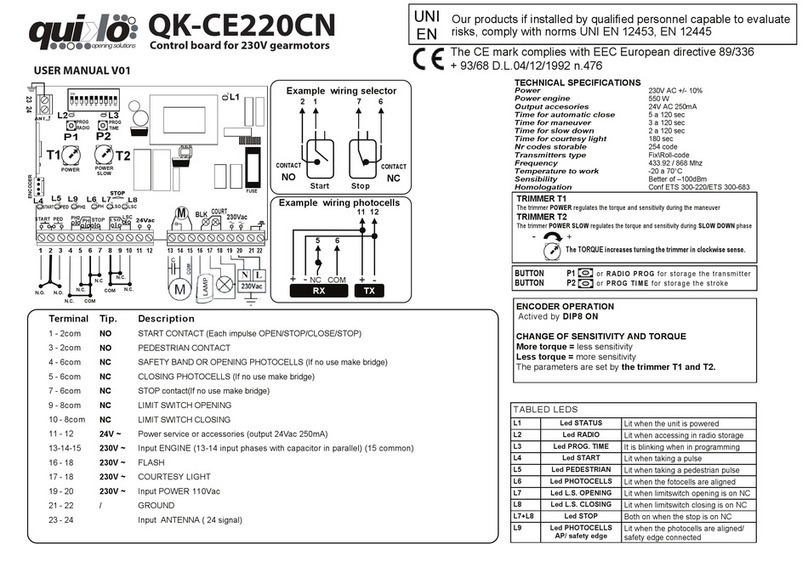
Programming.
To programme the transmission code, proceed as follows: use
the SEL key when the CODE LED is flashing and send the
desired code with the relevant radio control; programming has
been completed when the CODE LED remains lit constantly. If
you have stored 215 codes and you repeat the programming
operation, all the programming LEDs will start flashing to
indicate that no more codes can be stored.
Deleting the codes.
To delete all transmission codes stored in the memory,
proceed as follows: press the SEL key and the CODE LED will
start flashing, then press the SET key: the CODE LED will
switch off and the procedure is complete.
Warning that radio control is already stored or not
storable:
The control unit can store up to 215 radio controls with
different fixed or rolling codes. If the user attempts to perform
the programming procedure for a radio control which is already
stored in the memory or is not storable, the CODE LED will
begin to flash rapidly for a few moments to indicate that this
procedure cannot be performed; the unit then returns to the
programming stage once again.
2) CODE PED: (Pedestrian radio control code).
The programming and deleting procedure is the same as the
one illustrated above, but instead referring to the PEDONALE
CODE LED.
3) INB. CMD. AP: (command inhibition during opening and
pause time, if entered)
The command inhibition function during opening and pause
time, if entered, is used when automation includes the loop
detector. During opening or pause time the control unit ignores
the commands given by the loop detector at every passage.
The control unit is supplied with the default setting of the
command inhibition function during opening and pause time
not enabled. To enable the function proceed as follows: use
the SEL key to navigate to INB.CMD.AP when the relevant
LED is flashing, then press the SET key: the INB.CMD.AP LED
lights up and remains constant. Repeat the operation to
restore the previous configuration.
4) LAMP/CORT: (Flashing beacon or courtesy light selection)
The control unit has an output of 230 V a/c 500 W max. for
connection to a flashing beacon or courtesy light.
The control unit is supplied by the manufacturer with the
flashing beacon function enabled. To enable the courtesy light
proceed as follows: use the SEL key to navigate to
LAMP/CORT. when the corresponding LED is flashing, then
press the SET key: the LAMP/CORT. LED lights up and
remains constant. Repeat the operation to restore the previous
configuration.
Flashing Beacon Operation: The 230 V a/c output will
activate every time automation takes place, for the duration of
the motor timer. If a particular Pause Time is stored, the
flashing beacon will also be active during the Pause.
Courtesy Light Operation: The 230 V a/c output will activate
for 3 minutes every time an opening command is given.
5) MOTOR TIME and DECELERATION: (Programming a motor
operation time of max. 4 minutes)
The control unit is supplied by the manufacturer with a default
motor operation time of 30 seconds, without deceleration.
To modify the motor operation time, proceed as follows when
the gate is closed: use the SEL key to navigate to T. MOT.
when the corresponding LED is flashing, then press the SET
key briefly and the Motor will begin its opening cycle; when the
initial point of deceleration is reached press the SET key again
and the motor will decelerate until the desired position is
reached. Press the SET key to complete the opening cycle.
The T. MOT. LED will start flashing rapidly; now repeat the
programming operation relating to the motor timer and
deceleration for the closing cycle. To deactivate the
deceleration function during programming, once the opening
and closing cycle is completed, press the SET key twice in
succession instead of just once.
During programming the radio control key on the control unit
can be used instead of the SET key, if stored previously.
6) T. PAUSA: (Programming the aut. closing time - 4 min. max.)
The control unit is supplied by the manufacturer without an
automatic closing procedure. To enable the automatic closing
function proceed as follows: use the SEL key to navigate to T.
PAUSA when the corresponding LED is flashing, then press
the SET key and wait for the required pause time, then press
the SET key again briefly; the automatic closing time is stored
and the T. PAUSA LED remains lit constantly.
To restore the initial configuration (without automatic closing)
navigate to T.PAUSA when the corresponding LED is flashing
then press the SET key twice within 2 seconds; the LED
switches off and the operation is complete.
During programming the radio control key on the control unit
can be used instead of the SET key, if stored previously.
EXTENDED MENU 1
The control unit is supplied by the manufacturer with only the
option of directly selecting the functions listed in the main
menu.
To enable the functions listed in extended menu 1, proceed as
follows: press the SET button and hold for 5 seconds; the T.
MOT. and T. PAUSA LEDs will flash alternately and the user
has 30 seconds within which to select the functions of
extended menu 1 using the SEL and SET buttons. When this
time has elapsed the control unit returns to the main menu.