manuals.online logo
Brands
  1. Home
  2. •
  3. Brands
  4. •
  5. Radio Shack
  6. •
  7. Clock Radio
  8. •
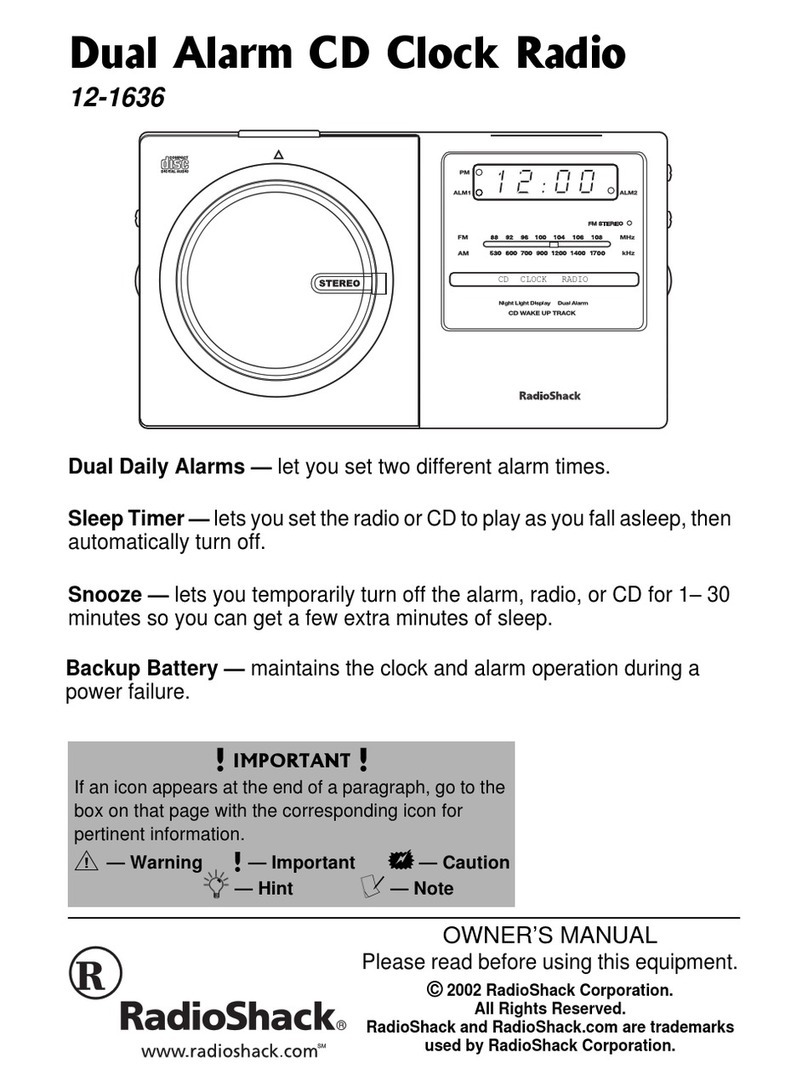
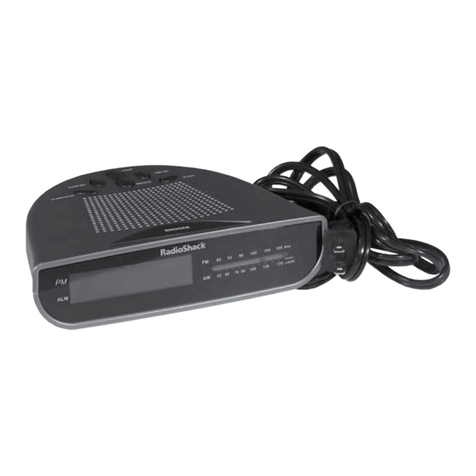
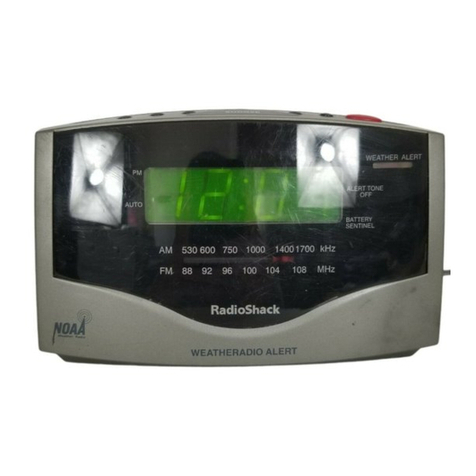
  9. Radio Shack 12-1636 User manual

Radio Shack 12-1636 User manual

Other manuals for 12-1636

1

Other Radio Shack Clock Radio manuals

Radio Shack 12-898 User manual

Radio Shack

Radio Shack 12-898 User manual

Radio Shack Chronosette-276 User manual

Radio Shack

Radio Shack Chronosette-276 User manual

Radio Shack 12-519 User manual

Radio Shack

Radio Shack 12-519 User manual

Radio Shack 12-1655 User manual

Radio Shack

Radio Shack 12-1655 User manual

Radio Shack 63-247 User manual

Radio Shack

Radio Shack 63-247 User manual

Radio Shack 12-1630 User manual

Radio Shack

Radio Shack 12-1630 User manual

Radio Shack CHRONOMATIC 308 User manual

Radio Shack

Radio Shack CHRONOMATIC 308 User manual

Radio Shack Compact AM/FM User manual

Radio Shack

Radio Shack Compact AM/FM User manual

Radio Shack 1201781 User manual

Radio Shack

Radio Shack 1201781 User manual

Radio Shack Projection Clock Radio 12-591 User manual

Radio Shack

Radio Shack Projection Clock Radio 12-591 User manual

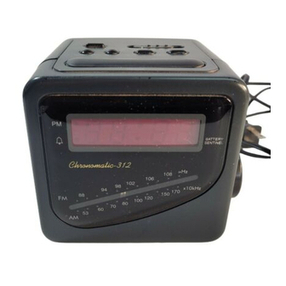
Radio Shack CHRONOMATIC-312 User manual

Radio Shack

Radio Shack CHRONOMATIC-312 User manual

Radio Shack 12-1627 User manual

Radio Shack

Radio Shack 12-1627 User manual

Radio Shack Chronomatic-300 User manual

Radio Shack

Radio Shack Chronomatic-300 User manual

Radio Shack Chronomatic-278 User manual

Radio Shack

Radio Shack Chronomatic-278 User manual

Radio Shack 12-220 User manual

Radio Shack

Radio Shack 12-220 User manual

Radio Shack Chronomatic-280 User manual

Radio Shack

Radio Shack Chronomatic-280 User manual

Radio Shack 63-973 User manual

Radio Shack

Radio Shack 63-973 User manual

Radio Shack CHRONOMATIC-291 User manual

Radio Shack

Radio Shack CHRONOMATIC-291 User manual

Radio Shack AM/FM PLL CLOCK/TABLE RADIO 12-1632 User manual

Radio Shack

Radio Shack AM/FM PLL CLOCK/TABLE RADIO 12-1632 User manual

Radio Shack 12-1631 User manual

Radio Shack

Radio Shack 12-1631 User manual

Radio Shack 12-1607 User manual

Radio Shack

Radio Shack 12-1607 User manual

Radio Shack TRAVEL SLEEP MACHINE 63-974 User manual

Radio Shack

Radio Shack TRAVEL SLEEP MACHINE 63-974 User manual

Radio Shack 12-1636 User manual

Radio Shack

Radio Shack 12-1636 User manual

Popular Clock Radio manuals by other brands

Denver CRQ-105 quick start guide

Denver

Denver CRQ-105 quick start guide

Audiovox CE90 Operation instructions

Audiovox

Audiovox CE90 Operation instructions

Sony Dream Machine ICF-C763L operating instructions

Sony

Sony Dream Machine ICF-C763L operating instructions

Sanyo DMP-P6 instruction manual

Sanyo

Sanyo DMP-P6 instruction manual

Yamaha ISX-80 owner's manual

Yamaha

Yamaha ISX-80 owner's manual

Pyle PLMR20W user manual

Pyle

Pyle PLMR20W user manual

Blaupunkt CR7BK user manual

Blaupunkt

Blaupunkt CR7BK user manual

Philips AJ3180 Specifications

Philips

Philips AJ3180 Specifications

HoMedics SS-5500-2EU instruction manual

HoMedics

HoMedics SS-5500-2EU instruction manual

RCA RC66i user manual

RCA

RCA RC66i user manual

Versaudio Vers user manual

Versaudio

Versaudio Vers user manual

SOUNDMASTER UR8100 instruction manual

SOUNDMASTER

SOUNDMASTER UR8100 instruction manual

Audiovox CE90 operating instructions

Audiovox

Audiovox CE90 operating instructions

Jensen Audio JCR-222 - AM/FM Projection Alarm Clock Radio instruction manual

Jensen Audio

Jensen Audio JCR-222 - AM/FM Projection Alarm Clock Radio instruction manual

Roberts ChronoDAB user manual

Roberts

Roberts ChronoDAB user manual

AEG MRC 4132 BT instruction manual

AEG

AEG MRC 4132 BT instruction manual

Tokai TC-155 user manual

Tokai

Tokai TC-155 user manual

Timex T300 manual

Timex

Timex T300 manual

manuals.online logo
manuals.online logoBrands
  • About & Mission
  • Contact us
  • Privacy Policy
  • Terms and Conditions

Copyright 2025 Manuals.Online. All Rights Reserved.

©2002 RadioShack Corporation.
All Rights Reserved.
RadioShack and RadioShack.com are trademarks
used by RadioShack Corporation.
OWNER’S MANUAL
Please read before using this equipment.
&WCN"#NCTO"%&"%NQEM"4CFKQ
12-1636
#"+/2146#06"#
If an icon appears at the end of a paragraph, go to the
box on that page with the corresponding icon for
pertinent information.
Rý— Warning #— Important .
..
.— Caution
°
°°
°— Hint ±— Note
CD CLOCK RADIO
Dual Daily Alarms — let you set two different alarm times.
Sleep Timer — lets you setthe radio or CDto playasyou fall asleep,then
automatically turn off.
Snooze — lets you temporarily turn off the alarm, radio, or CD for 1– 30
minutes so you can get a few extra minutes of sleep.
Backup Battery — maintains the clock and alarm operation during a
power failure.
All manuals and user guides at all-guides.com
all-guides.com
2
6*'"(%%"9#065"
;17"61"-019
This equipment complies with the limits
for a Class B digital device as specified
in Part 15 of
FCC Rules
. These limits
provide reasonable protection against
radio and TV interference in a
residential area. However, your
equipment might cause TV or radio
interference even when it is operating
properly. To eliminate interference, you
can try one or more of the following
corrective measures:
• reorient or relocate the receiving
antenna
• increase the distance between the
equipment and the radio or TV
• use outlets on different electrical
circuits for the equipment and the
radio or TV
Consult your local RadioShack store if
the problem still exists. R
%106'065
Preparation ............... 3
Connecting
AC Power .............. 3
Installing a
Back-up Battery .... 3
A Quick Look
at Your Radio ........... 5
Operation ................. 6
Using the Clock ..... 6
Using the Radio .... 9
Using the
CD Player ........... 10
Care ....................... 14
Service and
Repair ..................... 14
Specifications ......... 15
ýR"9#40+0)ýR"
Your clock radio
employs a laser light
beam. Only a qualified
service person should
remove the cover or
attempt to service this
device, due to possible
eye injury.
The lightning symbol is intended to
alert you to the presence of
uninsulateddangerousvoltagewithin
thisproduct’senclosurethatmightbe
of sufficient magnitude to constitute a risk of
electric shock. Do not open the product’s case.
The exclamation symbol is
intendedto inform you that
important operating and
maintenance instructions
are included in the literature
accompanying this product.
!
WARNING: To reduce the risk of fire or shock hazard, do not expose this
product to rain or moisture.
..CAUTION.. CAUTION: TO REDUCE THE
RISK OF ELECTRIC SHOCK, DO
NOT REMOVE COVER OR BACK.
NO USER-SERVICEABLE PARTS
INSIDE. REFER SERVICING TO
QUALIFIED PERSONNEL.
RISK OF ELECTRIC
SHOCK DO NOT OPEN
!
The FCC Wants You to Know
All manuals and user guides at all-guides.com
Preparation
3
24'2#4#6+10
%100'%6+0)"#%"219'4
Plug the clock radio’s power cord into a
standard AC outlet. '(0&&
'(0&&'(0&&
'(0&& flashes on
the display. Rý.
..
.
+056#..+0)"#"$#%-/72"
$#66'4;
If AC power fails, the clock radio has a
backup power system that continues to
operate the clock for up to 8 hours with
the display turned off to conserve
power. This lets the alarm sound for at
least 10 minutes at the preset time,
even if AC power fails.
Your clock radio requires a 9-volt
battery (not supplied) for its backup
power system. For the best
performance and longest life, we
recommend a RadioShack alkaline
battery. Rý.
..
.
1. Press the battery compartment
cover’s tab, and then lift off the
cover to remove it.
2. Snap the battery into the connector
in the battery compartment and
ýR"9#40+0)ýR"
• To prevent electric
shock, do not use this
polarized plugwith an
extension cord,
receptacle, or other
outlet unless you can
fully insert the blades
to prevent blade
exposure.
• Dispose of the old
battery promptly and
properly. Do not burn
or bury it.
."%#76+10".
• Your clock radio’s
power cord has a
polarized plug that fits
into the outlet only
one way. If the plug
does not fit properly,
turn it over and try
again. Do not force it.
• Use only a fresh
batteryofthe required
size and
recommended type.
• Alwaysremovean old
or weak battery.
Batteries can leak
chemicals that can
destroy electronic
parts.
All manuals and user guides at all-guides.com
4
place the battery in the
compartment.
3. Replace the cover. ±
±"016'"±"
• When powered by
the backup battery,
the display does not
light.
• If you set the alarm to
wake to the CD and
AC power fails at
exactly the set time,
the CD will not turn
on, but the alarm
sounds.
• The display turns off
when the clock radio
operates on the
backup battery.
• If AC power fails and
a backup battery is
not installed in the
clock radio, the
display turns off.
When power is
restored, '(0&&
'(0&&'(0&&
'(0&&
flashesand you need
to reset the clock.
All manuals and user guides at all-guides.com
5
A Quick Look at Your Radio
#"37+%-".11-"#6";174"4#&+1
SNOOZE
POWER
TIME SLEEP
CDWAKE-UP
TRACK ALARM 1/
ALARM 2 SET
REPEAT
RANDOM
PLAY/
PAUSE
â
ââ
â
STOP/ '
''
'
SKIP/SEARCH
SETTING
)
))
)/-
--
-ý
ýýý
PHONES
– VOL +
CD/AM/FM ST.
TUNING
ALM. 1 AUTO OFF/BUZ.
ALM. 2 AUTO OFF/BUZ.
CD
Door
Tab
Right Speaker View
Left Speaker View
Top View
All manuals and user guides at all-guides.com
Operation
6
12'4#6+10
75+0)"6*'"%.1%-
5GVVKPI"VJG"6KOG
When you connect the clock radio to
AC power, '(0&&
'(0&&'(0&&
'(0&& flashes.
While holding down TIME, repeatedly
press SKIP/SEARCH SETTING -ýýor )ý
to increase or decrease the time by 1
minute intervals. Or, hold down SKIP/
SEARCH SETTING -ýýor )ýto speed
up the change. The PM LED lights to
indicate PM time.
Release TIME to store the setting.
5GVVKPI"VJG"&CKN["#NCTOU
You can set two independent alarms to
sound. Each alarm sounds for 1 hour
and 59 minutes at the preset time
everyday. To stop it sooner, press
POWER.
1. While holding down ALARM 1 or
ALARM 2, repeatedly press SKIP/
SEARCH SETTING -ýýor )ýýto
increase or decrease the alarm
time by 1 minute intervals. Or, hold
down SKIP/SEARCH SETTING -ýý
All manuals and user guides at all-guides.com
all-guides.com
7
or )to speed up the change. The
PM LED lights to indicate PM time.
2. Release ALARM 1 or ALARM 2 to
store the alarm setting.
3. To wake to the alarm buzzer, slide
ALM 1 OFF/AUTO/BUZ. or ALM 2
OFF/AUTO/BUZ. to BUZ..The ALM1
or ALM2 LED lights. At the preset
wake-up alarm time, the buzzer
sounds.
To wake to the radio, set the
desired station (see “Using the
Radio” on Page 9), then slide ALM
1 OFF/AUTO/BUZ. or ALM 2 OFF/
AUTO/BUZ. to AUTO. The ALM1 or
ALM2 LED lights. At the preset
wake-up alarm time, the radio
turns on.
To wake to the music of a CD track,
while holding down CD WAKE-UP
TRACK, repeatedly press or hold
down SKIP/SEARCH SETTING -ýý
or )ýto set the desired wake-up
track (see “Playing a CD” on
Page 10), then slide ALM 1 OFF/
AUTO/BUZ. or ALM 2 OFF/AUTO/
BUZ. to AUTO. The ALM1 or ALM2
LED lights. At the preset wake-up
alarm time, the CD player plays,
starting with the selected track. ±
±"016'"±"
• Ifyouactivaterepeat,
the CD player will
play continuously for
about 1 hour and 59
minutes.
• If you do not place a
CD in the CD
compartment or you
place a CD
incorrectly, the
buzzer will sound at
the preset alarm
time.
• The default setting
for snooze is 9
minutes.
All manuals and user guides at all-guides.com
8
4. To turn off the alarms, slide ALM 1
OFF/AUTO/BUZ. or ALM 2 OFF/
AUTO/BUZ. to OFF.
To silence the alarm from 1 to 30
minutes and then have it sound
again, press SNOOZE. To stop the
snooze function, turn off the daily
alarm or press POWER when the
alarm sounds.
Hold down SNOOZE and
repeatedly press or hold down
SKIP/SEARCH SETTING -ýýor )ý
to set the snooze interval from 1 to
30 minutes.
7UKPI"VJG"5NGGR"6KOGT
You can set the clock radio to play for
up to 1 hour and 59 minutes then
automatically turn off. You can use this
feature to listen to the radio or a CD as
you go to sleep.
1. Slide CD/AM/FM ST. to the desired
setting. ±
2. Hold down SLEEP and repeatedly
press or hold down SKIP/SEARCH
SETTING -ýýor )to set the sleep
timer from 0 to 1 hour and 59
minutes. ±
±"016'"±"
• You must place a CD
into the CD
compartment before
you select CD.
• The default setting
for the sleep timer is
59 minutes.
• If the CD play time is
shorter than the
amount of time you
set for the sleep
timer, the CD player
stops at the end of
the disc unless you
activate the repeat
function.
• If the clock radio
reaches a preset
alarm time while the
sleep timer is
counting down, the
alarm cancels the
remaining sleep
timer setting.
• The CD player or
radio automatically
turns on when you
hold down SLEEP.
All manuals and user guides at all-guides.com
9
The CD player or radio plays for the set
length of time then automatically turns
off. To cancel the sleep timer, press
POWER or SNOOZE.
4GUGVVKPI"VJG"%NQEM
On rare occasions, your clock might
lock up. If this happens, reset the clock.
If you still encounter difficulties, take
the clock radio to your local
RadioShack store for assistance.
Disconnect the AC power cord and
remove the back-up battery. Then
reconnect the clock radio to AC power
and reinstall the battery.
75+0)"6*'"4#&+1
1. Slide CD/AM/FM ST. to AM or FM
ST.. ±
2. Press POWER to turn on the radio.
3. Rotate TUNING to select the
desired station
4. Rotate VOLUME to a comfortable
level.
5. To turn off the radio, press POWER.
±"016'"±"
• FM STEREO lights
when you slide CD/
AM/FM ST. to FM
ST..
• The FM antenna is
built in to the power
cord.For thebest FM
reception, fully
extend the clock
radio’s power cord.
For the best AM
reception, rotate the
clock radio to
position the built-in
AM antenna.
• Before you operate
the CD player,
remove the
protective sheet
inside the CD
compartment.
•dZ
dZdZ
dZ briefly appears
when you do not
place a CD,
incorrectly place a
CD, or the CD is
damaged.
All manuals and user guides at all-guides.com
10
75+0)"6*'"%&"2.#;'4
2NC[KPI"C"%&
1. Slide CD/AM/FM ST. to CD.
2. Pull the tab on the top of the CD
door to open it. Place a CD in the
center, label facing up, press it
down over the hub to secure it,
then close the door. .
..
.
3. Press âto play all the tracks in
order, starting with Track 1. YZ
YZYZ
YZ
flashes, '
''
'briefly appears, then the
display returns to the current time.
4. To temporarily stop the CD, press
â.ýýThe current track number
flashes. To resume play, press âýý
again. The current track number
briefly appears and then the
display returns to the current time.
5. Adjust – VOL + to a comfortable
listening level.
6. The CD stops after playing the last
track. To stop play sooner, press
STOP/ '. Wait a few seconds for
the CD to stop spinning, then open
the CD door and remove the CD.
.#
.#.#
.#±ý
."%#76+10".
• To help prevent dust
from entering the CD
player, always keep
the CD compartment
cover closed except
when loading or
unloading CDs.
• Do not try to remove
the CD until it
completely stops
spinning.
• To avoid damaging
the CD player, do not
place anything but a
CD in the CD
compartment.
• To avoid damage to a
CD, remove it from
the CD player before
moving the clock
radio.
(continued
)
±"016'"±"
YZ
YZYZ
YZ briefly appears after
you press STOP/ ',
then the display returns
to the current time. The
CD player automatically
turns off after about one
minute.
All manuals and user guides at all-guides.com