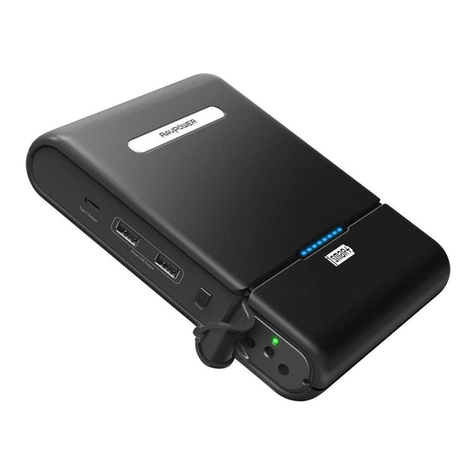
RAVPower PD Pioneer 10000mAh
18W 2-Port Power Bank
User Guide
Model: RP-PB194
Thanks for purchasing RAVPower products. Please
read this User Manual thoroughly before use of the
product and retain it for future reference.
Package Contents
Packungsinhalt┇Contenu du colis┇Contenidos del
Paquete┇Include nella Confezione┇パッケージ内容1 x RAVPower 10000mAh Power Bank (RP-PB194)
1 x Type-C USB Charging Cable
1 x User Guide
Product Diagram
Produktabbilung┇Description du Produit┇Diagrama
del producto┇Schema del Prodotto┇製品図
Power Button
LED Indicators
①
②
③
④
①
②
③④
USB-C Port
USB-A Port
Specifications
Technische Daten┇Spécifications┇Especificaciones┇Specifiche Tecniche┇製品仕様Before First Use
Vor der ersten Benutzung┇Avant la Première
Utilisation┇Antes De Usar Por Primera Vez┇Prima
del Primo Utilizzo┇初めて使う前に· Please pay attention to the symbols and
indicators for proper use.
· It is recommended to fully charge the unit before
first use.
EN
· Bitte achten Sie für die korrekte Benutzung auf
Symbole und Anzeigen.
· Das Gerät sollte vor der ersten Verwendung
vollständig geladen werden.
DE
· Veuillez faire attention aux symboles et voyants,
pour une utilisation appropriée.
· Il est recommandé de charger complètement
l'appareil avant la première utilisation.
FR
· Por favor, preste atención a los símbolos e
indicadores para un uso adecuado.
· Se recomienda cargar completamente la unidad
antes del primer uso.
ES
· Si prega di prestare attenzione ai simboli e agli
indicatori per un utilizzo corretto.
· Si raccomanda di ricaricare completamente il
dispositivo prima del primo utilizzo.
IT ·マークやインジケータによく注意して正しくご使用ください。·初めてご利用になる場合、フル充電してからご利用ください。JP
Using Your Power Bank
Benutzung Ihrer Powerbank┇Utilisation de Votre
Batterie Externe┇Usando Su Banco De Energía┇Utilizzo del Power Bank┇パワーバンクを使うCheck the Battery Level
Überprüfen des Akkustands┇Vérification du Niveau
de Batterie┇Revise El Nivel De La Batería┇Controllo
del Livello della Batteria┇バッテリーレベルを確認するPress the Power Button to check the battery level.
EN
Drücken Sie die Powertaste, um den Akkustand
zu überprüfen.
DE
Appuyez sur le Bouton d'Alimentation pour vérifier
le niveau de la batterie.
FR
Presione el Botón de Encendido para verificar el
nivel de la batería.
ES
Premere il Pulsante di Accensione per controllare
il livello della batteria.
IT 電源ボタンを押して、バッテリーレベルを確認します。JP
100% 50% 25%
75%
Charging Your Power Bank
Laden Ihrer Powerbank┇Chargement de Votre
Batterie Externe┇Cargando Su Banco De Energía┇Ricarica del Power Bank┇パワーバンクを充電する1. Charge the power bank via the the USB-C Port.
2. The LED indicators will light up progressively.
Note: Unplug the charging cable when charging
has completed.
EN
1. Laden Sie die Powerbank über den USB-C-An-
schluss.
2. Die LED-Anzeigen leuchten dann sukzessive auf.
Anmerkung: Ziehen Sie das Ladekabel heraus,
wenn der Ladevorgang abgeschlossen ist.
DE
1. Chargez la batterie externe via le port USB-C.
2. Les indicateurs LED s'allumeront successivement.
Nota: Débranchez le câble de charge une fois
celle-ci terminée.
FR
1. Cargue el banco de energía a través del puerto
USB-C.
2. Los indicadores LED se iluminarán progresivamente.
Nota: Desenchufe el cable de carga cuando se
haya completado la carga.
ES
1. Ricaricare il power bank con la porta USB-C.
2. Gli indicatori LED si accenderanno progressivamente.
Nota: Disconnettere il cavo di ricarica una volta
completata la ricarica.
IT 1.USB-Cポートでパワーバンクを充電する。2.LEDライトが進捗に合わせて光ります。注意:充電が完了したら、充電ケーブルは外してください。JP
1
1
2
1
2
2
2
100%
1
1. Connect your device to the power bank via the
USB-A or USB-C port accordingly.
2. Charging will start automatically.
Note: Unplug the charging cable when charging
has completed.
EN
1. Schließen Sie Ihr Gerät per USB-A- oder
USB-C-Anschluss an die Powerbank an.
2. Der Ladevorgang beginnt automatisch.
Anmerkung: Ziehen Sie das Ladekabel heraus,
wenn der Ladevorgang abgeschlossen ist.
DE
1. Connectez votre appareil à la batterie externe
via le port USB-A ou USB-C suivant le cas.
2. Le chargement va démarrer automatiquement.
Nota: Débranchez le câble de charge une fois
celle-ci terminée.
FR
Charging Your Device
Laden Ihres Geräts┇Rechargement de Votre
Appareils┇Cargando Su Dispositivo┇Ricarica del
Proprio Dispositivo┇ご利用の機器を充電する1. Conecte su dispositivo al banco de energía a
través del puerto USB-A o USB-C.2. La carga comenzará automáticamente.
Nota: Desenchufe el cable de carga cuando se
haya completado la carga.
ES
1. Collegare il proprio dispositivo al power bank
utilizzandola porta USB-A o la porta USB-C.
2. La ricarica inizierà automaticamente.
Nota: Disconnettere il cavo di ricarica una volta
completata la ricarica.
IT 1.USB-Aポート、またはUSB-Cポートで、ご利用の機器とパワーバンクをつなげます。2.接続すると自動的に充電が始まります。注意:充電が完了したら、充電ケーブルは外してください。JP
1
1
2
2
Model
Battery Capacity
Min Battery
Capacity
PD Input
PD Output
QC Output
QC Output and
PD Output
Rated Capacity
RP-PB194
10000mAh/36.3Wh
9700mAh/35.2Wh
5V 2A, 9V 2A, 12V 1.5A
5V 3A, 9V 2A, 12V 1.5A
5V 3A, 9V 2A, 12V 1.5A
Shared 5V 3A Max
2500mAh (12V 1.5A)