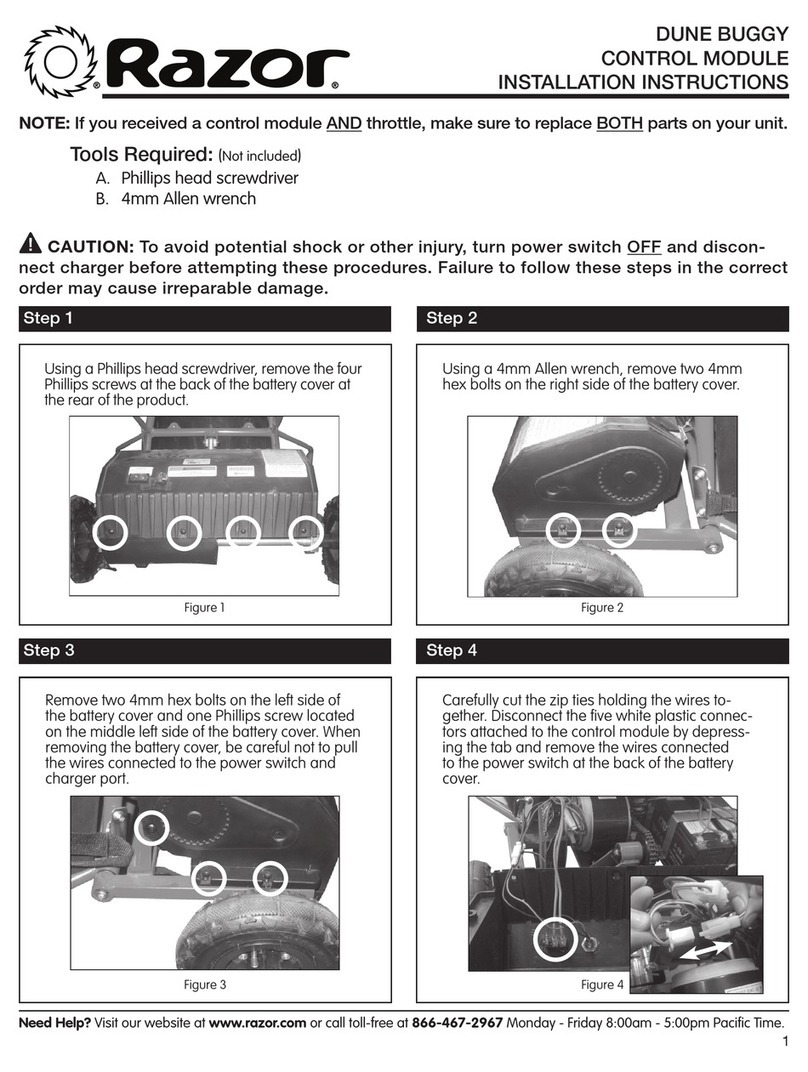
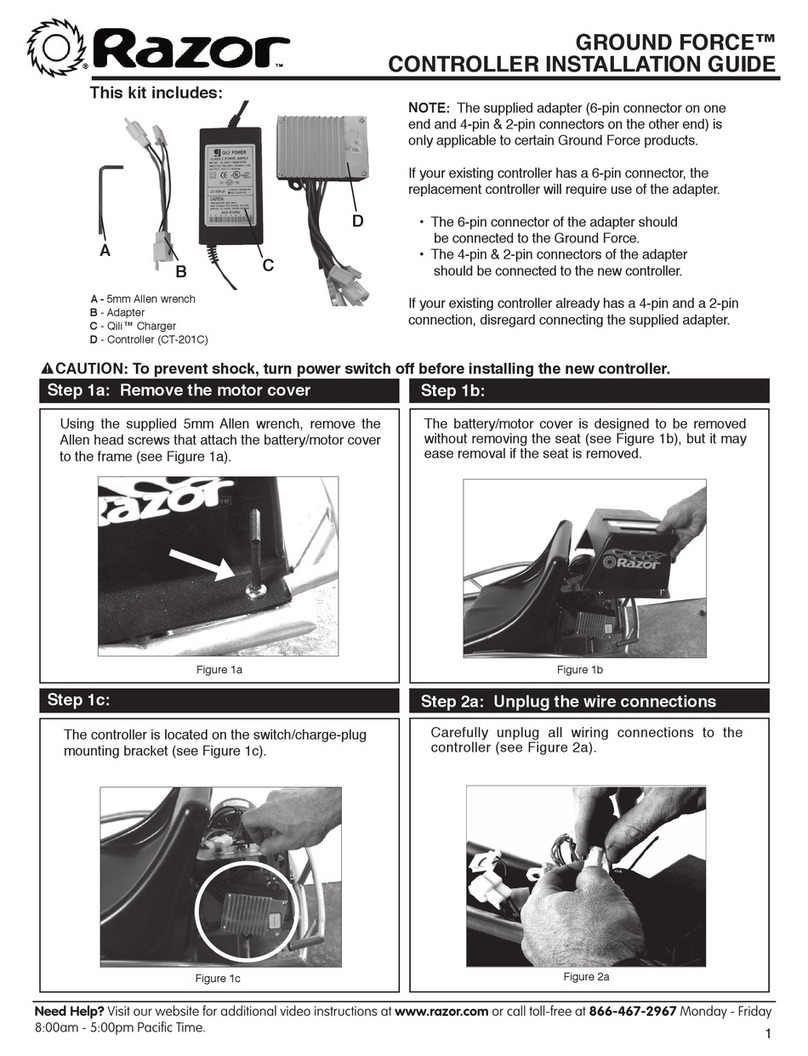
GROUND FORCE®GO KART (V.1+)
THROTTLE INSTALLATION INSTRUCTIONS
CAUTION: To avoid potential shock or other injury, turn power switch OFF and discon-
nect charger before removing or installing the batteries. Failure to follow these steps in the
correct order may cause irreparable damage.
Figure 1 Figure 2
Step 1
Using a 5mm Allen wrench, remove the four hex
bolts that attach the seat to the frame.
Using a 5mm Allen wrench, remove the hex
bolt on the steering wheel and place steering
wheel to the side.
Step 2
Tools Required: (Not included)
A. 2.5mm Allen wrench
B. 4mm Allen wrench
C. 5mm Allen wrench
D. Phillips head screwdriver
Figure 4Figure 3
Using a 2.5mm Allen wrench loosen the set screw
located under the light indicator on the throttle
casing and remove throttle from steering wheel.
Using a Phillips head screwdriver, remove the
two screws on the steering column cover and
carefully cut the zip tie holding the wires together.
Step 4Step 3
Need Help? Visit our website at www.razor.com or call toll-free at 866-467-2967 Monday - Friday 8:00am - 5:00pm Pacific Time.
1