manuals.online logo
Brands
  1. Home
  2. •
  3. Brands
  4. •
  5. RCI
  6. •
  7. Door Lock
  8. •
  9. RCI 0 Series User manual

RCI 0 Series User manual

This manual suits for next models

1

Other RCI Door Lock manuals

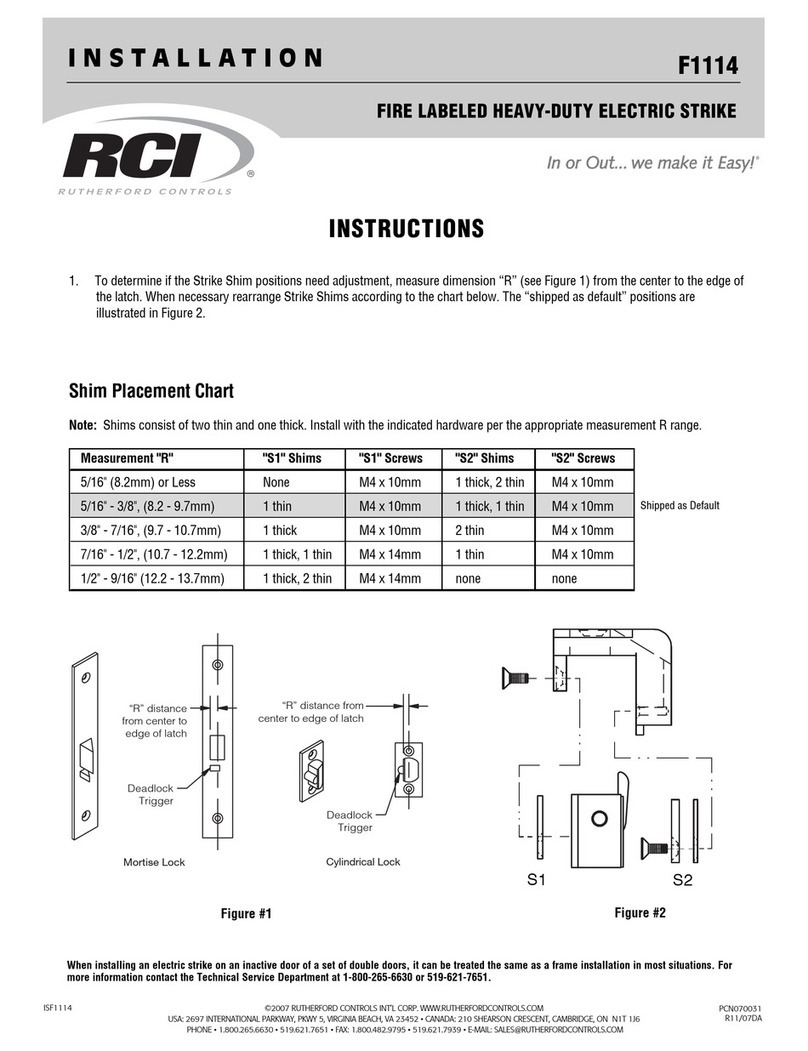
RCI F1114 User manual

RCI

RCI F1114 User manual

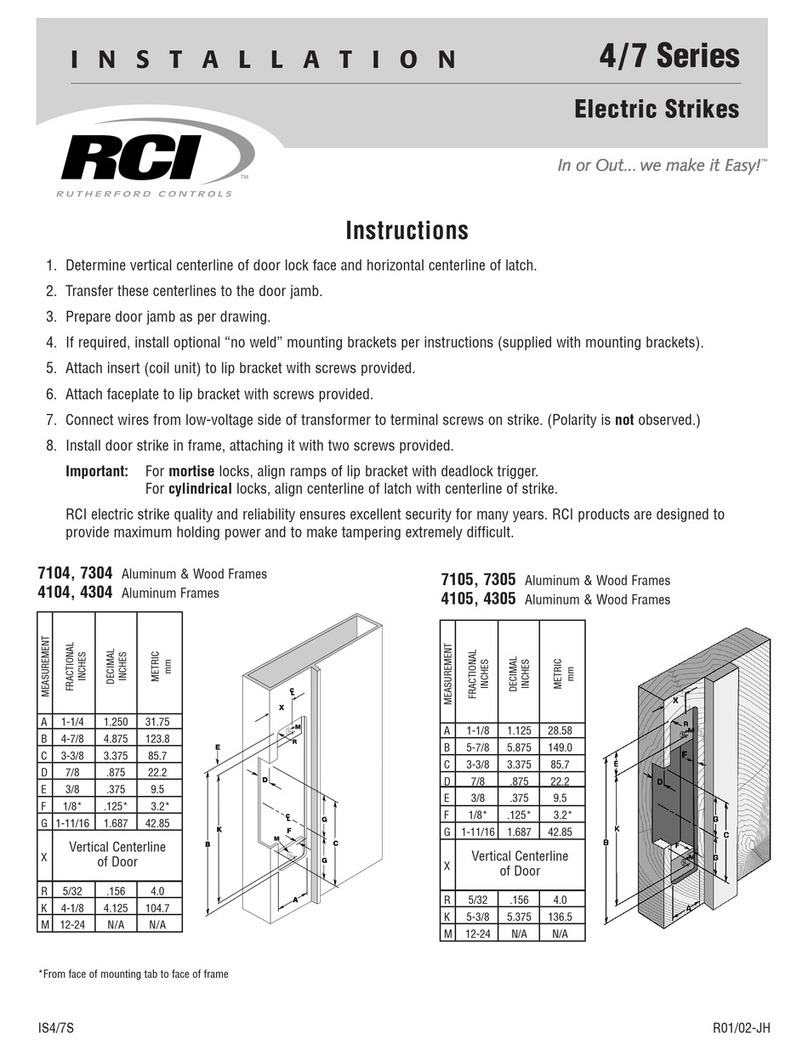
RCI 7 Series User manual

RCI

RCI 7 Series User manual

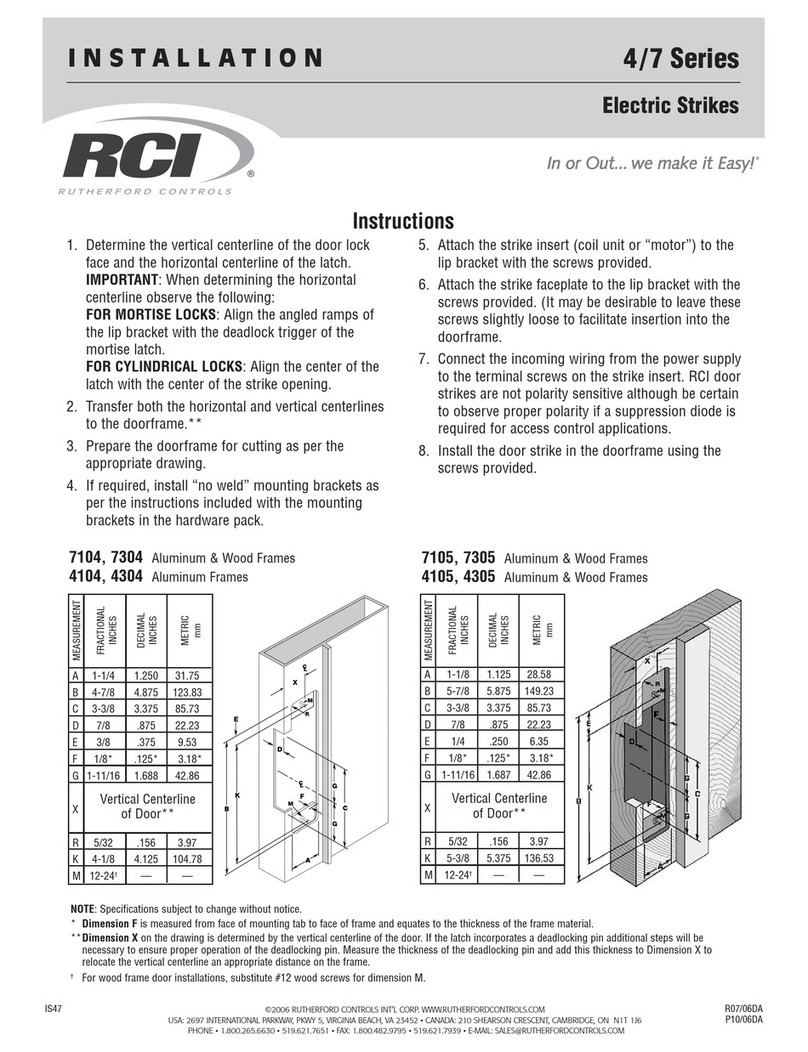
RCI 4 Series User manual

RCI

RCI 4 Series User manual

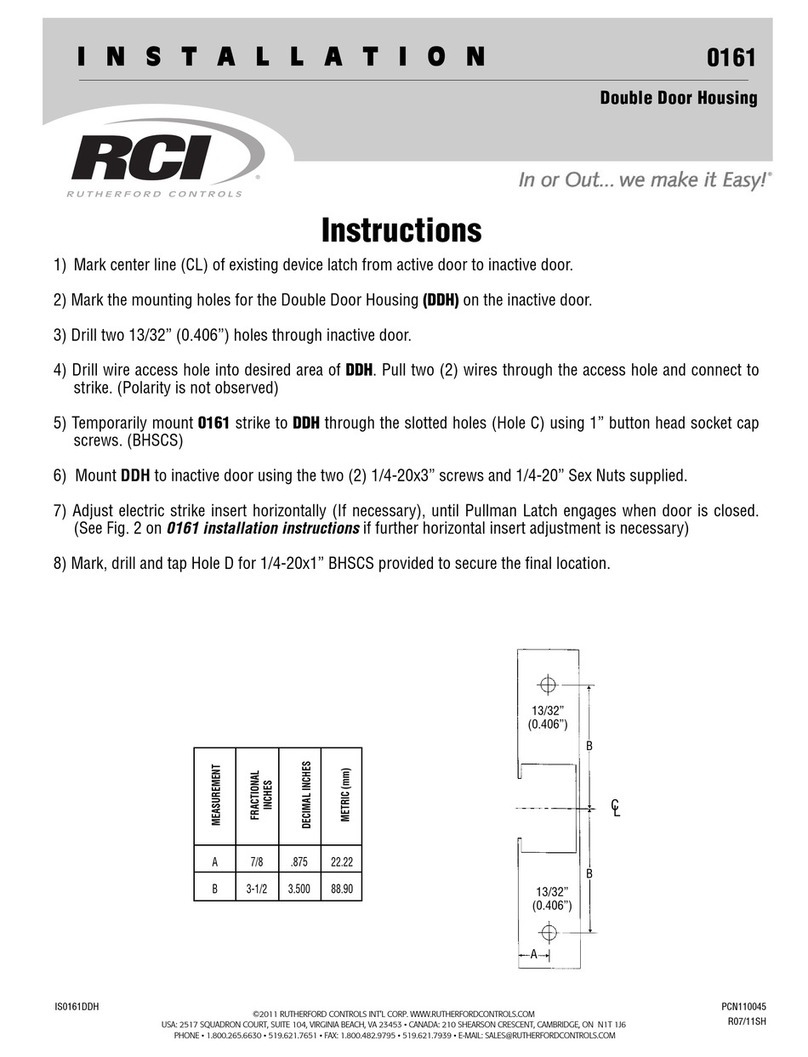
RCI 0161 User manual

RCI

RCI 0161 User manual

Popular Door Lock manuals by other brands

Dorma MUNDUS PREMIUM US 10 Mounting instruction

Dorma

Dorma MUNDUS PREMIUM US 10 Mounting instruction

Defiant LG600BRA4BGT Instructions for installation

Defiant

Defiant LG600BRA4BGT Instructions for installation

TRU-BOLT M1740024 manual

TRU-BOLT

TRU-BOLT M1740024 manual

Opera ARCA SLIDE installation instructions

Opera

Opera ARCA SLIDE installation instructions

tell CODELOCK CL5500 Series installation instructions

tell

tell CODELOCK CL5500 Series installation instructions

ABH LR6000 installation instructions

ABH

ABH LR6000 installation instructions

Assa Abloy effeff 827A-IP Mounting instructions

Assa Abloy

Assa Abloy effeff 827A-IP Mounting instructions

Iseo MA1A installation guide

Iseo

Iseo MA1A installation guide

ID Lock 150 user manual

ID Lock

ID Lock 150 user manual

Lockly ACCESS TOUCH PRO user manual

Lockly

Lockly ACCESS TOUCH PRO user manual

iLoq G50S user guide

iLoq

iLoq G50S user guide

SDC Z7835 installation instructions

SDC

SDC Z7835 installation instructions

ilco 452 Installation

ilco

ilco 452 Installation

Samsung shs-h705 user guide

Samsung

Samsung shs-h705 user guide

TRU-BOLT 08102017 user manual

TRU-BOLT

TRU-BOLT 08102017 user manual

CDVI 500-LADJ quick start guide

CDVI

CDVI 500-LADJ quick start guide

Igloohome Deadbolt 2S Metal Grey Installer/user guide

Igloohome

Igloohome Deadbolt 2S Metal Grey Installer/user guide

eSSL FL-300 user manual

eSSL

eSSL FL-300 user manual

manuals.online logo
manuals.online logoBrands
  • About & Mission
  • Contact us
  • Privacy Policy
  • Terms and Conditions

Copyright 2025 Manuals.Online. All Rights Reserved.

©2011 RUTHERFORD CONTROLS INT’L CORP. WWW.RUTHERFORDCONTROLS.COM
USA: 2517 SQUADRON COURT, SUITE 104, VIRGINIA BEACH, VA 23453 •CANADA: 210 SHEARSON CRESCENT, CAMBRIDGE, ON N1T 1J6
PHONE •1.800.265.6630 •519.621.7651 •FAX: 1.800.482.9795 •519.621.7939 •E-MAIL: SALES@RUTHERFORDCONTROLS.COM
Installation Instructions
1. For new installations, surface mount 0161 strike first, then install exit device accordingly maintaining a
minimum of 3⁄16" clearance.
2. Determine the horizontal center line ‘G’ of the Pullman Latch of the exit device, and transfer to frame stop.
(see fig. 1)
3. Determine the vertical center line of the Electric Strike ‘X’ by adding 3⁄4" to dimension "R" (See Fig.1)
and measure from the push side of the door to frame stop for ‘X’.
4. Prepare door jamb as per template drawing for full surface mounting. (see preparation "V")
5. Ensure that strike insert is placed in the center most position on the faceplate prior to installation.
This allows for maximum adjustability when installation is complete (see Fig. 2).
6. Connect wires from power source to terminal screws on strike (polarity is not observed).
7. Using slotted holes in chassis, install exit device electric strike with 2 SHCS 1⁄4- 20 x 1”, socket head cap
screws provided.
8. Adjust chassis and electric insert (if necessary), horizontally, until Pullman Latch engages when door is
closed. Finally tighten screws.
Important: Be sure exit device dead locks when door is closed before proceeding to step 9.
9. Mark, drill and tap for the locking screws provided, and install to secure final location with
2 SHCS 1⁄4- 20 x 1”, screws provided.
Note:
If further adjustment is needed later, to correct door or weatherstrip misalignments, horizontally move
insert on its furrows by loosening screws under the face plate, and re-tighten when in the corrected
position (Fig. 2.).
Important:
The 0161 Electric Strike is never to be used as a door stop. Please install stops on frame in appropriate
locations. Ensure the exit device functions as intended for life safety concerns by verifying electric strike
and exit device compatibility. Maximum latch projection is essential to obtain full holding force.
INSTALLATION
0 SERIES COMMERCIAL ELECTRIC STRIKE
CENTERLINE LATCH ENTRY FOR RIM EXIT DEVICE
0161
IS0161
PCN110045
R07/11SH

0161 Series Installation Instructions (Continued)
Template For 0 Series Strikes
MODEL # 0161
Preparation for mortising electric
insert for model 0161
Vertical center line of
0161
MEASUREMENT
FRACTIONAL
INCHES
DECIMAL INCHES
METRIC mm
X
G
V
M
M
O
P
C
Q
K
K
PREPARATION
Insert Semi-mortise Mounting
Preparation “V”
Future alignment problems can be
corrected by loosening the two
insert screws and moving the
insert horizontally across the
furrows. Original preparation is not
disturbed. (Fig.2).
IMPORTANT
If Exit Device Strike (supplied
with device) is of 1⁄2" or 5⁄8"
projection, please use" Insert
Semi-mortise Mounting" or
Preparation "V".
Exit
Device
Door
Edge
R
G
c
L
Note: DO NOT SCALE
SPECIFICATIONS SUBJECT TO
CHANGE WITHOUT NOTICE.
Fig.1
©2011 RUTHERFORD CONTROLS INT’L CORP. WWW.RUTHERFORDCONTROLS.COM
USA: 2517 SQUADRON COURT, SUITE 104, VIRGINIA BEACH, VA 23453 •CANADA: 210 SHEARSON CRESCENT, CAMBRIDGE, ON N1T 1J6
PHONE •1.800.265.6630 •519.621.7651 •FAX: 1.800.482.9795 •519.621.7939 •E-MAIL: SALES@RUTHERFORDCONTROLS.COM
C 1 5/81.625 41.3
G
K 4 1/84.125 105
M
O5/16" .312 8
P 21/22.5 63
Q 1 3/81.375 35
V
X
Horizontal center line of
Pullman Latch
1/4 - 20 Tap