ResMed air10 User manual
1
2
3
A
User guide
English | Български | Hrvatski | Česky | Dansk | Nederlands | Eesti | Suomi | Français |
Deutsch | Ελληνικά | Magyar | Italiano | Íslenska | Latviski | Lietuvių k. | Norsk | Polski |
Português | Română | Pусский | Slovenčina | Slovenščina | Español | Svenska |Türkçe |
| | |

4
3
2
1
B
2
3
1
C

English 1
ENGLISH
Thank you for choosing the ResMed serial adapter.
Intended use
Used with ResMed devices during sleep studies, the serial adapter transmits patient
therapy data between the Air10 device and compatible Portable Diagnostic Systems
(PDS) Bluetooth adapters.
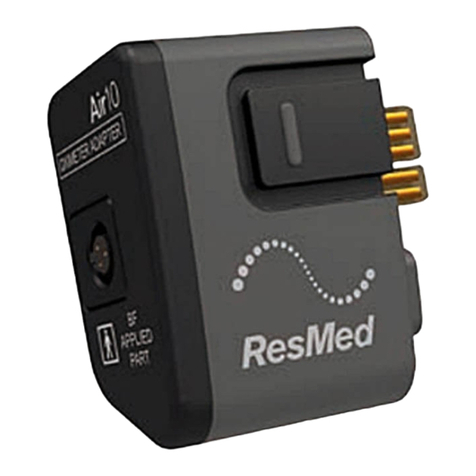
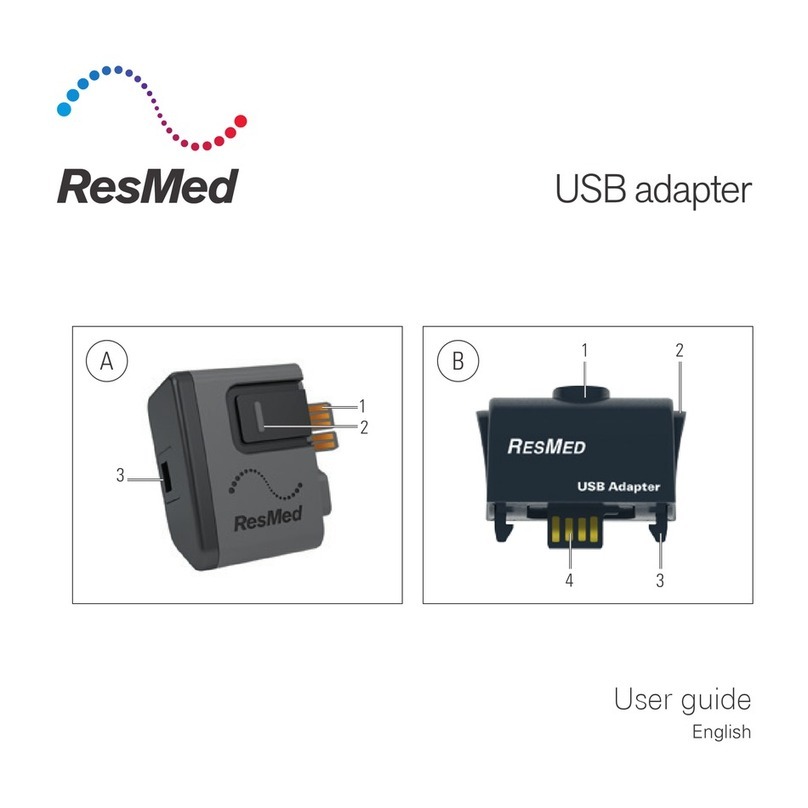
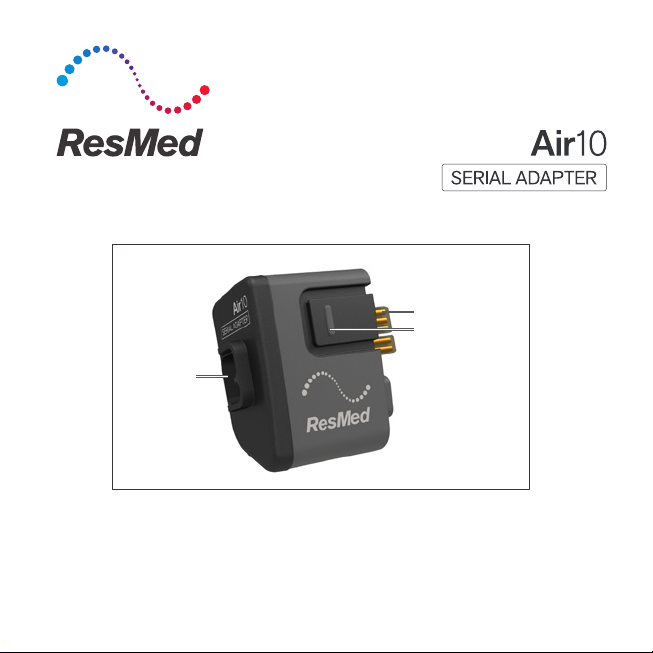
The Air10 serial adapter shown in illustration A is compatible with AirSense™10 /
AirCurve™10 / Lumis™VPAP 100 / Lumis™VPAP 150 devices.
The serial adapter is intended for home and hospital use.
Before using the serial adapter, read the entire guide together with the device
User Guide.
Note: Not all devices are available in all regions.
Serial adapter at a glance
The serial adapter comprises the following elements:
• serial adapter
• serial adapter cable.
Air10 serial adapter
Refer to illustration A:
1. Adapter connector.
2. Release button.
3. Serial adapter cable connector port.

2
AirSense 10 / AirCurve 10 / Lumis VPAP 100 / Lumis VPAP 150
Refer to illustration B:
1. SD card cover.
2. Air filter cover.
3. Adapter cover.
4. Adapter port.
Setting up
See illustration C:
1. Ensure the device is disconnected from the power outlet.
2. Connect the serial adapter to the device.
3. Connect one end of the serial adapter cable to the serial adapter and the other
to the PDS. Refer to the PDS user instructions for information on setup and use.
4. Reconnect the device to the power outlet.
You can now perform sleep studies. When the sleep studies or data download are
complete, you can remove the serial adapter.
Note:
• To reduce interference with Bluetooth communications, we recommend
placing the Air10 device in Airplane Mode (if available) when using the
Air10Serial adapter with PDS systems that utilize Bluetooth connections.
• If you need help or to report an unexpected issue, contact a ResMed
representative, ResMedTechnical Services or see www.resmed.com.

English 3
Removing the serial adapter
1. Disconnect the device from the power outlet.
2. Press the release button/s on the side of the serial adapter and pull gently to
remove it from the device.
Cleaning and maintenance
1. Disconnect the device from the power outlet and remove the serial adapter.
2. Wipe the exterior of the serial adapter with a clean, dry cloth. The contacts
donot require cleaning.
Technical specifications
Operating temperature +41°F to +95°F (+5°C to +35°C)
Operating humidity 10 to 95% non-condensing
Operating altitude Refer to your device User Guide for details.
Storage and transport temperature -4°F to 140°F (-20°C to +60°C)
Storage and transport humidity 5 to 95% non-condensing
Design life 1,825 connections
Gross dimensions (W x D x H) 2.1" x 1.2" x 2.0"
(54 mm x 30 mm x 51 mm)
Weight 0.88 oz (25 g)
Electromagnetic compatibility Refer to your device User Guide for details.
Note: The manufacturer reserves the right to change these specifications without
notice.
4
Symbols
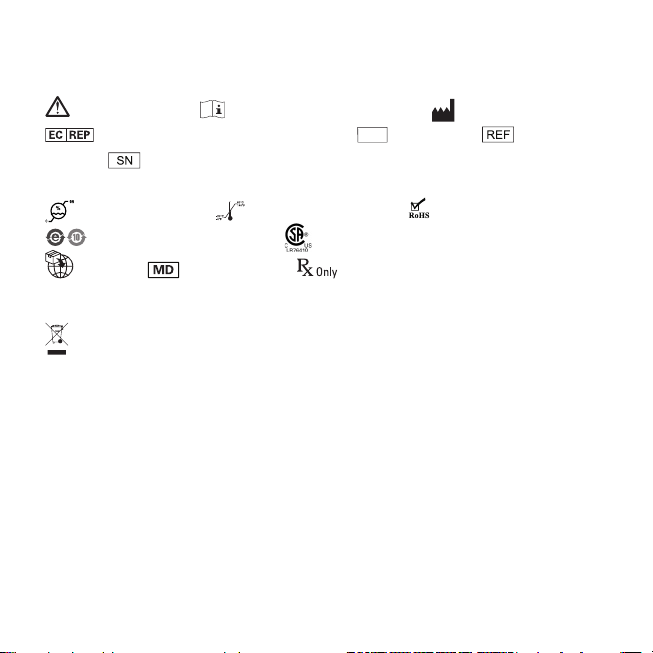
The following symbols may appear on the serial adapter or packaging:
Caution/ Warning. Read instructions before use. Manufacturer.
European Authorized Representative.
LOT
Batch code. Catalog
number. Serial number.
IP22
Protected against finger sized objects and
against dripping water when tilted up to 15 degrees from specified orientation.
Humidity limitation. Temperature limitation. European RoHS.
China pollution control logo. Canadian Standards Association.
Importer. Medical device. Prescription only (In the US,
Federallaw restricts these devices to saleby or on the order of a physician).
Environmental information
This device should be disposed of separately, not as unsorted municipal waste.
Todispose of your device, you should use appropriate collection, reuse and
recycling systems available in your region.The use of these collection, reuse
and recycling systems is designed to reduce pressure on natural resources
andprevent hazardous substances from damaging the environment.
If you need information on these disposal systems, please contact your local
waste administration.The crossed-bin symbol invites you to use these disposal
systems. If you require information on collection and disposal of your ResMed
device please contact your ResMed office, local distributor or go to
www.resmed.com/environment.
English 5
WARNING
Do not open or modify the serial adapter. The serial adapter is not designed to
beserviced. There are no serviceable parts inside.
CAUTION
• In the US, Federal law restricts this device to sale by or on the order of a physician.
• Only use the serial adapter as specified in this guide.
• Air10 serial adapters are specifically designed for use with ResMed AirSense 10 /
AirCurve 10 / Lumis VPAP 100 / Lumis VPAP 150 devices.
• Do not use liquids to clean any part of the serial adapter.
Note: Any serious incident that has occured in relation to this device should be
reported to ResMed and to the competent authority in your country.
Limited warranty
Please refer to your device User Guide.

Български 1
Благодарим ви, че избрахте серийния адаптер ResMed.
Използван с устройства ResMed по време на проучвания на съня, серийният адаптер
предава данни за терапия на пациента между устройството Air10 и съвместимите
Bluetooth адаптери за преносими диагностични системи (PDS).
Серийният адаптер Air10, показан на илюстрация A, е съвместим с устройства AirSense™10/
AirCurve™10/Lumis™VPAP 100/Lumis™VPAP 150.
Серийният адаптер е предназначен за употреба в домашни и в болнични условия.
Преди да използвате серийния даптер, прочетете цялото ръководство заедно
сръководството за потребителя на устройството.
Забележка: не всички устройства са налични във всички региони.
Серийният адаптер се състои от следните елементи:
•сериен адаптер
•кабел за сериен адаптер.
Air10
Вижте илюстрация A:
1. Конектор за адаптер
2. Бутон за освобождаване
3. Порт за конектор за сериен адаптер

2
AirSense 10/AirCurve 10/Lumis VPAP 100/Lumis VPAP 150
Вижте илюстрация B:
1. Капак за SD карта
2. Капак за въздушен филтър
3. Капак на адаптер
4. Порт за адаптер
Вижте илюстрация C:
1. Уверете се, че устройството е изключено от електрическата мрежа.
2. Свържете серийния адаптер към устройството.
3. Свържете единия край на кабела за серийния адаптер към серийния адаптер,
а другия към PDS. Вижте инструкциите за потребителя на PDS за информация
относно настройката и употребата.
4. Свържете отново устройството към електрическата мрежа.
Вече можете да извършвате проучвания на съня. Когато проучванията на съня или
изтеглянето на данни приключат, можете да премахнете серийния адаптер.
Забележка:
•За да намалите смущенията в Bluetooth комуникациите, препоръчваме да поставите
устройството Air10 в самолетен режим (ако е наличен), когато използвате сериен
адаптер Air10 с PDS системи, които използват Bluetooth връзки.
•Ако имате нужда от помощ или за да съобщите за неочакван проблем, свържете се
с представител на ResMed, със служител от техническо обслужване на ResMed или
вижте www.resmed.com.

Български 3
1. Изключете устройството от електрическата мрежа.
2. Натиснете бутона(ите) за освобождаване отстрани на серийния адаптер и издърпайте
внимателно, за да го извадите от устройството.
1. Изключете устройството от електрическата мрежа и извадете серийния адаптер.
2. Избършете външната част на адаптера с чиста, суха кърпа. Контактите не изискват
почистване.
Работна температура от +5°C до +35°C
Работна влажност от 10 до 95%, без конденз
Работна надморска височина За подробности вижте ръководството
за потребителя на устройството.
Температура за съхранение и транспортиране от -20°C до +60°C
Влажност при съхранение и транспортиране от 5 до 95%, без конденз
Предвиден период на експлоатация 1825 връзки
Брутни размери (Ш x Д x В) 54 mm x 30 mm x 51 mm
Тегло 25 g
Електромагнитна съвместимост За подробности вижте ръководството
за потребителя на устройството.
Забележка: производителят си запазва правото да промени тези спецификации без
уведомление.
Other manuals for air10
4
Table of contents
Languages:
Other ResMed Adapter manuals