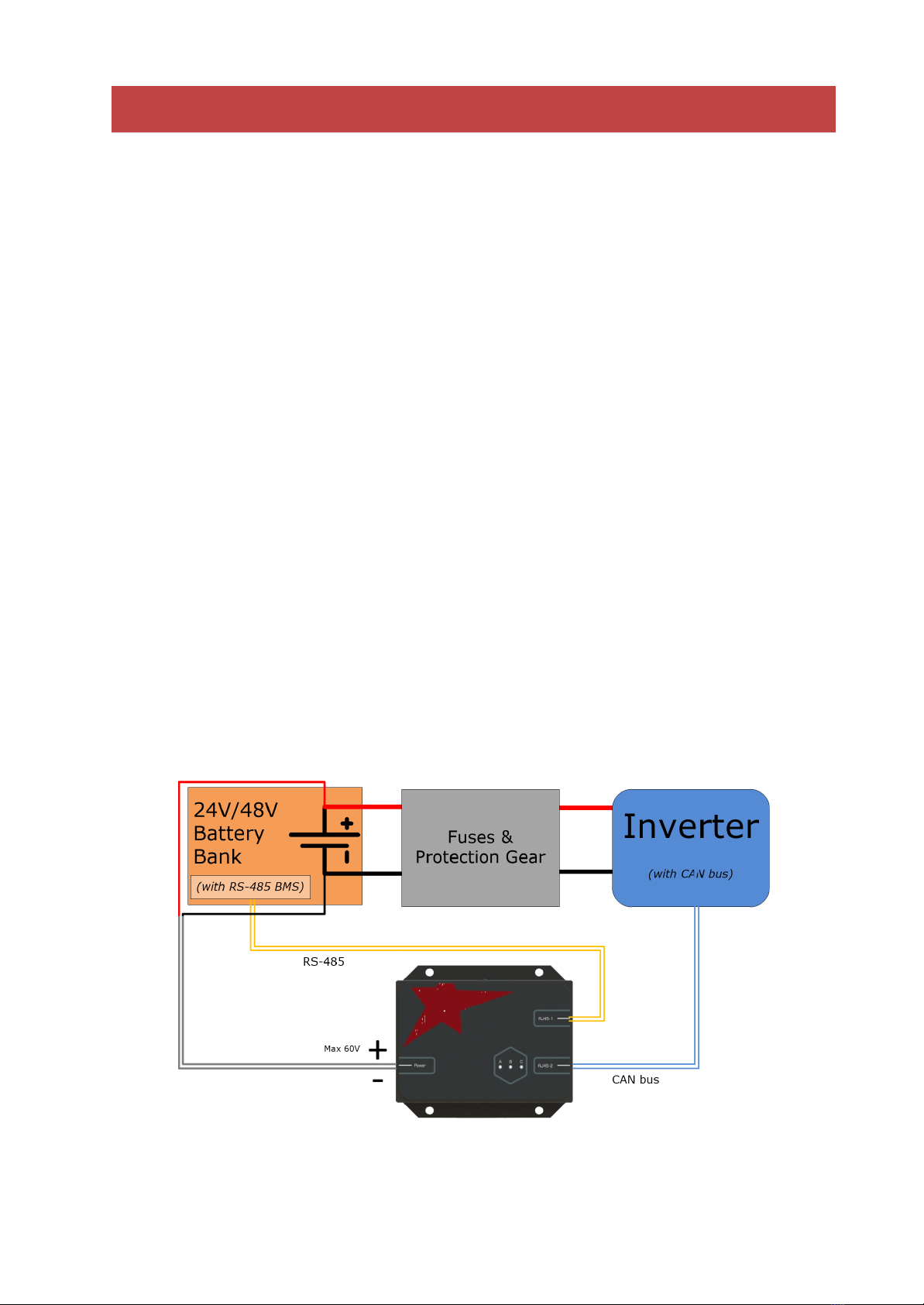
6. Wait 30 seconds for the RCU v2 to power up. On startup, the green and red
LEDs will illuminate. As soon as communication is established on both the
RS-485 and CAN bus ports, the red LED will switch off and the yellow LED
will illuminate. The green and yellow LEDs next to the RS-485 and CAN bus
ports will also flash alternately to signal communication.
7. Confirm that the inverter is receiving battery parameters. The RCU v2 is now
successfully set up and communicating! Refer to the Troubleshooting section
if any unexpected behaviour occurs.
8. When making any configuration changes (such as using a different cable, or
changing inverter settings), restart the RCU v2 by removing the power plug
for 10 seconds, then re-applying power.
Victron-specific setup instructions
1. Ensure that the correct CAN bus cable is made up. Refer to elsewhere in this
manual for the correct pinout.
2. Plug the CAN bus cable into a port labelled “VE.Can” on the Victron GX device
that is acting as the controller.
3. On the console of your GX device, under device list:
a. Navigate to “Settings”
b. Navigate to “Services”
c. Navigate to “VE.Can port”
d. Navigate to “CAN-bus profile”
e. Select “CAN-bus BMS (500 kbit/s)”
4. After RCU v2 power-up, the GX device will automatically detect the RCU v2
and parameters will be automatically passed to the inverter.