manuals.online logo
Brands
  1. Home
  2. •
  3. Brands
  4. •
  5. RF SOLUTIONS
  6. •
  7. Control Unit
  8. •
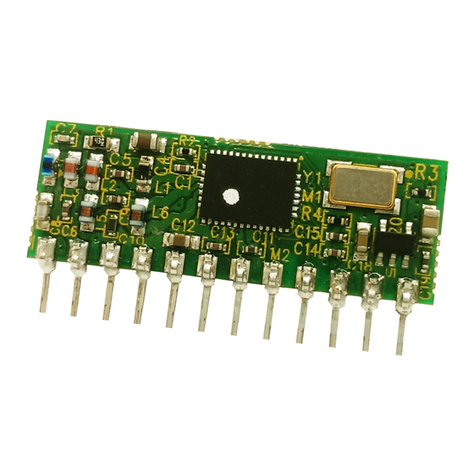
  9. RF SOLUTIONS ZULU T User manual

RF SOLUTIONS ZULU T User manual

This manual suits for next models

1

Other RF SOLUTIONS Control Unit manuals

RF SOLUTIONS DS-KAPPA-T868-2 User manual

RF SOLUTIONS

RF SOLUTIONS DS-KAPPA-T868-2 User manual

RF SOLUTIONS ESP-07S User manual

RF SOLUTIONS

RF SOLUTIONS ESP-07S User manual

RF SOLUTIONS ZULU-T868 User manual

RF SOLUTIONS

RF SOLUTIONS ZULU-T868 User manual

RF SOLUTIONS BLE-PB03 User manual

RF SOLUTIONS

RF SOLUTIONS BLE-PB03 User manual

RF SOLUTIONS PB-03M User manual

RF SOLUTIONS

RF SOLUTIONS PB-03M User manual

RF SOLUTIONS MAINSLINK–PRO User manual

RF SOLUTIONS

RF SOLUTIONS MAINSLINK–PRO User manual

RF SOLUTIONS 118 Series User manual

RF SOLUTIONS

RF SOLUTIONS 118 Series User manual

RF SOLUTIONS BRAVO-T868 User manual

RF SOLUTIONS

RF SOLUTIONS BRAVO-T868 User manual

RF SOLUTIONS PB-03F User manual

RF SOLUTIONS

RF SOLUTIONS PB-03F User manual

Popular Control Unit manuals by other brands

Seitz 14A80 user manual

Seitz

Seitz 14A80 user manual

Wilo RS485 Installation and operating instructions

Wilo

Wilo RS485 Installation and operating instructions

Becker CentralControl CC41 Commissioning Instruction

Becker

Becker CentralControl CC41 Commissioning Instruction

SICK CDB650 operating instructions

SICK

SICK CDB650 operating instructions

Panduit NetKey NKP5E88M Series installation instructions

Panduit

Panduit NetKey NKP5E88M Series installation instructions

MX Options Concentric Petite Fitting instructions

MX

MX Options Concentric Petite Fitting instructions

Clean Water Systems Fleck 2510 Installation & start?up guide

Clean Water Systems

Clean Water Systems Fleck 2510 Installation & start?up guide

Fairchild FSB44104A user guide

Fairchild

Fairchild FSB44104A user guide

LEGRAND Wattstopper LMIN-104 installation instructions

LEGRAND

LEGRAND Wattstopper LMIN-104 installation instructions

PMK ATT10BNCS instruction manual

PMK

PMK ATT10BNCS instruction manual

Tektronix TDS3FFT user manual

Tektronix

Tektronix TDS3FFT user manual

Woodward easYgen Technical manual

Woodward

Woodward easYgen Technical manual

Balluff BNI EIP-502-105-R015 user guide

Balluff

Balluff BNI EIP-502-105-R015 user guide

NXP Semiconductors TWR-LS1021A Getting started

NXP Semiconductors

NXP Semiconductors TWR-LS1021A Getting started

Advantech PCM-3117 Startup manual

Advantech

Advantech PCM-3117 Startup manual

Danfoss MCO 101 manual

Danfoss

Danfoss MCO 101 manual

Moons' Lin Engineering R701P user manual

Moons'

Moons' Lin Engineering R701P user manual

Aventics RV1 operating instructions

Aventics

Aventics RV1 operating instructions

manuals.online logo
manuals.online logoBrands
  • About & Mission
  • Contact us
  • Privacy Policy
  • Terms and Conditions

Copyright 2025 Manuals.Online. All Rights Reserved.

ZULU T
DS-ZULUT-7
Smart Radio Telemetry Module
Applications
• Remote Control
• Remote Networking
• Remote Switching
• Remote Traffic Lights
Description
The ZULU-T Telemetry Module provides a reliable Transceiver based industrial Re-
mote Switch with up to 2,000 metres range. Two modules are combined to provide
a simple network of radio switching.
Each unit is supplied ready to operate, once paired with another Module a remote
control system is created
Connections for Power, antenna and Input / Output are the only connections re-
quired.
Part No Description
ZULU-T868-SO Radio Telemetry Module SMT Package
Features
• Small Form Factor
• 2 Analogue I/O (10bit)
• Data Reception LED
• Secure Data Protocol
• Easy Pairing Process
• One to One operation
• M100mW Transmit Power
• 10 Digital Input / Outputs
• Range up to 2,000 Metres
• Minial external components
• 868MHz Operating Frequency
• 10 Channel Transceiver Module
• CE Compliant, Licence Free Use
• Ultra Low Voltage 2.2—3.6V
Ordering Information
ZULU Telemetry
Pin out
Pin Description
Pin No Name Direction Description
1 ANT In Antenna Input / Output 50ohm Impedance
2, 15 GND In Connect to ground
3 Analogue /
Digital In Connect to Vcc = I/O1-2 are digital
Connect to GND = I/O1-2 are Analogue
4 - 5 I/O1-2 In / Out Analogue or digital I/Os 0—Vcc,
connect to GND if unused
6, 8-11, 25
-27 I/O 3-10 In / Out
When configured as transmitter:
Digital inputs: high Impedance inputs
When configured as receiver:
Digital outputs: LVCMOS output drive
7, 21-22 NC Leave unconnected
12 Reset In Resets module operation, pull high for ordinary
use.
13 Watchdog In Connect to Vcc = Turns OFF “watchdog”
Connect to GND = Turns ON “watchdog”
14 Error LED Out LED drive output. Flashes if Zulu Tx has not received
acknowledgment or Zulu Rx not received watchdog.
16 Vcc In Supply voltage
17, 18 TX/RX
LEDs Out Active LED output when module is transmitting or
receiving RF data packets.
19 TX/RX In Connect to Vcc = Module is a Transmitter
Connect to GND = Module is a Receiver
20 Ch Sel In
Sets the channel frequency
Connect to Vcc = Operates on ch A 869.500
Connect to GND = Operates on ch B 868.133
23 Learn In Connect to momentary switch to GND, when acti-
vated places the module into pairing mode.
24, 28 IRQ In/Out In / Out Connect together to enable RF interrupts on chip
(mandatory).
29-30 XTAL1-2 In Connect 30MHz XTAL here to drive RF circuit
Zulu
ANT
2
1
GND
An / Dig 3
4
5
6
7
8
9
10
11
12
13
14
15
16
I/O 1
I/O 2
I/O 3
NC
I/O 4
I/O 5
I/O 6
I/O 7
RST
WD_SEL
ERR_LED
GND
Vcc
XTAL 1
XTAL 2
IRQ_OUT
I/O 10
I/O 9
I/O 8
IRQ_IN
LRN
NC
NC
CH_SEL
TX_RX_SEL
RF_TX_LED
30
29
28
27
26
25
24
23
22
21
20
19
18
17 RF_RX_LED
ZULU Telemetry
General Description of Operation
Each module can be set to act as a ‘ Transmitter’ or ‘Receiver’ A remote telemetry system is
achieved when two modules are paired together, as transmitter (ZuluTx) and receiver (ZuluRx).
Each time an input changes on the ZuluTx, it will transmit the status of its inputs to the
paired ZuluRx(s). which will set its outputs to follow the ZuluTx Inputs and reply back with an
acknowledge signal. Once completed the modules will then go into sleep mode
Pin Descriptions:
Channel Select (pin 20)
This sets the operating carrier frequency of the module. This enables separate groups of mod-
ules to coexist in the same vicinity without any interference. For operation see page 2.
TX / RX (pin 19)
When connected to Vcc Zulu is a Transmitter
When connected to GND Zulu is a Receiver
XTAL1, XTAL2 (pins 29, 30)
The Zulu module requires a 30MHz drive crystal to be connected between XTAL1-2
Any standard crystal +/-10ppm ~20pF such as Farnell part no. 184-2247. Note tuning ca-
pacitors are not required.
Learn / Erase (pin 23)
Each transmitter has a unique identity. A receiver can ‘sync’ with a transmitter so that the
receiver outputs will respond to the transmitter inputs.
To Learn:
1. Briefly press the “sync” switch on the receiver
2. Briefly operate any of the transmitter inputs
To Erase
1. Hold pin 7 on the receiver to ground for >10seconds.
2. (For completed circuit press learn switch for 10sec)
3. Indication of the process is shown the TX/RX LED.
Tx / Rx LEDs (pins 17, 18)
Direct LED drive which operate whenever there is RF activity Tx or Rx
Mode TX/Rx LED Description
Normal operation ON Module is transmitting/receiving RF data
OFF No RF data is being transmitted/received
Learn mode
Flashing at low
speed Module is searching for another to pair with.
Flashing at high
speed 3secs Pairing successful
ZULU Telemetry
The following descriptions apply to the Zulu Module in TRANSMITTER Mode
When configured as a Transmitter the ZULU Module will automatically default to low power
sleep mode until any input state change takes place.
On receipt of an input state change the ZuluTx will transmit a packet showing the status of
all inputs (multiple state changes can take place simultaneously).
The ZuluTx will remain “awake” until:
1. The paired ZULU Rx Module has acknowledged, or
2. A timeout value of 4 retry transmissions. (Pin 26 output will then be flashed)
Analogue / Digital (pin 3)
This input configures Input 1-2 to be analogue or Digital inputs.
Note: this input is read at power up only.
Analogue Inputs (4,5)
If enabled each input is 10bit A/D which can accept a voltage between 0 –Vcc.
Each input is sampled ten times per second, and the value is averaged before transmission.
ZuluTx will transmit whenever there is a change in the detected input voltage of 0.025V
If no change of voltage is measured then the ZuluTx will not transmit. A nominal 1uF capacitor
is recommended across the analogue inputs in order to prevent noise being read and transmit-
ted.
Note: A maximum of three RF packets are sent per second.
Digital Inputs
High Impedance Inputs, LVCMOS / LVTTL compatible.
Can be connected directly to CMOS/TTL logic or switch inputs connected to 0V (active low)
A change on the input will cause the ZuluTx to wake, read the inputs and initiate RF
transmission.
Watchdog Input (pin 13)
The watchdog is designed to enable the ZuluRx to be aware of any potential problems with the
RF link to a sync’ed ZuluTx.
When activated the ZuluTx will automatically transmit a call in packet a regular basis every
10seconds. Input statuses are not sent as part of the watchdog signal.
Note: This pin is only read on power up. Watchdog is only valid on a 1-1 system.
RF Fault (pin 26)
Direct drive to LED. Each time the ZuluTx transmits the status of its inputs, it expects an
acknowledgement from the paired receiver. If this is received then the RF Fault LED is not
used. If no acknowledgement is received RF Fault is flashed.
RF Fault LED Status Description
OFF Receiver has acknowledged correctly
Flashing at 1Hz No acknowledgment received

ZULU Telemetry
ZULU-T
30
29
28
27
26
25
24
23
22
21
20
19
18
17
ANT
GND
3
4
5
6
7
8
9
10
11
12
13
14
15
16
SWITCH INPUTS 3 - 7
XTAL
SWITCH INPUTS 8 - 10
Vcc
RF Fault
Analogue Inputs
Vcc
NC
NC
NC
Vcc
Vcc TX LED
RX LED
10K
NC
Transmitter example application circuit
Notes:
Watchdog is ON
Channel selected is 869.500
Analogue inputs active
ZULU Telemetry
The following descriptions apply to the Zulu module in RECEIVER mode
Analogue outputs (pin 4, 5)
If enabled the ZuluRx outputs PWM signal.
The PWM may be used directly (e.g. for motor control)
The PWM signal is a proportional digital output representing the analogue input.
If the analogue input is 0V then the PWM output will be ‘0’
If the analogue input is 1/2Vcc then the PWM output will be a square wave with 50%
duty cycle, (operating at approx 23KHz)
If the analogue input is Vcc then the PWM output will be ’1’
In order to re-create an analogue signal (representing the analogue input at the transmitter)
the output should be fed through an RC network as above.
Digital outputs
CMOS / TTL compatible outputs. Can be connected directly to CMOS/TTL logic or drive
Analogue / Digital (pin 3)
This input configures output 1-2 to be analogue or digital outputs.
Note: this input is read at power up only.
Watchdog Input (pin 13)
When activated the ZuluRx module will automatically expect to receive a watchdog signal from
the ZuluTx on a regular basis (10seconds) If it has failed to receive this within a 30second
period it will assert drop all outputs and flash the RF fault output
RF fault
Direct drive to LED. Flashes when watchdog fails.
RF fault status Description
OFF ZuluRx has received watchdog correctly
Flashing at 2Hz No watchdog received
OFF watchdog is inactive
Analogue Output
R C
ZULU Telemetry
Receiver Application Circuit
Notes:
Watchdog is ON
Channel Selected is 869.500
Analogue outputs active
ZULU-T
30
29
28
27
26
25
24
23
22
21
20
19
18
17
ANT
GND
3
4
5
6
7
8
9
10
11
12
13
14
15
16
LED OUTPUTS 3 - 7
LEARN
XTAL
LED OUTPUTS 8 -10
Vcc
RF Fault
Analogue Outputs
Vcc
NC
NC
Vcc
NC
Vcc
Vcc TX LED
RX LED
10K
ZULU Telemetry
Application Example ONE to ONE
Zulu
Transmitter
Input 1 - 10 Zulu
Receiver Output 1 - 10
Transmit
Signal
Acknowledge
In this application the outputs at the receiver will track the inputs at the transmitter.
The receiver outputs are acknowledged back to the transmitter.
If required the Watchdog can be enabled to inform the user if the RF system has a fault.
ZULU Telemetry
Range
The antenna choice and position directly controls the system range. Keep it clear of other metal
in the system. The best position by far, is protruding vertically from the top of the product. This
is often not desirable for practical reasons and thus a compromise may be needed. Note that the
space around the antenna is as important as the antenna itself. All radio systems are dependant
on a radio signal being received through airspace.
The range quoted is the optimal in direct line of sight without obstacles and in good atmospheric
conditions.
Range is affected by many things, for example local environmental conditions, atmospheric condi-
tions, interference from other radio transmitters. For evaluating the local environment please see
our RF Meter (DS006)
In very worse case applications the range quoted may be reduced dramatically below
the optimal range stated.
Recommended Antenna 868MHz
The BEAD Antenna provides a Miniature PCB mounting solution
where performance is required from a small space .
Available as straight or 90 degree mount this antenna is a general
purpose omni-directional. Please see Datasheet ANT-BEAD-868
2
1
3
4
5
6
7
8
9
10
11
12
13
14
15
16
ZULU
30
29
28
27
26
25
24
23
22
21
20
19
18
17
25
Notes
1. Pins 1.27mm pitch
2. Pin Dims 0.4mm sq
3. All dims in mm
11
13
11
3
3
1.27
Mechanical Dimensions
ZULU Telemetry
Technical Specifications
Absolute Maximums:
Temperature Range: Storage –50 to +125oC.
DC Characteristics
Parameter Min Max Units
Supply Voltage 4.0 V
Voltage on any Input VDD >2.2V
VDD <2.2V
5.8
VDD +
3.6
V
V
Max Input power (thro Antenna) +5 dBm
Parameter Min Typical Max Units
Supply Voltage 1.8 3.6 V
Operating Temperature -40 +85 oC
Zulu Tx Supply Current:
When Transmitting
When sleeping
85
1
mA
uA
Zulu Rx Supply Current: 18.5 mA
AC Characteristics
Parameter Min Typical Max Units
Operating Frequency 1
Operating Frequency 2
Deviation
869.50
0868.1
33
MHz
MHz
kHz
Operating Temperature -40 +85 oC
Zulu Tx Output Power +20 dBm
Zulu Tx—Rx FSK Raw RF Data Rate 9.6 Kbps
Zulu Rx Sensitivity -121 dBm