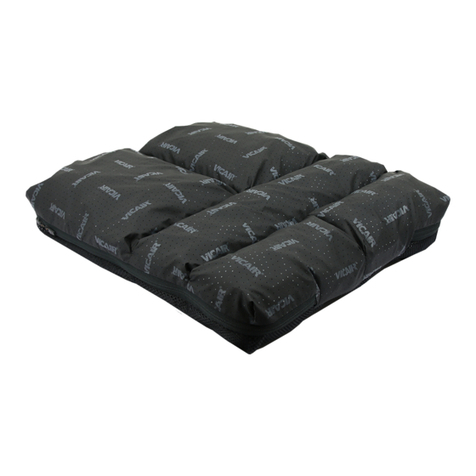
Ride™Java®Cushion Owner’s Handbook 3
www.ridedesigns.com
Preparing the wheelchair for your Ride Java Cushion
Your Ride Java Cushion is designed to work equally well on both sling style or solid seat
inserts.
NOTE: If your sling seat presents with a gap between the cushion bottom and sling
upholstery, the upholstery must be tightened or replaced.
Y The Ride Java Cushion must not extend more than 1" (2.54 cm) beyond the front of
your wheelchair’s sling or solid seat to avoid damage to the cushion.
Install, evaluate, and adjust your Ride Java Cushion
The Ride Java Cushion’s skin protection characteristics are adjustable through two
mechanisms: Ride CAM®Wedges for ischial tuberosity clearance, and optional well
inserts for adjustment of ischial loading. The adjustments can be done at any time to
adjust for change over time. The adjustments are fully reversible, without any harm to the
Java Cushion.
Y Ensure sufficient tissue protection is achieved by using Ride CAM wedges as needed
to create at least ½" (1.27 cm) clearance below your ischial tuberosities following the
instructions below. Always fit and adjust the Java Cushion for ischial tuberosity clearance
prior to adding well inserts for ischial tuberosity support. Failure to fit and adjust for ischial
tuberosity clearance could result in injury.
1. Unzip the cover of your Ride Java Cushion (Illustration 1).
2. Place one Ride Gauge™in the ischial well inside the cover of your cushion (Illustration
2), and close the zipper.
3. Place the back corners of the cushion against the back canes of the wheelchair
(Illustration 3).
4. Affix the cushion to the wheelchair by aligning the loop/hook fastener patch on the
bottom of the cover with the hook/loop fastener patch on the wheelchair sling or solid
seat. Firmly press the cushion into the hook and loop fasteners ensuring the cushion is
securely fastened to the wheelchair.
5. Transfer onto your cushion without displacing the gauge. You may hear a crunching
sound as the gauge compresses under your weight. Feel free to propel your wheelchair,
pop a wheelie, etc. for a short trial period.
6. Carefully transfer out of your wheelchair without disturbing the gauge.
7. Unzip the cover, look at the gauge and locate the impression left by your ischial
tuberosities and tailbone. Using your finger, press into the lowest impression of the gauge
to ensure that there is at least ½" (1.27 cm) of foam remaining which indicates sufficient
clearance of these bony prominences has been achieved (Illustration 4).
8. If you have less than ½" (1.27 cm) of clearance at the ischial tuberosities it will be
necessary to use the Ride CAM wedges included with your cushion. Your Ride Java
Cushion comes with two CAM wedges.
9. Remove your cushion from your wheelchair, unzip the cover, and insert Ride CAM
Wedges (Illustration 5) into the horizontal slots located in the back corner edges of the
cushion (Illustration 6). Any combination of wedges can be used, provided the total does
not exceed two wedges on either or both sides. CAM wedges can be used symmetrically
to increase ischial tuberosity clearance or unilaterally for pelvic obliquity.
Additional Ride CAM Wedges are available through your authorized Ride Designs rehab
technology supplier or authorized distributor. Ride CAM Wedges are a one-size-fits-all
accessory. Insert the wedges fully into the slots, then trim excess wedge material off, flush
to the cushion sides, using scissors or electric knife.
10. Place the cushion onto your wheelchair and repeat steps 2 through 9 until adequate
clearance at your ischial tuberosities is achieved. These adjustments can be made over
time to maintain the fit and safety of the Ride Java Cushion.
1
2
3
4
56