1. ConnectasuitableHDMIvideocable(notsupplied)toHDMIoutputoncamera
2. ConnectotherendofcabletoHDMIinputonTV
3. Controlsondashcameracanbeusedtonavigateandselectplayback
1. Connectasuitable3.5mmvideocable(notsupplied)toAVoutputoncamera
2. ConnectotherendofcabletoAVinputsonTV
3. Controlsondashcameracanbeusedtonavigateandselectplayback
DuringplaybackitisrecommendedthePoweradapterisconnectedtothecamera,sotheinternal
baerydoesnotbecomedischarged.
ThedashcameracanbeconnectedtoaTVorothercompablescreenfordirectplaybackofvideoand
images.
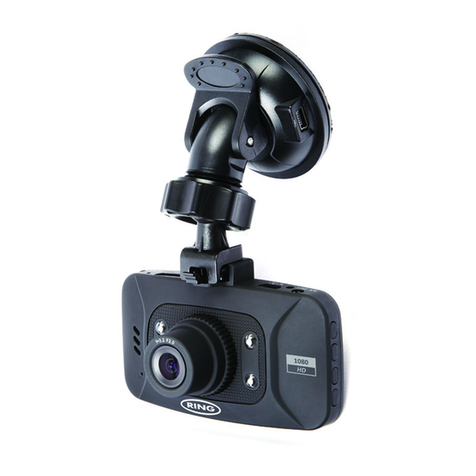
Model RBGDC10
PowerRequirements 5V/400mA
CarPowerAdaptor Input:12VDC,Output:5VDC
FuseType:1¼”QuickBlow3amp
SensorResoluon 3MegaPixels
LensType/Angle/Aperture 4G/120°/F2.5
RecordingResoluon(Max) 1920x1080@25fps
ScreenSize/Rao 1.5”/4:3
ScreenResoluon 320(W)x240(H)pixels
SupportedCardType MicroSD,Class6-10,32GB(max)
Note:-Cardnotsupplied
RecordingTime 4GBMicroSDcard=40minsrecording(max)
(Max@1920x1080) 8GBMicroSDcard=80minsrecordingme(max)
16GBMicroSDcard=160minsrecordingme(max)
32GBMicroSDcard=320minsrecordingme(max)
RecordingFormat AVI
VideoOut HighDenion:MiniHDMI(TypeC)Socket
StandardDenion:3.5mmJack
InternalBaery 3.7V/200mAhLithiumPolymer
Note:-Baeryisonlyabackuppowersourcetoensure
recordingsarecompletedintheeventofa12Vpowerfailure.
Maximumbackuprecordingmeis5minutes
UnitDimensions 107mmx52mmx36mm
UnitWeight 65g
RBGDC10 Instruction booklet.indb 9 17/06/2015 11:22