manuals.online logo
Brands
  1. Home
  2. •
  3. Brands
  4. •
  5. Salter Brecknell
  6. •
  7. Scale
  8. •
  9. Salter Brecknell EG1500 Installation manual

Salter Brecknell EG1500 Installation manual

Other Salter Brecknell Scale manuals

Salter Brecknell PS-500 User manual

Salter Brecknell

Salter Brecknell PS-500 User manual

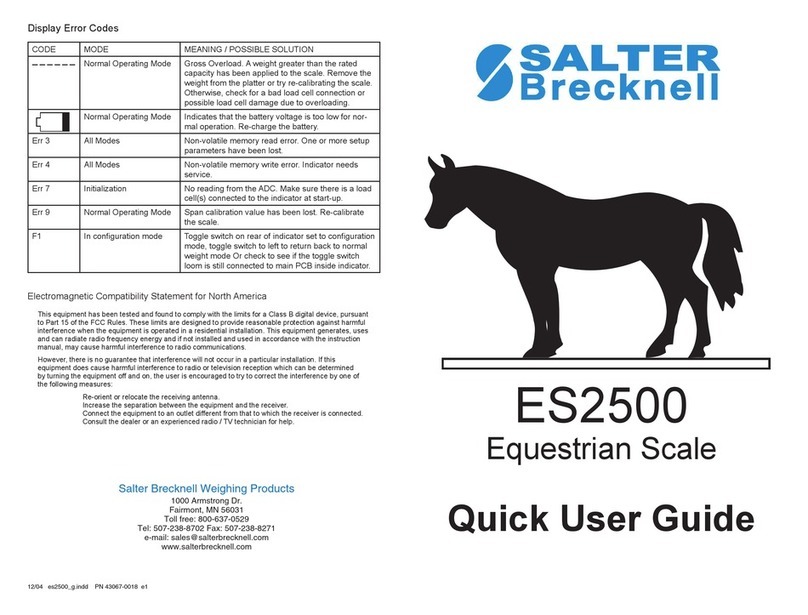
Salter Brecknell ES2500 Instruction manual

Salter Brecknell

Salter Brecknell ES2500 Instruction manual

Salter Brecknell HTS-150 User manual

Salter Brecknell

Salter Brecknell HTS-150 User manual

Salter Brecknell 402 User manual

Salter Brecknell

Salter Brecknell 402 User manual

Salter Brecknell SPC Series User manual

Salter Brecknell

Salter Brecknell SPC Series User manual

Salter Brecknell SBI-100 User manual

Salter Brecknell

Salter Brecknell SBI-100 User manual

Salter Brecknell S-100 User manual

Salter Brecknell

Salter Brecknell S-100 User manual

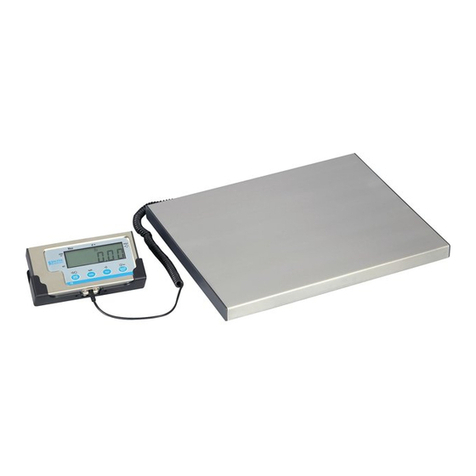
Salter Brecknell LPS-150 User manual

Salter Brecknell

Salter Brecknell LPS-150 User manual

Salter Brecknell B 130 User manual

Salter Brecknell

Salter Brecknell B 130 User manual

Salter Brecknell BS150 Troubleshooting guide

Salter Brecknell

Salter Brecknell BS150 Troubleshooting guide

Salter Brecknell C3225 User manual

Salter Brecknell

Salter Brecknell C3225 User manual

Salter Brecknell 7010SB User manual

Salter Brecknell

Salter Brecknell 7010SB User manual

Salter Brecknell PC 150 User manual

Salter Brecknell

Salter Brecknell PC 150 User manual

Salter Brecknell B 120 User manual

Salter Brecknell

Salter Brecknell B 120 User manual

Salter Brecknell PS 150 User manual

Salter Brecknell

Salter Brecknell PS 150 User manual

Salter Brecknell CS-1000 User manual

Salter Brecknell

Salter Brecknell CS-1000 User manual

Salter Brecknell 405 User manual

Salter Brecknell

Salter Brecknell 405 User manual

Salter Brecknell 405 User manual

Salter Brecknell

Salter Brecknell 405 User manual

Salter Brecknell S122 User manual

Salter Brecknell

Salter Brecknell S122 User manual

Salter Brecknell 335 User manual

Salter Brecknell

Salter Brecknell 335 User manual

Salter Brecknell Pegasus Floor Scale User manual

Salter Brecknell

Salter Brecknell Pegasus Floor Scale User manual

Salter Brecknell GP100 User manual

Salter Brecknell

Salter Brecknell GP100 User manual

Salter Brecknell LPS-400 User manual

Salter Brecknell

Salter Brecknell LPS-400 User manual

Salter Brecknell MS-20S User manual

Salter Brecknell

Salter Brecknell MS-20S User manual

Popular Scale manuals by other brands

KERN MCC-M operating instructions

KERN

KERN MCC-M operating instructions

Little Balance SB MECA 8113 user manual

Little Balance

Little Balance SB MECA 8113 user manual

Fitbit Zip Aria Wi-Fi Smart Scale user manual

Fitbit Zip

Fitbit Zip Aria Wi-Fi Smart Scale user manual

KERN MPU 250K100 operating instructions

KERN

KERN MPU 250K100 operating instructions

Steinberg Systems SBS-PF-200 user manual

Steinberg Systems

Steinberg Systems SBS-PF-200 user manual

Total TP2000 user guide

Total

Total TP2000 user guide

A&D HL-200i operating instructions

A&D

A&D HL-200i operating instructions

OHAUS Courier 3000 user guide

OHAUS

OHAUS Courier 3000 user guide

Scarlett SC-KS57P97 instruction manual

Scarlett

Scarlett SC-KS57P97 instruction manual

BASETech LS-40S operating instructions

BASETech

BASETech LS-40S operating instructions

SR Instruments SR Scales SR565i-H Operating and service manual

SR Instruments

SR Instruments SR Scales SR565i-H Operating and service manual

Gallet PEP 301ART instruction manual

Gallet

Gallet PEP 301ART instruction manual

AWS ZEO-50 user manual

AWS

AWS ZEO-50 user manual

Gima Glass Body Fat Analyzer Use and maintenance book

Gima

Gima Glass Body Fat Analyzer Use and maintenance book

Seca 374 user manual

Seca

Seca 374 user manual

EDLUND BBPZ-20 quick start guide

EDLUND

EDLUND BBPZ-20 quick start guide

TEC TEC SL59 SERIES owner's manual

TEC

TEC TEC SL59 SERIES owner's manual

Alecto ACW-40 user manual

Alecto

Alecto ACW-40 user manual

manuals.online logo
manuals.online logoBrands
  • About & Mission
  • Contact us
  • Privacy Policy
  • Terms and Conditions

Copyright 2025 Manuals.Online. All Rights Reserved.

Weight
Conversion
Chart
Carat Grain Gram Kg Ounce Dwt Pound
1 Ct Equals 1 3.0865 0.2 0.0002 0.0071 0.3215 0.0004
1 Gn Equals .32399 1 0.065 .00006 0.0023 0.0417 0.0014
1 G Equals 5 15.432 1 0.001 0.035 0.643 .02205
1 Kg Equals 5000 15432 1000 1 35.28 643 2.205
1 US Oz Equals 141.75 437.48 28.349 0.0283 1 18.228 0.0625
1 Dwt Equals 7.776 2.4 1.5552 0.0016 0.0549 1 0.0034
1 Lb Equals 2268 6999.7 454 0.454 16 291.65 1
Abbreviations
Carat ct Ounce (Avdp) oz

Grain gn Pennyweight dwt
Gram g Pound (Avdp) lb
Kilogram kg
Weight
Division
Cap. Div. Acc+/-
Grams 100 0.01 0.03
Carats 500 0.05 0.15
Grains 1543.2 0.1 0.45
Ounces 3.527 0.0001 0.001
SALTER BRECKNELL WEIGHING PRODUCTS
1000 Armstrong Drive, Fairmont, MN 56031
Tel: 507-238-8702 Fax: 507-238-8271
Email: [email protected]
www.salterbrecknell.com
Model EG1500
Reload Scale
OPERATION MANUAL
Operation Manual for Reload Scale
Set Up
The scale platform has two set positions, one is for weighing, and
another one is for the protection from overload. Lift the platform from
“protection” position, and reverse the platform by 180 degree, then
gently put the platform on the weight transfer bar where it is then in
“weighing” position. You should place the weighing platform in correct
weighing position before turning on the scale. When scale is not in use it
is recommended to reverse this operation and place the platform in the
“protection” position.
Operation
Turning the scale on: Press the button “ON/OFF”, the scale will display
“test” on the screen for several seconds and then will display “0.00g” or
“0.0000oz” or “0.00ct” or “0.0gn”, which means it is in the weighing
state. Blinking decimal point denotes the read stability is not set, wait
until decimal point is stable.
Select weighing units: Change the units by pressing the “UNIT” button.
The unit icon “g, oz, ct, gn” will appear on the right side of display.
Cleaning zero: Pressing the “ZERO” key, display will be read “busy”
(keep the scale out of disturbance) till the display shows 0.00. It has
zero-tracking function in zero position; the minimum weighting value is
0.03g.
Turning the scale off: Press the button “ON/OFF”, it will display “OFF”
and then will be shut off.
Setting Auto Shut-off: You can set the auto shut-off time function or turn
it off. Enter function mode by pressing the keys "ZERO", "UNIT" and
"ON" at the same time, all numbers and icons of LCD will light up, and
then "OFF X" will be read, press the keys "ZERO" to increase time and
"UNIT" to decrease the time-shut-off in minutes from 1 to 15, e.g. "OFF
1" means the scale will be turned off after 1 minute of inactivity, "OFF
0" means the scale should be turned off by pressing the key "OFF".
Calibration
Turning the scale on, it shows 0.00g, and wait 2 or 3 minutes for
warming up the scale.
Press the button “CAL”, the scale will go into calibrating state. Empty
the tray when showing “-0-”, and wait for three seconds.
Press the button “CAL”, it will show “ HOLD” and then will show “-30-
” about ten seconds later. Put on 30g standard weight on the tray and
keep it still for three seconds.
Press the button “CAL”, it will show “HOLD”, and then will show “–50-
” about ten seconds later. Put 50g standard weight on the tray instead of
30g standard weight and keep it still for three seconds.
Press the button “CAL”, it will show “HOLD”, and then will show “–80-
” about ten seconds later. Pile standard 30g weight up on 50g weight on
the tray, keep it still for three seconds.
Press the button “CAL”, it will show “-0-”, empty the tray once more
(take all weight from the tray), and keep it still for three seconds.
Press the button “CAL”, it will show “E2”then “0.00g”, which means it
is in the weighing state, the process of calibration is accomplished.
Display
1.) When the battery voltage is low, the scale will show “BAT”, you
need to change the battery. (If the voltage is lower than 6V, this function
cannot work properly)
2.) It shows “ERR1” under the situation as follows:
A.) Something is wrong with the read memory (press the “CAL”
button, and recalibrate the scale).
B.) Put the standard weight incorrectly in Calibration State.
C.) Something is wrong with the write memory in Calibration State.
3.) The scale will show “ERR2” when the item weighed is over 100.09g.
4.) The scale will show “FAIL” when the item weighed is less than -
100.09g.
CAUTION: To avoid damage to your scales load cell, place the
platform in the “protection” position when not in use. (see Set Up)