manuals.online logo
Brands
  1. Home
  2. •
  3. Brands
  4. •
  5. Sanyo
  6. •
  7. DVD Player
  8. •
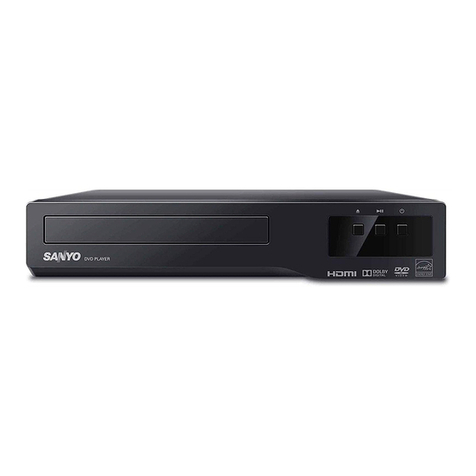
  9. Sanyo DVC-2600 User manual

Sanyo DVC-2600 User manual

Other manuals for DVC-2600

1

Other Sanyo DVD Player manuals

Sanyo DWM-400 User manual

Sanyo

Sanyo DWM-400 User manual

Sanyo DVD-SL20 User manual

Sanyo

Sanyo DVD-SL20 User manual

Sanyo DVD-SL40 User manual

Sanyo

Sanyo DVD-SL40 User manual

Sanyo FWDP105F B User manual

Sanyo

Sanyo FWDP105F B User manual

Sanyo DWM-380 User manual

Sanyo

Sanyo DWM-380 User manual

Sanyo DVD-SL22 User manual

Sanyo

Sanyo DVD-SL22 User manual

Sanyo DVP2902 User manual

Sanyo

Sanyo DVP2902 User manual

Sanyo FWDP175F User manual

Sanyo

Sanyo FWDP175F User manual

Sanyo DVD-9000 Operating manual

Sanyo

Sanyo DVD-9000 Operating manual

Sanyo DVD-SL38KR User manual

Sanyo

Sanyo DVD-SL38KR User manual

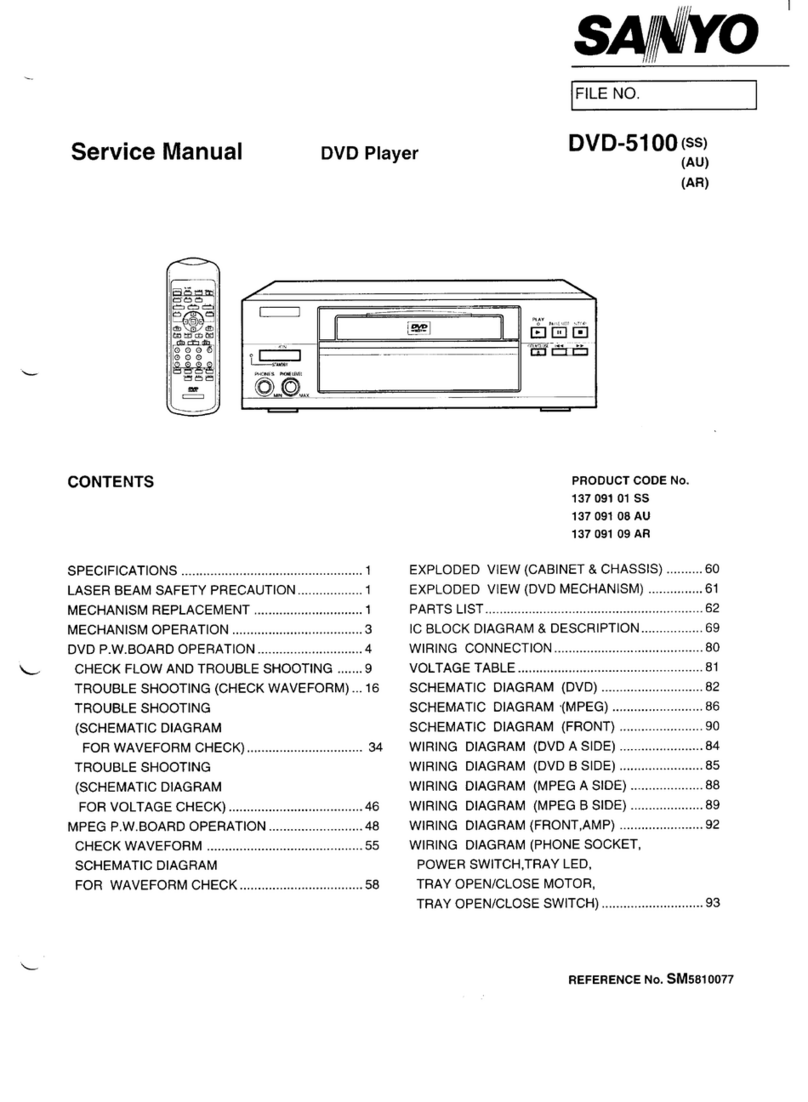
Sanyo DVD-5100 User manual

Sanyo

Sanyo DVD-5100 User manual

Sanyo FWDP105F B User manual

Sanyo

Sanyo FWDP105F B User manual

Sanyo DVD-9201 User manual

Sanyo

Sanyo DVD-9201 User manual

Sanyo DWM-390 User manual

Sanyo

Sanyo DWM-390 User manual

Sanyo DVD-SL25 User manual

Sanyo

Sanyo DVD-SL25 User manual

Sanyo DVD-SL33 User manual

Sanyo

Sanyo DVD-SL33 User manual

Sanyo DVD-SL33 User manual

Sanyo

Sanyo DVD-SL33 User manual

Sanyo HV-DX350A User manual

Sanyo

Sanyo HV-DX350A User manual

Sanyo DVD-HP70 User manual

Sanyo

Sanyo DVD-HP70 User manual

Sanyo DVD-7000 User manual

Sanyo

Sanyo DVD-7000 User manual

Sanyo DVD-DX517 User manual

Sanyo

Sanyo DVD-DX517 User manual

Sanyo Dwm450 - Progressive Scan Dvd Player User manual

Sanyo

Sanyo Dwm450 - Progressive Scan Dvd Player User manual

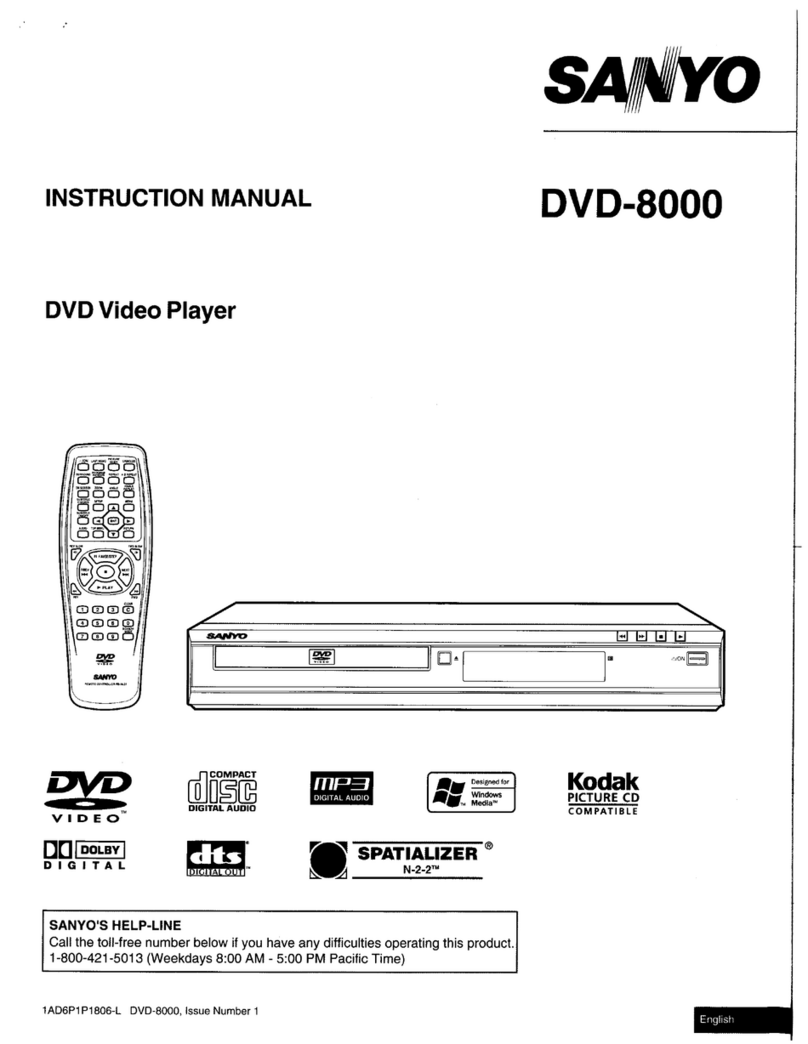
Sanyo DVD-8000 User manual

Sanyo

Sanyo DVD-8000 User manual

Sanyo DVD-SL40 User manual

Sanyo

Sanyo DVD-SL40 User manual

Popular DVD Player manuals by other brands

Yamaha DVD S540 - Progressive Scan DVD Player Service manual

Yamaha

Yamaha DVD S540 - Progressive Scan DVD Player Service manual

Yamakawa DVD-MP12i user manual

Yamakawa

Yamakawa DVD-MP12i user manual

Philips DVP3042/12 user manual

Philips

Philips DVP3042/12 user manual

Philips DVP5900/37B Quick use guide

Philips

Philips DVP5900/37B Quick use guide

Roadstar DVD-2020H Service manual

Roadstar

Roadstar DVD-2020H Service manual

Beko DVD 2006 user manual

Beko

Beko DVD 2006 user manual

Atak DVDA2015 instruction manual

Atak

Atak DVDA2015 instruction manual

LG DV257K owner's manual

LG

LG DV257K owner's manual

auna 10005069 manual

auna

auna 10005069 manual

Philips MCD700/61 user manual

Philips

Philips MCD700/61 user manual

Sony DVP-F11 Service manual

Sony

Sony DVP-F11 Service manual

Toshiba SD-2300U owner's manual

Toshiba

Toshiba SD-2300U owner's manual

LENCO DVP-740 X2 user manual

LENCO

LENCO DVP-740 X2 user manual

Tevion 44330 user guide

Tevion

Tevion 44330 user guide

Aiwa XD-DV370 operating instructions

Aiwa

Aiwa XD-DV370 operating instructions

Sony DVP S530D operating instructions

Sony

Sony DVP S530D operating instructions

Denon DVM-1805 - DVD Changer operating instructions

Denon

Denon DVM-1805 - DVD Changer operating instructions

Toshiba SD-3815 owner's manual

Toshiba

Toshiba SD-3815 owner's manual

manuals.online logo
manuals.online logoBrands
  • About & Mission
  • Contact us
  • Privacy Policy
  • Terms and Conditions

Copyright 2025 Manuals.Online. All Rights Reserved.

You can read the recommendations in the user guide, the technical guide or the installation guide for SANYO DVC-2600. You'll
find the answers to all your questions on the SANYO DVC-2600 in the user manual (information, specifications, safety advice,
size, accessories, etc.). Detailed instructions for use are in the User's Guide.
User manual SANYO DVC-2600
User guide SANYO DVC-2600
Operating instructions SANYO DVC-2600
Instructions for use SANYO DVC-2600
Instruction manual SANYO DVC-2600
You're reading an excerpt. Click here to read official SANYO
DVC-2600 user guide
http://somemanuals.com/dref/81636

Manual abstract:
Please read this manual carefully before connecting your DVD+VCR and operating it for the first time. Keep the manual in a safe place for future reference.
Safety Precautions CAUTION RISK OF ELECTRIC SHOCK DO NOT OPEN CAUTION: The apparatus should not be exposed to water (dripping or
splashing) and no objects filled with liquids, such as vases, should be placed on the apparatus. FCC WARNING: This equipment may generate or use radio
frequency energy. Changes or modifications to this equipment may cause harmful interference unless the modifications are expressly approved in the
instruction manual. The user could lose the authority to operate this equipment if an unauthorized change or modification is made. REGULATORY
INFORMATION: FCC Part 15 This product has been tested and found to comply with the limits for a Class B digital device, pursuant to Part 15 of the FCC
Rules. These limits are designed to provide reasonable protection against harmful interference when the product is operated in a residential installation. This
product generates, uses, and can radiate radio frequency energy and, if not installed and used in accordance with the instruction manual, may cause harmful
interference to radio communications. However, there is no guarantee that interference will not occur in a particular installation.
If this product does cause harmful interference to radio or television reception, which can be determined by turning the product off and on, the user is
encouraged to try to correct the interference by one or more of the following measures: Reorient or relocate the receiving antenna. Increase the separation
between the product and receiver. Connect the product into an outlet on a circuit different from that to which the receiver is connected. Consult the dealer or
an experienced radio/TV technician for help. CAUTION: TO REDUCE THE RISK OF ELECTRIC SHOCK DO NOT REMOVE COVER (OR BACK) NO
USER-SERVICEABLE PARTS INSIDE REFER SERVICING TO QUALIFIED SERVICE PERSONNEL.
This lightning flash with arrowhead symbol within an equilateral triangle is intended to alert the user to the presence of uninsulated dangerous voltage within
the product's enclosure that may be of sufficient magnitude to constitute a risk of electric shock to persons. The exclamation point within an equilateral
triangle is intended to alert the user to the presence of important operating and maintenance (servicing) instructions in the literature accompanying the
product. WARNING: TO REDUCE THE RISK OF FIRE OR ELECTRIC SHOCK, DO NOT EXPOSE THIS APPARATUS TO RAIN OR MOISTURE.
CAUTION: TO PREVENT ELECTRIC SHOCK, MATCH WIDE BLADE OF PLUG TO WIDE SLOT, FULLY INSERT. ATTENTION: POUR ÉVITER LES
CHOC ÉLECTRIQUES, INTRODUIRE LA LAME LA PLUS LARGE DE LA FICHE DANS LA BORNE CORRESPONDANTE DE LA PRISE ET POUSSER
JUSQU'AU FOND.
WARNING: Do not install this equipment in a confined space such as a book case or similar unit. NOTE TO CABLE/TV INSTALLER: This reminder is
provided to call the cable TV system installer's attention to Article 820-40 of the National Electric Code (U.S.A.). The code provides guidelines for proper
grounding and, in particular, specifies that the cable ground shall be connected to the grounding system of the building, as close to the point of the cable entry
as practical. CAUTION: This DVD+VCR employs a Laser System. To ensure proper use of this product, please read this owner's manual carefully and retain
for future reference should the unit require maintenance, contact an authorized service location. Use of controls, adjustments, or the performance of
procedures other than those specified herein may result in hazardous radiation exposure. To prevent direct exposure to laser beam, do not try to open the
enclosure.
Visible laser radiation when open. DO NOT STARE INTO BEAM. NOTES ON COPYRIGHTS: It is forbidden by law to copy, broadcast, show, broadcast via
cable, play in public, or rent copyrighted material without permission. This product features the copy protection function developed by Macrovision.
You're reading an excerpt. Click here to read official SANYO
DVC-2600 user guide
http://somemanuals.com/dref/81636
Copy protection signals are recorded on some discs. When recording and playing the pictures of these discs on a VCR, picture noise will appear. This
product incorporates copyright protection technology that is protected by method claims of certain U.S. patents and other intellectual property rights owned
by Macrovision Corporation and other rights owners. Use of this copyright protection technology must be authorized by Macrovision Corporation, and is
intended for home and other limited viewing uses only unless otherwise authorized by Macrovision Corporation.
Reverse engineering or disassembly is prohibited. SERIAL NUMBER: The serial number is found on the back of this unit. This number is unique to this unit
and not available to others. You should record requested information here and retain this guide as a permanent record of your purchase. Model No.
____________DVC-2600_____________ Serial No. __________________________________ 2 IMPORTANT SAFETY INSTRUCTIONS INTRODUCTION
CAUTION: PLEASE READ AND OBSERVE ALL WARNINGS AND INSTRUCTIONS IN THIS OWNER'S MANUAL. AND THOSE MARKED ON THE
PRODUCT. RETAIN THIS BOOKLET FOR FUTURE REFERENCE. This product has been designed and manufactured to assure personal safety.
Improper use can result in electric shock or fire hazard. The safeguards incorporated in this product will protect you if you observe the following procedures
for installation, use, and servicing. This product does not contain any parts that can be repaired by the user. DO NOT REMOVE THE CABINET COVER, OR
YOU MAY BE EXPOSED TO DANGEROUS VOLTAGE. REFER SERVICING TO QUALIFIED SERVICE PERSONNEL ONLY. 1. Read these instructions. -
All these safety and operating instructions should be read before the product is operated. 2. Keep these instructions.
- The safety, operating and use instructions should be retained for future reference. 3. Heed all warnings. - All warnings on the product and in the operating
instructions should be adhered to. 4. Follow all instructions. - All operating and use instructions should be followed. 5. Do not use this product near water.
For example: near a bath tub, wash bowl, kitchen sink, laundry tub, in a wet basement; or near a swimming pool; and other areas located near water.
6. Clean only with dry cloth. Unplug this product from the wall outlet before cleaning. Do not use liquid cleaners. 7.
Do not block any ventilation openings. Install in accordance with the manufacturer's instructions. Slots and openings in the cabinet are provided for
ventilation and to ensure reliable operation of the product and to protect it from over- heating. The openings should never be blocked by placing the product
on a bed, sofa, rug or other similar surface. This product should not be placed in a built-in installation such as a bookcase or rack unless proper ventilation is
provided or the manufacturer's instructions have been adhered to.
8. Do not install near any heat sources such as radiators, heat registers, stoves, or other apparatus (including amplifiers) that produce heat. 9. Do not defeat
the safety purpose of the polarized or grounding-type plug. A polarized plug has two blades with one wider than the other. A grounding type plug has two
blades and a third grounding prong. The wide blade or the third prong are provided for your safety. If the provided plug does not fit into your outlet, consult
an electrician for replacement of the obsolete outlet. 10. Protect the power cord from being walked on or pinched particularly at plugs, convenience
receptacles, and the point where they exit from the product.
11. Only use attachments/accessories specified by the manufacturer. 12. Use only with the cart, stand, tripod, bracket, or table specified by the manufacturer,
or sold with apparatus. When a cart is used, use caution when moving the cart/product combination to avoid injury from tip-over. 13. Unplug this product
during lightning storms or when unused for long periods of time. 14. Refer all servicing to qualified service personnel. Servicing is required when the product
has been damaged in any way, such as power-supply cord or plug is damaged, liquid has been spilled or objects have fallen into the product, the product has
been exposed to rain or moisture, does not operate normally, or has been dropped.
You're reading an excerpt. Click here to read official SANYO
DVC-2600 user guide
http://somemanuals.com/dref/81636
3 Table of Contents Introduction Safety Precautions . 2 IMPORTANT SAFETY INSTRUCTIONS 3 Table of Contents 4 Before Use 5-6 Playable Discs . 5
Precautions . 6 Notes on Discs 6 About Symbols 6 Front Panel . 7 Display Window 8 Remote Control 9 Rear Panel .
10 Operation with DVD . 27-29 Playing DVD . 27 General Features 27 Moving to another TITLE . 27 Moving to another CHAPTER 27 Slow Motion . 27 Still
Picture and Frame-by-Frame Playback .
28 Search . 28 Random 28 Repeat . 28 Repeat A-B . 28 Time Search 28 3D Surround 28 Zoom 29 Marker Search . 29 Special DVD Features 29 Checking the
contents of DVD Video discs: Menus . 29 Title Menu 29 Disc Menu 29 Camera Angle . 29 Changing the Audio Language . 29 Subtitle 29 Operation with
Audio CD and MP3 Discs . 30 Playing an Audio CD and MP3 Discs . 30 Pause .
30 Moving to another Track . 30 Repeat Track/ All/ Off 30 Search . 30 Random . 30 Repeat A-B . 30 3D Surround 30 Changing the Audio Channel 30
Programmed Playback . 31 Programmed Playback with Audio CD and MP3 Discs . 31 Repeat Programmed Tracks 31 Erasing a Track from Program List 31
Erasing the Complete Program List . 31 To resume normal playback from programmed playback 31 Additional Information - DVD Part 32 Video Mode
Setting 32 Notes on MP3 Discs . 32 Preparation Connections . 11-13 Connecting Antenna/Cable TV to DVD+VCR .
11 Basic TV Connections 12 Optional, Preferred TV Connections . 12-13 Before Operation - VCR Part 14-16 On-Screen Display(OSD) 14 Setting the On-
Screen Display 14 Setting the VCR Setup Menu . 15 Channel Selection . 15 Setting the Clock 16 Before Operation - DVD Part 17-20 General Explanation 17
On-Screen Display . 17 Initial Settings 18-20 General Operation 18 Language 18 Picture .
18 Sound . 19 Others . 19 Parental Control 20 Operation Operation with tape . 21-26 Normal Playback 21 Special Effect Playbacks 21 Search . 21 Still
Picture and Frame-by-Frame Playback .
21 Slow Motion . 21 Ad JUMP (Advertisement Jump) 21 Normal Recording . 22 Timer Recording 22-23 Instant Timer Recording . 24 Dubbing and Editing 24
Copying from DVD to VCR . 24 VHS Hi-Fi Stereo System/MTS Broadcast . 25 Tape Counter Memory Feature 26 Additional Information 26 Reference
Troubleshooting 33-34 Language Code List . 35 Specifications 36 About the symbols for instructions Indicates hazards likely to cause harm to the unit itself
or other material damage. Indicates special operating features of this unit. Indicates tips and hints for making the task easier. 4 Before Use Playable Discs
DVD (8 cm/12 cm disc) Audio CD (8 cm/12 cm disc) In addition, this unit can play a CD-R or CD-RW that contains audio titles or MP3 files.
Notes Depending on the conditions of the recording equipment or the CD-R/RW disc itself, some CD-R/RW discs cannot be played on the unit. The unit
cannot play discs that contain data other than MP3 and CD-DA data. Do not attach any seal or label to either side (the labeled side or the recorded side) of
a disc. Do not use irregularly shaped CDs (e.g., heartshaped or octagonal). It may result in malfunctions. Notes on DVDs Some playback operations of
DVDs may be intention ally fixed by software manufacturers.
You're reading an excerpt. Click here to read official SANYO
DVC-2600 user guide
http://somemanuals.com/dref/81636
As this unit plays DVDs according to disc content designed by the software manufacturer, some playback features of the unit may not be available or other
functions may be added. Refer also to the instructions supplied with the DVDs.
Some DVDs made for business purposes may not be played on the unit. Regional code of the DVD+VCR and DVDs This DVD+VCR is designed and
manufactured for playback of region 1 encoded DVD software. The region code on the labels of some DVD discs indicates which type of DVD+VCR can play
those discs. This unit can play only DVD discs labeled 1 or ALL. If you try to play any other discs, the message "Check Regional Code" will appear on the TV
screen.
Some DVD discs may not have a region code label even though their playback is prohibited by area limits. Disc-related terms Title (DVD only) The main film
content or accompanying feature content or music album. Each title is assigned a title reference number enabling you to locate it easily. Chapter (DVD only)
Sections of a picture or a musical piece that are smaller than titles. A title is composed of one or several chapters.
Each chapter is assigned a chapter number to enable you to locate the chapter you want. Depending on the disc, chapters may not be recorded. Track (audio
CD only) Sections of a musical piece on an audio CD. Each track is assigned a track number, enabling you to locate the track you want. Remote control
battery installation Detach the battery cover on the rear of the remote control, and insert two R03 (size AAA) batteries with and aligned correctly. AAA
Caution Do not mix old and new batteries. Never mix different types of batteries (standard, alkaline, etc.). Remote Control Operation Range Point the remote
control at the remote sensor and press the buttons. Distance: About 23 ft (7 m) from the front of the remote sensor Angle: About 30° in each direction of the
front of the remote sensor IMPORTANT NOTE: SPENT OR DISCHARGED BATTERIES MUST BE RECYCLED OR DISPOSED OF IN A SAFE MANNER IN
COMPLIANCE WITH ALL APPLICABLE LAWS.
FOR DETAILED INFORMATION, CONTACT YOUR LOCAL COUNTY SOLID WASTE AUTHORITY. Manufactured under license from Dolby Laboratories.
Dolby and the double-D symbol are trademarks of Dolby Laboratories. Confidential unpublished works. Copyright 1992-1997 Dolby Laboratories. All rights
reserved. DTS and DTS Digital Out are trademarks of Digital Theater Systems, Inc. 1 Note on DTS-encoded CDs When playing DTS-encoded CDs, excessive
noise may be exhibited from the analog stereo output. To avoid possible damage to the audio system, turn down the volume before playing back such discs,
adjust the volume gradually, and keep the volume level low. To enjoy DTS Digital SurroundTM playback, an external 5.
1 channel Digital SurroundTM decoder system must be connected to the digital output of the unit. 5 INTRODUCTION AAA Before Use (Continued)
Precautions Handling the unit When shipping the unit The original shipping carton and packing materials come in handy. For maximum protection, re-pack
the unit as it was originally packaged at the factory. When setting up the unit The picture and sound of a nearby TV, VCR, or radio may be distorted during
playback. In this case, position the unit away from the TV, VCR, or radio, or turn off the unit after removing the disc.
To keep the surface clean Do not use volatile liquids, such as insecticide spray, near the unit. Do not leave rubber or plastic products in contact with the unit
for a long period of time. They will leave marks on the surface. Cleaning discs Fingerprints and dust on the disc can cause poor picture quality and sound
distortion. Before playing, clean the disc with a clean cloth.
Wipe the disc from the center out. Yes No Do not use strong solvents such as alcohol, benzine, thinner, commercially available cleaners, or anti-static spray
intended for older vinyl records. About Symbols About the symbol display Cleaning the unit To clean the cabinet Use a soft, dry cloth. If the surfaces are
extremely dirty, use a soft cloth lightly moistened with a mild detergent solution.
You're reading an excerpt. Click here to read official SANYO
DVC-2600 user guide
http://somemanuals.com/dref/81636
Do not use strong solvents such as alcohol, benzine, or thinner, as these might damage the surface of the unit. To obtain a clear picture The DVD+VCR is a
high-tech, precision device. If the optical pick-up lens and disc drive parts are dirty or worn, the picture quality will be poor. Regular inspection and
maintenance are recommended after every 1,000 hours of use. (This depends on the operating environment.) For details, please contact your nearest dealer.
" " may appear on the TV screen during operation. This icon means the function explained in this owner's manual is not available on that specific DVD video
disc. About the disc symbols for instructions A section whose title has one of the following symbols are applicable only to those discs represented by the
symbol. DVD DVD CD Audio CDs. MP3 MP3 Discs. Setting the Output Source You must select one of your output sources (DVD or VCR) to view on the TV
screen. · If you want to view output source of DVD deck: Press DVD on the remote or DVD/VCR on the front panel until DVD indicator in the display window
lights and output source of DVD deck is viewed on the TV screen. · If you want to view output source of VCR deck: Press VCR on the remote or DVD/VCR on
the front panel until VCR indicator in the display window lights and output source of VCR deck is viewed on the TV screen. Notes on Discs Handling discs Do
not touch the playback side of the disc. Hold the disc by the edges so that fingerprints will not get on the surface.
Do not stick paper or tape on the disc. Note · If you insert a disc when the DVD+VCR is in the VCR Storing discs After playing, store the disc in its case. Do
not expose the disc to direct sunlight or sources of heat, or leave it in a parked car exposed to direct sunlight, as there may be a considerable temperature
increase inside the car. mode, the DVD+VCR will be set to DVD mode automatically. · If you insert a cassette tape without prevention tab when the
DVD+VCR is in the DVD mode, the DVD+VCR will be set to VCR mode automatically.
6 Front Panel Disc Tray (DVD deck) Insert a disc here. Z EJECT(Z) Ejects the tape in the VCR deck. Cassette Compartment (VCR deck) Insert a video
cassette here. Remote Sensor Point the DVD+VCR remote control here. Display window Shows the current status of the DVD+VCR.
Z OPEN/CLOSE (Z) Opens or closes the disc tray. B PLAY (B) Starts playback of a tape in the VCR deck. DVD/VCR indicator Indicates the active deck. x
STOP (x) Stops playback of disc. x STOP (x) Stops playback of tape. z REC (z) To record normally or to activate Instant Timer Recording. B PLAY (B) Starts
playback of a disc in the DVD deck. X PAUSE/STILL(X) Pause playback of a disc in the DVD deck temporarily/press repeatedly for frame-by-frame playback.
DVD/VCR (output select) Select one of your output sources to view on the TV screen between DVD and VCR. POWER Switches the DVD+VCR ON and OFF.
AV INPUT (VIDEO IN/AUDIO IN (Left/Right)) Connect the audio/video output of an external source (Audio system, TV/Monitor, Another VCR). Child Lock
The control buttons on the front panel of the DVD+VCR can be switched off so that your DVD+VCR can only be operated using the remote control. Press
SAFE on the remote control to enable LOCK function, SAFE appears in the display window. To disable the LOCK function, press SAFE on the remote control
until OFF appears in the display window. 7 INTRODUCTION vV CHANNEL (v/V) To scan up or down through memorized channels. Display Window The
DVD deck is selected. A disc is in the DVD deck. (Lights when a disc is in the DVD deck and Flashes when no disc.) Indicates repeat mode. DVD to VCR copy
is in progress.
DVD+VCR is in timer recording or a timer recording is programmed.(VCR part only) A cassette is in the VCR deck. The VCR deck is selected. DVD COPY
VCR REC PM TV DVD+VCR functions are available and channels are selected at TV. Indicates PM time.
(AM is not displayed.) DVD+VCR is Recording.
You're reading an excerpt. Click here to read official SANYO
DVC-2600 user guide
http://somemanuals.com/dref/81636
(VCR part only) Indicates total playing time, elapsed time, remaining time or current deck status (Playback, Pause, etc). 8 Remote Control DVD/VCR select
button Select the output source (DVD or VCR) to view on the TV screen. Z OPEN/CLOSE, EJECT (Z) - Opens and closes the disc tray.
- Ejects the tape in the VCR deck. - Acknowledges menu selection. - Displays functions on the TV screen. This button is not available. Switches DVD+VCR
ON and OFF. TV/VCR To view channels selected by the VCR tuner or by the TV tuner. DISC MENU Accesses menu on a DVD disc. DISPLAY, CLK/CNT
Accesses On-Screen display. Switches among the clock, tape counter and tape remaining modes on the display. INPUT To select the VCR deck's source
(Tuner, LINE 1, or LINE 2).
b/B/v/V (left/right/up/down) - Selects an option in the menu - CH/TRK (v/V): Selects channel of VCR. Adjusts manually the tape's picture onscreen. ]
FORWARD (]) DVD; Search forward*/go to next chapter or track. VCR; Advances the tape during the STOP mode or for fast forward picture search.
SETUP, MENU Accesses or removes DVD setup menu and VCR menu. H PLAY (H) Starts playback. TITLE Displays the disc's Title menu, if available. .
BACKWARD (.) DVD; Search backward*/go to beginning of current chapter or track or go to previous chapter or track.
VCR; Rewinds the tape during the STOP mode or for fast reverse picture search. * Press and hold button for about two seconds. X PAUSE/STEP (X) Pause
playback or recording temporarily/press repeatedly for frameby-frame playback. x STOP (x) Stops playback. z REC (z) Records normally or activates Instant
Timer Recording.
PROGRAM Accesses or removes Program menu. CLEAR Removes a track number on the program menu or a mark on the MARKER SEARCH menu. 0-9
numerical buttons Selects numbered options in a menu. AUDIO Selects an audio language (DVD) or an audio channel (CD). SAFE Switch the Lock function
on and off.
SUBTITLE Selects a subtitle language. ANGLE Selects a DVD camera angle if available. MARKER Marks any point during playback. RETURN Removes the
setup menu. SEARCH Displays MARKER SEARCH menu. ZOOM Enlarges DVD video image. REPEAT Repeat chapter, track, title, all. RANDOM, Ad JUMP
- Plays tracks in random order. - Fast forwards picture search through 30 seconds of recording. A-B, SP/SLP - Repeats sequence.
- Selects recording speed Note This remote control use the same buttons for VCR and DVD functions (ex. PLAY). When using a VCR, first press the VCR
button. When using a DVD, first press the DVD button. 9 INTRODUCTION POWER SELECT/ENTER Rear Panel DVD/VCR OUT (VIDEO/AUDIO
(Left/Right)) Connect to a TV with video and audio inputs. COMPONENT VIDEO OUT (Y Pb Pr) (DVD OUT) Connect to a TV with Y Pb Pr inputs. VHS IN
LINE 1 (VIDEO IN/AUDIO IN (Left/Right)) Connect the audio/video output of an external source (Audio system, TV/Monitor, Another VCR). S-VIDEO OUT
(DVD OUT) Connect to a S-Video Input on TV. AUDIO OUT (Left/Right) (DVD OUT) Connect to a TV, amplifier, receiver, or stereo system. DIGITAL
AUDIO OUT (COAXIAL) (DVD OUT) Connect to digital (coaxial) audio equipment.
AC Power Cord Plug into the power source. Video Output Select Switch Select either S-VIDEO OUT or COMPONENT VIDEO OUT, depending on how you
connected the DVD+VCR to the TV. RF OUT(DVD/VCR OUT) Connect to a TV with RF coaxial inputs. ANTENNA INPUT Connect the VHF/UHF/CATV
antenna to this terminal. Do not touch the inner pins of the jacks on the rear panel.
Electrostatic discharge may cause permanent damage to the unit. 10 Connections Without Cable Box Tips Depending on your TV and other equipment you
wish to connect, there are various ways you could connect the DVD+VCR. Use connections described on pages 11-13. Please refer to the manuals of your
TV, VCR, Stereo System or other devices as necessary to make the best connections. For better sound reproduction, connect the DVD+VCR's DVD/VCR
AUDIO OUT jack to the audio in jacks of your amplifier, receiver, stereo or audio/video equipment.
You're reading an excerpt. Click here to read official SANYO
DVC-2600 user guide
http://somemanuals.com/dref/81636
See Optional, Preferred TV Connections on pages 12-13. If your cable wire is connected to your TV without a converter or descrambler box, unscrew the
wire from your TV and attach it to the ANT.IN jack on the DVD+VCR. Use the supplied round coaxial cable to connect between the DVD+VCR's RF.OUT
jack and the 75 ohm antenna input jack on the TV. With this connection, you can receive all midband, super band, and hyperband channels. With Cable Box If
a converter is required in your cable system, follow the instruction below: The cable hookup permits both TV and DVD+VCR operation. To view or record
CATV channel 1 Tune the TV to the DVD+VCR output channel (CH 3 or 4). 2 Set the DVD+VCR channel selector to the output channel of the Cable
Converter box by pressing the CH/TRK (v/V) or number (0-9) of your DVD+VCR. (Example: CH3) 3 Select the channel to view at the Cable Converter Box.
Caution Make sure the DVD+VCR is connected directly to the TV. Tune the TV to the correct video input channel. Do not connect the DVD+VCR's
DVD/VCR AUDIO OUT jack to the phono in jack (record deck) of your audio system. Do not connect your DVD+VCR via your VCR. The DVD image could
be distorted by the copy protection system. Notes With this connection, you CANNOT record one program while viewing another. If you are using a cable box
to tune channels, it is not necessary to do Auto Channel Programming as indicated on page 15. Connecting Antenna/Cable TV to DVD+VCR 1 Disconnect
the antenna leads from the rear of the TV. of your antenna. If it 2 Identify the typeThiscable from is a 75 ohm coaxialis a round cable as illustrated, it antenna
cable.
cable will connect directly to the jack marked ANT.IN on your DVD+VCR. Tip If your antenna lead wire is a flat type antenna cable, connect it to a Antenna
Adaptor (300-ohm to 75-ohm) (not supplied) and slip the Adaptor onto the ANT.IN jack. The Adaptor does not screw on to the DVD+VCR, it just slips over
the jack.
Antenna Antenna Cable TV Wall Jack Flat Wire (300 ohm) Cable TV Wall Jack Back Panel of Typical Cable Box Rear of DVD+VCR 300/75 ohm Adaptor
(Not supplied) OR OR Rear of DVD+VCR 11 PREPARATION Connections (Continued) Basic TV Connections Make one of the following connections,
depending on the capabilities of your existing equipment. Optional, Preferred TV Connections Notes You can ONLY watch and listen to DVD playback
through the connections shown below. When using the COMPONENT VIDEO OUT jacks, set the video output select switch to COMPONENT. When using the
S-VIDEO OUT jack, set the video output select switch to S-VIDEO. RF coaxial connection Connect the RF.
OUT jack on the DVD+VCR to the antenna in jack on the TV using the 75-ohm Coaxial Cable supplied (R). Note If you use this connection, tune the TV to the
DVD+VCR's RF output channel (CH 3 or 4). How to set the DVD+VCR's RF output channel 1. When the DVD+VCR is turned off, press and hold CHANNEL
(v/V) on the front panel for about five seconds. It will turn itself on and "RF 03" or "RF 04" appears in the display window. S-Video connection 1 Connect the
S-VIDEO OUT jack on the DVD+VCR to the S-Video in jack on the TV using the optional S-Video cable (S). Right 2 Connect the Left and audio AUDIO OUT
jacksonofthe the DVD+VCR to the left/right in jacks TV using the supplied audio cables (A2). 2. Press CHANNEL (v/V) on the front panel or CH/TRK (v/V)
on the remote control to change the RF output channel (CH 03 or CH 04). 3.
Turn off and on the DVD+VCR. Component Video (Color Stream®) connection 1 Connect the COMPONENT VIDEO OUT jacks on the DVD+VCR to the
corresponding in jacks on the TV using an optional Y Pb Pr cable (C). Audio/Video connection 1 2 Connect the DVD/VCR VIDEO OUT jack on the
DVD+VCR to the video in jack on the TV using the video cable supplied (V). Connect the Left and Right DVD/VCR AUDIO OUT jacks on the DVD+VCR to
the audio left/right in jacks on the TV (A1) using the supplied audio cables. the Right AUDIO OUT 2 Connect usingLeft and audio audio cables.
You're reading an excerpt. Click here to read official SANYO
DVC-2600 user guide
http://somemanuals.com/dref/81636
jacksonofthe the DVD+VCR to the left/right in jacks TV (A2) the supplied Rear of TV S-VIDEO INPUT COMPONENT VIDEO INPUT AUDIO INPUT Pr Pb
Y R L Note If you use this connection, set the TV's source selector to VIDEO. Rear of TV ANTENNA INPUT AUDIO INPUT VIDEO INPUT S C A2 L R R A1
V Rear of DVD+VCR Rear of DVD+VCR 12 Connections (Continued) Optional, Preferred TV Connections Note You can ONLY listen to DVD playback
using COAXIAL (X) and AUDIO OUT (A2) connections. The tuner and VCR will still be heard through the RF.OUT (R) or DVD/VCR AUDIO OUT (A1) jack.
(See page 12.
) Rear of DVD+VCR Connecting to an amplifier equipped with two channel analog stereo or Dolby Surround Connect the Left and Right AUDIO OUT (or
DVD/VCR AUDIO OUT) jacks on the DVD+VCR to the audio left and right in jacks on your amplifier, receiver, or stereo system using the audio cables (A1,
A2) supplied. A1 A2 X Connecting to an amplifier equipped with two channel digital stereo (PCM) or to an Audio/Video receiver equipped with a multi-
channel decoder (Dolby DigitalTM, MPEG 2, or DTS) L R COAXIAL DIGITAL INPUT AUDIO INPUT Amplifier (Receiver) 1 2 Connect one of the
DVD+VCR's DIGITAL AUDIO OUT jacks (COAXIAL X) to the corresponding in jack on your amplifier. Use an optional digital (coaxial X) audio cable. You
will need to activate the DVD+VCR's digital output. (See Digital Audio Output on page 19).
Accessory Audio/Video (A/V) Connections to DVD+VCR Connect the VHS IN LINE 1 or AV INPUT jacks on the DVD+VCR to the audio/video out jacks on
your accessory component, using the optional audio/video cables. Accessory Component: VCR, Camcorder, Video Camera, Satellite Receiver, Laser Disc
Player Digital Multi-channel sound A digital multi-channel connection provides the best sound quality. For this you need a multi-channel Audio/Video
receiver that supports one or more of the audio formats supported by your DVD+VCR (MPEG 2, Dolby Digital and DTS). Check the receiver manual and the
logos on the front of the receiver. Caution: Due to the DTS Licensing agreement, the digital output will be in DTS digital out when DTS audio stream is
selected.
Notes If the audio format of the digital output does not match the capabilities of your receiver, the receiver will produce a strong, distorted sound or no sound
at all. Six Channel Digital Surround Sound via digital connection can only be obtained if your receiver is equipped with a Digital Multi-channel decoder. To
see the audio format of the current DVD in the onscreen display, press AUDIO. Rear of DVD+VCR Jack panel of Accessory AUDIO OUTPUT R L VIDEO
OUTPUT OR Front of DVD+VCR 13 PREPARATION Before Operation - VCR Part On-Screen Display (OSD) Some of these functions will be displayed
every time the VCR is operated. PLAY SP EASY INFORMATION If the Extended Data Service (XDS) signals are provided along with normal TV signal in
your area or during playback of a tape recorded with Extended Data Service (XDS) signals, the station ID, program title and program details are shown in
the TV screen. When viewing a channel with Extended Data Service (XDS) signals, press SELECT/ENTER then the station ID will appear on the TV screen.
Press SELECT/ENTER again and the program details will appear on the TV screen. When viewing a tape recorded with Extended Data Service (XDS)
signals, press SELECT/ENTER twice then the program title and program details will appear on the TV screen. PROGRAM DETAILS LENGTH: Indicates the
run length of a program. TIME REMAINING: Indicates the remaining time of a program.
RATING: Indicates the rating of the current program (N/A, G, PG, PG-13, R, NC-17, X and Not Rated). The rating N/A means that the motion picture ratings
are not applicable to this program. SP CH 4 WABC STEREO PROGRAM DETAILS "Home video" LENGTH 01:00 TIME REMAINING 00:26 RATING N/A
HI-FI CH 4 STEREO JUL 5 , SAT 2:15 PM TAPE SPEED DISPLAY Shows the current tape speed.
You're reading an excerpt. Click here to read official SANYO
DVC-2600 user guide
http://somemanuals.com/dref/81636
FUNCTION DISPLAY Indicates the function in progress. HI-FI DISPLAY Indicates when this unit is playing back tape recorded with Hi-Fi. CHANNEL
DISPLAY Indicates the selected channel (or LINE1, LINE2). STEREO/SAP DISPLAY (MONO is not displayed) Shows the type of audio signal received by the
VCR tuner. DATE DISPLAY Shows the current date. (Month/Date/Day of the week format) "Home video" JUL 5 , SAT 2:15 PM CLOCK/COUNT/REMAIN
DISPLAY Shows the current time, the tape counter and remaining time on the tape. Easy Information Screen (Station ID) Easy Information Screen (Program
details) Setting the On-Screen Display The SETUP, clock setting, and timer recordings are accessed conveniently with On-Screen Menu Displays that lead
you through each step.
The following pages describe the On-screen selections to be set. Each press of the SELECT/ENTER changes the TV screen in the following sequence. STOP
SP CH 4 STEREO Menu Selection JUL 5 , SAT 2:15 PM 2:15 PM 0:35:40 REM 1:58 Your VCR allows remote control adjustment of several features. Press
MENU and the MAIN menu will appear. 1 Select the 2 then pressdesired menu with v/V button and SELECT/ENTER.
Note MAIN MENU Notes The function displays can be seen displayed on the TV screen for 5 seconds. The clock (or tape counter, tape remaining) mode will
continue until you press SELECT/ENTER. The tape counter and the remaining tape length indicator appear only when a cassette is inserted. Also, the
remaining tape length indicator appears after any tape operation. Menus remain on-screen for 3 minutes.
CLOCK SET (page 16) PROGRAM (page 22) TUNING (page 15) SETUP (page 15) 3 Press MENU when finished. 14 Before Operation - VCR Part
(Continued) Setting the VCR Setup Menu Channel Selection PREPARATION This DVD+VCR is equipped with a frequency synthesized tuner capable of
receiving up to 181 channels. These include VHF channels 2-13, UHF channels 14-69 and CATV channels 1-125. Preparation: Connect the DVD+VCR to the
desired type of antenna or cable TV system, as shown in Connecting Antenna/Cable TV to DVD+VCR on page 11. 1 Press MENU and the MAIN menu will
appear. v/V to select the V 2 Press SELECT/ENTER. SETUP menu, then press The SETUP menu will appear. AUTO CHANNEL PROGRAMMING V /V to a
desired option on 3 Press vmenu.choosepress b/B to choose athe B SETUP Then desired setting. FUNCTION OSD The on-screen display of this DVD+VCR
can be turned on or off.
FUNCTION OSD can be switched between ON and OFF by pressing b/B. 1 Press MENU and the MAIN menu will appear. v/V to select the TUNING V 2
Press SELECT/ENTER.appear. menu, then press The TUNING menu will LANGUAGE SELECT The on-screen programming of this DVD+VCR can be
displayed in either English, Spanish, or French. LANGUAGE SELECT can be switched among ENGLISH, SPANISH and FRENCH by pressing b/B. AUDIO
MODE The DVD+VCR has two separate audio playback systems, the high quality VHS Hi-Fi system and standard NORMAL mono system. The same audio is
generally recorded on both systems. The VHS Hi-Fi system plays on separate (left and right) channels, and the NORMAL system plays monaural sound. The
normal track is always played so the cassette can be played on a DVD+VCR that does not have VHS Hi-Fi.
AUDIO MODE can be switched between HI-FI and NORMAL by pressing b/B. V to the SOURCE 3 Presspress chooseselect TUNER.SELECT option, b/B to B
then Press b/B repeatedly to switch among TUNER, LINE1 and LINE2. V /V to choose the 4 Press vthen press b/B toAUTO CHANNEL SET B set the channel.
option, The tuner will automatically cycle through all available channels in the area and place them in the tuner's memory.
SET PROCEEDING 5 After the AUTO CHANNELTUNING BAND is setis complete, make sure the V appropriately (TV or CATV) by pressing v/V and
choosing the correct TUNING BAND (TV or B CATV) by pressing b/B using the TUNING menu. Remember, TV is for the air antenna reception, CATV is for
cable or wireless cable connection.
You're reading an excerpt. Click here to read official SANYO
DVC-2600 user guide
http://somemanuals.com/dref/81636