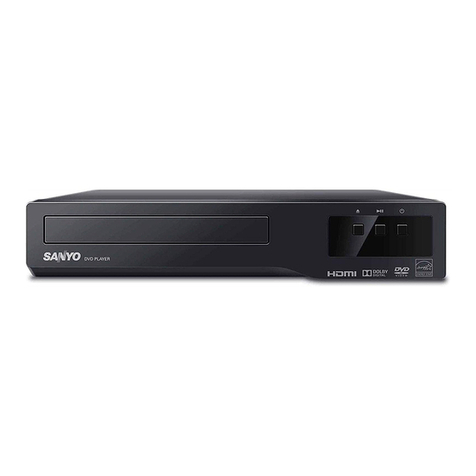
BASIC OPERATION
Important note:
●This instruction manual explains the basic instruction of this
DVD playar using the remote control unit.
●Some DVD or Video CD discs have different functions that may not
be explained in this instruction manual. You maybe needed extra
instructions. In this case, please follow the instructions displayed
on the TV screen or jacket or case of the disc.
.“@” r-my appear on the TV screen during operation. This icon
means that the function is not available on the disc now.
Before starting
.Turn on the power (TV, Audio system, AV amplifier, etc.).
●Select the video input source.
●Select the olayback picture size according to the aspect ratio of the
TV.
●Select the audio input source.
Basic play
Note:
.Do not touch the disc tray while it is moving.
●Never place anything except adisc on the disc try. Foreign objects can
damage the unit.
●Do not apply excessive force to the disc tray.
.Discs must be placed on the disc tray one at atime.
When operation buttons are pressed, that operation is displayed on the TV
screen. The display turns off after several seconds.
1.
2.
3.
4.
Press the WON button.
●The STANDBY indicator turns off.
.“SANYO logo appears on the TV screen.
.“READING” appears on the display, then “READING” is replaced
by “NO DISC.
Press the OPEN/CLOSE button.
.“OPEN” appears and the disc tray opens.
Note:
To open or close the disc tray, be sure to use the OPEN/CLOSE
button. Do not press the disc tray with your hand.
Place the disc with the label facing upon the disc tray.
~
/-
For 12 cm disc For 8cm disc
Press the PLAY button. The disc tray closes.
●“READING” appears on the display.
Play starts automatically. “Play ➤“briefly appears on the screen
.‘rF’ appears on the display and the PLAY indicator lights.
Note:
If the disc is loaded with the label side downward (and it is asingle
sided disc), or if abadly scratched disc is loaded, “NO DISC (or’’DlSC
ERROR” or”NO PLAY”) appears. Ifthis occurs, load the disc correctly
or replace the disc.
...... ... .-.. ,.- .-
If amenu screen appears on the TV screen...
Press the A, ➤,Tor 4button (or the number buttons), then press the ENT
button to select the desired item.
Playback of the selected item will start.
Note:
For more details, please refer to the jacket or case of the disc.
Stopping play
Press the STOP button.
The player memories the point where you stopped.
.“Stop” appears.
Ifyou press the PLAY button again, play starfs automatically from the point
where you stopped. (Resuming Playback)
Note:
●Some discs may not start resuming playback.
.If the STOP button is pressed twice, the player stops completely.
Continuing play from whera you stopped watching (LAST MEMO
PLAY)
Note:
You must set “LastMemo Play: ON” first. (See “DISPLAY” in “INITIAL
SETTINGS.)
1,
2.
3.
Press the LAST MEMO button to stop play. “Last Memo” briefly
appears on the screen. “LAST MEMORY” appears on the display.
Press the OPEN/CLOSE button to open the disc tray to change the
disc, or press the ti/ON button to turn off the power.
Load the disc and press the PLAY button, or press the WON button
again. “Last Memo Play” briefly appears on the screen.
Play resumes from the point where you stopped. (The memory is
released. )
If desired, press the LAST MEMO button again.
Note:
.Points on up to 5discs can be memorized.
.The Last Memo Play mode may not work correctly with some discs.
9