Distributed by:
S
a
f
e
t
y
P
r
eca
u
t
i
on
s
R
e
m
a
r
k
s
*
C
a
ution
:
please consult the instruction manual to ensure safe and proper operation of the product.
• Do not install the LCD projector in areas exposed to water, humidity, dust, oil or smoke or in close proximity to heat sources. Make sure the heat vents are not
blocked. Fire, electrical shock or unit malfunction may result if the above precautions are neglected. • Do not look through the lens while projecting as damage to the
eyes could result. Take special care when children are close by.
• LCD panel manufacturing requires extremely high-precision technology with pixels having a 99.99% quality control rating. However, there does exist a 0.01% or smaller
possibility of dead pixels or constantly lit pixels. • Please note that product colors in the brochure may differ slightly from those of actual products. • All screen pictures in
the catalog are simulated. • Product appearance and specifications are subject to change without notice.
Furtherdetailsregardingthis product can beaccessedathttp:
//w
w
w.sanyo-lcdp.com/eng
lish/
S
A
NYO
E
l
e
c
t
r
i
c
C
o
.,
L
td
.
A
V
C
omp
a
n
y
©2006 SANYO Printed in Japan 2006.2.SI
SML064
S
p
e
c
i
f
i
c
a
tion
s
3-color LCD shutter projection system
Dichroic mirror separation/prism synthesis system
1.4-inch x 3, 4:3 aspect ratio
Polysilicon active matrix TFT
Stripe
Optional
300W UHP x 2
30 to 500 inches diagonally
Differs depending on installed lens
Full color (1,070 million colors)
90%
1,300:1 (full on/full off)
H-sync: 15–120 kHz, V-sync: 48–120 Hz, Dot clock: 230 MHz or less
UXGA/SXGA/XGA/SVGA/VGA/Mac
AUTO/PAL/SECAM/NTSC/NTSC 4.43/PAL-M/PAL-N
Image: Mini D-sub 15-pin x 1 (analog RGB)
For Smoke Resistant Box
39 dB (Eco mode)
5 –35 C
AC 100–240 V, 50/60 Hz, auto voltage
900 W
20.39" x 9.92" x 23.86" (518 x 252 x 606 mm)
54.3 lbs (without lens) (24.7 kg)
Model number
System
Optics
Lens
Lamp
Projection size
Throw distance
Color reproduction
Brightness*1 *2
Uniformity*1
Contrast ratio*1 *3
Scanning frequency
Resolution RGB
Computer compatibility
Color system
Output terminals
Exclusive terminal
Fan noise
Operating temperature
Power supply
Power consumption
Dimensions (W x H x D)
Weight
Size
Drive system
Configuration
Input 1
Input 2
Input 3
Input 4
Input 5
Input
terminals
LCD panel
Open
Open
USB port: Type A x1, type B x 1
Serial port: D-sub 9-pin x 2 (in/out)
Wired remote jack: Stereo mini jack x 1
PC-Analog/RGB(Scart)/RGB(PC Digital)/RGB(AV HDCP)
RGB/Video/Y,Pb/Cb,Pr/Cr
Video/Y,Pb/Cb,Pr/Crb/S-Video
Communication terminals
Standard accessories Owner’s manual, warranty card, AC power cord (3 m, x 1),
wireless/wired remote control(x 1), AA-size dry batteries (x 2) supplied,
PIN code label, VGA cable (x 1), lens attachment (x 1), light shield (x 2),
application software CD-ROM,
*1
*2
*3
The figures are averages of all products at the time of shipment, and are indicated in
accordance with JIS X6911: 2003Data Projector Specifications Format. The measurement
method and conditions are described in Appendix 2.
In 2 lamp mode, with the LNS-W04 installed.
In High Contrast mode, lamp mode: Auto.
Dedicated options
P
O
A
-
C
H
S
401
Mounting hardware for low ceilings
Installation example
Installation example
P
O
A
-
C
H
L
401
Mounting hardware for high ceilings
P
O
A
-
B
F
-
140
Bumper Frame
P
O
A
-
S
R
-
140
Smoke Resistant Box
P
O
A
-
F
I
L
-
140
Replacement Filter
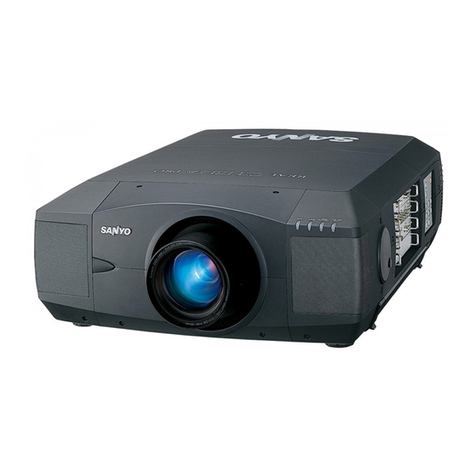
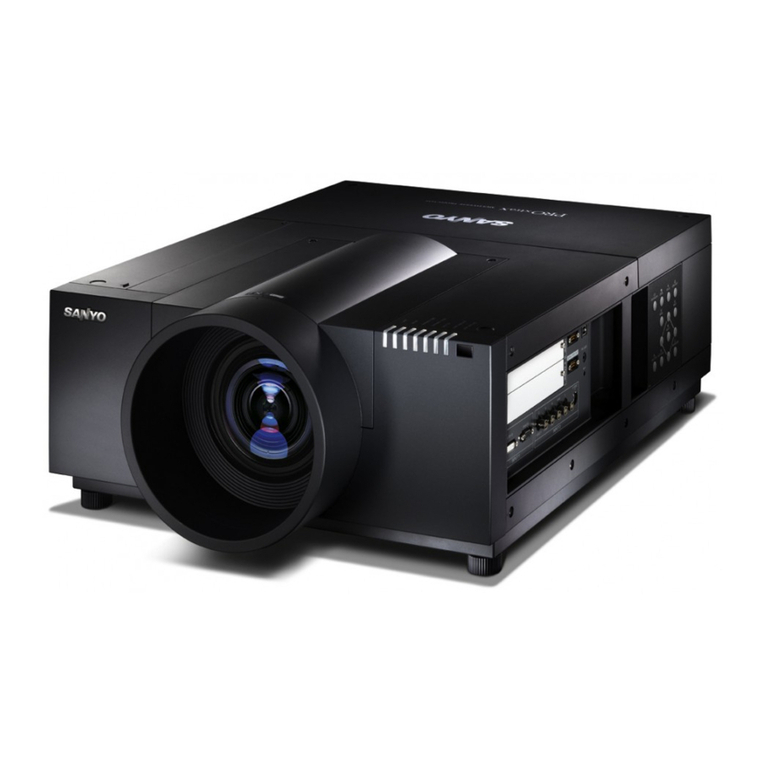
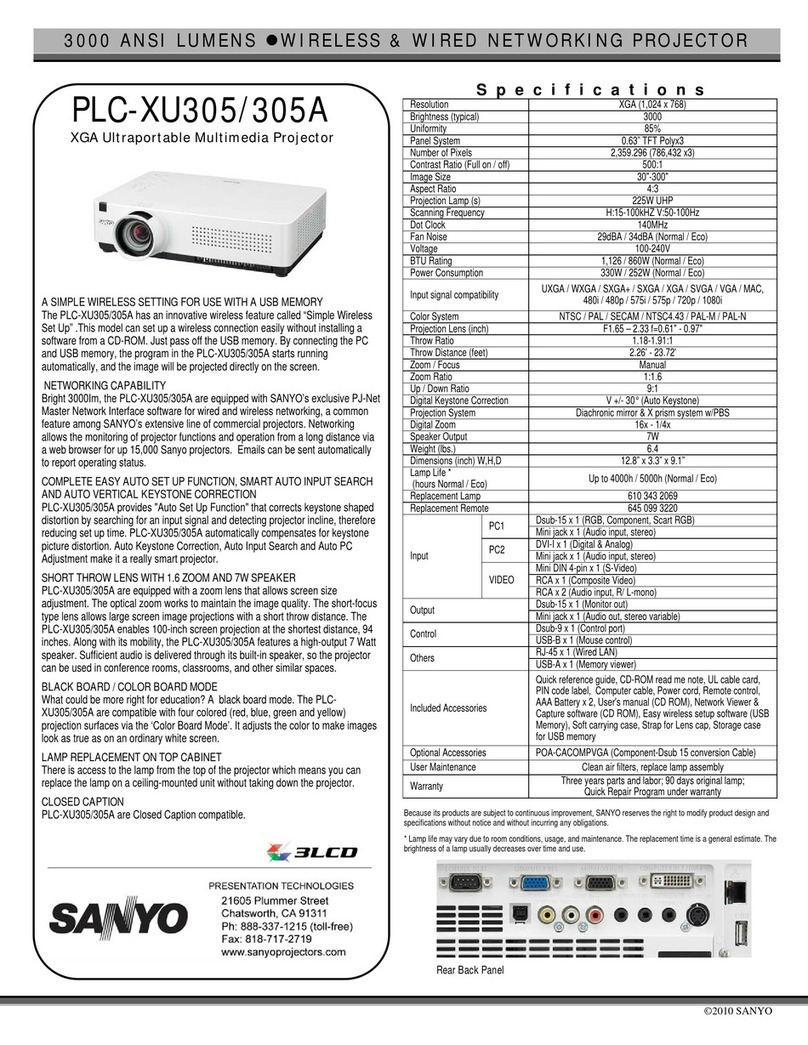
PLC-XF60A PLC-EF60A
2,359,296 pixels:
786,432 (1,024 x 768) x 3 4,410,000 pixels:
1,470,000 (1,400 x 1050) x 3
6,500 lumens 5,800 lumens
1,024 x 768 dots (Dot resizing for
1,600 x 1,200 – 1,280 x 1,024) 1,400 x 1,050 dots (Dot resizing for
1,600 x 1,200)
*Appearance may change due to modification.
Number of
pixels
Vertical/Horizontal Lens Shift
The lens can be shifted between 10:0 and 0:10* vertically and between 3:2
and 2:3* horizontally. This makes the PLC-XF60A/EF60A much easier to set
up than our previous two-lamp projectors.
Keystone Correction
The PLC-XF60A/EF60A provides keystone correction of +/-20 degrees
horizontally and +/-35 degrees vertically.
* With the LNS-W04, Shift range varies depending on the used lens.
Note: Horizontal keyston is ineffective with the PLC-EF60A
Lens Memory
The lens position, zoom and focus settings can be stored in memory for
instant recall.* * Supports only the standard Iens (LNS-W04)
6500 Lumens Brightness
The PLC-XF60A/EF60A is equipped with XGA / SXGA+ LCD
panels with micro lenses. The two UHP lamps combine with
the industry's most advanced optical engine to deliver class-
leading brightness of 6500 lumens.
1300:1 Contrast Ratio
The new mechanical shutter system helps SANYO's high-performance optical
system achieve its best-in-class contrast ratio of 1300:1*. This is one more
reason for the PLC-XF60A/ EF60A's crisp, high-quality images. *In High Contrast
Mechanical Shutter System
A new shutter mechanism clicks into place to block the lamp light the instant
you turn off the image. It also prevents overlapping images when you are
using several projectors on a single screen.
Built-In Test Pattern
A built-in test pattern lets you make precise, detailed adjustments during setup, even
when there's no external signal source available. It also eliminates the need to connect
and reconnect equipment when making adjustments with a twin-stack setup.
* 5800 lumens for the PLC-EF60A
Other Features
Warp & Blending(Option)
Front Interface Panel
Single Intake and Exhaust Vents
360-Degree Tilt Angle
RF Remote Control with Touch Pad
The PLC-XF60A/ EF60A projects images onto a screen with a curved surface,
letting you easily construct an advanced theater system.
Slots for optional boards and other terminals are right on the front panel for easy
access. You don't need extra space behind the unit*.
The PLC-XF60A/ EF60A's RF remote control unit features a
handy touch pad for easy operation, even in dark rooms.
Air is drawn in through one vent and exhausted from
another. You get simpler maintenance, with only one
filter to replace.
The PLC-XF60A/EF60A can project images while it is
tilted 360 degrees around its horizontal axis in either
direction—for more flexible setup.
* A minimum space is required.
• Progressive Scan IC • Mechanical Shutter System
• Color/Gamma Correction •New Graphical User Interface (GUI) • Rigid, Stackable Cabinet
• Optional Lenses • Filter Warning • Easy-Replaceable Lens Mount
• USB Memory Backup • Security Functions •Warning Log
Two Interface Board Slots
The front panel has two slots for interface boards. Both slots support the Multi
Versatile Platform (MVP), so you can expand functions in the future. Input 4
supports both digital and analog . Input 5 is digital.
5-BNC Board POA-MD16VD1 DVI Board POA-MD18DVI
Dual-SD Board POA-MD17SDID
Mini D-sub15 Board POA-MD04VGA
Network Board POA-MD19NET
Pixelworks ICs are used in this projector
Warp & Blending POA-MD21WARP