Connecting components
A. Basic configuration (TV + STB)
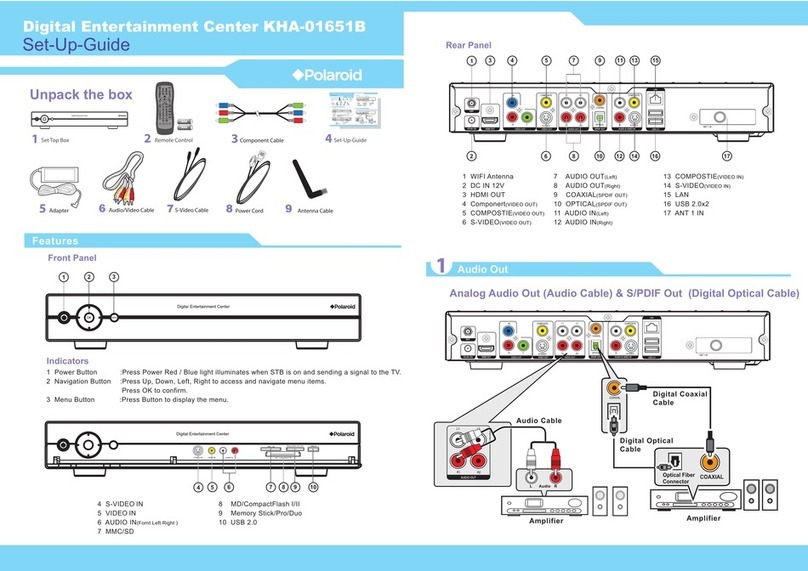
Coaxial
To connect the set-top box to the TV, place one end of the coaxial cable
into the bottom cable connector (RF OUT) of the set-top box and the other
free end into the VHF/UHF IN or ANT of the television set.
RCA cables
To connect the set-top box to the TV, plug one end of the A/V connector
(yellow) into the jack labeled VIDEO IN on the back of the television set.
Now plug the other end of the cable (yellow) into the VIDEO OUT on the
set-top box. Connect the left (white) audio cable into the left audio jack on
the television. Now plug the other end of the cable (white) into the left
audio jack on the set-top box. Repeat the last step for the last cable (red).
Now, to view a television broadcast, select Video 1 or Video 2 on the
television set.
S-Video (SVHS) cable
This configuration provides the best quality performance and is available
on most new models of television sets. To connect the set-top box to the
television, plug one end of the S-Video cable into the jack on the back of
the television labeled S-VIDEO IN (or SVHS IN). Plug the other end of the
S-Video cable into the S-VIDEO jack on the set-top box. Connect the two
audio cables (Left and Right) as described in the section above.
B. Adding VCR or DVD-player
Connection VCR with coaxial cables
To connect the set-top box to the TV and VCR using two coaxial cables,
attach one end of the coaxial cable to the RF OUT of the set-top box and
the other, free, end of the cable to the VHF/UHF IN jack of the VCR. Using
another coaxial cable, attach one of the ends to the VHF/UHF OUT jack of
the VCR and the other end of this cable to the WHF/UHF IN or ANT of the
television set.