- 2 - 09/2023
2023, .
• Thank you for purchasing our SENCOR product; we hope you will be
satisfied with it.
• Before using this appliance, please familiarise yourself with the
user’smanual, even if you are already familiar with using similar
types of appliances. Use the appliance only as described in this
user'smanual. Keep the manual for future reference.
• We recommend to keep the original packaging, packaging materials,
receipt, and proof of the seller'sliability or warranty certificate for
aminimum of the duration of statutory right of faulty performance or
warranty of quality. When transporting the appliance, we recommend
packaging it again in the original box provided by the manufacturer.
. . . . . . . . . . . . . . . . . . . . . . . . . . . . . . . . . . . . . . . . . . . . . . . . . . . . . . . . . . . . . . . . . . . .
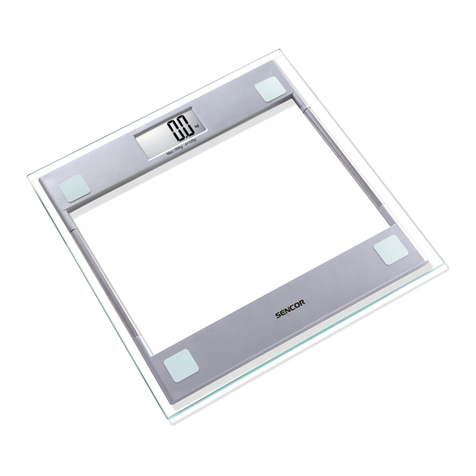
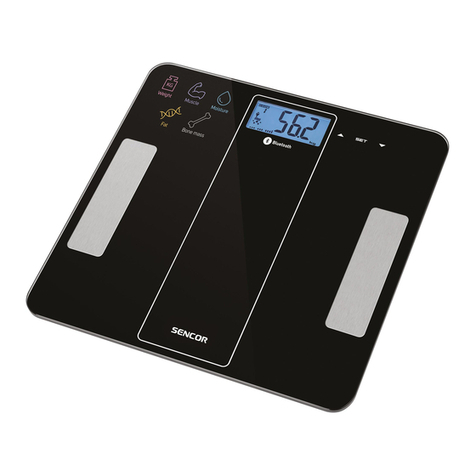
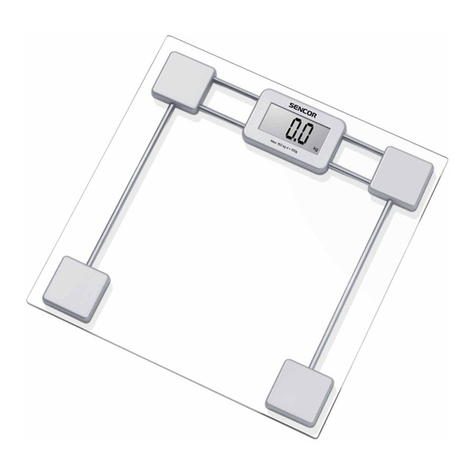
DESCRIPTION OF THE APPLIANCE
A1 Display
A2 Stepping areas with
electrodes
A3 Battery compartment (located
at the bottom of the scale)
A4 UNIT button for setting the
weight unit (located at the
bottom of the scale)
. . . . . . . . . . . . . . . . . . . . . . . . . . . . . . . . . . . . . . . . . . . . . . . . . . . . . . . . . . . . . . . . . . . .
PURPOSE OF USE
• This fitness personal scale with ahigh-precision strain gauge sensor
helps you store and track your weight and measurements in an app
on your smartphone. The scale transmits the measured data to the
smartphone application via Bluetooth technology. Here you can track
the history of weight measurements, create graphs of results, set
atarget weight andmonitor the development of your weight over time.
. . . . . . . . . . . . . . . . . . . . . . . . . . . . . . . . . . . . . . . . . . . . . . . . . . . . . . . . . . . . . . . . . . . .
POWER SOURCE
• Included in the package of this scale are 2 pcs of 1.5 VAAA batteries.
Remove the battery compartment cover andinsert two new batteries
of the same type. Observe the correct polarity, which is shown on the
bottom of the battery compartment, and fit the cover.
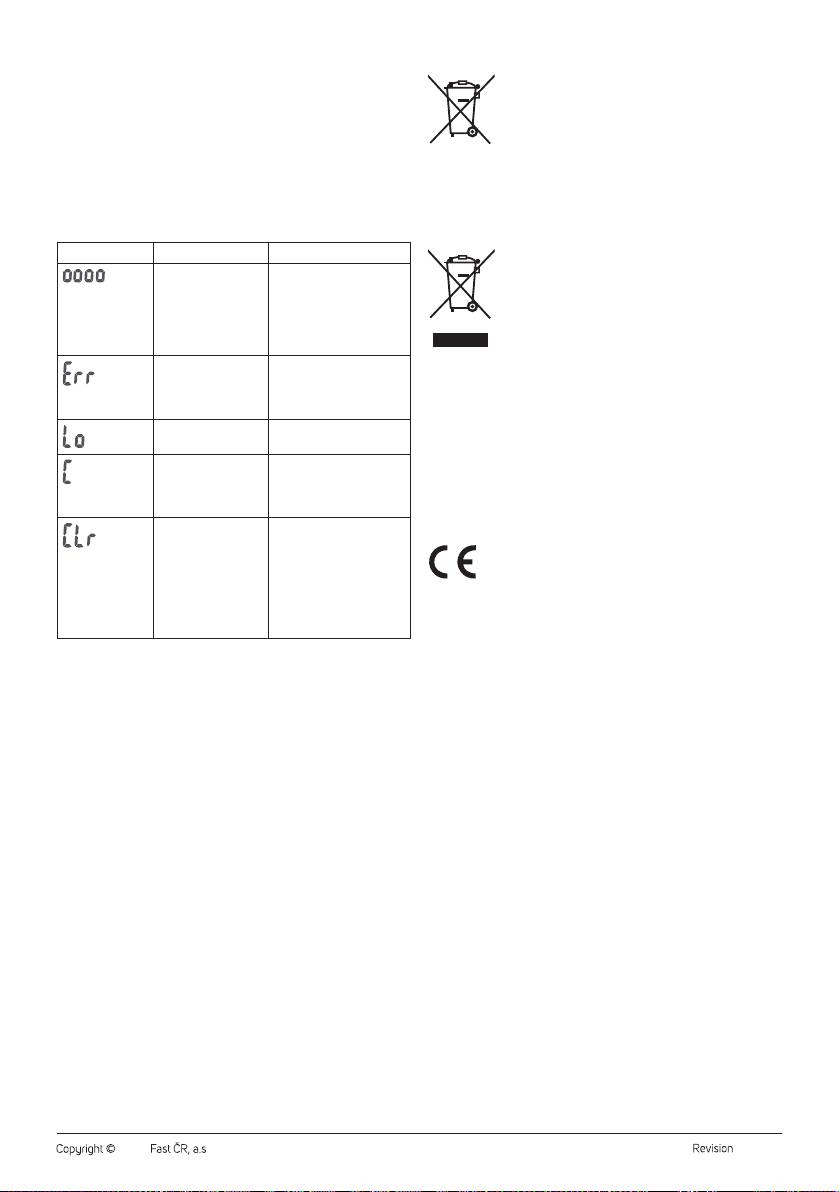
• As soon as the display shows “Lo”, both batteries need to be replaced
with new ones. Follow the same procedure. Remove flat batteries first.
• If you will not be using the scale for an extended period of time,
remove the batteries
Note:
Do not use different types of batteries or combine old and
new batteries. Do not short-circuit or damage the batteries.
. . . . . . . . . . . . . . . . . . . . . . . . . . . . . . . . . . . . . . . . . . . . . . . . . . . . . . . . . . . . . . . . . . . .
USING THE SCALE
1. Place the scale on aflat, smooth, hard and stable surface. Do not
place it on acarpet or other soft surface, otherwise the measurement
result may be distorted.
2. Open the app on your smartphone.
3. Stand with bare feet on the stepping areas with electrodes. The scale
will automatically switch on.
4. Wait for the value to stabilise on the display andthen transfer
the data to your smartphone app. The data in theapp will be
automatically assigned to the right person andstored in the
phone'smemory.
5. The scale automatically switches off. Carefully step off thescale.
Stand still when weighing anddo not lean over. To ensure comparable
results, it'simportant that you weigh yourself at the same time of day,
preferably in the morning. The weighing results can be influenced by
various factors, such as the clothes you are wearing, the food anddrink
you consume before weighing.
Note:
The scale can be used without the application installed. The
current weight will be shown on the display, but no data will
be transmitted.
Choice of Weight Units
The UNIT button is located at the bottom of the scale. Press it repeatedly
to select the desired unit of weight between: kg – lb – st.
Weight units can also be changed directly in theapplication.
Auto Shut-Off
If the scale is idle for several minutes, it will automatically switch off.
. . . . . . . . . . . . . . . . . . . . . . . . . . . . . . . . . . . . . . . . . . . . . . . . . . . . . . . . . . . . . . . . . . . .
DOWNLOADING ANDUSING THE SENCOR HOME APP
• This scale can be controlled via the Sencor HOME app.
• Download the app to your smartphone, register and manage your
measurements directly in the app. If you already have the app
installed, add the scale to your devices.
Adding the Scale to the List of Devices via Bluetooth
You can add the scale to the Sencor HOME app by pairing via Bluetooth.
1. Turn on the Bluetooth function on your mobile phone.
2. Open the app and click the “+” icon on the app'shome page, then
click “Add Device”.
3. From the list of categories, select “Exercise andhealth” andhere
“Personal fitness scale (Bluetooth)”.
4. You will be prompted to reset the device. Long press the UNIT button
until “CLr” appears on the display. Then click on “Next” in the app.
5. Confirm that the scale is ready tobe connected andclick on “Next”.
6. The scale will be automatically paired with the mobile phone and
the scale will be passed to the list of devices.
Note:
If the Bluetooth connection fails or is not possible, make
sure there are no solid obstacles between your phone and
the scale and that the two devices are close together.
Adding via QR Code
You can also add your SBS 8002BK to the Sencor HOME app using the
QR code below.
1. On the home page of the app, click on the "+" icon.
2. On the add device screen, click the “[–]” icon inthe top right corner.
3. Scan the following QR code:
After scanning the QR code, you will be prompted to add the device.
Possible Problems and Solutions
It is not possible to display the measured data on thephone:
• Check that the Bluetooth icon is lit.
• Check that you have enabled the Bluetooth feature on your phone.
• Check that you are within therange of the Bluetooth signal.
• Reopen the application.
EN Personal Fitness Scale
User’sManual