7www.sharkclean.com
English
If the brush roll stops moving, it’s probably
due to the anti-jam feature. This feature
protects the motor from becoming overheated.
If the brush becomes overloaded, it will stop
turning and both speed indicator lights will
stay on. Turn off your unit by pressing the
power button once. See page 9 for instructions
on removing or cleaning the brush roll. Wait
for 10 seconds to let your unit cool down. Now
press the power button again and you’re ready
to resume cleaning!
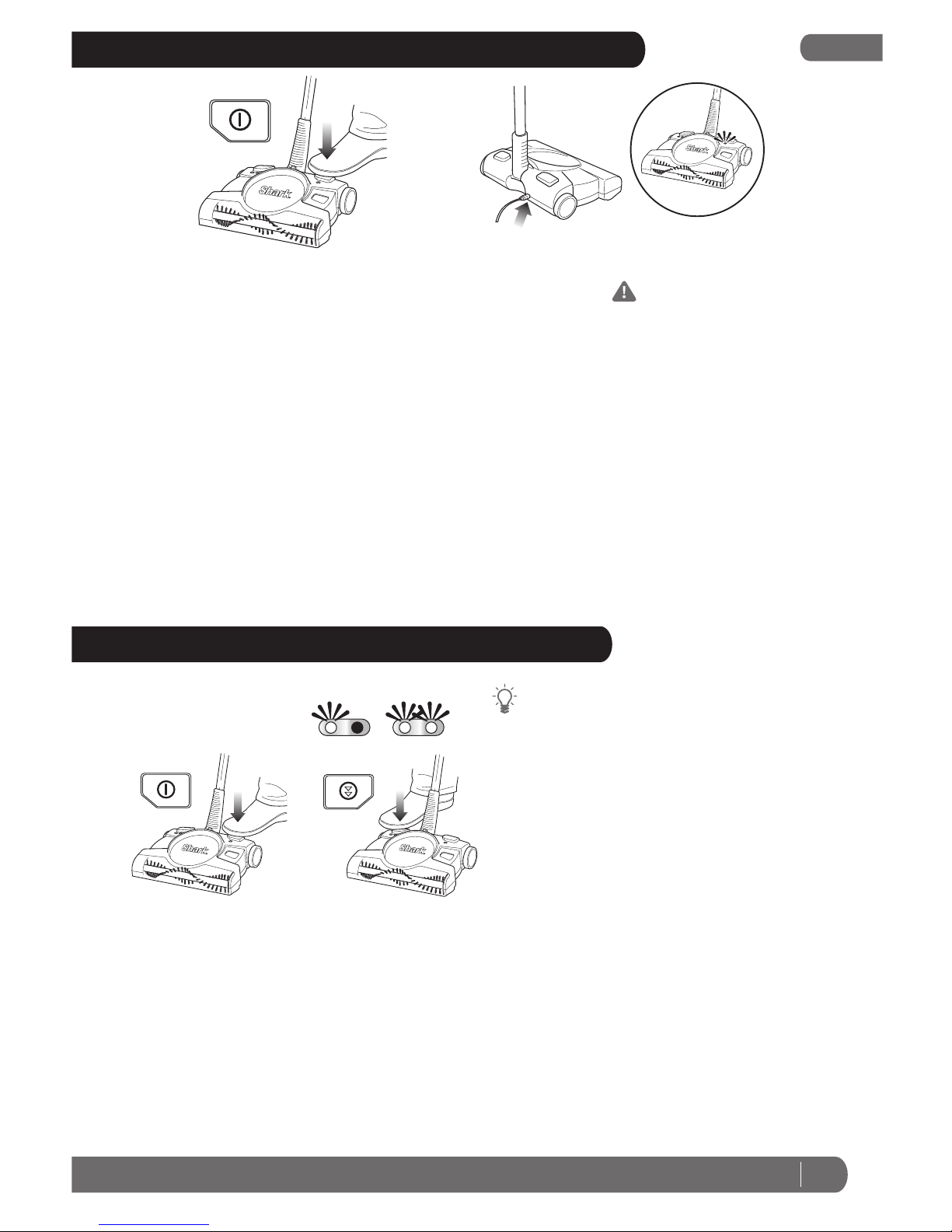
1Always make sure that the unit
is turned off. (Fig. 3)
2Insert the charger plug into the
hole on the back of the unit.
Plug the charger into a wall
outlet. The light next to the
power button will illuminate
when the unit is charging. If the
unit is plugged in and the light is
not illuminated, press the power
button once. The light should
now be illuminated indicating
that the unit is charging.
(Fig. 4)
CHARGING YOUR CORDLESS FLOOR AND CARPET SWEEPER
3Charge the battery for 20 hours
before initial use and 16 hours
for each recharge. Your cordless
floor and carpet sweeper is
powered by Ni-Cd batteries that
need this time to build up their
charge.
4Remove the charging adapter
from the unit after the charging
period has completed. Storing
the unit with the adapter
attached and plugged in will
reduce the battery life.
IMPORTANT: Although many
adaptors look similar, it’s
important to use only the
adaptor that came with the unit
(XA2940).
NOTE: If you notice a decrease in
run time over time, recondition
the batteries by running the
sweeper until the sound drops
significantly, then turn off the
unit and charge for 20 hours.
This battery reconditioning process
can also be performed as monthly
maintenance.
liquids or clean wet floors.
4Do not use the unit on concrete,
tar or other rough surfaces.
5Do not use the unit to pick
up pieces of string or fabrics.
Do not use the unit to clean
tasseled or frayed carpets.
1Press the power button to start
the unit. The lights on the unit
will illuminate. When finished
cleaning, press the power
button again to turn the unit off.
(Fig. 5)
2You can adjust the speed of
the brush roll to suit the floors
that you are cleaning. Press the
USING YOUR CORDLESS FLOOR AND CARPET SWEEPER
button on the right (opposite
the power button) to switch
between speeds. One light
indicates the speed optimized to
clean bare floors and two lights
indicate the speed optimized to
clean carpets and larger debris
on bare floors. (Fig. 6)
3Do not use the unit to pick up
Fig. 5 Fig. 6
FLOOR CARPET
Fig. 3 Fig. 4
OFF