www.SignatureControlSystems.com 9
™
SET THE WATERING SCHEDULE
• WATER DAYS, or daily, lets you choose which days of the week you want to water
(i.e., Monday, Wednesday, Friday only).
• ODD/EVEN tells the controller to water on either the odd or even days of the month
(i.e., the controller will water on the 31st and the 1st when an ODD schedule is chosen).
• INTERVAL waters every X number of days (from 1 to 30 days)
(i.e., water every 3 days, waters every 10 days, etc.). A value of 1 in an interval schedule means to water every
day. When using the interval option, you have the exibility to tell the controller what day to start the interval
program on (up to 30 days out).
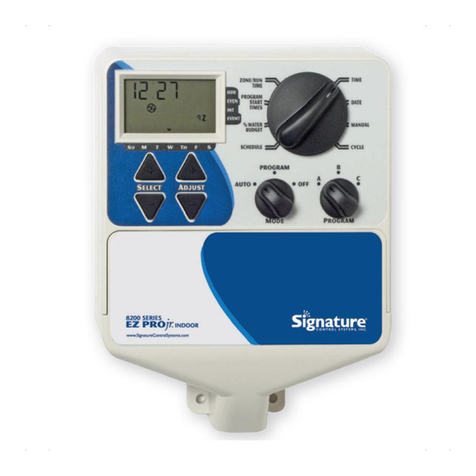
The LCD will display the currently scheduled program (default is all WATER DAYS.) The SELECT keys will scroll
the LCD display through each of the scheduling positions WATER DAYS, ODD, EVEN, INTERVAL, and INTERVAL
START DATE. A scheduling option is chosen after you press a button, either SELECT or ADJUST. The old schedule is
replaced with the new one. It’s easy to program a schedule with the following procedures.
SET WATER DAYS SCHEDULING OPTION
Turn the large dial to the SCHEDULE A or B position. Use the SELECT till the raindrops appear above the days of the
week. Press the ADJUST ‘+’ button to select that day for watering or press ADJUST ‘–’ for non-watering days. A ashing
indicator appears over the day you’re about to set. Raindrops appear over selected days to water. The indicator automatically
moves one day to the right after an ADJUST ‘+’ or ‘–’ key press. Continue selecting or deselecting the days you want
the controller to water until you have your 7-day calendar set.
NOTE: Programming a WATER DAYS schedule deletes any other schedule for the selected program.
SET ODD/EVEN DAY SCHEDULING OPTION
Turn the large dial to the SCHEDULE A or B position. The last scheduling option chosen for the current program appears
on the LCD. To set either an ODD or an EVEN schedule press the SELECT button till an arrow appears on the LCD next
to the appropriate schedule (ODD or EVEN). A DATE must be set for odd/even watering). The SELECT buttons act as
toggle keys and will toggle between odd or even.
NOTE: Programming an ODD/EVEN schedule deletes any other schedule for the selected program.