WARNING
Filters must be replaced according to instructions in the attached
documentation. Failure to replace lters on schedule will effect system
performance and may damage the unit.
HOW TO REPLACE FILTERS
PREPARATION
Place machine on a dry towel to absorb excess
water which may spill.
Close water supply valve.
Remove remaining water pressure inside
lters by pressing the “Start” button until the
water stops owing.
Disconnect power input jack from the product.
OPENING SIDE COVER
Remove 2 thumb screws located on back of
machine.
Slide the door toward the back of the machine
until door releases and can be removed.
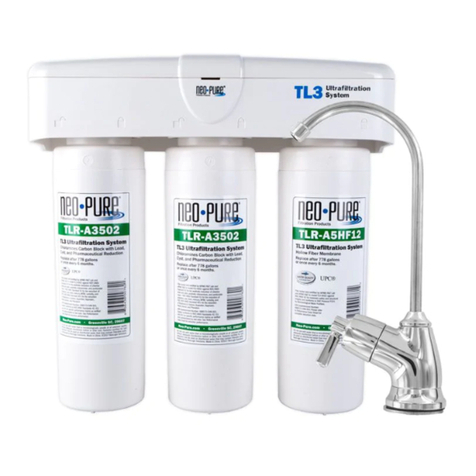
REPLACING UF AND CARBON FILTERS
Grasp lter rmly and rotate counter-clockwise
until lter drops out. Insert new lter so that it
slides up into receptacle
(it will only t one way).
Twist lter Clockwise until it is rmly seated.
Replace next lter using same procedure.
RECONNECT MACHINE
Open water supply valve.
Check each connection and tting for any
leakage. If leak is found, tighten connection.
Reconnect power input jack from the product.
Run system for 5-10 minutes prior to the rst
use after lter replacement.
REPLACE SIDE COVER
Slide the door forward from the back of the
machine until the door catches seat properly.
Replace and tighten 2 thumb screws located
on back of machine, being careful not to
over-tighten.
DISPOSAL
The construction and materials of the SupraH2 Ultra do not require special disposal
procedures. Simply follow the local requirements for the disposal of electrical and
electronic devices.
WATER FILTERING SYSTEM
WARNING
Before performing any type of maintenance, disconnect the device from
its power source.
OPERATION OF SUPRAH2ULTRA WATER SYSTEM
MAINTENANCE OF SUPRAH2ULTRA WATER SYSTEM
INITIAL OPERATION
Open black water supply valve.
Touch “Pure” or “H2” button, then press “Start” and check for water ow. Allow
water to ow for5-10 minutes before normal use.
Remove cover and check each part, connection and tting for any leakage. Replace
cover and use.
HOW TO OPERATE
Place receptacle under water outlet.
Press “Pure” button for puried water or press H2 button
for Ion infused water.
Press and hold “Start” button until desired amount has
been dispensed.
The device should be kept clean and dry. Remove any dust or grime by using a soft
cloth moistened with water or a gentle, non-abrasive cleanser.
WARNING FLUSH FILTERS!
During initial operation water may contain carbon particles, allow the
machine to run 5-10 minutes to ush these particles out. Failure to do so
may damage unit.
WARNING
Close water supply valve when the
product is not in use for more than 24
hours to prevent any damage due to
water leakage.
UF Membrane Filter 12 Months
Carbon Block Filter 6 Months
Removes minute particles and germs while maintaining
useful minerals in the water
Chlorine removal, water taste control and odor removal
Filter Filter Function Replace