4-Port KM Switch with USB 2.0 Support and Audio 7
System operation (continued)
Custom Hotkey Triggers
Users can customize the keys that trigger hotkeys. The default trigger for hotkey function on the
keyboard is Ctrl + Ctrl. The trigger function can be used to change to the following keys:
Ctrl (Left / Right), Alt,Shift (Left / Right), Caps Lock, Scroll Lock, F1-F12.
To view the current hotkey trigger setting:
Use the RS-232 command: /+ /+ ?+ ?+ Enter to view the current hotkey trigger. To reset the Hotkey
Trigger, use the “Factory Defaults” command.
To change the hotkey trigger setting:
[hotkey] + [hotkey] + X+ [desired hotkey]
To reset the hotkey trigger:
Run “Factory Defaults” command.
Example: If the user’s current hotkey trigger is Shift and they want to change it to Scroll Lock, the user
would type Shift + Shift + X+ Scroll Lock.
RS-232 Serial Control
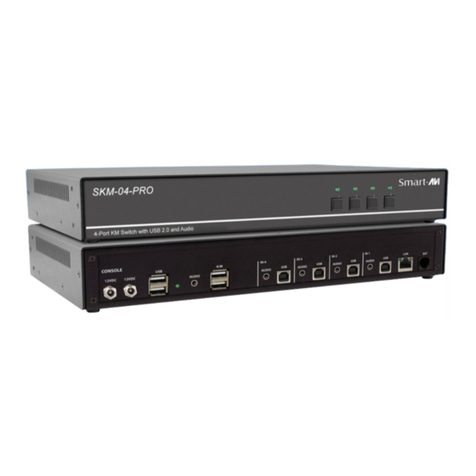
The SM-UHS-4S may also be controlled via RS-232 commands. To use these commands, you must use
HyperTerminal or an alternate terminal application. The settings for the connection are as follows:
Baudrate 115200; Data Bits 8; Parity None; Stop Bits 1; Flow Control None.
Once you have connected to the SM-UHS-4S via Serial, you will see the SM-UHS-4S information when
the device starts up.
The following commands can be used for RS-232 with available keyboard hotkeys:
COMMAND DESCRIPTION HOTKEY RS-232 COMMAND
Switch Keyboard, Mouse, Audio and USB [CTRL][CTRL] m [port #] [ENTER] //m[port #] [ENTER]
Switch Audio Only [CTRL][CTRL] a [port #] [ENTER] //a[port #] [ENTER]
Switch Keyboard, Mouse and Audio to Next
Channel (USB stays) [CTRL][CTRL] N/A
Switch Keyboard, Mouse and Audio to
Previous Channel (USB stays) [CTRL][CTRL] N/A
Switch USB 2.0 only (Not Keyboard, Mouse
USB) [CTRL][CTRL] u[port #] [ENTER] //u[ENTER]
Switch USB 1.1 only (Keyboard, Mouse USB) [CTRL][CTRL] c[port #] [ENTER] //c[ENTER]
Reset to Factory Default [CTRL][CTRL] f[ENTER] //f [ENTER]
Software Reset [CTRL][CTRL] r[ENTER] //r[ENTER]
Mouse Roaming ON [CTRL][CTRL] k s //k s [ENTER]
Mouse Roaming OFF [CTRL][CTRL] k m //k m [ENTER]