Sony SU-PW1 User manual

© 2002 Sony Corporation
4-092-246-12 (1)
Wall-Mount Bracket
Instructions
Manuel d’instructions
Manual de instrucciones
SU-PW1
US
FR
ES
For Customers and Sony Dealers
in North and Central America

2(US)
Thank you for purchasing this product.
To Customers
Sufficient expertise is required for installing this product. Be sure to subcontract the installation to Sony dealers
or contractors and pay adequate attention to safety during the installation.
WARNING
If the safety precautions are not observed and the product is used incorrectly, it may result in a fire or serious
injury.
This instruction manual shows the important precautions necessary to prevent accidents and to promote the correct
handling of the product. Be sure to read this instruction manual thoroughly and use the product correctly. Be sure
to keep this instruction manual available for future reference.
For Sony Dealers
Sufficient expertise is required for installing this product. Be sure to read this instruction manual thoroughly to do
the installation work safely. We are not liable for any damage or injury caused by mishandling or improper
installation. After installation, please hand this installation manual to the customers.
This Wall-Mount Bracket is designed by Sony for use with the specified product. Do not use this bracket with
equipment other than the following product.
Specified product: Flat panel Color Television (KE-42XBR900/KE-50XBR900)
On Safety
Products by Sony are designed with safety in mind.
If the product is used incorrectly, however, it may result in serious injury through a fire, an electric shock or by
causing the product to topple over. Be sure to observe the proper safety precautions to prevent accidents.

3(US)
English
US
For Customers
WARNING
If the following precautions are not observed, there is a possibility of either death or serious injury
through a fire, an electric shock or an explosion.
Be sure to subcontract the installation to qualified contractors and keep small
children away during the installation.
If persons other than qualified contractors install the Wall-Mount Bracket,
the following accidents may happen.
•The Display Unit may fall and cause a serious injury such as a bruise or a
fracture during an earthquake.
•If the wall on which the Wall-Mount Bracket is installed is unstable,
uneven, or not perpendicular to the floor, the unit may fall and cause
injury or property damage. The wall should be capable of supporting a
weight of at least four (4) times the Display Unit weight (KE-42XBR900:
53 kg (116 lb 14 oz) ×4 = 212 kg (467 lb 6 oz), KE-50XBR900: 39 kg (85 lb
16 oz) ×4 = 156 kg (343 lb 15 oz)).
•If the installation of the Wall-Mount Bracket on the wall is not
sufficiently sturdy, the unit may fall and cause injury or property
damage.
Be sure to subcontract the installation to qualified contractors when moving
or dismounting the Wall-Mount Bracket.
If persons other than qualified contractors transport or dismount the Wall-Mount Bracket, the Display Unit may
fall and cause injury or property damage. Be sure that two or more persons carry or dismount the Wall-Mount
Bracket.
Do not spill liquid of any kind on the Display Unit.
If you allow the Display Unit to get wet, this may result in a fire or an electric shock.
Do not remove bolts, etc., after mounting the Display Unit.
If you do so, the Display Unit may fall.
Do not disassemble or make alterations to the parts of the Wall-Mount
Bracket.
If you do so, the Wall-Mount Bracket may fall and cause injury or property
damage.
Do not mount any equipment other than the specified product.
This Wall-Mount Bracket is designed for use with the specified product. If you mount equipment other than the
specified product, it may fall and cause injury or property damage.

4(US)
Do not block the ventilating holes on the Display Unit.
If you block the ventilating holes on the Display Unit by covering the top of
the Display Unit with a cloth or the like, the Display Unit may become
overheated and this may cause a fire.
Do not apply any load other than the Display Unit on the Wall-Mount
Bracket.
If you do so, the Display Unit may fall and cause injury or property
damage.
Do not lean on or hang from the Display Unit.
The Display Unit may fall and the user may be caught under the weight of
the unit and suffer serious injury.
To prevent a fire or an electric shock, do not expose the Display Unit to rain
or moisture.
If you allow the Display Unit to get wet, this may result in a fire or an electric shock.
Never place the Display Unit in hot, humid or excessively dusty places. Do not
install the Display Unit where it may be exposed to mechanical vibrations.
If you do so, this may cause a fire or an electric shock.
Keep flammable objects or open flames (e.g. candles) away from the Display
Unit.
To prevent a fire, keep flammable objects or open flames (e.g. candles) away from the Display Unit.

5(US)
CAUTION
If the following precautions are not observed, there is a possibility of injury or property damage.
Do not install the Wall-Mount Bracket on wall surfaces where the corners or
the sides of Display Unit would protrude away from the wall surface.
Do not install the Wall-Mount Bracket on wall surfaces such as a pillar,
where the corners or the sides of Display Unit would protrude away from
the wall surface. If a person or object happens to hit the protruded corner
or side of the Display Unit, this may cause injury or property damage.
Do not handle the product with excessive force during cleaning or
maintenance.
Do not apply excessive force on the topside of the Display Unit.
If you do so, this may cause injury or property damage by causing the Display Unit to fall.
Do not install the Display Unit over or under an air-conditioner.
If you do so, the Display Unit may be exposed to air currents from the air-conditioner. This may result in a
malfunction of the Display Unit.
Precautions
• If you use the Display Unit installed on the Wall-Mount Bracket for a long time, the wall behind or above the
Display Unit may become discolored or the wallpaper may come unstuck, depending on the material of the wall.
If the Wall-Mount Bracket is removed after installing them on the wall, the screw holes are left.
•If you have routed 300 ohm feeder cables behind the wall, we recommend that you change them to 75 ohm
coaxial cables.
If it is necessary to continue to use 300 ohm feeder cables, be sure to confirm that sufficient space is available
between the Display Unit and the feeder cables behind the wall before starting the installation.
Consult your contractor on an appropriate installation location where the Display Unit suffers no radio noise
before starting the installation.

6(US)
Install the Wall-Mount Bracket
WARNING To Customers
Sufficient expertise is required for installing this product. Be sure to subcontract the installation to Sony dealers
or contractors and pay adequate attention to safety during the installation.
To Sony Dealers
The following instructions are for Sony Dealers only. Be sure to read safety precautions described above and
pay adequate attention to safety during the installation, maintenance and checking of this product.
Be sure to install the Wall-Mount Bracket securely to the wall following the
instructions in this instruction manual.
If any of the screws are loose or fall out, the Wall-Mount Bracket may fall
and cause injury or property damage. Be sure to use the appropriate screws
for the material of the wall and install the unit securely, using eight or more
M8 or the equivalent screws.
Do not allow the Power Cord or the Display Cable to be pinched.
If the Power Cord or the Display Cable is pinched between the unit and the
wall or is bent or twisted by force, the metallic part of the cord or cable may
be exposed and cause a short circuit or a break in the cord or cable. This
may cause a fire or an electric shock.
Be sure to use the supplied screws and attachment parts properly following
the instructions given in this instruction manual. If you use substitute items,
the Display Unit may fall, and cause bodily injury to someone or damage to
the Display Unit.
Be sure to assemble the bracket properly following the instructed procedure
explained in this instruction manual.
If any of the screws are loose or fall out, the Display Unit may fall, and cause bodily injury to someone or damage
to the Display Unit.
Be sure to tighten the bolts and screws securely in the designated position.
If you fail to do so, the Display Unit may fall, and cause bodily injury to someone or damage to the Display Unit.
Be careful not to subject the Display Unit to shock during installation.
If the Display Unit is exposed to shock, it may fall or break apart. This may cause injury.
For Sony Dealers

7(US)
Be sure to install the Display Unit on a wall that is both perpendicular and
flat.
If you fail to do so, the Display Unit may fall and cause injury.
After proper installation of the Display Unit, secure the cables properly.
If people or objects get tangled in the cables, this may result in injury.
Be careful not to hurt your hands or fingers during the installation.
Be careful not to hurt your hands or fingers when installing the Wall-Mount Bracket or the Display Unit.
The screws needed to secure the Wall-Mount Bracket to the wall are not
supplied.
Use the appropriate screws for the wall material and structure when mounting the Wall-Mount Bracket.
Step 1: Check the parts required for the installation
1
2
Screws (+PSW5 ×12) (2) Plate Unit (1) Mounting Hook Unit (2)
Prepare a Phillips driver and the
appropriate screws (eight or more
M8 or the equivalent screws, not
supplied), depending on the
material of the wall, beforehand.
Open the package and check the
parts.

8(US)
Step 2: Decide on the installation location
1
Step 3: Install the Plate Unit on the wall
1
Unit: mm (inches) Be sure to keep the distance
between the Plate Unit and the
ceiling or the protruding parts of
the wall as shown in the diagram on
the left.
Tip
See the cross section diagram in “Specifications”(p.15
(US)) for details on dimensions when the Display Unit
is installed on the wall.
300
(11
13
⁄
16
)
100 (3
15
⁄
16
)
100
(3
15
⁄
16
)
100
(3
15
⁄
16
)
Screw hole to be used for
temporarily attaching the
bracket.
Align the unit so that
it is exactly level.
Plate Unit
Screw the Plate Unit to the wall
temporarily and align the position
of the Plate Unit so that it is exactly
level.
WARNING
•The screws securing the Wall-Mount Bracket to the
wall are not supplied.
•Be sure to use the appropriate screws, depending
on the material and structure of the wall.

9(US)
2
1
2
Fix the Plate Unit to the wall using
eight or more M8 or the equivalent
screws (not supplied).
1Be sure to tighten the screws securely so that they
will not come loose.
2Firmly tighten the screw screwed in temporarily in
Procedure 1.
WARNING
•We recommend using the screw hole locations
specified in the diagram on the left when attaching
the Plate Unit temporarily. If the Plate Unit cannot
be attached securely enough, use additional screws.
•Be sure to confirm that the Plate Unit is securely
fixed to the wall.
A
400 (15
3
⁄
4
)
330 (13)
FE
DC
KE-42XBR900/KE-50XBR900
35 (1
3
⁄
8
)
110
(4
11
⁄
32
)
530 (20 7⁄8)
600 (23 5⁄8)
B
140 (5 1⁄2)
35 (1
3
⁄
8
)
110
(4
11
⁄
32
)110
(4
11
⁄
32
)
ABCDEF
1,573 856 342 86 244 184
(61 15⁄16) (33 11⁄16) (13 15⁄32) (3 3⁄8) (9 19⁄32) (7 1⁄4)
KE-50XBR900 Unit: mm (inches)
ABCDEF
1,352 720 208 152 178 182
(53 7⁄32) (28 11⁄32) (8 3⁄16) (5 31⁄32)(7) (7 5⁄32)
KE-42XBR900 Unit: mm (inches)

10(US)
3Adjust the angle of the arms.
1Take out the screws from the right and left sides of
the arm base. Then choose the notch corresponding
to the desired angle (0, 5, 10, 15 or 20 degrees) and
fit the arm base to it.
2Firmly secure each arm base using the screws taken
out in Procedure 1.
Note
Be sure to adjust the angles of the right and the left
arms to the same angle.
•0degrees: Leave the white screws as they
are tightened.
•Other than 0 degrees: Take out the white
screws.
Other manuals for SU-PW1
3
Table of contents
Languages:
Other Sony TV Mount manuals

Sony
Sony YT-ICB124 User manual

Sony
Sony SU-WL855 Service manual

Sony
Sony SU-WL850 Service manual
Sony
Sony KDL-46NX711 - 46" Bravia Nx700 Series Hdtv Guide
Sony
Sony WS-F1000 User manual

Sony
Sony MB-530 User manual
Sony
Sony SU-PW3M User manual

Sony
Sony SU-WL450 Service manual

Sony
Sony SU-WL100 User manual
Sony
Sony SU-PW1 User manual
Sony
Sony SU-34HX1 User manual

Sony
Sony SU-WL450 Service manual

Sony
Sony SU-WL850 Service manual
Sony
Sony Bravia KDL-46HX820 Manual

Sony
Sony SU-W210 User manual
Sony
Sony KDL22L5000 - BRAVIA L Series Guide
Sony
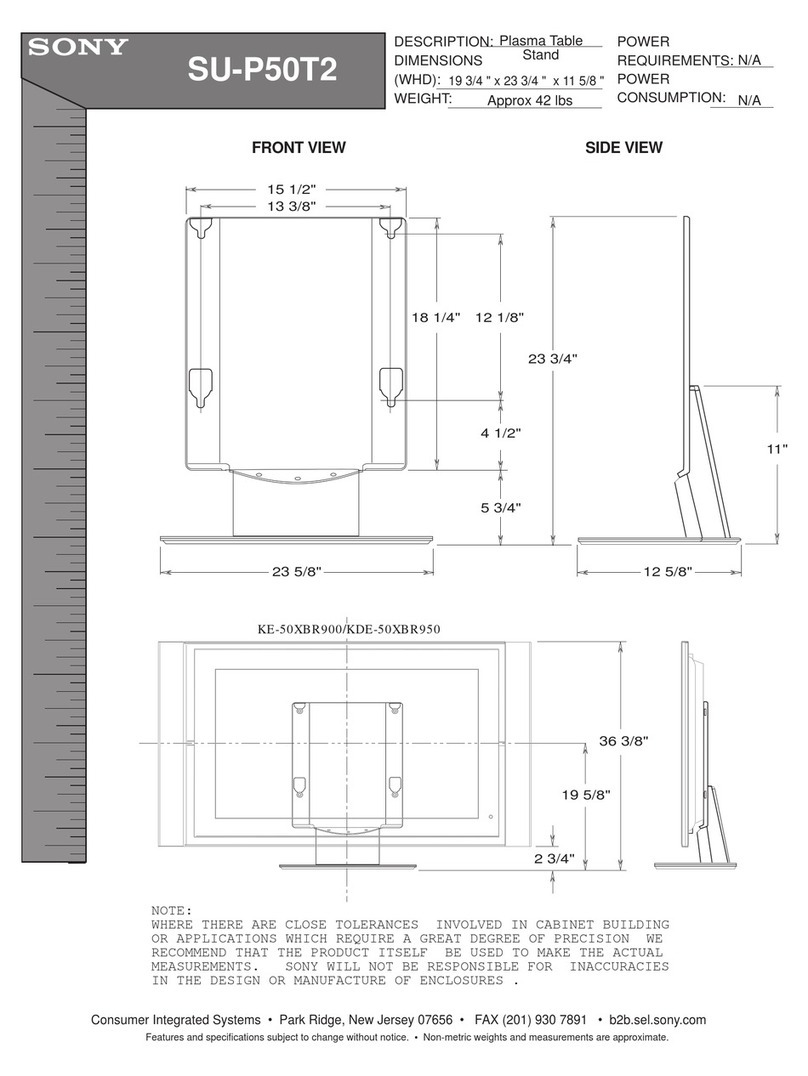
Sony SU-P50T2 Owner's manual
Sony
Sony BRAVIA KDL-32L5000 User manual
Sony
Sony SS-FRF7ED User manual
Sony
Sony WS-F100 User manual