CONTENTS
1. Safety Warning.......................................................................................................................................... 2
1.1. Transportation................................................................................................................................... 2
1.2. Preparation ......................................................................................................................................... 2
1.3. Installation .......................................................................................................................................... 2
1.4. Connection warnings ...................................................................................................................... 3
1.5. Operation ............................................................................................................................................ 4
1.6. Standards…………………………………………………………………...………………………………………..4
2. Installation and Setup............................................................................................................................. 5
2.1. Unpacking and Inspection ............................................................................................................ 5
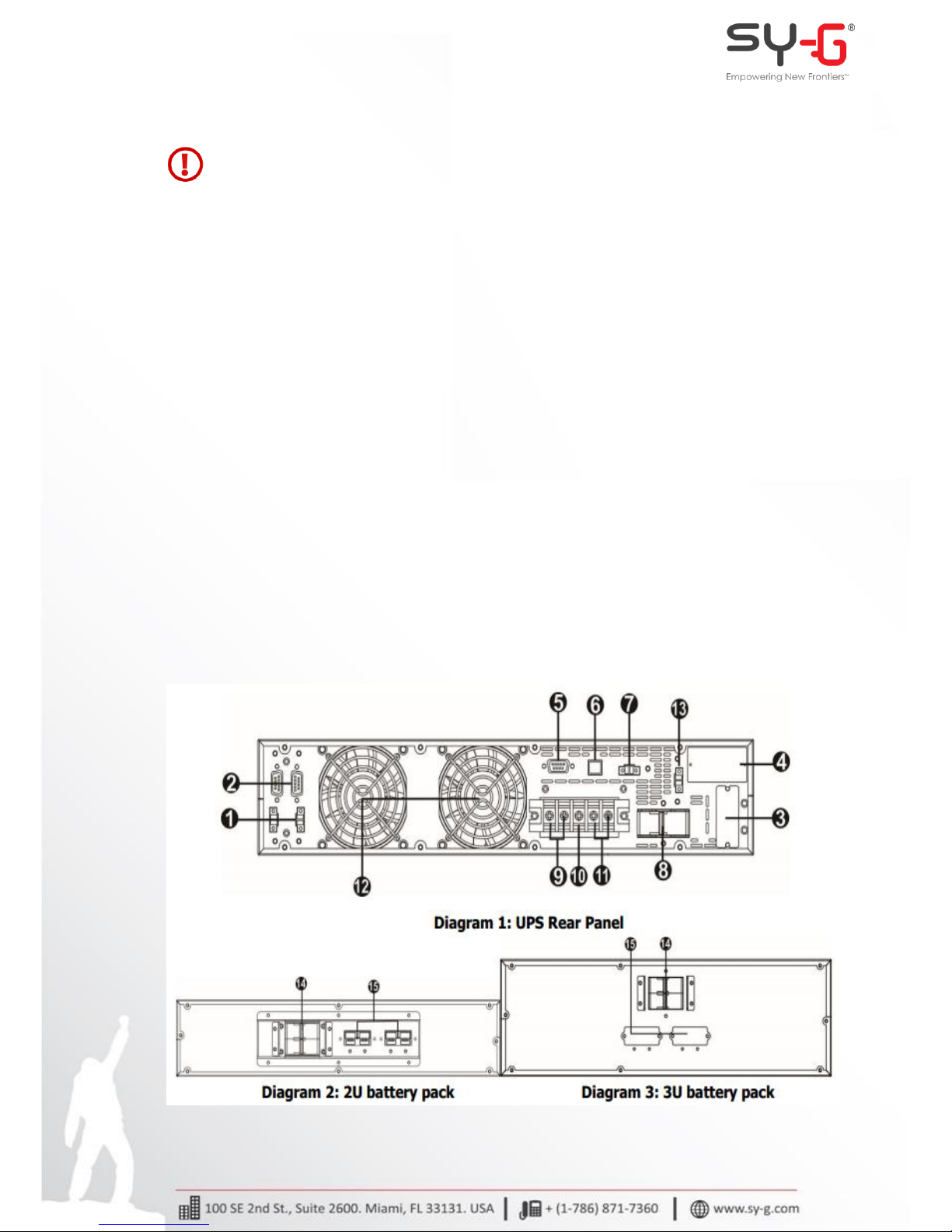
2.2. Rear Panel View ................................................................................................................................ 5
2.3. Stand Alone Installation................................................................................................................. 6
2.4. Rack Mount Installation………………………………………………………………………………………. 7
2.5. Single UPS Installation…..……………………………………………………………………………….…… 8
2.6. UPS Installation for Parallel System.…………………………………………………………….……. 10
2.7. Software Installation……………………………………………………………………………………….…. 12
3. Operations ................................................................................................................................................13
3.1. Button Operation ...........................................................................................................................13
3.2. LED Indicators..................................................................................................................................13
3.3. LCD Panel .......................................................................................................................................... 14
3.4. Audible Alarm.................................................................................................................................. 15
3.5. Single UPS Operation ................................................................................................................... 15
3.5.1. Turn on the UPS (in AC mode)……………………………………..………………………………15
3.5.2. Turn on the UPS (in Battery mode) ………………………………..……………………………16
3.5.3. Connect Devices to UPS………………..……………………………………………………………..16
3.5.4. Charge the Batteries……………………..……………………………………………………………...16
3.5.5. Battery mode Operation...……….……………………………………………………………………17
3.5.6. Test the Batteries………………………….……………………………………………………………...17
3.5.7. Turn off the UPS (in AC mode)……..………………………………………………………………17
3.5.8. Turn off the UPS (in Battery mode) ……………………………………………………………..18
3.5.9. Mute the Buzzer………………………………………………………………………………………..…18
3.5.10. Operation in Warning Status...……………………………………………………………………18
3.5.11. Operation in Fault mode……………………………………………………………………………18
3.5.12. Operation of Changing Battery Numbers..…………………………………………………19