COPY MUSIC FROM SD-CARD/ U-DISK TO SPI-FLASH
The Arduino MP3 Shield support 3 kinds of storage media, SD card, U-Disk and SPI FLASH. The three kinds of memory have the
following priority (High first): SPI-FLASH, SD card and U-Disk.
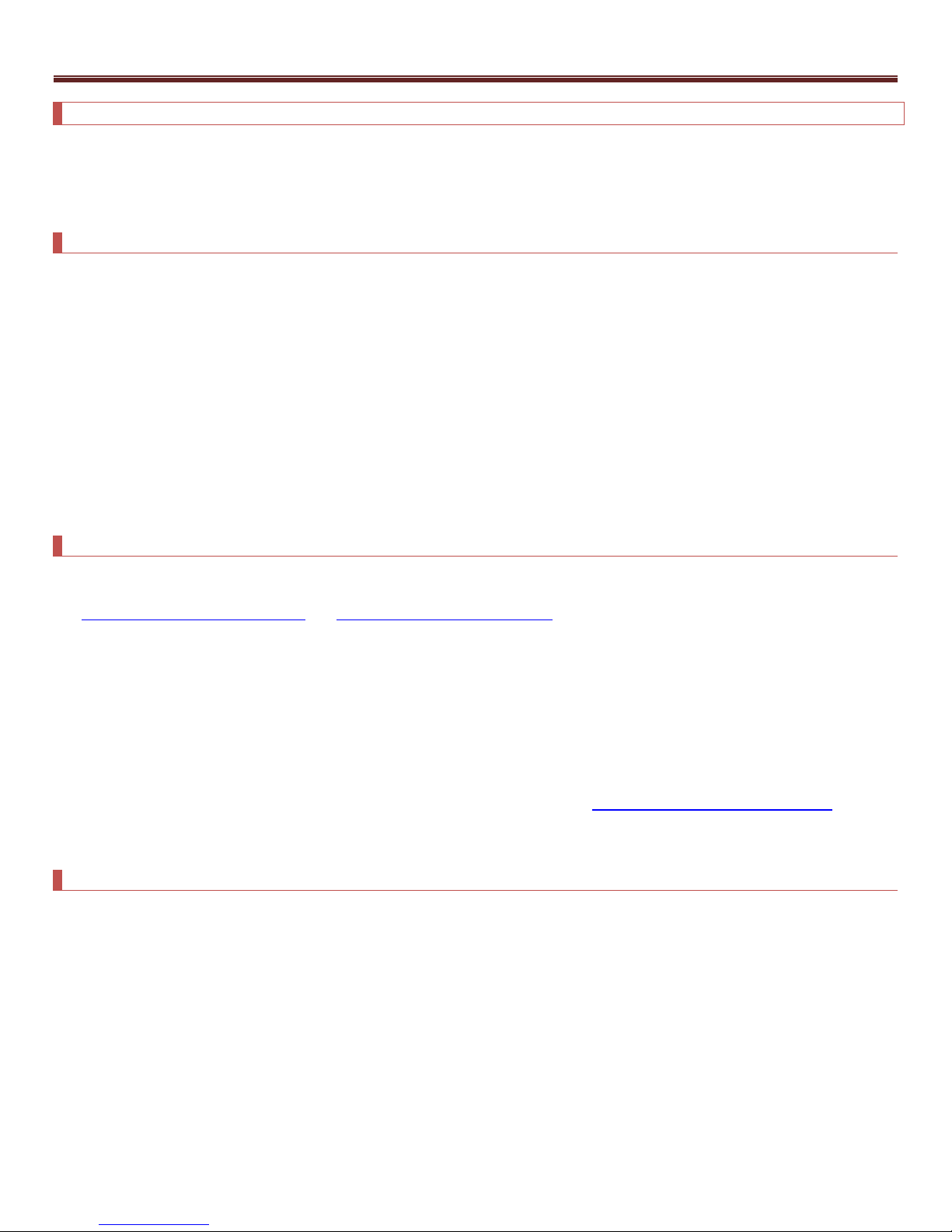
There are two methods to copy music from SD-CARD/U-DISK: through COPY button, or UART interface.
Copy Music through COPY button
Follow the following 5 steps:
1. Create the “iSound.mp3”configuration file, copy music files to SD card/ U-DISK, then copy ”iSound.mp3”to SD card/ U-DISK(this
can make sure the “iSound.mp3”is the last file in SD card/U-DISK).
2. Power off Arduino MP3 Shield.
3. Press COPY button and hold.
4. Power on Arduino MP3 Shield, and hold COPY button for about five seconds until the state indicating LED starts blinking.
5. Release the Copy key and wait state indicating LED turns off.
In fact, the configuration file could be stored in SPI-FLASH until you download another “iSound.mp3”file to it. That means, you only
have to download the configuration file once. However, each time you download music files to SPI-FLASH, old music files in the SPI
will be erased.
Copy Music through UART command
You could also copy files to SPI-FLASH by sending command via UART Interface
See Copy File from SD card to SPI FLASH and Copy File from U-Disk to SPI FLASH.
NOTE
1. The music files copied to the SPI-FLASH has the same order with those in the SD card/U-Disk.
2. The SPI-FLASH only has 8MB space. Each time you copy files to SPI-FLASH, the first file will be copied anyway, even it is larger
than 8MB, of course resulting in bad file in the SPI-FLASH. However, if there is not enough space for the second file, it will not
be copied into SPI-FLASH. For example, we have many music files in the SD card, more than 8MB, the first file size is 3MB,
and the second is 4MB, and the third one is 2MB. When we do copy operation, only the first two file can be copied to the
flash. You can send command to check the file numbers in the SPI-Flash. See Check Total Number of SPI FLASH Files .
Music Order
All the music files must be stored in the root directory of SD or U-disk. Any file name is not restricted as long as it obeys FAT file
system.
FAT32 file system has a rule. File order is decided by the file address. File which is created or copied into file system earlier has a
higher priority. The Arduino MP3 Shield plays music in that order. To control the music order in which Arduino MP3 Shield plays, we
need to control the order in which the music files are saved in SD or U-disk. For example, you could save music one by one to SD card.
You save B.mp3 first and then save A.mp3. By default, it will play B.mp3 fore A.mp3 file.
There is a simple way to save music as desired in bulk:
Create a folder on PC and copy all music files to the folder. Add prefix 0000~9999 to the file names like 0000-God is a girl.mp3, 0001-
Baby.mp3, 0002-Set Fire To the Rain.mp3 and so on. Then reorder the music by name. Select all files (CTRL+A may help), then copy
(CTRL+C may help), and paste these file to the SD card/U-disk. In this way, the music files will be stored in the desired order.
www.sycelectronica.com.ar