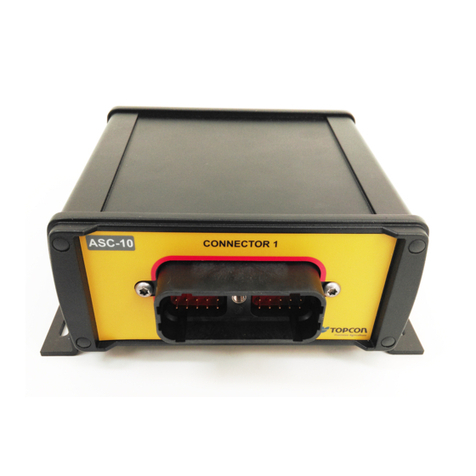
Topcon GC-35 User manual

GC-35
Paver and Profiler Control Box
Quick Reference Guide
GC-35_QRG.book Page 1 Tuesday, January 31, 2017 3:43 PM


GC-35 Control Box
Quick Reference Guide
Part Number 1001548-01
Rev C
©Copyright Topcon Positioning Systems, Inc.
January 2017
All contents in this manual are copyrighted by Topcon. All rights reserved. The information contained herein may not be used, accessed,
copied, stored, displayed, sold, modified, published, or distributed, or otherwise reproduced without express written consent from
Topcon.
GC-35_QRG.book Page i Tuesday, January 31, 2017 3:43 PM
For more information contact Synergy Positioning Systems or
visit the Synergy Positioning Systems website at www.synergypositioning.co.nz

Terms and Conditions
Thank you for buying this Topcon product. This manual has been prepared to assist you with the care and operation of the product and its use
is subject to these Terms and Conditions and those more fully set forth in the Operator’s Manual.
Usage and Safety
This product is designed for use by professionals. Always use safety precautions when operating this or any Topcon product. See “Safety
Warnings” for details.
Copyrights and Trademarks
The information in this manual is a copyright of Topcon and is for use only with the product. GC-35, Sonic Tracker II, and Topcon are trademarks
or registered trademark of Topcon Positioning Systems, Inc. Windows and the Windows CE icon are registered trademarks of Microsoft
Corporation.
Other product and company names mentioned herein may be trademarks of their respective owners.
Disclaimer of Warranty and License Agreement
Please see the Operator’s Manual for detailed information on warranties and the license agreement which may apply to the Product.
Except for such warranties and licenses provided with the product, this manual and the product are provided “AS-IS”. Topcon and its distributors
shall not be liable for technical or editorial errors or omissions contained herein; nor for incidental or consequential damages resulting from the
furnishing, performance or use of this material or the Product.
Use of any computer programs or software supplied by Topcon or downloaded from the Topcon website in connection with the Product implies
acceptance of the Terms and Conditions here and in the Operator’s Manual.
Website
https://www.topconpositioning.com/support/products/gc-35/
GC-35_QRG.book Page ii Tuesday, January 31, 2017 3:43 PM

GC-35 Setup
1
P/N: 1001548-01
• • • • • •
GC-35 Setup
Features
*For Proler (Milling) code, if you are using both a sonic tracker and a yoyo sensor, pressing
the Slope/Elevaton button cycles through the sonic tracker ( ), the yoyo sensor ( ), and
the slope sensor ( ).
If you are using only one elevation sensor, either sonic or yoyo, pressing the Slope/Elevation
button switches between the elevation sensor ( ) and the slope sensor ( ).
Auto Indicator LED
Auto Button
Survey Button
Elevation Indicator
LED (Green)
Slope Indicator
LED (Yellow)
Slope/Elevation
Button*
Jog Up/Down
Buttons
LCD
Light Sensor
Power On/Off
Button
Grade Adjustment
Knob
Grade Adjustment
Arrows
Menu Selection
Buttons
Grade Indicator
LEDs
USB Port
USB Cap
(Removed)
Jaw Mount
Power Connector
Sonic Tracker
or Slope Sensor
Connectors
GC-35_QRG.book Page 1 Tuesday, January 31, 2017 3:43 PM

GC-35 Setup
First Time Setup
2
P/N: 1001548-01
First Time Setup
1. Mount the Control Box onto the bracket.
2. Connect the Sensor Cables and the Power Cable to the Control Box.
3. Power on the Control Box. See “Powering the Control Box On/Off” on page 2.
4. Set the Valve Offsets from the Performance Menu. See “Setting Valve Offsets (Raise and Lower) for Paver” on page 7.
or See “Setting Valve Offsets (Raise and Lower) for Profiler” on page 10.
Powering the Control Box On/Off
Power On/O
Button
Startup Screen Shutdown Screen
GC-35
Shutting Down
Cong File Name
cong: 15
Machine Type
GC-35_QRG.book Page 2 Tuesday, January 31, 2017 3:43 PM

GC-35 Setup
Control Screen
3
P/N: 1001548-01
Control Screen
The Control Screen displays when you power on the control box. It is your interface with the components of your
Topcon System. The Control Screen changes depending on how you have configured your Control Box and your
Topcon System.
The illustration below shows an example of a Control Box set up to display information from a secondary Control Box
set up for Slope Control.
Elevation Set
Point Value
Actual Elevation
Sensor Reading
Slope Set Point Value
Positive/Negative
Slope Indicator Icon
Actual Slope
Sensor Reading
Menu/Set
Button Function
Display Area
Elevation Icon
Paver:
Proler:
Units (ft/in/cm)
ST-3 Surface/Stringline Mode Icon
Display Slope Box
Auto Icon
Slope Icon
Primary Control Box Display Area
Secondary Control Box
Display Area
Cross Communication
On-Grade Icon
GC-35_QRG.book Page 3 Tuesday, January 31, 2017 3:43 PM

GC-35 Setup
Performance Menu
4
P/N: 1001548-01
Performance Menu
Follow these steps to access the Performance Menu, select Performance Menu items, and make changes.
1. From the Control Screen, press the Menu/Set button.
2. Rotate the Grade Adjustment Knob to scroll through the menu selections displayed on the screen, and press the Enter
button to select a menu item.
Press Menu/Set Button Turn Grade Adjustment Knob Press Enter Button
GC-35_QRG.book Page 4 Tuesday, January 31, 2017 3:43 PM

GC-35 Setup
Performance Menu
5
P/N: 1001548-01
3. Press to highlight the value in blue, and then use the Grade Adjustment Knob to change the value.
4. Press to store the value (Figure 3), or press to cancel and revert back to the original value..
Press Enter Turn Grade Adjustment Knob Press OK
28 28
If power is interrupted to the Control Box within two seconds after making an adjustment, the Control Box does
not have time to store the new setting and reverts to previous (or original) settings.
GC-35_QRG.book Page 5 Tuesday, January 31, 2017 3:43 PM

GC-35 Setup
Performance Menu
6
P/N: 1001548-01
Default settings are preset values that run most machines, except for Valve Offsets which must be set by the Operator
at first time setup.
See “Setting Valve Offsets (Raise and Lower) for Paver” on page 7.
Table 1. Performance Menu Settings
Number Menu Item Range Default
1Elev.Gains (Raise and Lower) 1 – 200 25
2Slope Gain (Raise and Lower) 1 – 100 25
3Valve Offsets 1 – 999 135
4Elevation Deadband 1 – 30 mm 3 mm
5Slope Deadband 0.025% – 0.75% 0.075%
6Averaging 1 – 100 50
7Machine Type Paver or Profiler -
8Display Set point, + Sensor, Both sides +Sensor
9Units in, ft, cm in
10 System Info N/A Displays the Topcon logo, copyright date, and
current firmware version. Interface to Update
Control Box and ST-3 Firmware.
11 Sonic Tracker 3 Surface, Stringline, Use at power up Surface
12 Slope Res. 0.1%, 0.5% 0.1%
13 Slope Cal. Block Off, On On
14 Language English, Deutsch, Nederlands,
Espanol, Francais
English
15 Box Position Left or Right Left
GC-35_QRG.book Page 6 Tuesday, January 31, 2017 3:43 PM
Table of contents
Other Topcon Control Unit manuals
Popular Control Unit manuals by other brands

Festo
Festo Compact Performance CP-FB6-E Brief description

Elo TouchSystems
Elo TouchSystems DMS-SA19P-EXTME Quick installation guide

JS Automation
JS Automation MPC3034A user manual

JAUDT
JAUDT SW GII 6406 Series Translation of the original operating instructions

Spektrum
Spektrum Air Module System manual

BOC Edwards
BOC Edwards Q Series instruction manual

KHADAS
KHADAS BT Magic quick start

Etherma
Etherma eNEXHO-IL Assembly and operating instructions

PMFoundations
PMFoundations Attenuverter Assembly guide

GEA
GEA VARIVENT Operating instruction

Walther Systemtechnik
Walther Systemtechnik VMS-05 Assembly instructions

Altronix
Altronix LINQ8PD Installation and programming manual